Tag: stereo

  • Parish Audio Releases Stereo Control Plugin – Free for a Limited Time

    Parish Audio Releases Stereo Control Plugin – Free for a Limited Time

    Parish Audio has released Stereo Control, a stereo imaging and utility plugin for Windows and macOS – currently available as a free download for a limited time.

    A Simple Stereo Utility for Everyday Mixing

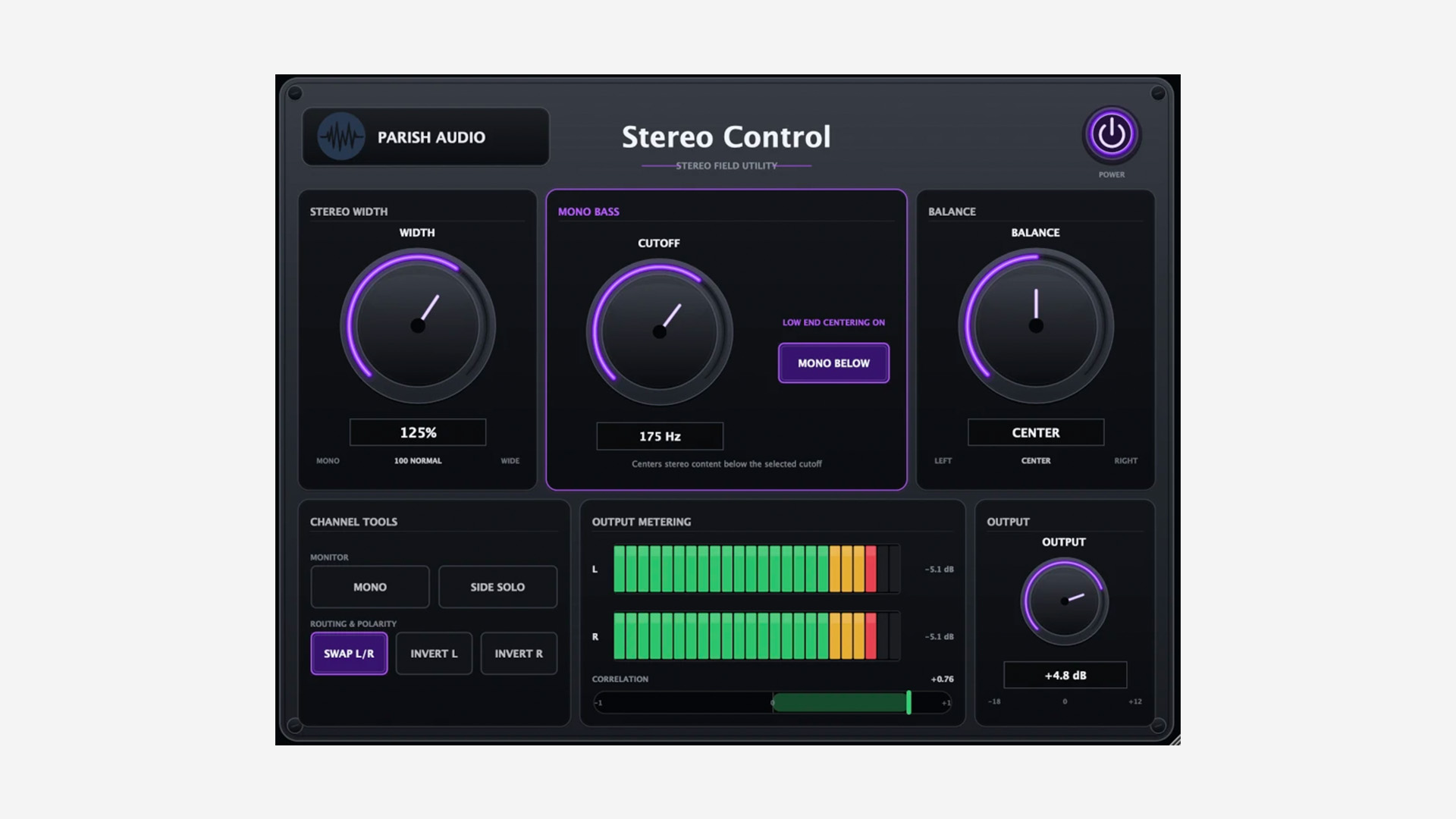
    Stereo Control brings several useful stereo tools into one compact plugin. The Width control runs from full mono up to 200%, so you can tighten an overly wide signal or push it further out into the stereo field.

    There is also a Mono Bass section that centers frequencies below an adjustable cutoff while leaving the upper part of the signal in stereo. This can be useful on synths, loops, reverbs, or even the master bus when the low end needs a bit more focus.

    Useful Monitoring Tools Built In

    The plugin also includes several handy monitoring options. You can switch the signal to mono, solo the Side information, swap the left and right channels, and invert the polarity of either channel independently.

    Side Solo is especially useful when checking what actually lives outside the center of a mix. Combined with the stereo correlation meter, it gives you a quick way to catch width and phase issues before they become a problem.

    Simple and Practical

    Parish Audio has kept the interface straightforward. Alongside the imaging and monitoring controls, you also get balance, output gain, left/right level meters, a stereo correlation meter, and a resizable interface.

    It looks like the kind of utility plugin that can quietly live on tracks, groups, stereo effects, or the master bus without getting in the way.

    Features

    • Stereo width control from mono to 200%
    • Adjustable Mono Bass section
    • Balance control
    • Mono monitoring
    • Side Solo
    • Left/right channel swap
    • Independent left and right polarity inversion
    • Output gain
    • Left/right output meters
    • Stereo correlation meter
    • Resizable interface

    Plugin Formats

    Stereo Control is available in VST3 format for Windows, and in VST3 and AU formats for macOS.

    Free Download

    Stereo Control is available as a free download for a limited time from the Parish Audio website.
  • JB Project Studio Releases Auralizer Free Spatial Plugin

    JB Project Studio Releases Auralizer Free Spatial Plugin

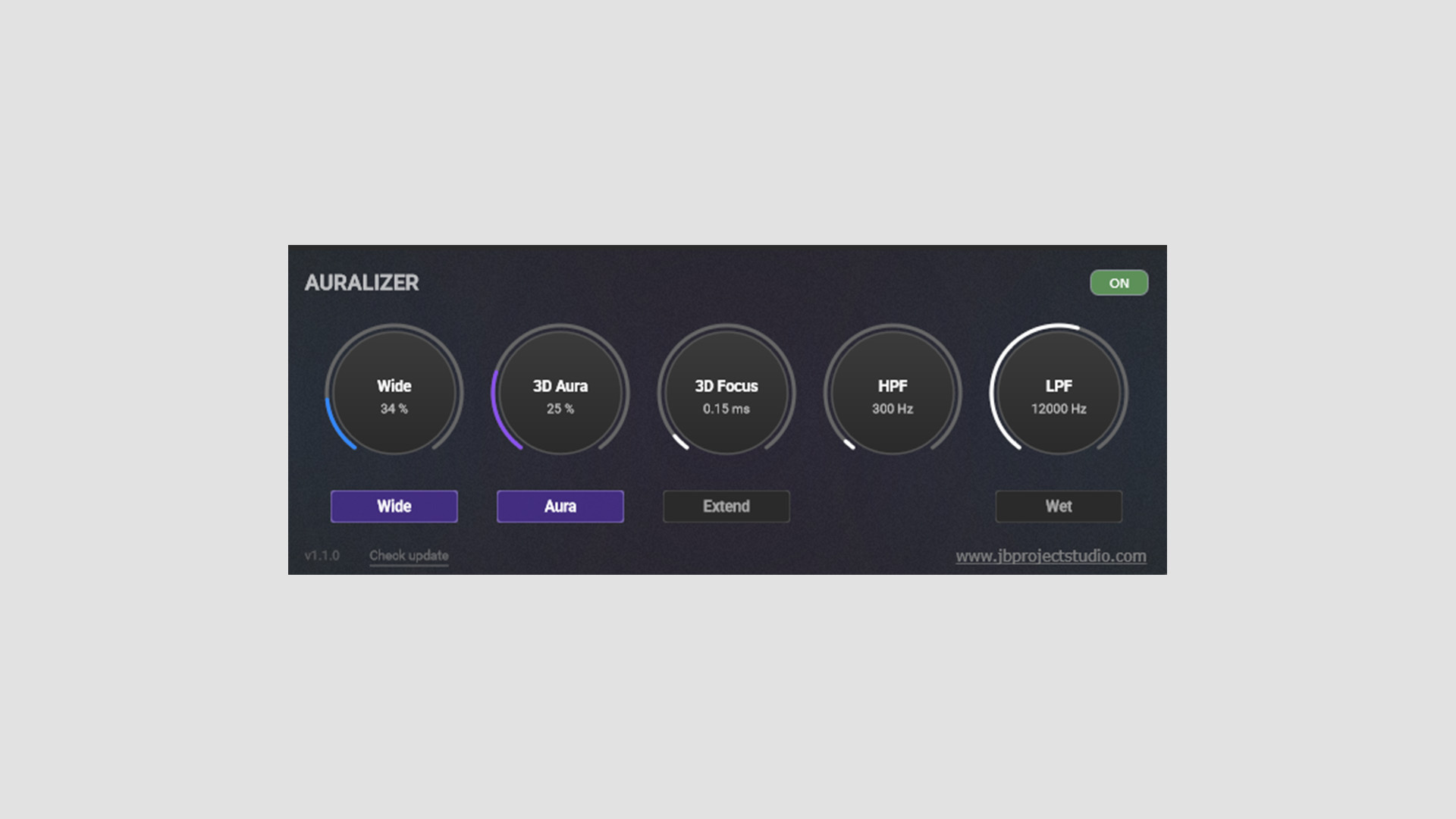
    JB Project Studio has released Auralizer, a free spatial audio plugin built to enhance the sense of three-dimensional space in a mix. The plugin uses a Hilbert Transform-based approach to widen and shape the stereo image while preserving mono compatibility.

    A Stereo Tool Focused on Width and Depth

    Auralizer is aimed at mastering, mix bus, subgroup, and individual track use. So this is not just another quick stereo widener with one oversized knob and a vague promise of “bigger sound.” It is clearly trying to do something more deliberate.

    The heart of the plugin is the 3D Aura section. This is where the main widening process happens, using phase rotation and FIR filtering to feed part of the Mid signal into the Side signal. In use, that should put Auralizer closer to a specialized spatial tool than a standard width enhancer.

    Wide, Aura, and Focus Controls

    The Wide control has its own On/Off switch and operates independently of 3D Aura. Instead of handling the more advanced spatial processing, it simply boosts the Side signal level.

    3D Focus works alongside 3D Aura and adds delay to the processed signal. There are two modes here. Standard mode runs from 0 to 3 ms for more precise mastering-style adjustments, while Extend mode goes up to 15 ms for more obvious widening and creative effects on synths, guitars, and other instruments.

    Filters and Wet Monitoring

    Auralizer also includes high-pass and low-pass filters, so you can define where the processing takes effect. JB Project Studio keeps the high-pass filter above 250 Hz, which makes sense for this kind of plugin since widening the very low end usually creates more problems than it solves.

    There is also a Wet control for soloing the processed signal or setting up parallel use. The plugin includes visual feedback, too, although the developer is right to suggest using your ears first.

    A Useful Tool if You Treat It With Care

    Auralizer looks most useful as a more controlled alternative to a simple stereo widener. It should be handy for mix bus work, subgroup processing, or individual tracks that need a bit more space without falling apart in mono.

    At the same time, JB Project Studio makes a fair point about critical listening. As with most width tools, subtle settings will usually get you further than heavy-handed ones.

    Features

    • Free spatial audio plugin
    • Designed to enhance three-dimensional width and depth
    • Hilbert Transform-based 3D Aura processing
    • Wide control for boosting Side signal level
    • 3D Focus delay control with Standard and Extend modes
    • High-pass and low-pass filters for defining the processing range
    • Wet control for processed-signal soloing or parallel use
    • Intended for mastering, mix buses, subgroups, and individual tracks
    • Visual feedback for monitoring the effect

    Plugin Overview

    Auralizer is a more technical spatial tool than the average stereo widener, but the concept is still easy enough to grasp after a minute with the controls. For anyone who likes to fine-tune width rather than just pushing a single knob and hoping for the best, it looks like a useful free option.

    Free Download

    Auralizer spatial plugin is available as a free download from the JB Project Studio GitHub.

  • GSDSP Releases Quantum Delay Lite Free Stereo Delay Plugin

    GSDSP Releases Quantum Delay Lite Free Stereo Delay Plugin

    GSDSP has released Quantum Delay Lite, a free vintage‑inspired stereo delay & echo plugin, supercharged with deep modulation, flexible filtering, and creative timing that pushes echoes into new dimensions.

    Quantum Delay Lite delivers the same core sound as the full version, trimmed to the essentials for quick, musical results.

    Vintage Tone With Modern Movement

    Quantum Delay Lite isn’t a sterile digital repeat box. You get musical feedback behavior, DAW‑sync timing, and modulation that can drift into chorusy/warbly territory when you want movement.

    A handy low‑pass filter lets you tuck repeats behind the source so they don’t clutter the mix. Use it for vocal throws, synth echoes, guitar ambience, and lo‑fi tape‑style delays.

    Features

    • Included (Lite): Same sound quality as full version; all delay algorithms; modulation system; DAW tempo sync; low‑pass filter; feedback control; presets
    • Not Included (Full Only): Stereo/Dual‑Mono per section; input routing; variable filter types; crossfeed; phase invert; pan & width
    • Formats: VST3, AU, AAX (Windows/macOS), and AUv3 (iOS)

    Free Download

    Quantum Delay Lite stereo delay plugin is available as a free download for Windows, macOS, and iOS via the GSDSP website. Upgrade to the full version for advanced stereo/routing and filtering options.

  • W. A. Production Pumper 3 Is Free for a Limited Time via Producer Sources

    W. A. Production Pumper 3 Is Free for a Limited Time via Producer Sources

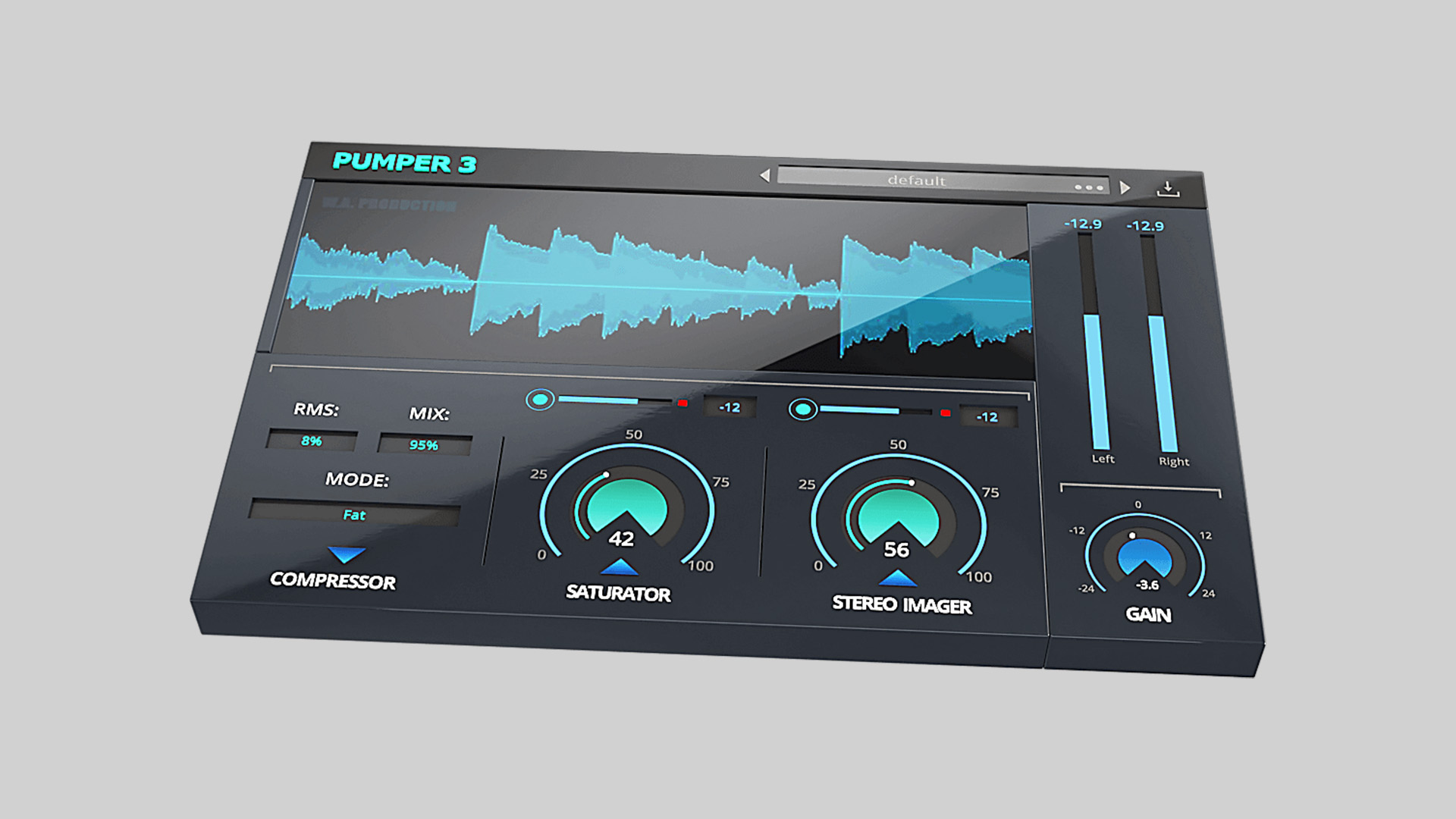
    Pumper 3 plugin by W. A. Production, normally $39, is currently available as a free download via Producer Sources for a limited time. This all-in-one multi-effect plugin is built for dynamic control, saturation, and stereo imaging, making it a versatile tool for music producers, beatmakers, and mix engineers.

    Three Effects in One Interface

    Pumper 3 combines three essential modules: compression, saturation, and stereo imaging. It’s designed to streamline workflow while still offering deep control:

    • Compression: Four specialized modes (Punchy, Fat, Clean, Soft) let you target everything from drums to vocals to mastering chains. Includes adjustable RMS settings and parallel processing.
    • Saturation: Transient-controlled saturation with Rise/Fall envelope shaping, hard/soft clipping, and character control.
    • Stereo Imaging: Frequency-focused stereo enhancement with separate low/high shelf modes and precision EQ for widening specific ranges.

    All three modules offer real-time visual feedback via a waveform display, and the plugin ships with 50 factory presets for drums, vocals, synths, and more.

    Features

    • 4 compression modes: Punchy, Fat, Clean, Soft
    • Parallel processing and RMS shaping
    • Transient-controlled saturation with rise/fall and clip modes
    • Frequency-targeted stereo imaging with EQ controls
    • 50 creative presets
    • Real-time waveform display
    • Resizable interface and updated preset manager (v3.1.0)
    • VST, AU, AAX, VST3 formats (macOS & Windows)

    Free Download

    Pumper 3 plugin is available for free for a limited time via Producer Sources. Regular price: $39.

  • Parallax Audio Offers Virtual Sound Stage 2 as a Free Download

    Parallax Audio Offers Virtual Sound Stage 2 as a Free Download

    Parallax Audio is giving away Virtual Sound Stage 2, their spatial positioning plugin originally launched in 2014, as a completely free legacy version. If you work with virtual instruments and want a more realistic sense of depth and placement in your mixes, this is a great opportunity to grab a still-relevant tool for nothing.

    A Spatial Mixer for Virtual Instruments

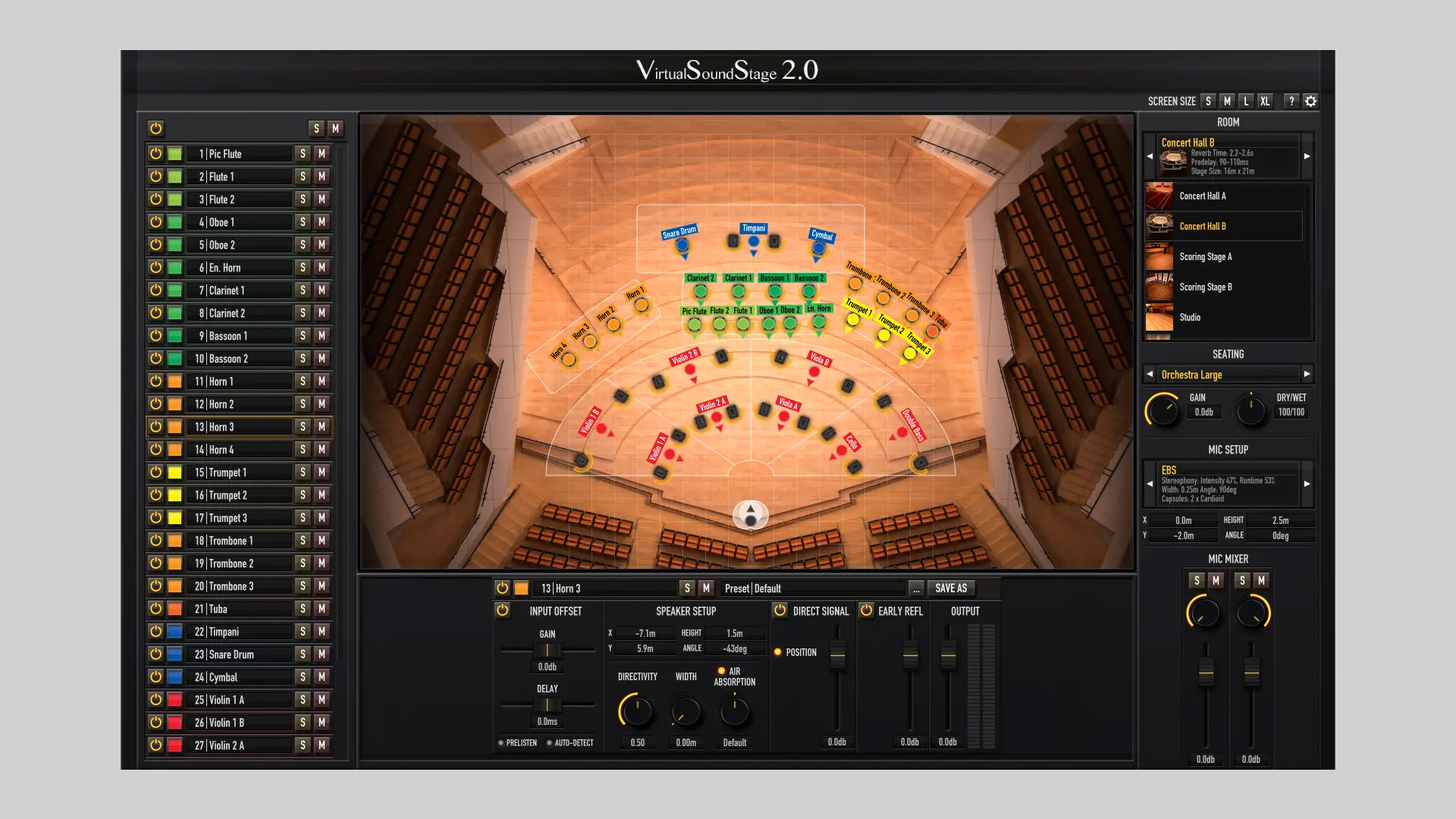
    Virtual Sound Stage recreates the subtle differences in sound you’d hear at different positions in a real acoustic space, something most traditional reverbs ignore. Instead of faking depth with just pre-delay and reverb tails, it gives each instrument its own spatial footprint by combining modeled room reflections, mic setups, and stereo image shaping.

    You can manage all plugin instances from a single control window, making it easy to place multiple instruments across the stereo field in realistic concert halls, scoring stages, studios, and cathedrals. With customizable mic positions and detailed room modeling, the plugin helps samples sit naturally together in a shared space.

    Features

    • Position instruments within realistic acoustic environments
    • Classic halls, studios, scoring stages, and cathedrals
    • Multiple microphone setup options with flexible positioning
    • Single interface controls all plugin instances
    • Compatible with modern OS and plugin formats
    • Updated for Apple Silicon and VST3 support
    • Plugin formats: VST3, AU, AAX (Mac & Windows)

    System Requirements

    macOS

    • Intel CPU or Apple Silicon (M-Series)
    • VST3, AU, AAX formats

    Windows

    • 64-bit (Windows 10 or higher)
    • VST3, AAX formats

    Free Download

    Virtual Sound Stage 2 (Legacy Version) is available now as a free download from Parallax Audio.

  • Harrison Releases Harrison 3D Delay Free Stereo Delay Plugin

    Harrison Releases Harrison 3D Delay Free Stereo Delay Plugin

    Harrison Audio has released Harrison 3D Delay, a free stereo delay plugin designed to deliver mix-ready echo effects with intuitive controls. Whether you’re adding width to vocals or rhythmic depth to synths and guitars, this plugin offers professional-grade results with minimal setup.

    Free Plugin for Expansive Stereo Delay Effects

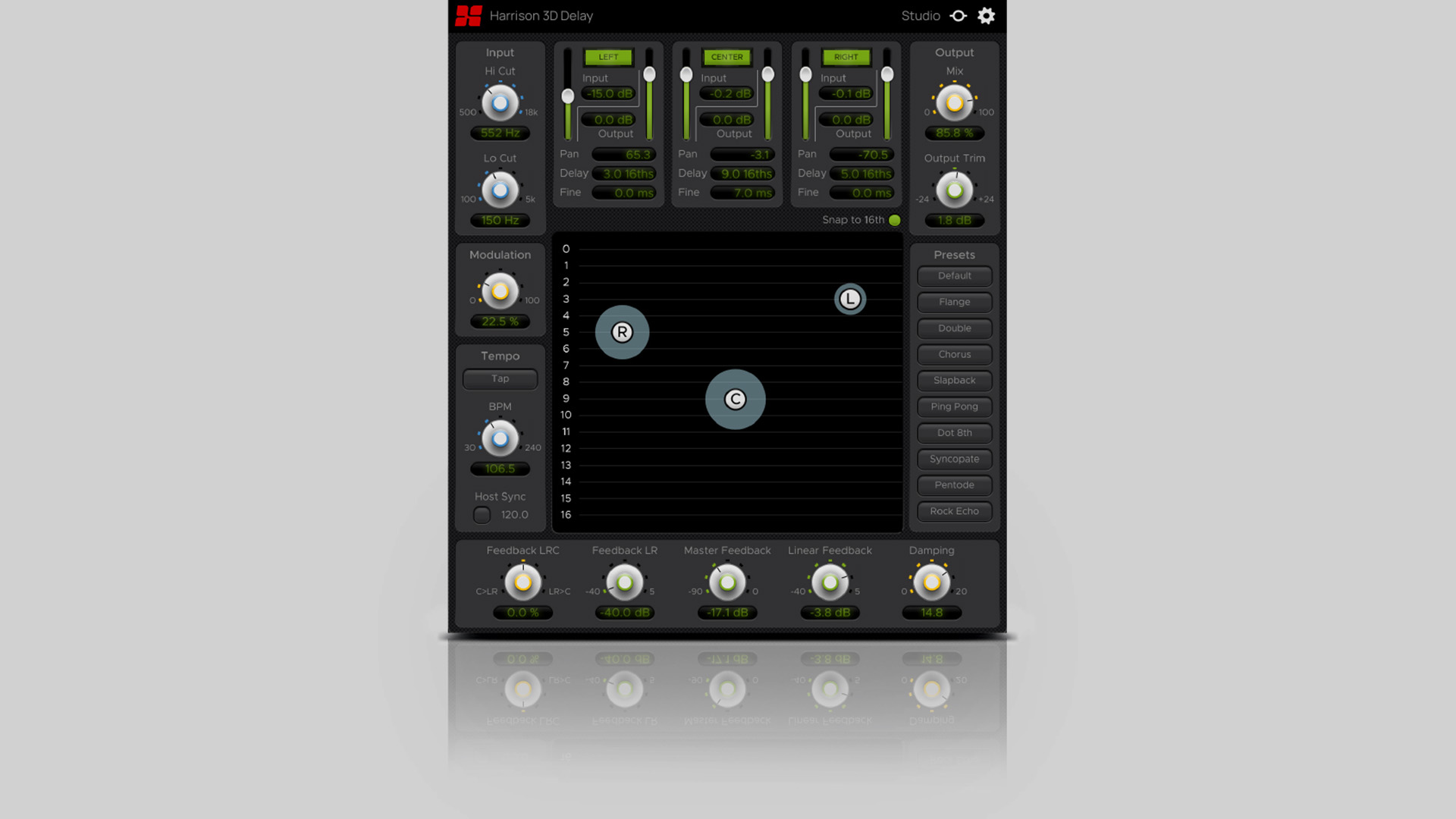
    Harrison 3D Delay provides three independent delay taps: Left, Center, and Right, each with adjustable timing and pan settings. This flexible setup allows you to create anything from quick slapback echoes to wide multi-tap ping-pong delays. Ideal for music producers and engineers seeking rapid access to high-quality stereo effects.

    Features

    Harrison 3D Delay includes:

    • Three adjustable delay taps (Left, Center, Right)
    • HP & LP filters for tonal shaping
    • Tap Tempo and BPM sync
    • Modulation and damping controls for vintage character
    • Independent feedback for each tap
    • Click-and-drag panning with Delay Tap Display Graph
    • Wet/dry mix control
    • 10 mix-ready presets

    https://www.youtube.com/watch?v=jIxcUwneuj4

    Vintage Character with Modern Control

    Alongside precise control of delay timing and stereo imaging, 3D Delay also lets you infuse your sounds with vintage digital charm. Use the modulation and damping options to recreate the feel of classic rackmount delays and shape your delay tails with filters and feedback for a refined, spacious sound.

    Free Download

    You can download the Harrison 3D Delay free stereo delay plugin by signing up on the Harrison Audio website.

  • 4drX Plugins Releases StereoMixer Free Stereo Re-Panner Plugin

    4drX Plugins Releases StereoMixer Free Stereo Re-Panner Plugin

    4drX Plugins has released StereoMixer, a free stereo re-panner plugin designed for fast and flexible monitoring and mixing tasks. StereoMixer is available for Windows and macOS in VST, AU, and AAX plugin formats.

    One-Click Stereo Re-Panning and Monitoring

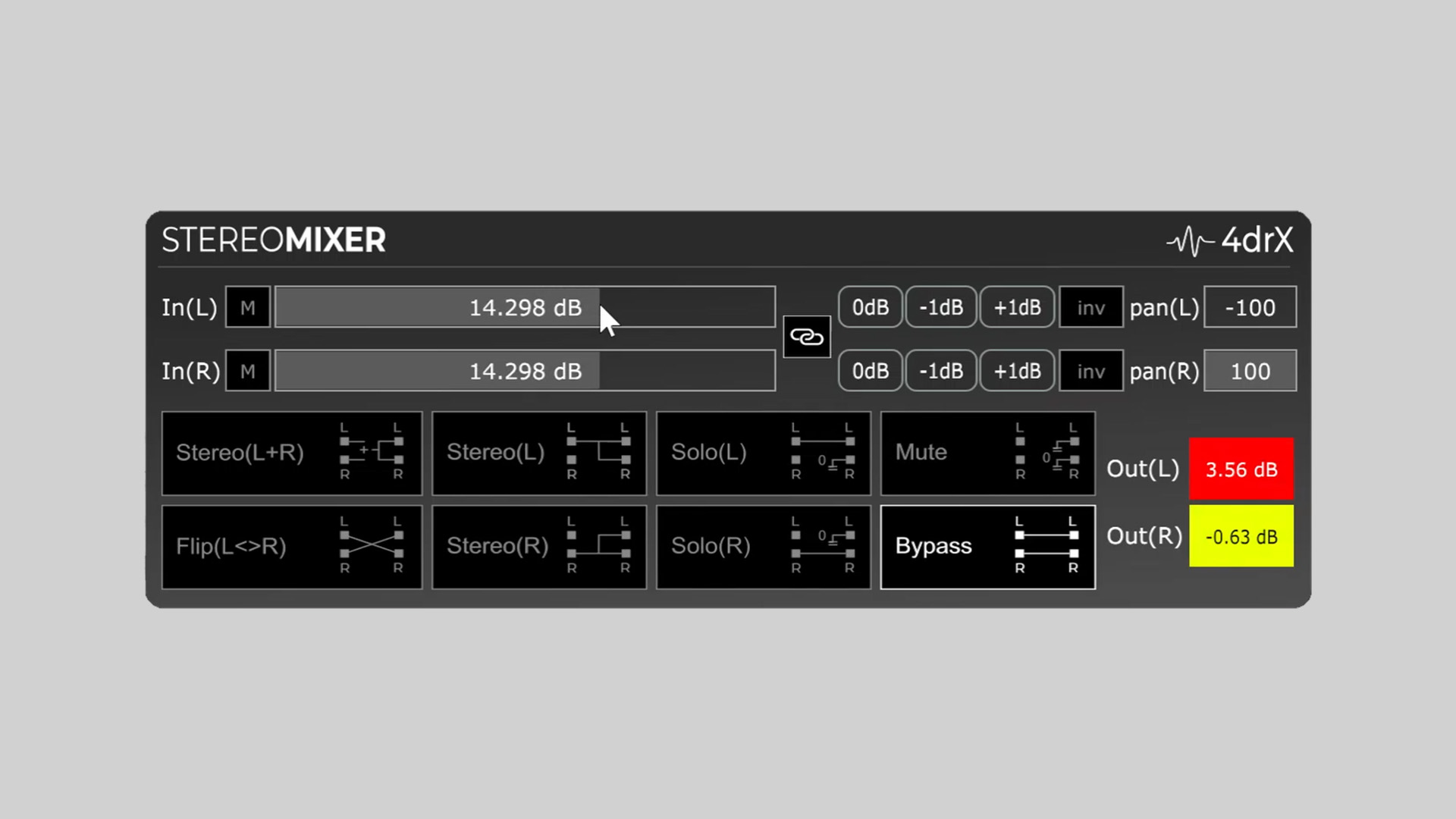
    StereoMixer offers one-click stereo panning adjustments and precise gain control for both left and right channels. Whether you’re flattening a stereo signal, isolating a single channel, or canceling centered mono elements, this plugin provides a simple yet effective toolset.

    The plugin features dedicated modes to solo either the left or right channel or combine both for mono monitoring. It also includes peak meters, individual gain sliders (up to ±48dB), and inversion options for phase cancellation tasks.

    Features

    • One-click solo for Left or Right channels
    • L+R mono mode for combined stereo playback
    • Colored peak meters for clipping detection
    • Separate gain sliders for Left and Right channels (±48dB)
    • Channel inversion for phase cancellation
    • Precision gain control with ±1dB tap buttons

    Practical Use Cases

    StereoMixer is particularly useful for:

    • Analyzing stereo width and instrument placement
    • Isolating elements in stereo backing tracks
    • Creating mono references
    • Canceling centered mono elements like bass or kick
    • Quick gain adjustments during live or studio work

    Free Download

    StereoMixer stereo re-panner plugin is available as a free download from the 4drX Plugins website. It supports VST, AU, and AAX formats for both macOS and Windows.

  • Darkplace Studio Releases Caterpillar Free Stereo Enhancer Plugin

    Darkplace Studio Releases Caterpillar Free Stereo Enhancer Plugin

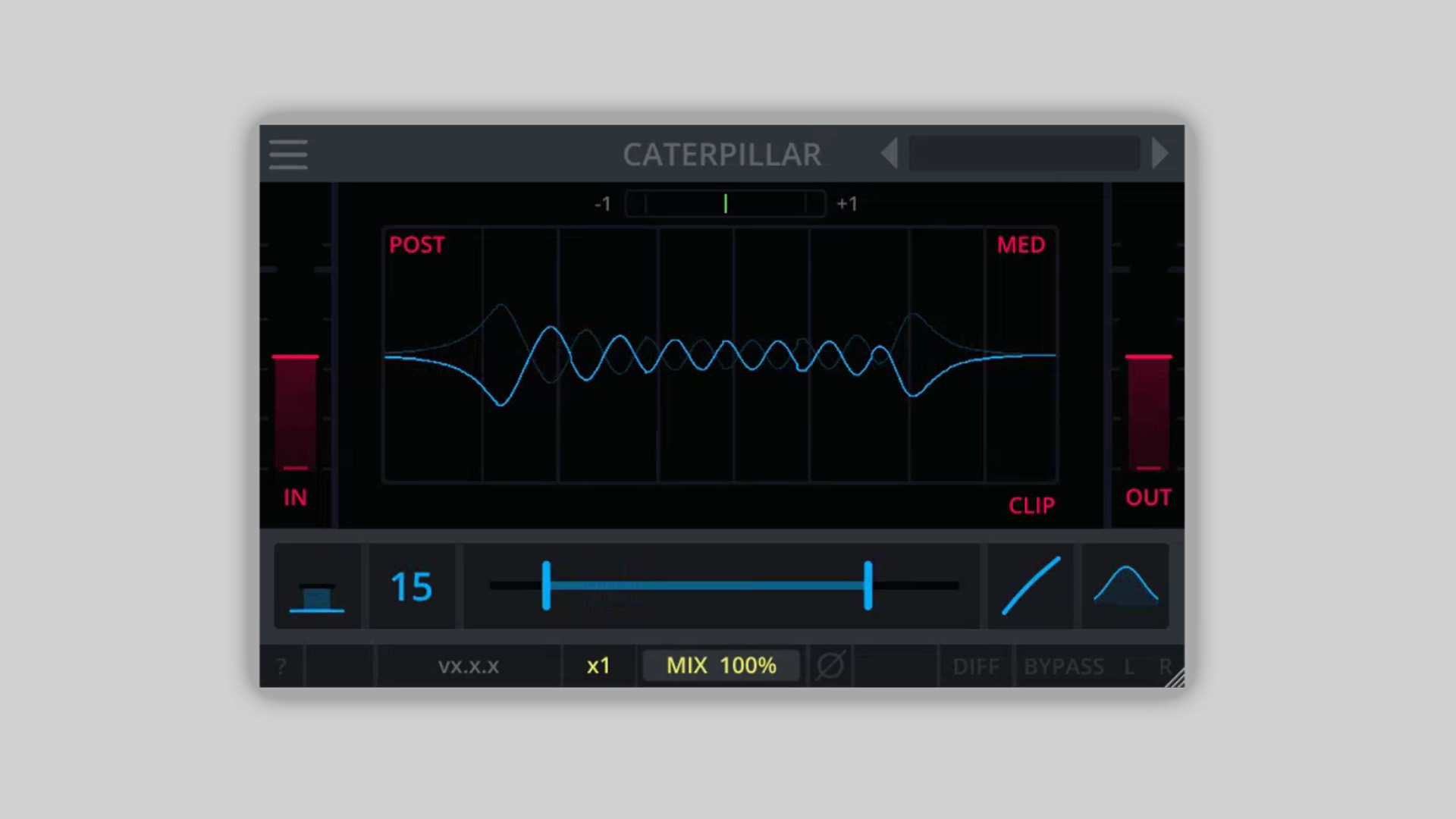
    Darkplace Studio has announced the release of Caterpillar, a free stereo enhancer plugin derived from their previous tool, Butterfly. Caterpillar packages the SpreadEQ into a standalone utility for widening your stereo image without compromising mono compatibility.

    SpreadEQ-Based Stereo Enhancement

    Caterpillar is built around the SpreadEQ module, offering a simple yet powerful way to add stereo width to your sounds. It’s particularly effective for sound design applications where space and dimensionality are key. The plugin lets users boost stereo imaging while retaining solid mono performance, making it a useful tool in both mixing and creative sound work.

    Essential Control Features

    The plugin includes an expanded footer with a comprehensive set of controls:

    • Delta/difference signal preview
    • Dry/Wet mix for parallel processing
    • Global bypass
    • Polarity inversion

    These controls allow for precise adjustment of stereo width and signal treatment in a straightforward layout.

    Performance and Design

    Darkplace Studio emphasizes performance with all of their plugins, including Caterpillar. The GUI is rendered using OpenGL on the GPU, reducing CPU strain during audio processing. In addition, Caterpillar supports full resizability, responsive design, and multiple themes with the option for users to create custom skins. A detailed and visually appealing manual is also included for easy reference.

    Plugin Formats and Compatibility

    Caterpillar is available as a free download for Windows, macOS, and Ubuntu users. Supported plugin formats include VST3, AU, LV2, and CLAP.

    Free Download

    Caterpillar stereo enhancer plugin is available for free from the Darkplace Studio website.

  • Gooey Releases Visage Stereo and Panning Plugin – Free Until June 3rd

    Gooey Releases Visage Stereo and Panning Plugin – Free Until June 3rd

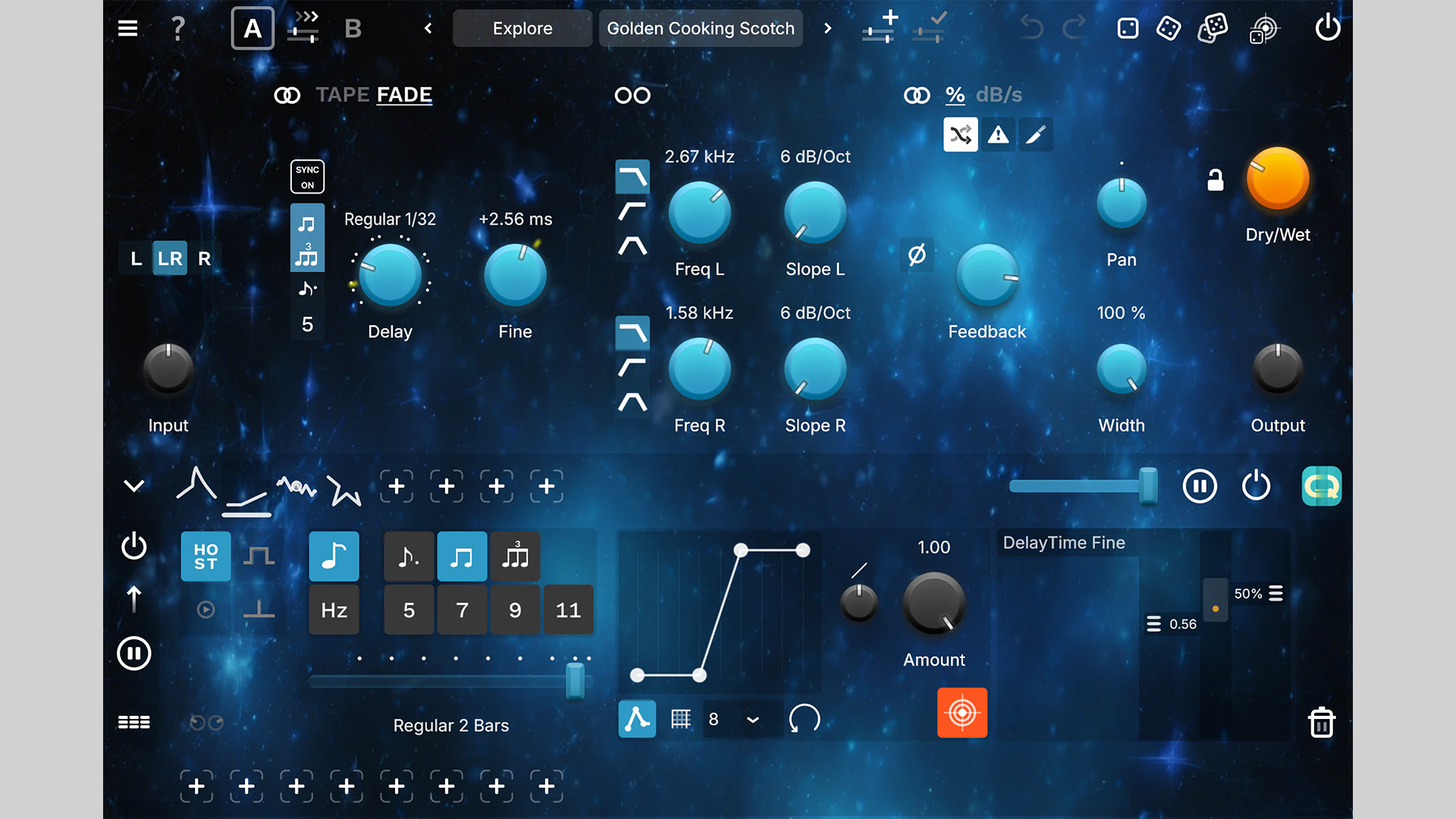
    Gooey has announced the release of Visage, a stereo fattener and panning sculptor plugin, available as a free download until June 3rd, 2025. Designed to bring movement and width to your mixes, Visage allows for precise and creative stereo field manipulation with ease.

    Sculpt Your Stereo Image

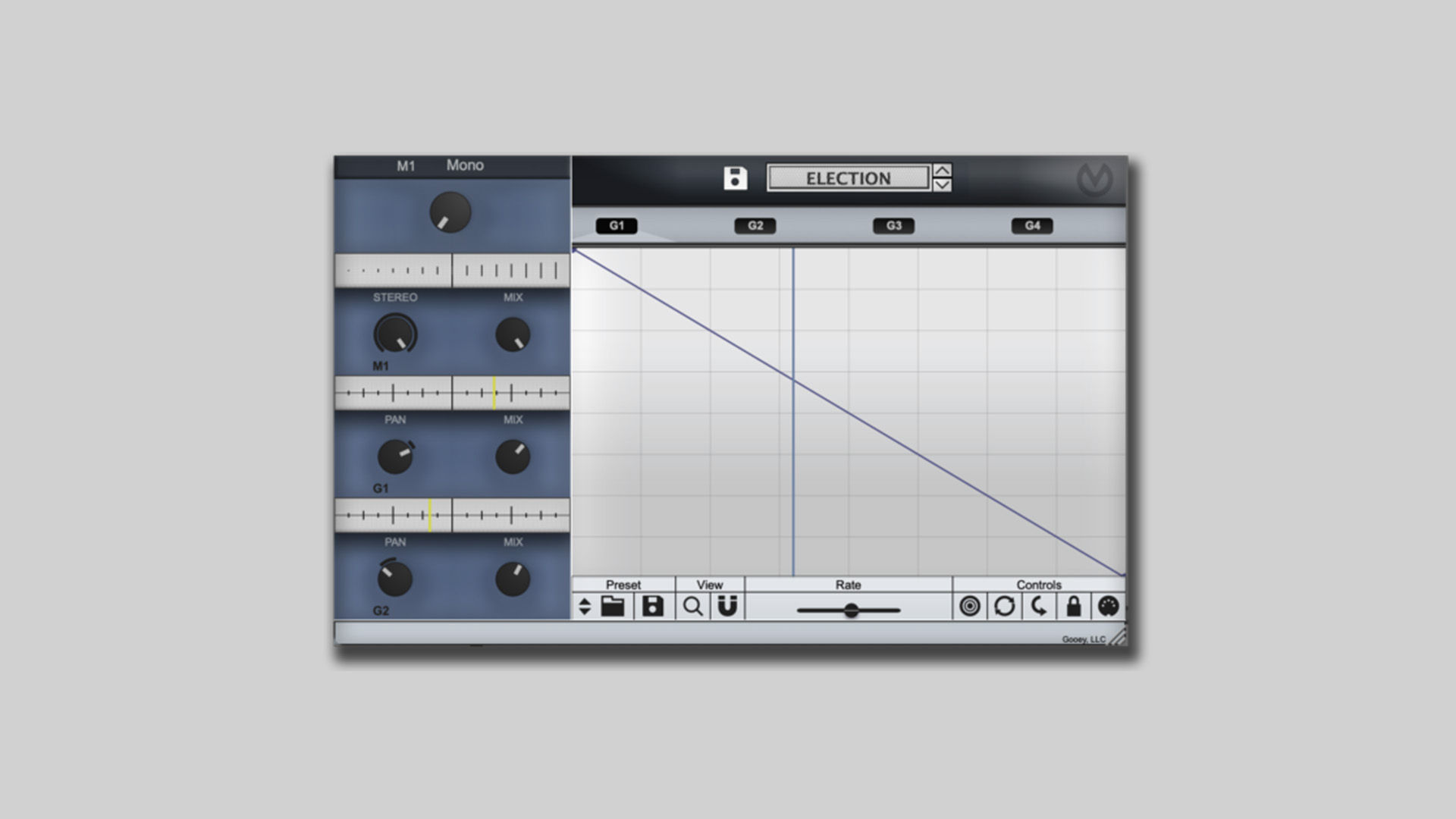
    Visage is more than a basic panner or widener. It features four of Gooey’s signature automation graphs, letting you dynamically control stereo spread and panning with intricate shape-based modulations. Whether you’re going for subtle motion or complex spatial choreography, Visage gives you the tools to get there.

    It includes 25 factory presets, 50+ pre-made shape templates, and a macro control to blend effects over time. Controls are fully equipped with minimaps, free-run or time-sync modes, and dual dropboxes for maximum flexibility.

    Features

    • Four automation graphs for stereo and pan modulation
    • 25 factory presets and over 50 shape templates
    • Macro control to blend stereo width and pan over time
    • Time-sync and free-run modes
    • Intuitive GUI with visual minimaps
    • VST3, AU, and AAX formats
    • Compatible with Windows and macOS

    Free Download

    Visage is available for free until June 3rd, 2025, on the Gooey website. After the promotion, the plugin will be priced at $9.99 (regular price $29.99).