Category: Free VST Plugins & Software

  • EVA Instruments Releases Free Kalimba Instrument Plugin

    EVA Instruments Releases Free Kalimba Instrument Plugin

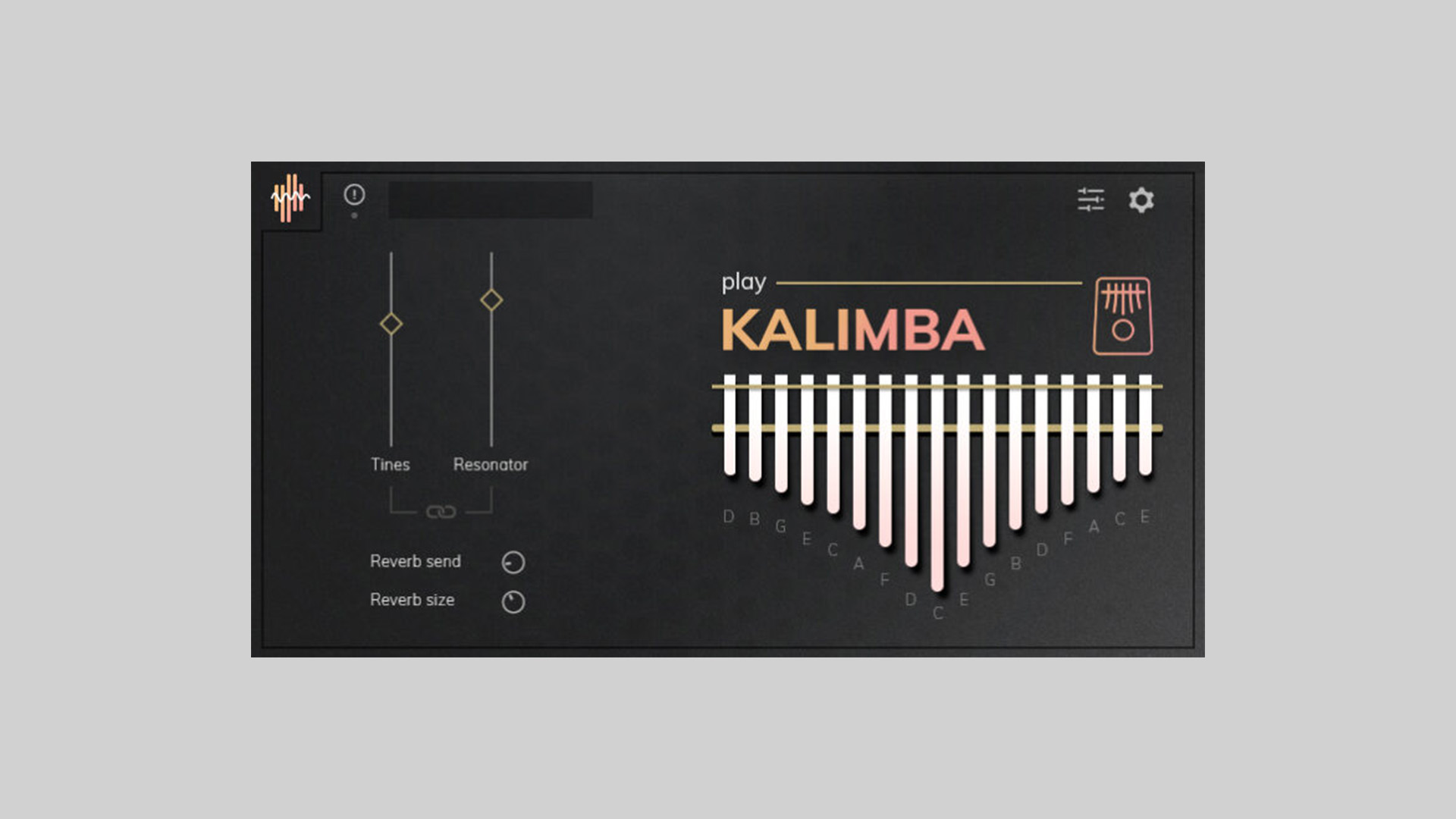
    EVA Instruments has launched Kalimba, a free kalimba instrument plugin available as a VST3/AU plugin and Kontakt library. It’s the second release in their Play Collection, a series of lightweight, expressive virtual instruments offered completely free of charge.

    Kalimba delivers a deeply sampled African thumb piano sound, recorded via both tine and resonator mics for authentic tone. Its minimal interface includes only the essentials, making it easy to load and play without setup hassles.

    Authentic Sound, Hassle-Free Interface

    This plug-in is ideal for producers working in ambient, lo-fi, cinematic, or world music, offering clean, organic tones that blend smoothly into any mix. No activation or registration is required; it works straight out of the box on Windows (VST3 & standalone) with macOS AU and standalone versions coming soon.

    Cross-Format Compatibility

    The package includes:

    • VST/AU plugin versions
    • Kontakt library (requires Kontakt 5.8.1+)
    • Standalone application for Windows, with macOS AU & standalone on the way

    Features

    • Deeply sampled African thumb piano
    • Dual-source recordings: tines and resonator
    • Lightweight, user-friendly interface
    • VST3, AU, Kontakt, and standalone formats
    • No activation or registration needed
    • Ideal for ambient, cinematic, lo-fi, or global music

    Free Download

    Kalimba instrument plugin is available now as a free download from EVA Instruments, no strings attached.
  • Audiolatry Releases LoQuest Free Lofi Virtual Instrument

    Audiolatry Releases LoQuest Free Lofi Virtual Instrument

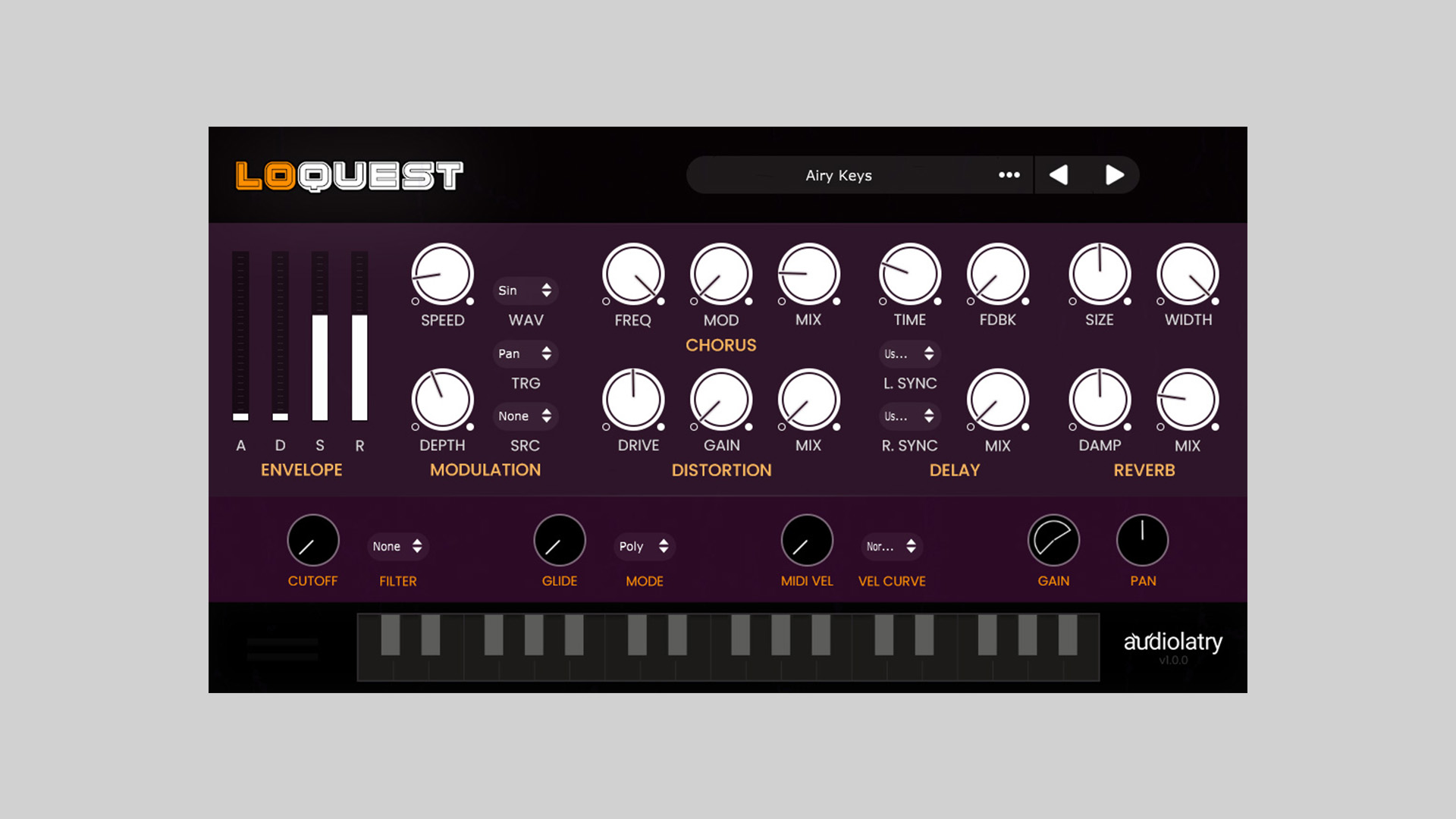
    LoQuest is a new free lofi virtual instrument plugin from Audiolatry, tailored for producers seeking lofi, ambient, retro, and chill textures. It comes packed with 22 handcrafted presets that span keys, pads, plucks, organs, and experimental tones, all wrapped in a lightweight and inspiring interface.

    Crafted for Lofi and Beyond

    LoQuest offers a curated collection of sounds designed to fit straight into your mix. From dusty organs to airy pads and bent plucks, each preset delivers a unique character with a warm, vintage touch.

    Features

    This plugin includes a range of built-in effects and controls to help you shape your sound:

    • Envelope control with ADSR sliders
    • Chorus, Distortion, Delay, and Reverb sections
    • Flexible modulation with multiple wave shapes and sources
    • Filter, Glide, Poly/Mono modes, Velocity sensitivity, and more

    All effects are tweakable directly from the main interface, allowing quick tone-shaping without diving into complex menus.

    Presets Included

    Here’s a look at some of the included sounds:

    • Airy Keys, Ancient Flute, Dusty Organ
    • Cinematic Pad, Ensemble Flute, Ethnic Guitar
    • Raindrop Keys, Saxovox Pad, Space Organ
    • Warm Piano, Virtual Strings, Torn Strings… and more.

    Royalty-Free and Easy to Use

    LoQuest is available in VST, VST3, and AU plugin formats, compatible with Windows and macOS. It’s completely free to download, and the included sounds are 100% royalty-free, making it a no-brainer addition to any producer’s toolkit.

    Free Download

    Get LoQuest free lofi virtual instrument from the product page here.

  • Tritik Releases Visu Free Spectrogram Plugin for Real-Time Audio Analysis

    Tritik Releases Visu Free Spectrogram Plugin for Real-Time Audio Analysis

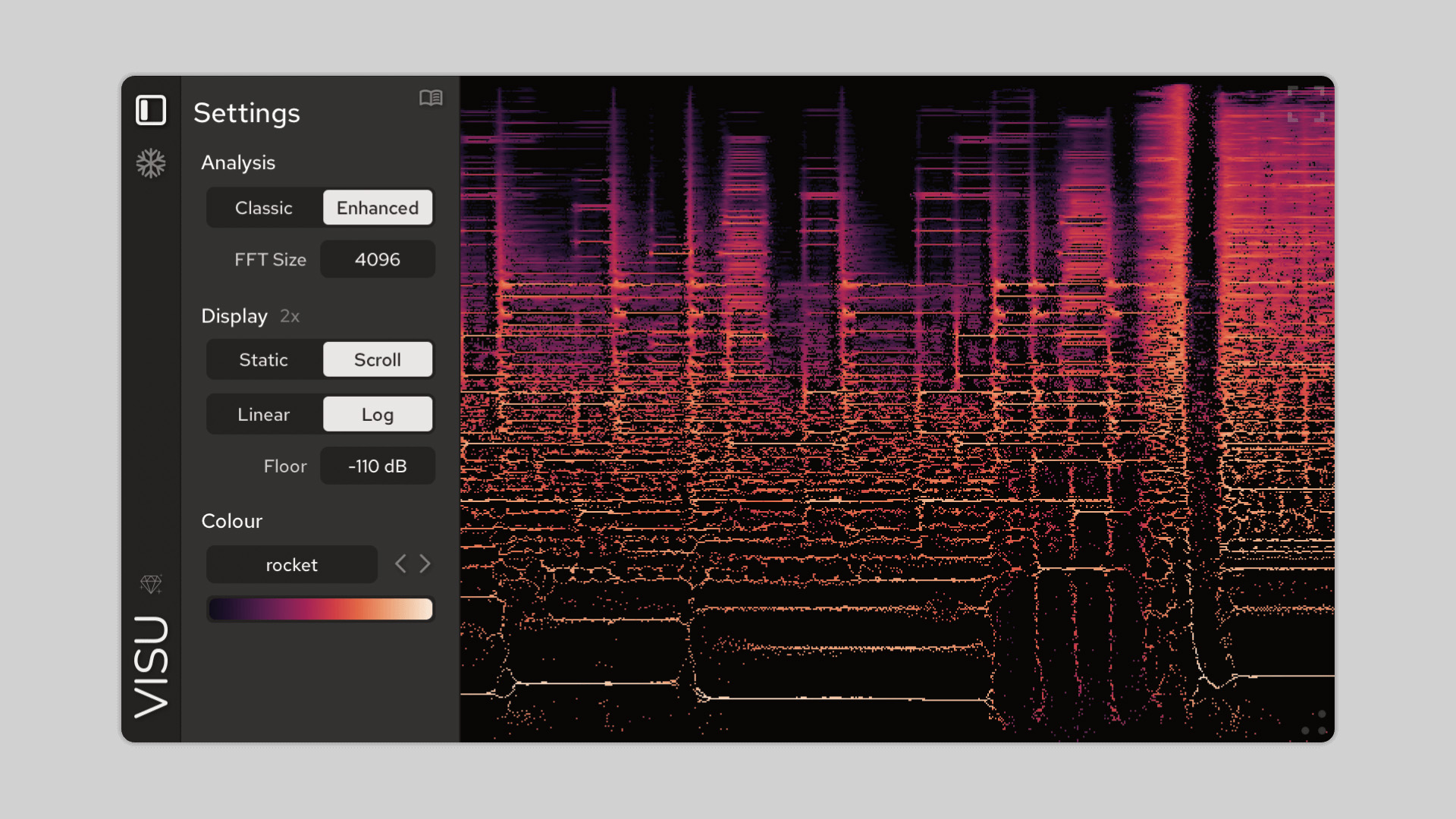
    Tritik has released Visu, a free spectrogram plugin for real-time audio analysis and visual feedback. Available for Windows and macOS in VST3, AU, and AAX formats, Visu offers an intuitive way to explore and understand the frequency content of your sounds.

    A spectrogram displays the frequency spectrum of a signal over time, with amplitude represented by color. This makes it useful for identifying transients, examining pitch and harmonics, and detecting background noise or frequency buildup.

    Enhanced Visualization with Time-Frequency Reassignment

    Visu offers two viewing modes: a classic spectrogram and an enhanced mode that delivers increased clarity. The enhanced mode uses time-frequency reassignment, a method that sharpens detail by repositioning energy to more accurate locations using phase data. The result is better transient resolution and cleaner pitch visualization.

    This makes Visu more than just a basic visualizer – it’s a tool for in-depth spectral insight, useful for producers, engineers, and sound designers who need precision.

    Designed for Usability and Clarity

    This free spectrogram plugin provides flexibility with a range of useful features. You can choose between linear and logarithmic frequency scales, scroll or static display modes, and different FFT sizes. The plugin also includes real-time frequency readouts, a freeze function, and PNG export for capturing visuals.

    The free version is fully usable in black-and-white mode, with optional upgrades that unlock over 40 color maps, many designed to be color-blind friendly.

    Features

    • Classic and Enhanced spectrogram modes
    • Time-frequency reassignment for detailed analysis
    • Adjustable FFT size and draw modes
    • Linear or logarithmic frequency scales
    • Real-time frequency readout under cursor
    • Freeze display and PNG export
    • HiDPI support for sharp visuals
    • 40+ optional color maps (full version)
    • Free version fully usable (black & white mode)
    • VST3, AU, and AAX support for PC and Mac

    Free Download

    The Visu free spectrogram plugin is available for download at the Tritik website.

  • Retromelon’s TOYZ Releases MDX-4 Free Multi FX Plugin

    Retromelon’s TOYZ Releases MDX-4 Free Multi FX Plugin

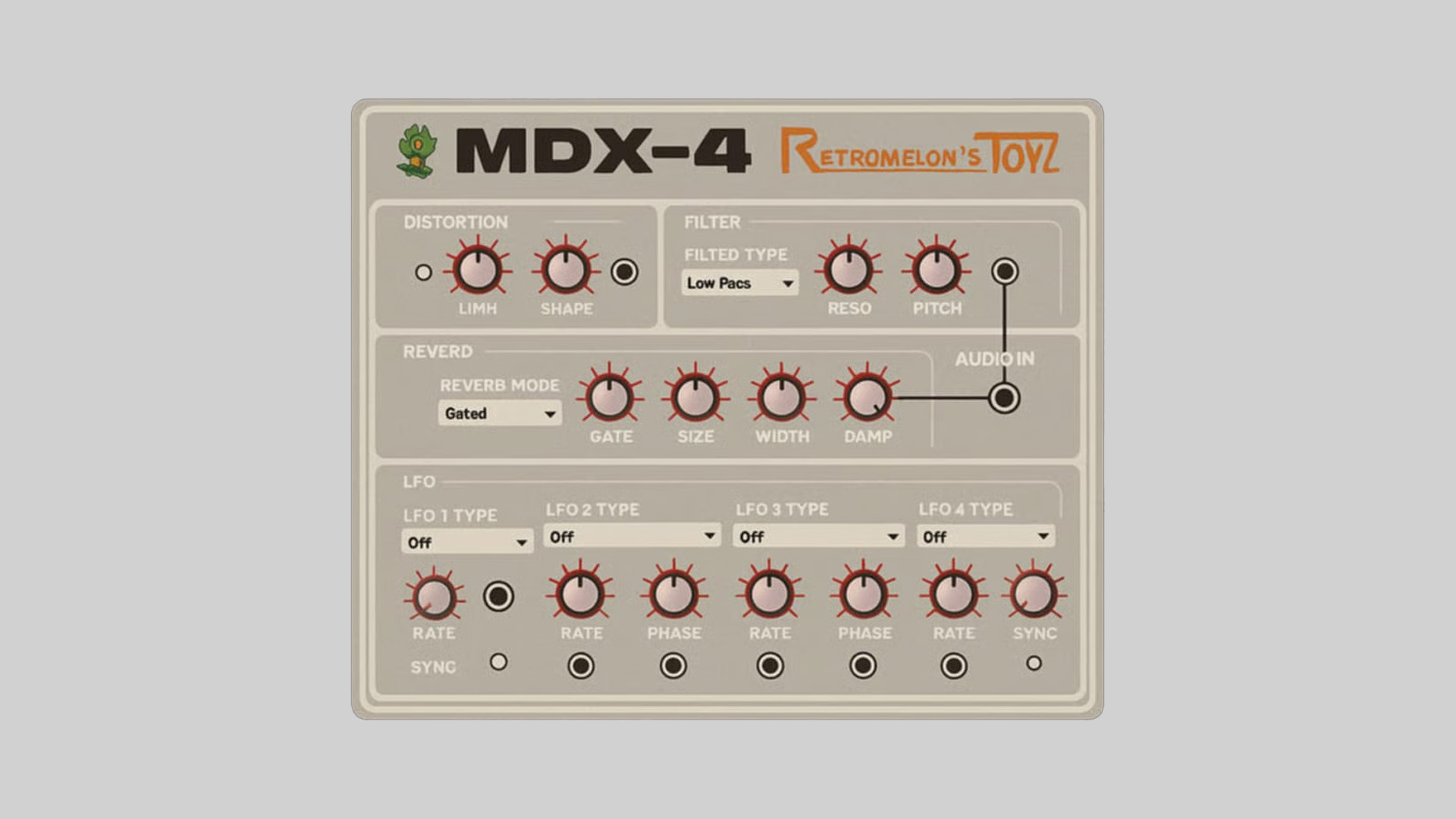
    Retromelon’s TOYZ has introduced MDX-4, a free multi fx plugin available as a download for PC and Mac users. This modular-style unit offers a flexible environment for creative sound design, giving producers total freedom to patch and combine effects in any order.

    MDX-4 brings the experience of modular processing inside your DAW. Whether you’re shaping ambient textures or building experimental chains, this plugin offers an intuitive workflow that avoids fixed signal paths.

    Modular Effects with Custom Routing

    The plugin includes essential effect modules such as distortion, filter, delay, and reverb. All effects can be routed manually in any configuration, allowing you to feed distortion into delay, delay into reverb, or any other combination. The interface takes inspiration from hardware modular systems, offering full control over input and output connections.

    Reverb includes three distinct modes: Gated, Freeze, and Normal. The delay supports stereo and ping-pong options. Each module provides detailed control for adjusting tone, timing, and modulation, giving users the tools to craft unique results.

    Built-In LFO Modulation

    MDX-4 includes four independent LFOs, each offering more than 30 waveform types. These can be assigned to modulate parameters across the effect modules, introducing motion and evolving textures to your audio. The LFO matrix complements the modular workflow with added depth and flexibility.

    Features

    • Modular-style multi-effects environment
    • Distortion, Filter, Reverb, and Delay modules
    • Gated and Freeze reverb modes
    • Stereo and ping-pong delay types
    • 4 LFOs with over 30 waveform shapes
    • Manual patching with custom audio routing
    • VST3 format for Windows and macOS

    Free Download

    MDX-4 multi fx plugin is available for free at the Retromelon’s TOYZ Payhip store.

  • Stone Voices Releases Ambient Reverb 7 Free Plugin

    Stone Voices Releases Ambient Reverb 7 Free Plugin

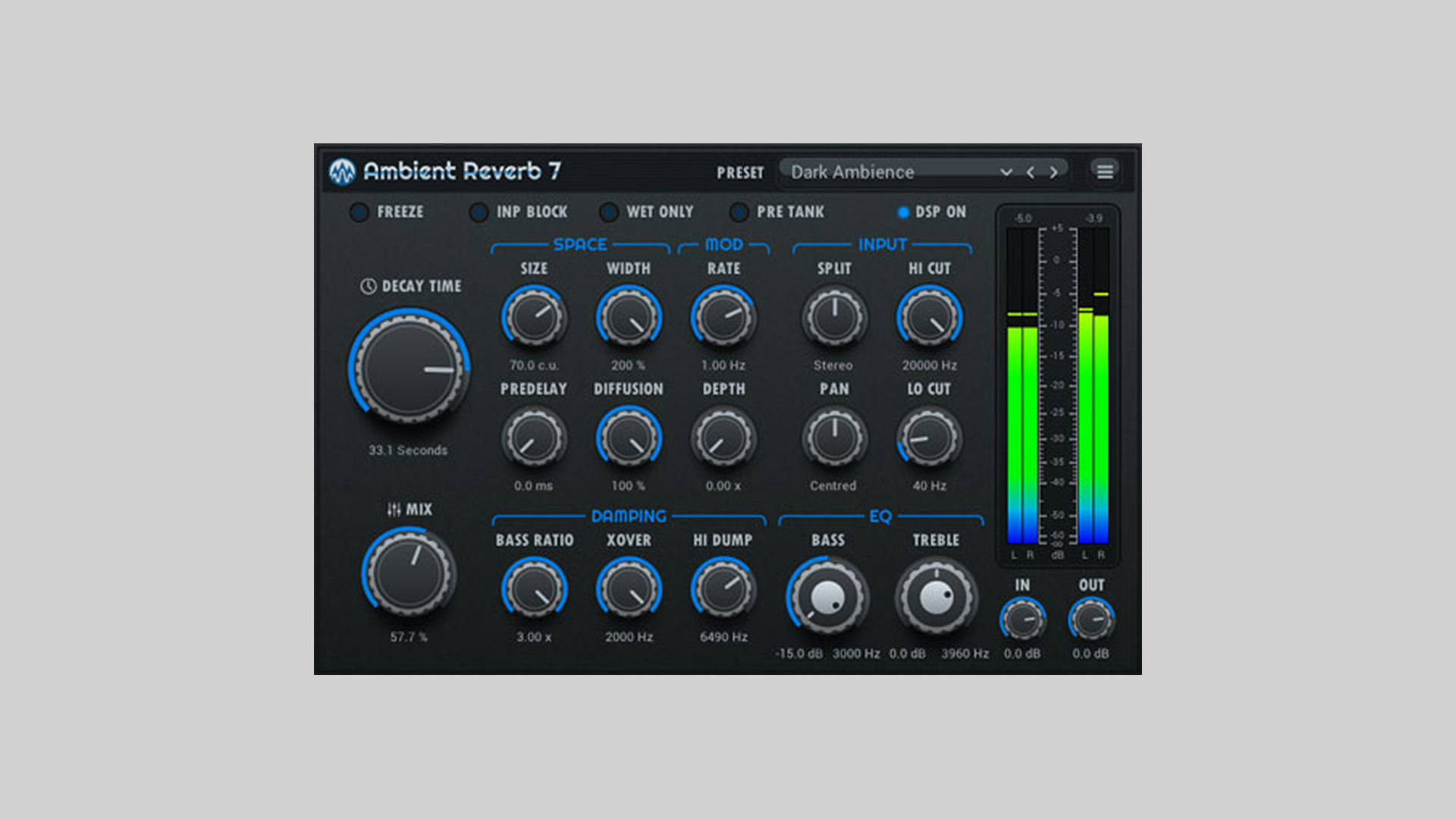
    Stone Voices has released Ambient Reverb 7, a powerful and free reverb plugin for PC and Mac users. Designed especially for ambient sound design but suitable for a wide range of genres, this updated version brings professional-grade reverb capabilities to your studio at no cost.

    Realistic and Expansive Reverb Engine

    Ambient Reverb 7 delivers rich, realistic reverberation through a high-quality algorithm that avoids granulation effects. It calculates dense reflections to simulate natural spaces and delivers stereo imaging based on source position, creating a lifelike spatial experience. With reverb times extending up to 100 seconds and a Freeze function, this plugin is ideal for crafting ambient soundscapes and Frippertronics-style textures.

    New Features in Version 7

    The latest release introduces several key improvements:

    • Smooth adjustment of the “Size” parameter for more precise spatial control.
    • Modulation of delay lines using an LFO for evolving reverb textures.
    • Mid/Side processing with a “Split” control to fine-tune how the reverb interacts with stereo components.
    • Pre-reverb panning and input signal control for enhanced creative flexibility.

    Features

    • High-quality algorithmic reverb
    • Freeze mode with input blocking option
    • 64-bit double precision audio processing
    • Wide decay time range from 0.1 to 100 seconds
    • 2-band parametric EQ
    • Smooth parameter transitions
    • Low CPU usage
    • Fully resizable vector-based interface
    • 40 factory presets
    • VST3 and AU plugin formats for Windows and macOS

    Free Download

    Ambient Reverb 7 is available as a free download from the Stone Voices website. Compatible with VST3 and AU hosts on both Windows and macOS platforms.

  • SaschArt Releases multiDelay Free Creative Delay Plugin

    SaschArt Releases multiDelay Free Creative Delay Plugin

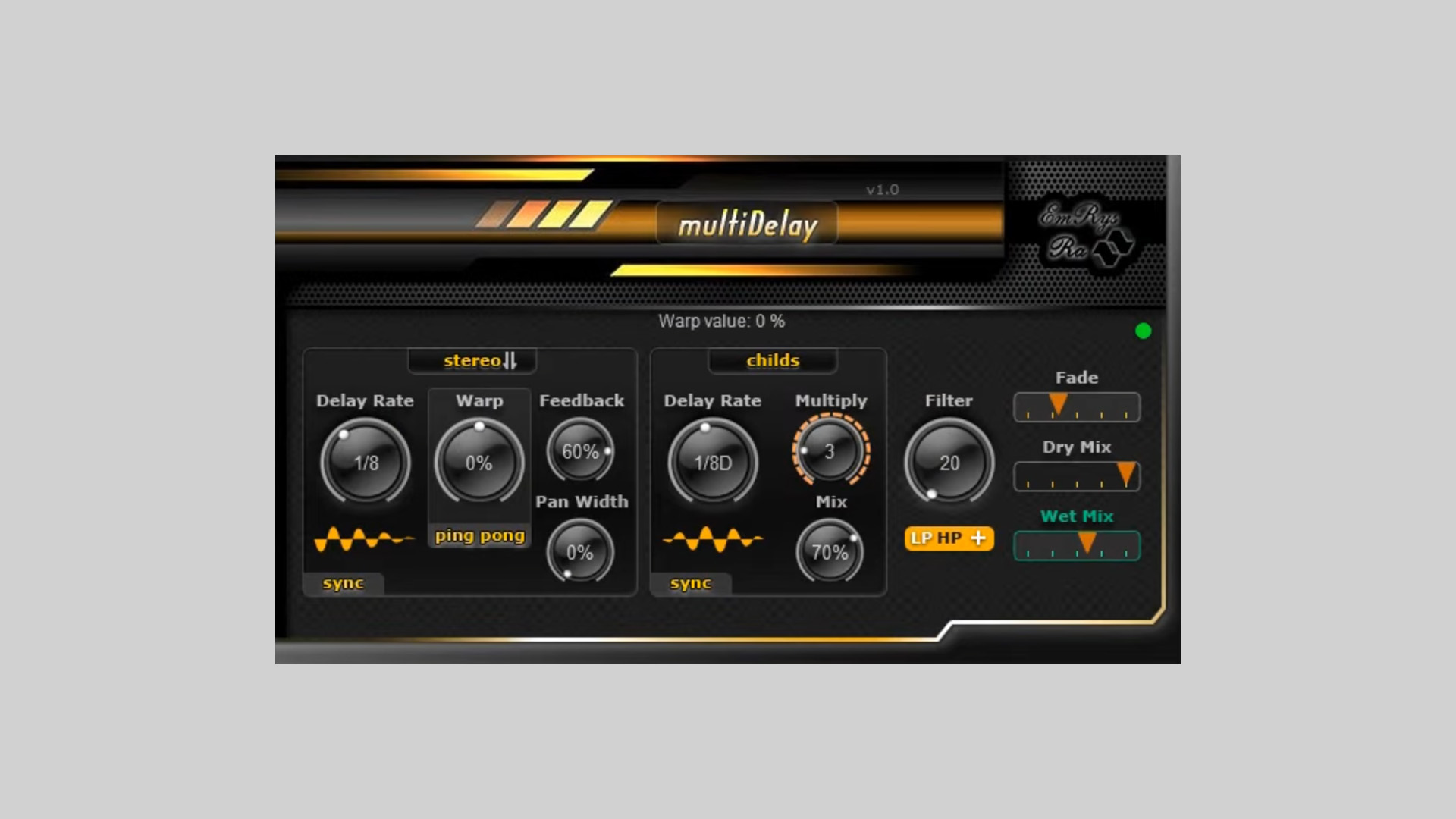
    SaschArt has introduced multiDelay, a free creative delay plugin for DAWs running on Windows and macOS. Designed for producers, sound designers, and mix engineers, multiDelay delivers an advanced delay architecture with up to three additional child delays, opening new frontiers in rhythmic and spatial processing.

    Detailed Delay Shaping

    At its core, multiDelay offers flexible time-based manipulation with the ability to sync delay times to your DAW’s tempo. It features a Warp Control to manipulate the stereo image, including Ping-Pong and Stereo warp types. This allows for bouncing echoes or rich layered spatial effects.

    Layered Serial Delays

    A key highlight of multiDelay is the ability to cascade up to three serial child delays. These delays are stacked in series within the feedback loop, creating depth and complexity not achievable through multiple independent delay units.

    • Control delay times per child unit in ms or sync mode
    • Blend child delays via a dedicated Mix parameter
    • Use cascading delays for ambient layering or rhythmic interplay

    Built-In Filters and Tonal Shaping

    multiDelay free creative delay plugin includes an onboard filter section with:

    • Lowpass
    • Highpass
    • Boosted Lowpass
    • Boosted Highpass (great for shimmer effects)

    Adjust filter cutoff frequency to shape your echoes precisely. Fade Time ensures smooth transitions between parameter changes, eliminating clicks.

    Stereo Imaging and Control

    • Pan Width control for managing stereo spread
    • Dry and Wet Mix parameters to blend processed signal
    • Feedback and Delay Time for classic or experimental echo designs

    Free Creative Delay Plugin

    multiDelay is tailored for users who seek to go beyond basic delay effects. Whether you’re designing evolving textures or sculpting rhythmic patterns, this plugin provides depth and precision through its modular structure and filtering capabilities.

    Free Download

    multiDelay creative delay plugin is now available for free on the SaschArt website. Compatible with Windows (VST2/VST3, 32/64-bit) and macOS (VST2, VST3, AU).


  • DJFX Plugin by W. A. Production is Free for a Limited Time

    DJFX Plugin by W. A. Production is Free for a Limited Time

    W. A. Production, in collaboration with BVKER, is offering the DJFX plugin as a free download for a limited time. Normally priced at $39.90, DJFX is now free for the next 10 days (until around June 20, 2025).

    Classic DJ Effects, Reimagined for the Studio

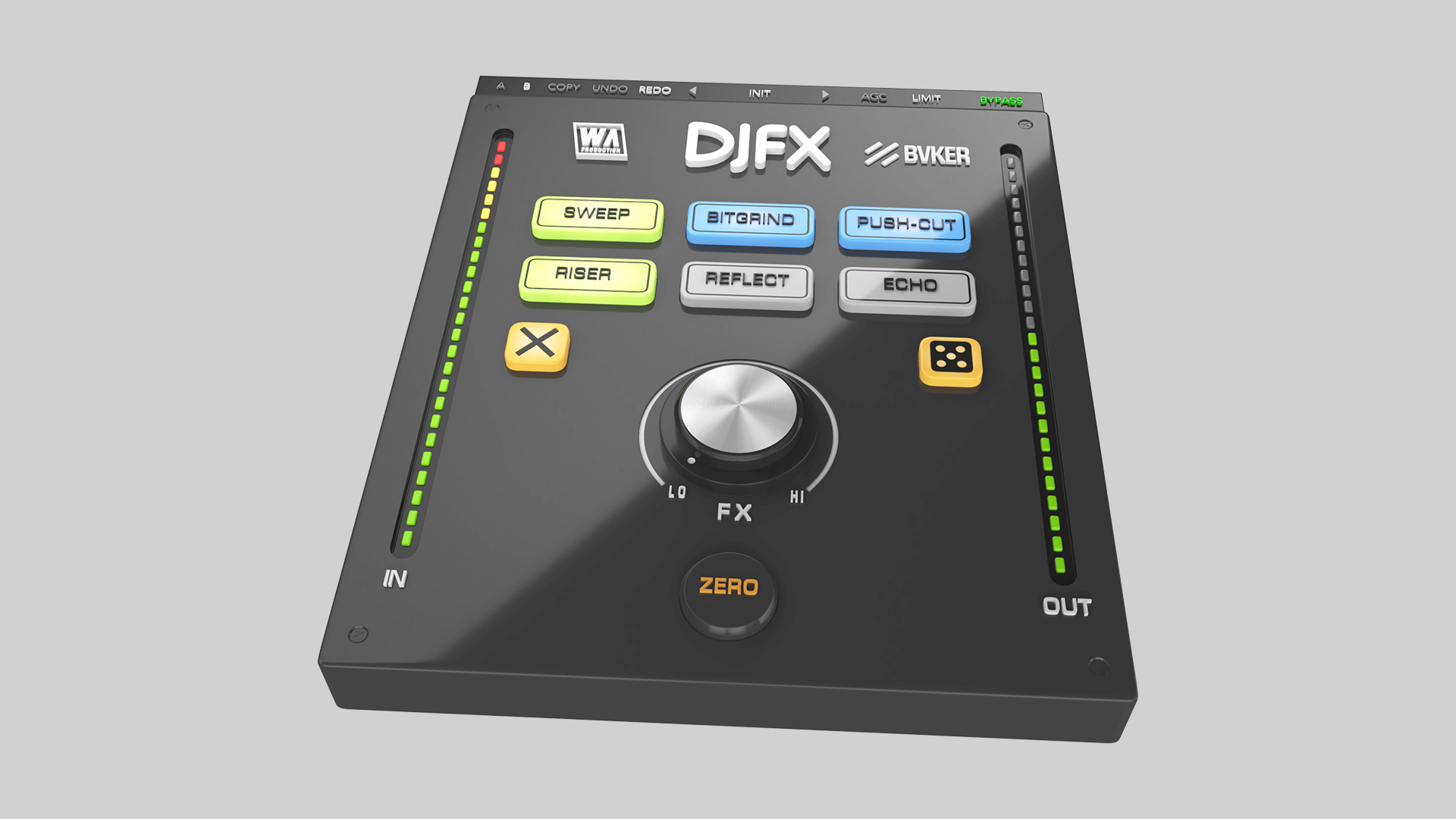
    DJFX captures the signature effects found on legendary DJ gear—sweeping filters, crushing distortions, booming reverbs—and brings them into your DAW with added depth and flexibility. Designed for modern dance music, this plugin is tailored for producers who want to add energy and movement to their tracks.

    Stack and Combine for Maximum Creativity

    Unlike traditional DJ hardware, which limits users to a single effect at a time, DJFX lets you stack up to six effects simultaneously. From aggressive bitcrushing to atmospheric risers, this plugin gives you a broad palette of sound-shaping tools.

    Unique Bi-Directional Control

    The heart of DJFX is the Master FX knob, a bidirectional control that morphs up to six selected effects. Turning clockwise or counter-clockwise triggers distinct processing behaviors, offering a powerful and expressive workflow that mirrors the hands-on feel of DJ gear.

    Explore 6 Core FX with Dual Styles Each

    DJFX includes six fully featured effects, each with two style options:

    • Sweep: Classic filter or flanged filter
    • Bitgrind: Bit reduction or sample-hold manipulation
    • Push-Cut: Compressor or wobbler-infused dynamics
    • Riser: Filtered build-ups or distorted rises
    • Reflect: Classic wash or studio-grade reverb
    • Echo: Dub delay or alternative timings

    Advanced Studio Features

    DJFX includes features like look-ahead limiting, auto gain compensation, and a Randomize button for instant creative ideas. It also supports undo/redo, A/B comparison, and preset management for efficient sound design.

    Free Download

    You can download the DJFX plugin on the W. A. Production website. It is available in VST, AU, and AAX formats for Windows and macOS. This free offer expires around June 20, 2025.

  • United Plugins Offers JMG Sound HyperspaceCore Free Reverb Plugin

    United Plugins Offers JMG Sound HyperspaceCore Free Reverb Plugin

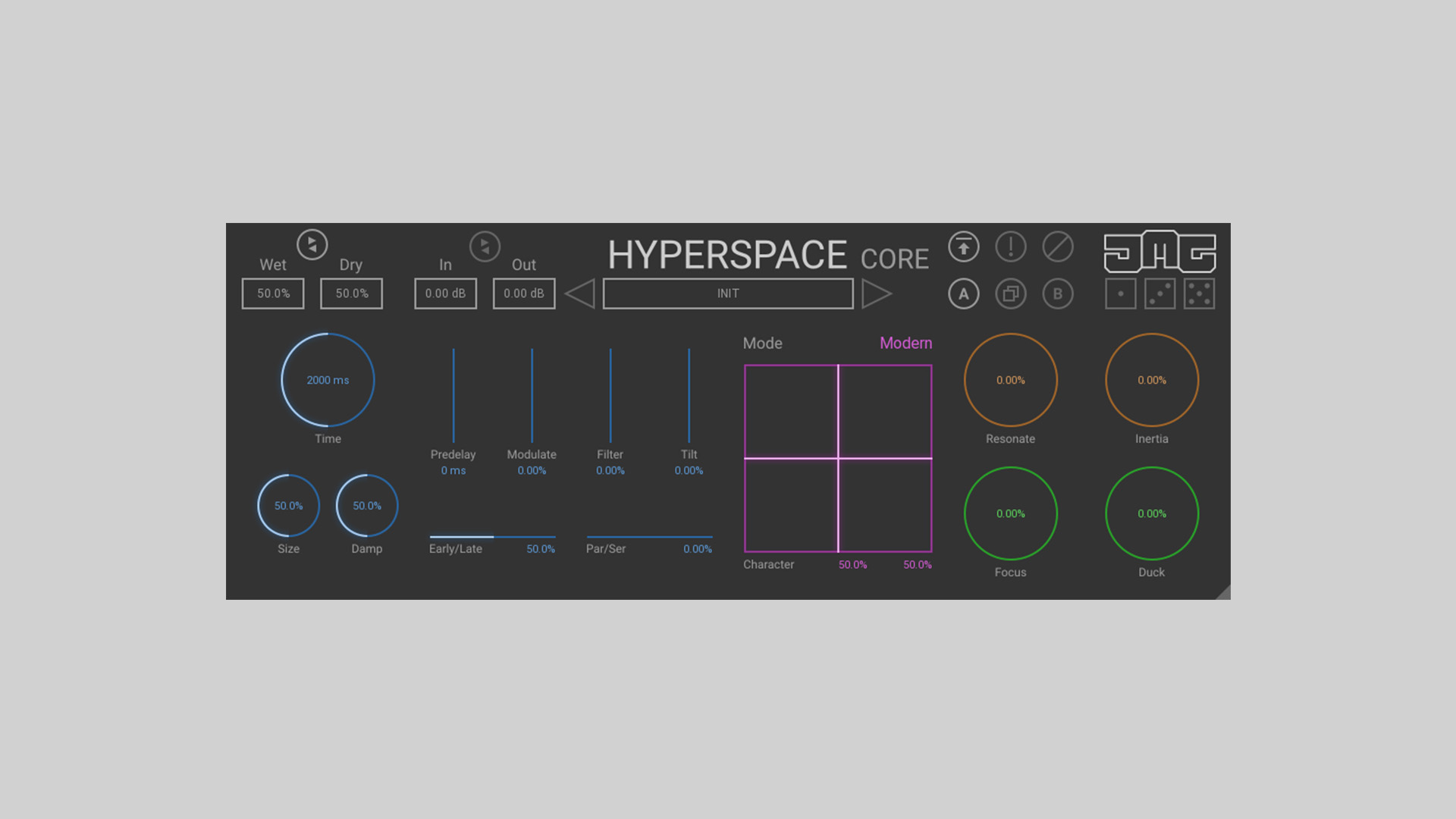
    United Plugins is offering the HyperspaceCore free reverb plugin developed by JMG Sound. Based on the acclaimed algorithms from the full Hyperspace plugin, HyperspaceCore brings high-end reverb design into any DAW without costing a cent.

    A Free Reverb Plugin with Limitless Potential

    HyperspaceCore is a streamlined version of JMG Sound’s flagship Hyperspace plugin. While it offers fewer features than its big brother, it still provides a wide range of options for crafting signature reverb tails and custom spaces.

    Creative Tools for Unique Soundscapes

    At the core of the plugin is a powerful X-Y pad that lets you morph parameters such as delay time, frequencies, and internal routing. This enables nearly infinite sound design possibilities. The pad can be automated for dynamic spatial effects.

    You’ll also find an intelligent randomizer with three levels of randomness. Use it to quickly dial in new ideas — from subtle tweaks to wild new textures.

    Modern Features and Workflow Enhancements

    • Clean, intuitive interface with color-coded sections
    • Resizable and HDPI-compatible GUI
    • Separate wet/dry controls with link option
    • Sync time-based parameters to host tempo
    • Internal 64-bit audio processing and support for high sample rates
    • Smart bypass and CPU-saving sleep mode when idle
    • Free lifetime updates for future compatibility

    How to Activate

    While HyperspaceCore is free, it still requires activation:

    1. Create a free account on United Plugins.
    2. “Purchase” the plugin for €0 to receive your license.
    3. Download and use the United Plugins Manager to activate the plugin.

    Free Download

    HyperspaceCore free reverb plugin is available on the United Plugins website. Compatible with Windows and macOS (VST3, AU, AAX). Get it now and explore creative spatial processing with zero cost!

  • 23DSP Releases 23HotCold – Free Harmonic Distortion Plugin

    23DSP Releases 23HotCold – Free Harmonic Distortion Plugin

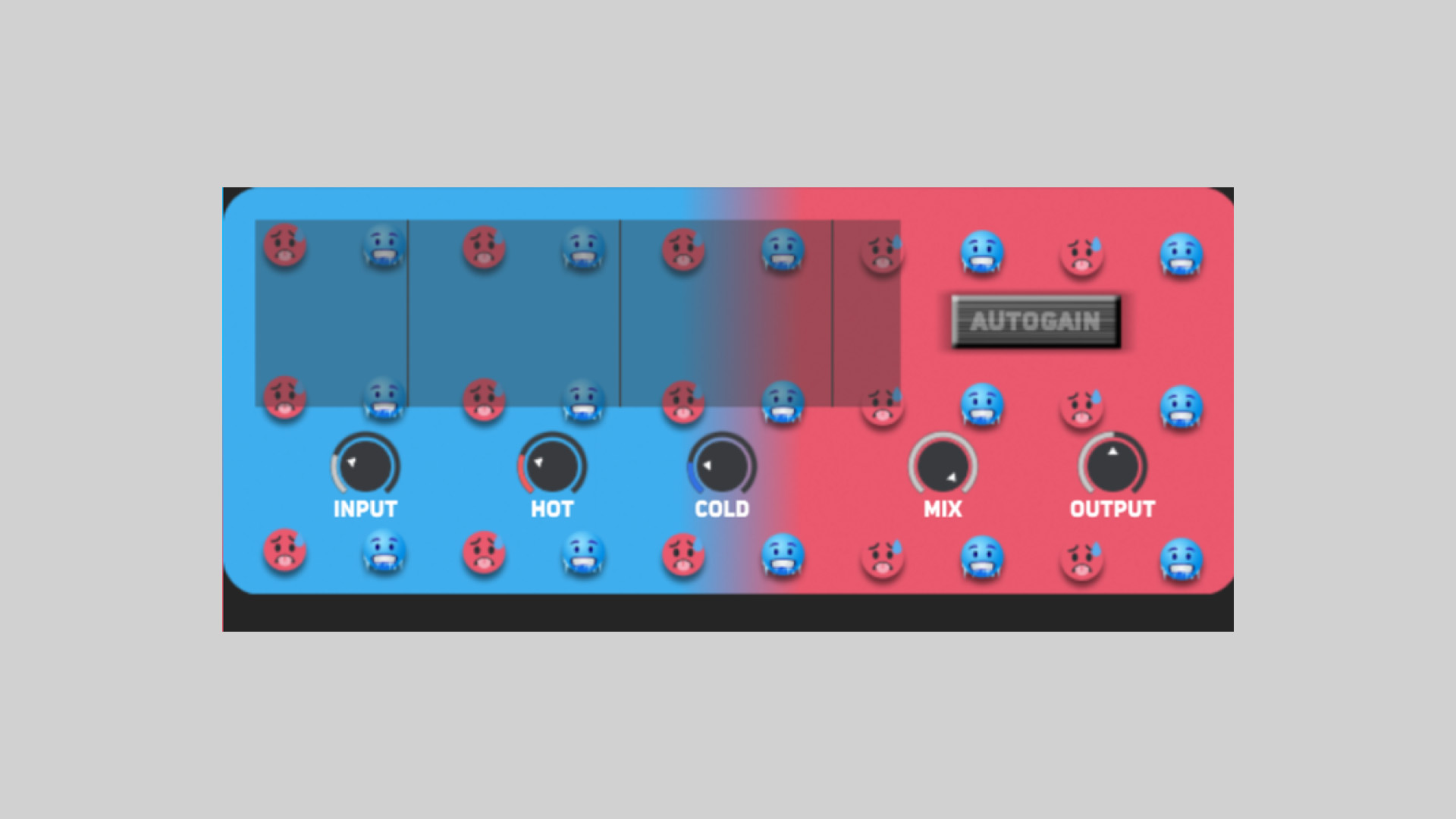
    23DSP has released 23HotCold, a free harmonic shaper plugin offering intuitive control over even and odd harmonic distortion. This lightweight version of their MS-23HotCold paid plugin brings professional-level saturation tools to producers at no cost.

    Precision Harmonic Control

    23HotCold provides two main saturation modes: Hot for adding even harmonics and smooth warmth, and Cold for injecting odd harmonics and aggressive bite. Each mode introduces a unique character, from analog-style saturation to modern, edgy textures. The Drive and Output controls shape the overall impact and final loudness, while Mix lets you blend dry and processed signals.

    Smart Features for Creative Sound Design

    A standout feature is the Auto Gain, which automatically compensates for volume changes when applying distortion. This makes it easy to dial in the desired amount of harmonics without needing constant level adjustments.

    23HotCold is ideal for shaping everything from subtle tonal color to full-on audio destruction, giving producers surgical control over harmonic content in vocals, bass, synths, and more.

    System Requirements and Format

    23HotCold is available as a free plugin in VST3 format for both macOS and Windows systems.

    Free Download

    23HotCold harmonic distortion plugin can be downloaded for free from the 23DSP Gumroad store page.

  • 4drX Plugins Releases StereoMixer Free Stereo Re-Panner Plugin

    4drX Plugins Releases StereoMixer Free Stereo Re-Panner Plugin

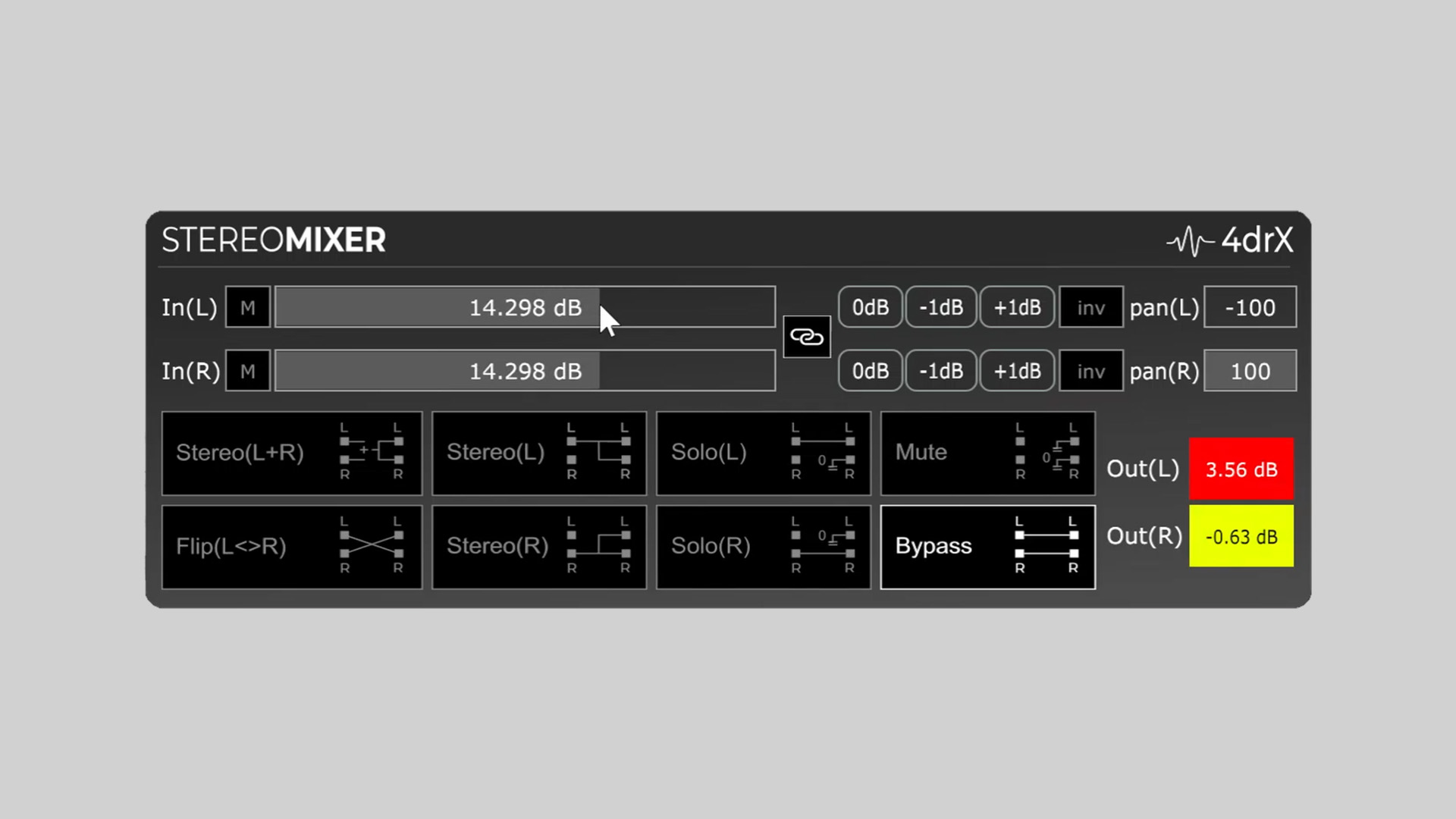
    4drX Plugins has released StereoMixer, a free stereo re-panner plugin designed for fast and flexible monitoring and mixing tasks. StereoMixer is available for Windows and macOS in VST, AU, and AAX plugin formats.

    One-Click Stereo Re-Panning and Monitoring

    StereoMixer offers one-click stereo panning adjustments and precise gain control for both left and right channels. Whether you’re flattening a stereo signal, isolating a single channel, or canceling centered mono elements, this plugin provides a simple yet effective toolset.

    The plugin features dedicated modes to solo either the left or right channel or combine both for mono monitoring. It also includes peak meters, individual gain sliders (up to ±48dB), and inversion options for phase cancellation tasks.

    Features

    • One-click solo for Left or Right channels
    • L+R mono mode for combined stereo playback
    • Colored peak meters for clipping detection
    • Separate gain sliders for Left and Right channels (±48dB)
    • Channel inversion for phase cancellation
    • Precision gain control with ±1dB tap buttons

    Practical Use Cases

    StereoMixer is particularly useful for:

    • Analyzing stereo width and instrument placement
    • Isolating elements in stereo backing tracks
    • Creating mono references
    • Canceling centered mono elements like bass or kick
    • Quick gain adjustments during live or studio work

    Free Download

    StereoMixer stereo re-panner plugin is available as a free download from the 4drX Plugins website. It supports VST, AU, and AAX formats for both macOS and Windows.