Tag: utility

  • TapeFi Releases STOP Free Vinyl Stop Simulator Plugin

    TapeFi Releases STOP Free Vinyl Stop Simulator Plugin

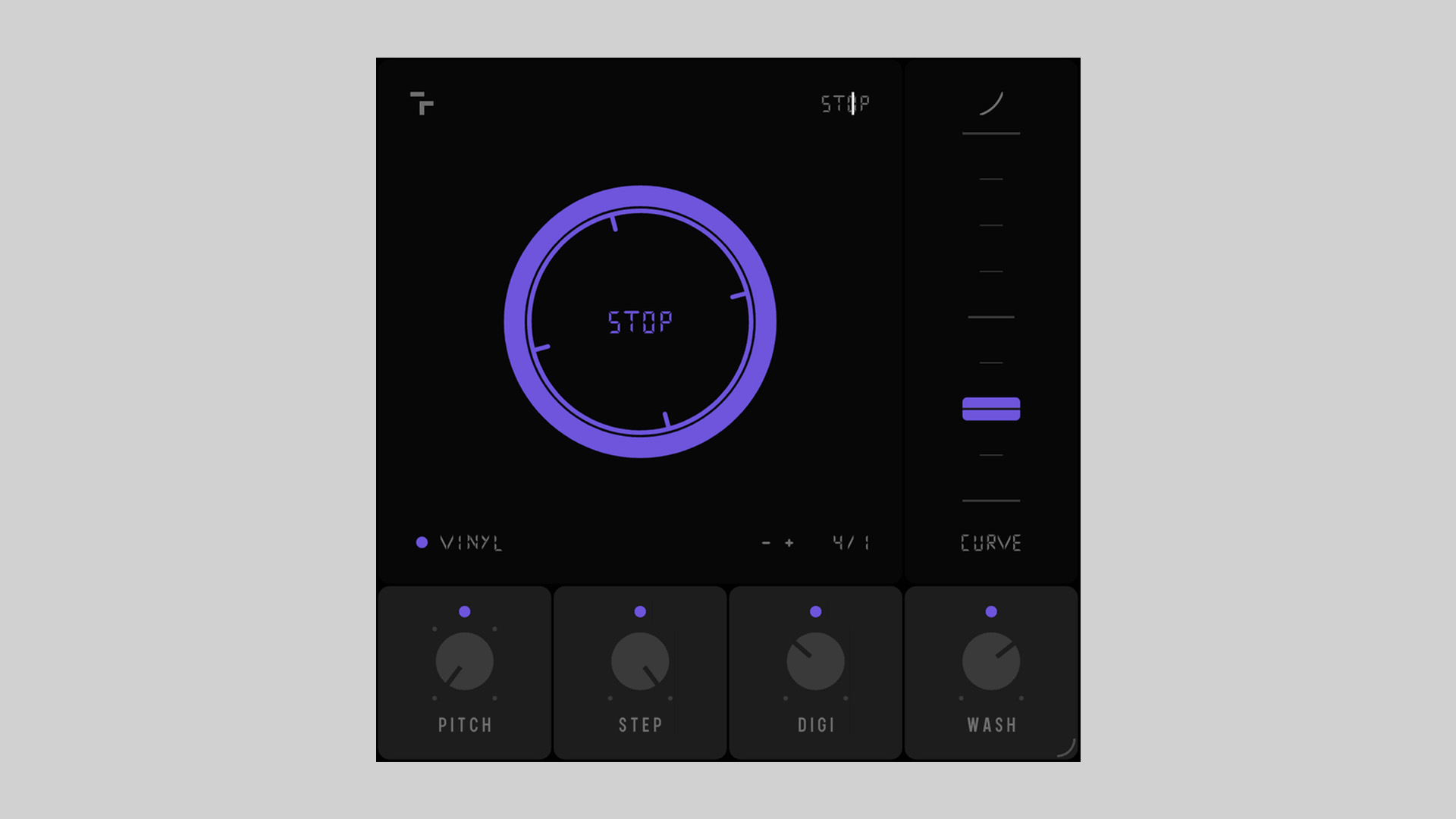
    TapeFi returns with their second free plugin release, STOP, a creative vinyl/tape stop simulator for Windows and macOS. Building on the analog-inspired vibe introduced in their debut plugin FAIL, STOP continues the brand’s focus on imperfection, nostalgia, and musical emotion.

    More Than Just a Tape Stop Effect

    STOP isn’t your average slowdown effect. Designed to emulate the true feel of vinyl and tape slowing to a halt, it features tempo-synced control, pitch range selection, curve shaping, and more. Whether you’re crafting lo-fi beats or experimental electronica, STOP offers an expressive way to bring motion and texture into your productions.

    Features That Inspire

    Beyond the traditional slowdown, STOP adds layers of creative effects. Step Mode introduces glitchy, stuttered drop-offs, while the DIGI Effect brings crunchy, downsampled distortion. A built-in Washout feature applies a dreamy reverb-delay tail, helping your track fade out with cinematic style.

    Features

    • Tempo-synced pitch drop with four selectable ranges: -12, -24, -36, -48
    • Curve control for custom slowdown shapes
    • Vinyl noise layer for nostalgic texture
    • Step Mode for glitchy, stutter-style stop effects
    • DIGI Effect for digital downsampled grit
    • Washout effect: dreamy reverb+delay tail
    • One-click workflow for instant results
    • Native AU, VST, and VST3 (64-bit) plugin formats

    Free Download

    STOP vinyl stop simulator plugin is now available for free download via the TapeFi website.
  • APU Software Releases Free Spectrum Analyzer Plugin

    APU Software Releases Free Spectrum Analyzer Plugin

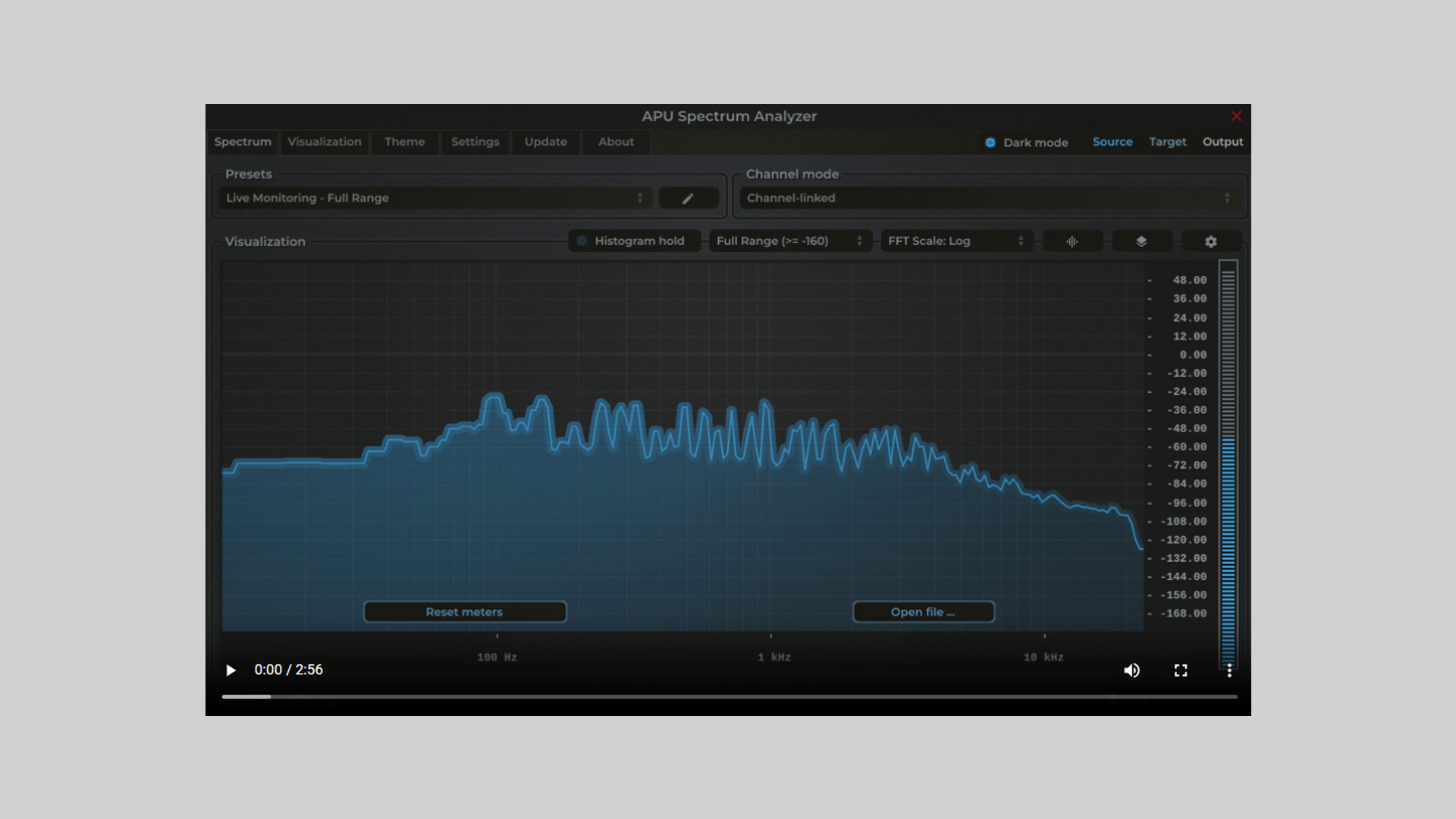
    APU Software has released APU Spectrum Analyzer, a feature-rich and free spectrum analysis plugin tool designed for audio engineers, producers, and sound designers.

    This standalone and plugin-based analyzer gives users full control over FFT configurations, including window type selection (Rect, Hann, Hamming, Blackman, Kaiser) and window sizes ranging from 64 to 65536. Whether you’re doing quick metering or deep frequency analysis, this plugin adapts to your workflow.

    Customizable Analysis for Precision

    APU Spectrum Analyzer lets you toggle between multiple decibel ranges or enable auto-ranging for optimal viewing. Frequency displays can be viewed in logarithmic, linear, or even note-based scales, making it especially useful for musical applications. A histogram hold function is included for measuring long-term frequency response.

    The bucket size is adjustable independently of the FFT size, allowing you to take snapshots of the spectrum for side-by-side comparisons or referencing while mixing or mastering.

    Cross-Platform Compatibility

    This tool functions as a standalone application and also supports major plugin formats, including VST, AU, and AAX (Pro Tools 11 and later). It runs on macOS 10.14+ (x64 and Apple Silicon) and Windows 10+ (x86 and x64), and requires OpenGL 3.2 for visual rendering.

    Free Download

    APU Spectrum Analyzer plugin is available as a free download on the APU Software website.

  • Sottovoce DSP Releases Sotto Spindown Free Vinyl Slowdown Plugin

    Sottovoce DSP Releases Sotto Spindown Free Vinyl Slowdown Plugin

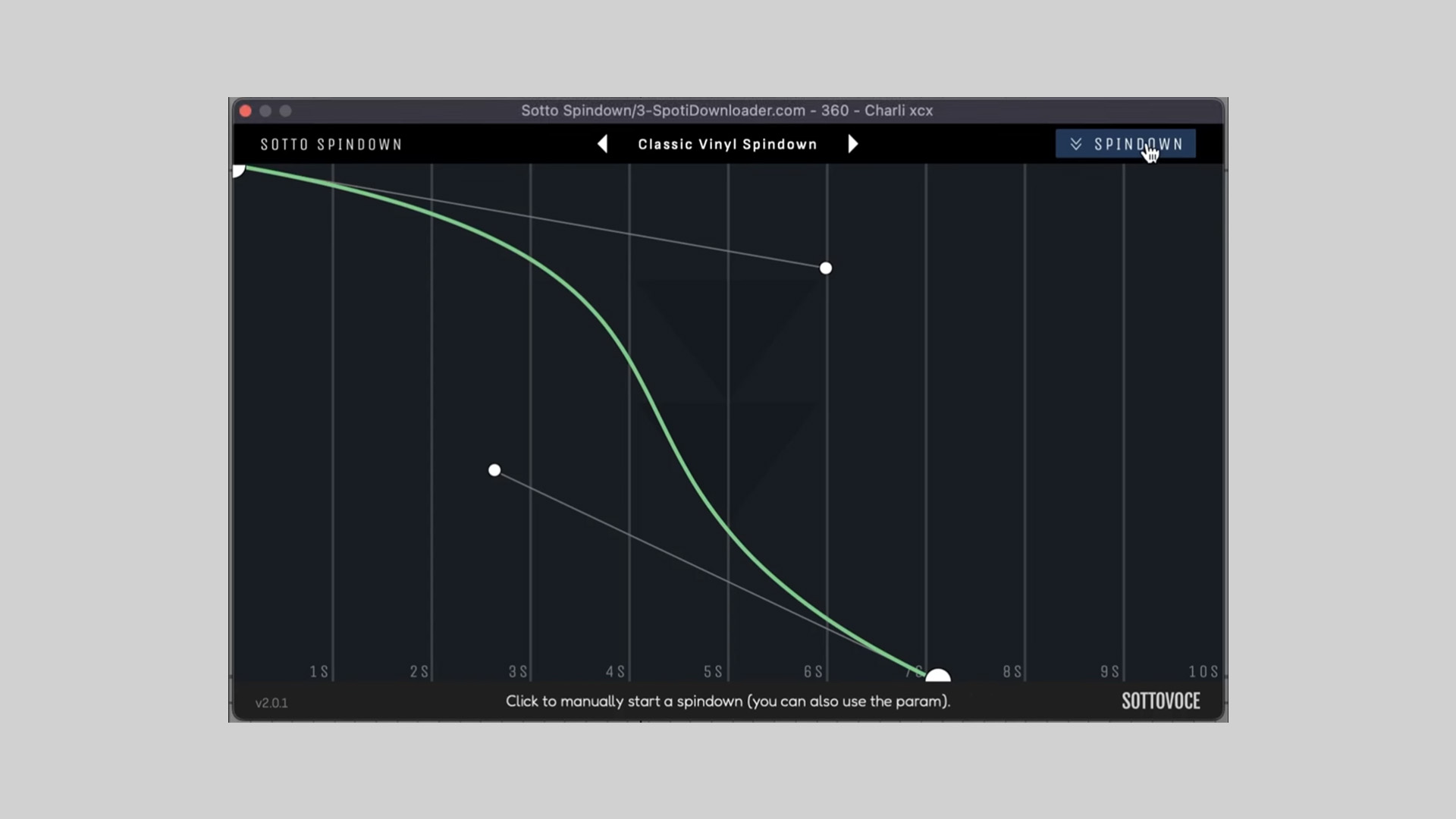
    Sottovoce DSP has released Sotto Spindown, a free audio plugin that emulates the nostalgic sound of a vinyl record winding down.

    Unlike typical slowdown effects with fixed settings, Sotto Spindown puts the control in your hands. You can draw your own spindown curve to shape how the slowdown unfolds – from a sudden stop to a smooth fade-out.

    Customize Your Vinyl Slowdown

    Sotto Spindown is perfect for creative transitions, sound design, or nostalgic breakdowns. Whether you want a slow, cinematic fade or a sharp, dramatic drop, the custom curve editor allows precise control over the time and intensity of the slowdown.

    Features

    • Vinyl-style spindown effect
    • Up to 10 seconds of smooth slowdown
    • Draw your own custom slowdown curves
    • Save and recall curve presets
    • Easy one-button activation

    Compatibility

    Sotto Spindown is compatible with:

    • Windows (VST3, AAX)
    • macOS (VST3, AU, AAX)

    Free Download

    Sotto Spindown is available as a free download on the Sottovoce DSP website.

  • Haven Audio Releases CODA: Free Plugin for Unique Phase-Based Mix Enhancement

    Haven Audio Releases CODA: Free Plugin for Unique Phase-Based Mix Enhancement

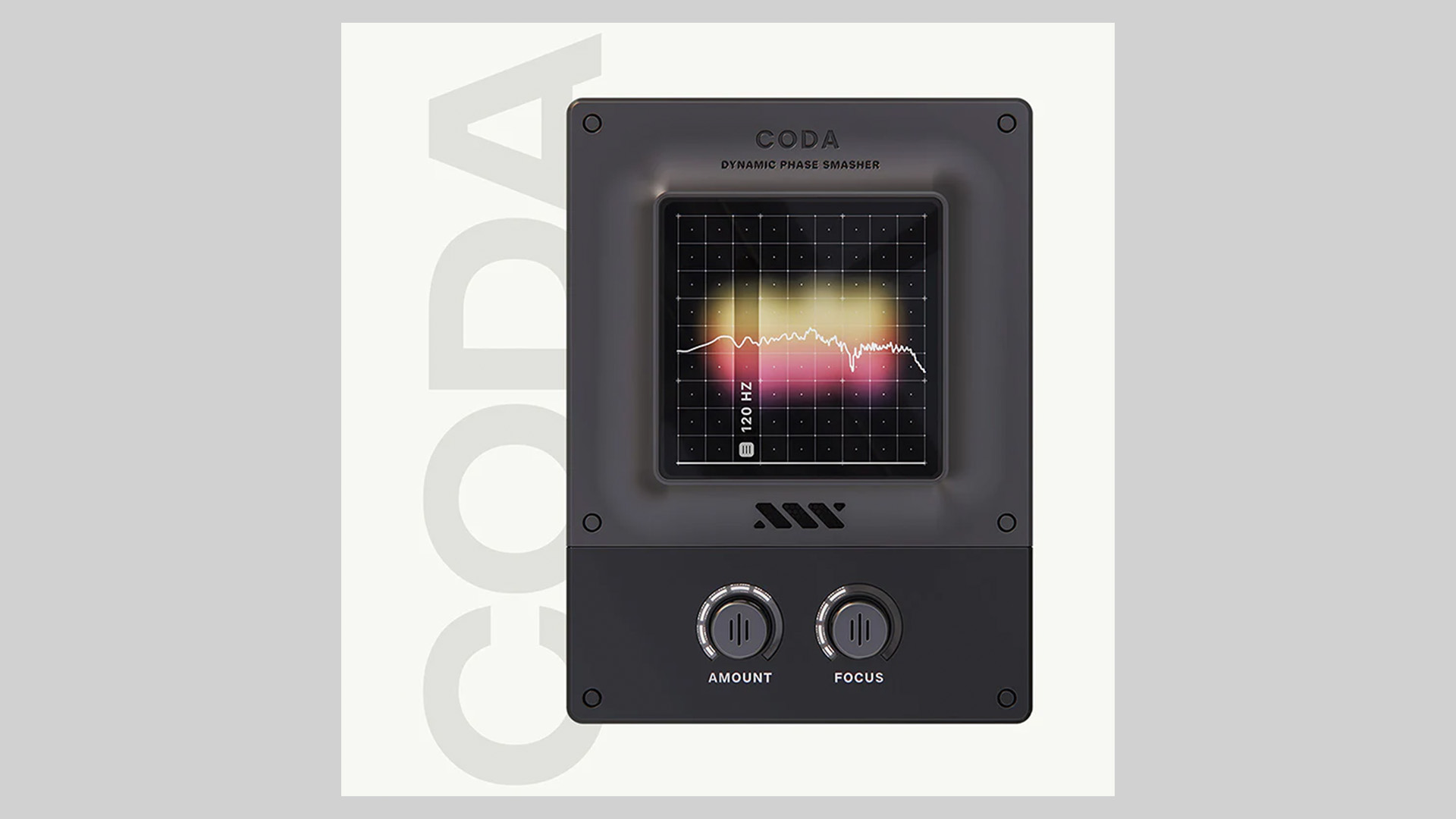
    Haven Audio has introduced CODA, a free audio effect plugin designed to enhance punch and presence in mixes without relying on traditional compression or limiting. CODA uses a new process called “phase-smashing” to manipulate transients in a musical and natural way.

    Phase-Smashing Technology Explained

    Unlike compressors and limiters that often squash dynamic range, CODA boosts transient clarity by rotating the phase of the incoming audio at specific frequencies. This process introduces a controlled audio artifact that enhances impact without increasing loudness or sacrificing headroom.

    With the “Amount” control, users determine how many times the signal is rotated. As phase rotation accumulates, the resulting effect enhances the sharpness and presence of transients, perfect for kicks, 808s, and drum buses.

    Features

    • Based on proprietary phase-smashing technology
    • Enhances transient impact without compression or distortion
    • Ideal for kicks, 808s, bass, drums, and guitars
    • Maintains natural dynamics and headroom
    • User-adjustable frequency focus and amount controls

    Applications in Music Production

    CODA works well as a tool to:

    • Add knock and clarity to drum tracks and low-end elements
    • Glue together kick and bass without EQ or dynamic processing
    • Enhance guitars or instruments without squashing them
    • Bring out punch and detail on buses or individual tracks

    System Requirements

    • VST and AU plugin formats
    • Compatible with major DAWs on macOS and Windows

    Free Download

    CODA plugin can be downloaded for free from the Haven Audio website. An email address is required.

  • Luxora Audio Releases Two Free Plugins: Lux Sub-Bass and Vocal Preamp

    Luxora Audio Releases Two Free Plugins: Lux Sub-Bass and Vocal Preamp

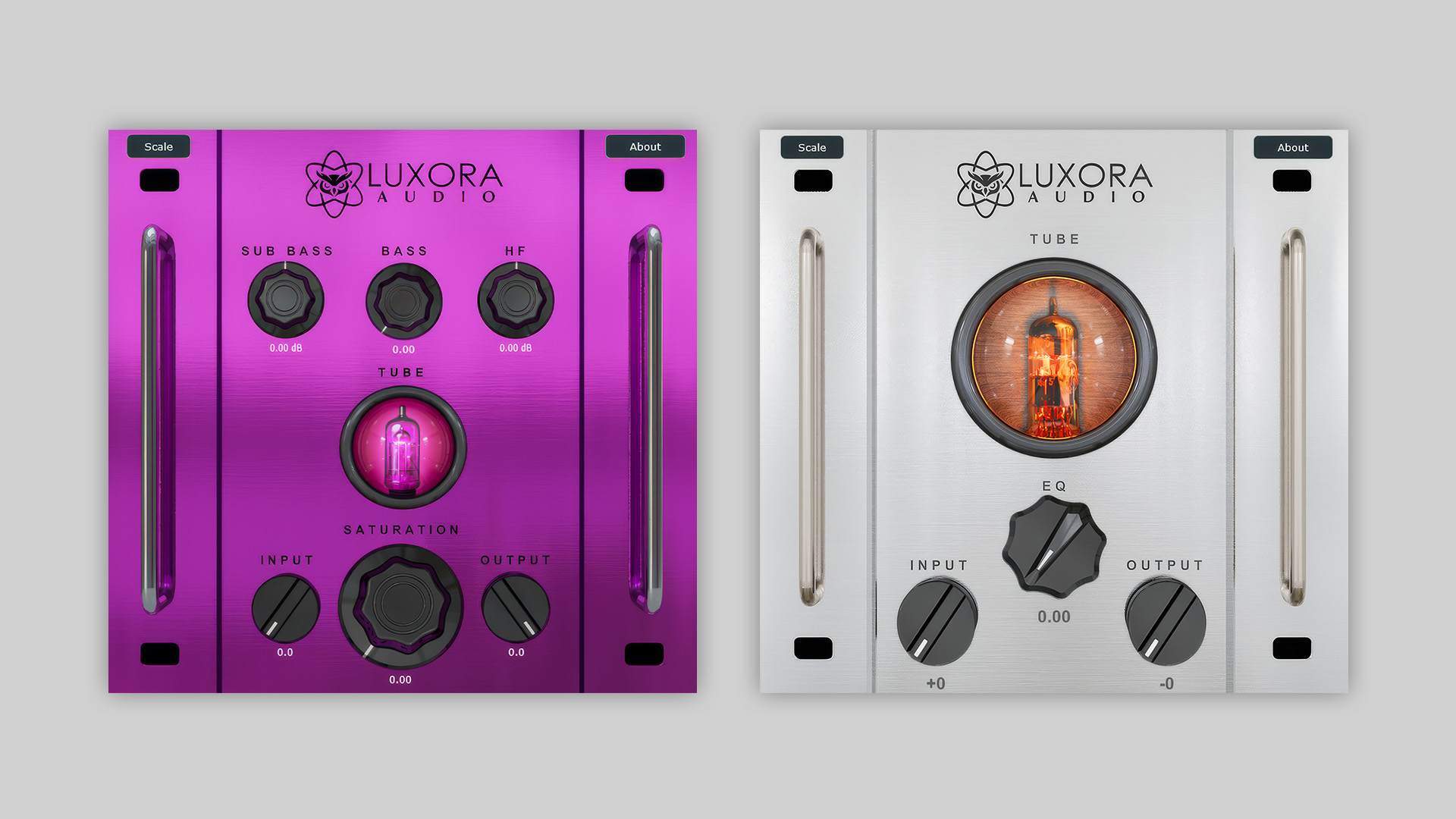
    Luxora Audio has released two new free plugins designed for producers who seek analog warmth with digital precision. The new plugins, Lux Sub-Bass respectively Vocal Preamp, are both powered by the Luxora Audio Hyper Technology Engine™ and offer intuitive one-knob control over advanced analog-modeled processing.

    Lux Sub-Bass: Analog-Modeled Low-End Enhancer

    Lux Sub-Bass is built specifically for shaping the low end of your mix. Ideal for bass, sub-bass, 808s, and drum buses, it delivers powerful harmonics and analog-style saturation without digital harshness.

    At the core is a measurement-based 12AU7 tube saturation model, precisely tuned for warmth and depth at low frequencies. Even without engaging the EQ, Lux Sub-Bass enhances your sound with rich, musical color. The integrated EQ is optimized for clean sub-bass sculpting and includes a visual tube indicator to show when saturation is active.

    Features of Lux Sub-Bass

    • Analog-modeled saturation with 12AU7 tube behavior
    • Designed for bass, sub-bass, 808s, and drum buses
    • Saturation without harshness thanks to high-resolution oversampling
    • Built-in EQ optimized for low-end clarity
    • Visual tube indicator to show saturation activity
    • VST3, AU, and AAX formats for macOS and Windows

    Vocal Preamp: Instant Analog Warmth for Vocals

    Vocal Preamp is designed to bring character and clarity to vocals with a fast and intuitive workflow. It features one-knob saturation modeled after 12AX7 tubes from the ’70s to ’90s and includes an optional EQ section for smooth tonal shaping.

    With wide headroom and smooth saturation, it maintains clarity even at high input levels. The EQ, hand-tuned by Berat Pala, allows for precise vocal sculpting while remaining musical and easy to use. The saturation and EQ sections can be used independently, making it flexible for mixing and mastering chains.

    Features of Vocal Preamp

    • One-knob saturation modeled after vintage 12AX7 tubes
    • Optimized for vocals and melodic sources
    • Optional EQ section tuned for natural vocal shaping
    • Wide dynamic range with smooth saturation
    • Can be used in mixing or mastering chains
    • VST3, AU, and AAX formats for macOS and Windows

    Free Download

    Both Lux Sub-Bass and Vocal Preamp are available as free downloads on the Luxora Audio website.

  • Plugin Boutique Offers GainStage Pro by Hertz Free with Purchases

    Plugin Boutique Offers GainStage Pro by Hertz Free with Purchases

    Plugin Boutique is giving away GainStage Pro by Hertz as a free bonus with any paid purchase during August.

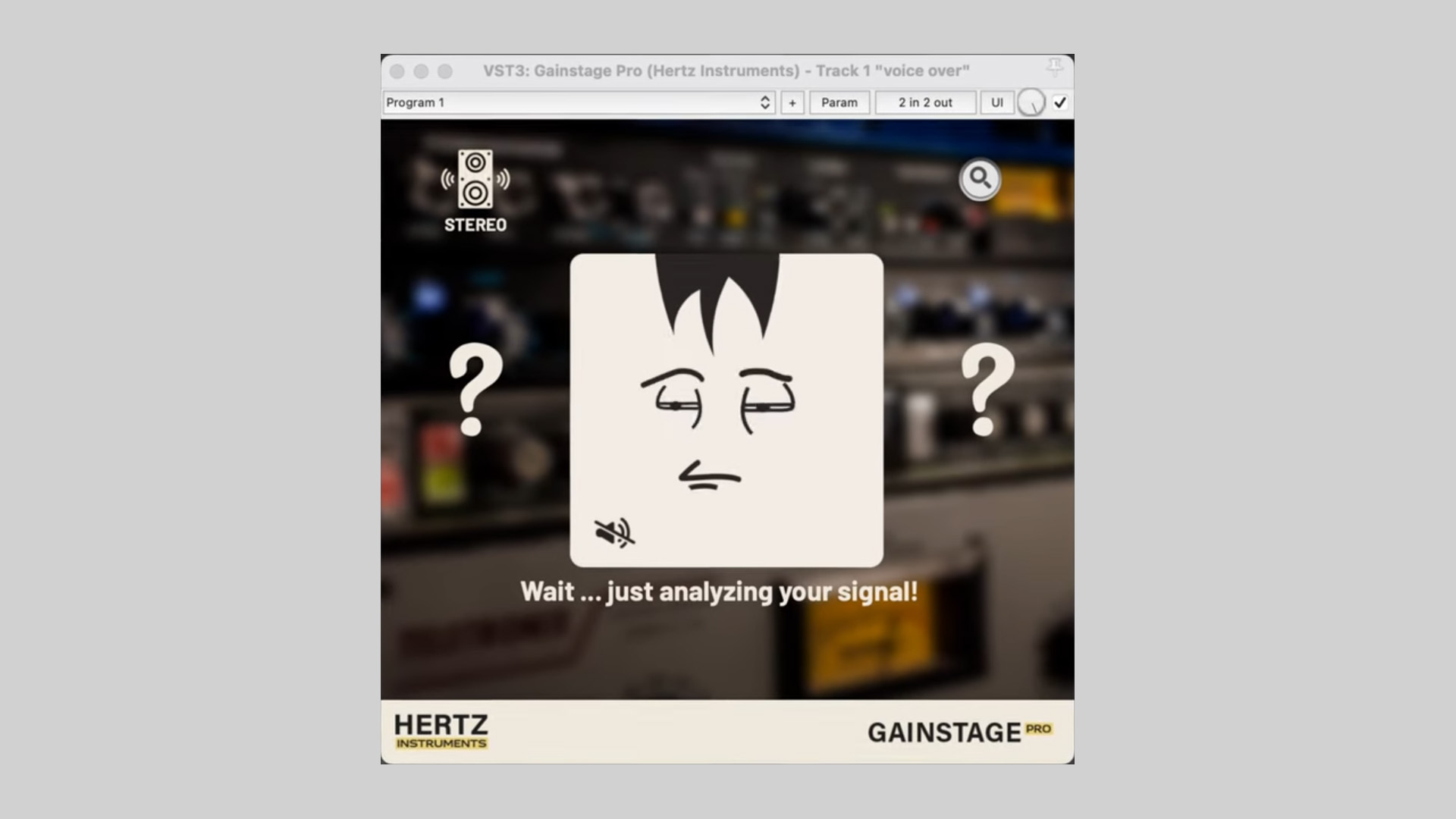
    GainStage Pro is designed to take the guesswork out of setting your recording levels. Instead of relying on different meters and numbers across your DAW, the plugin provides an intuitive graphical indicator that tells you when your signal is too high, too low, or just right. This makes it easy to adjust your preamp gain and achieve optimal recording levels with confidence.

    To use it, simply insert GainStage Pro on a DAW track armed for recording, and follow the plugin’s visual feedback to set levels correctly. It is compatible with all major DAWs, including FL Studio, Ableton Live, Pro Tools, Cubase, Reaper, and Logic Pro.

    Features

    • Intuitive graphical level monitoring
    • Helps optimize signal gain before recording
    • No need to interpret complex meters or dB readings
    • Works with all modern DAWs
    • Available in VST3, AU, and AAX plugin formats for Windows and macOS

    Free Offer with Purchase

    GainStage Pro is available as a free download with any paid purchase at Plugin Boutique during August 2025. Add any product to cart and the free offer will be available during checkout.

  • atkAudio Releases atkSpeechLimiter Free Voice-Focused Limiter Plugin

    atkAudio Releases atkSpeechLimiter Free Voice-Focused Limiter Plugin

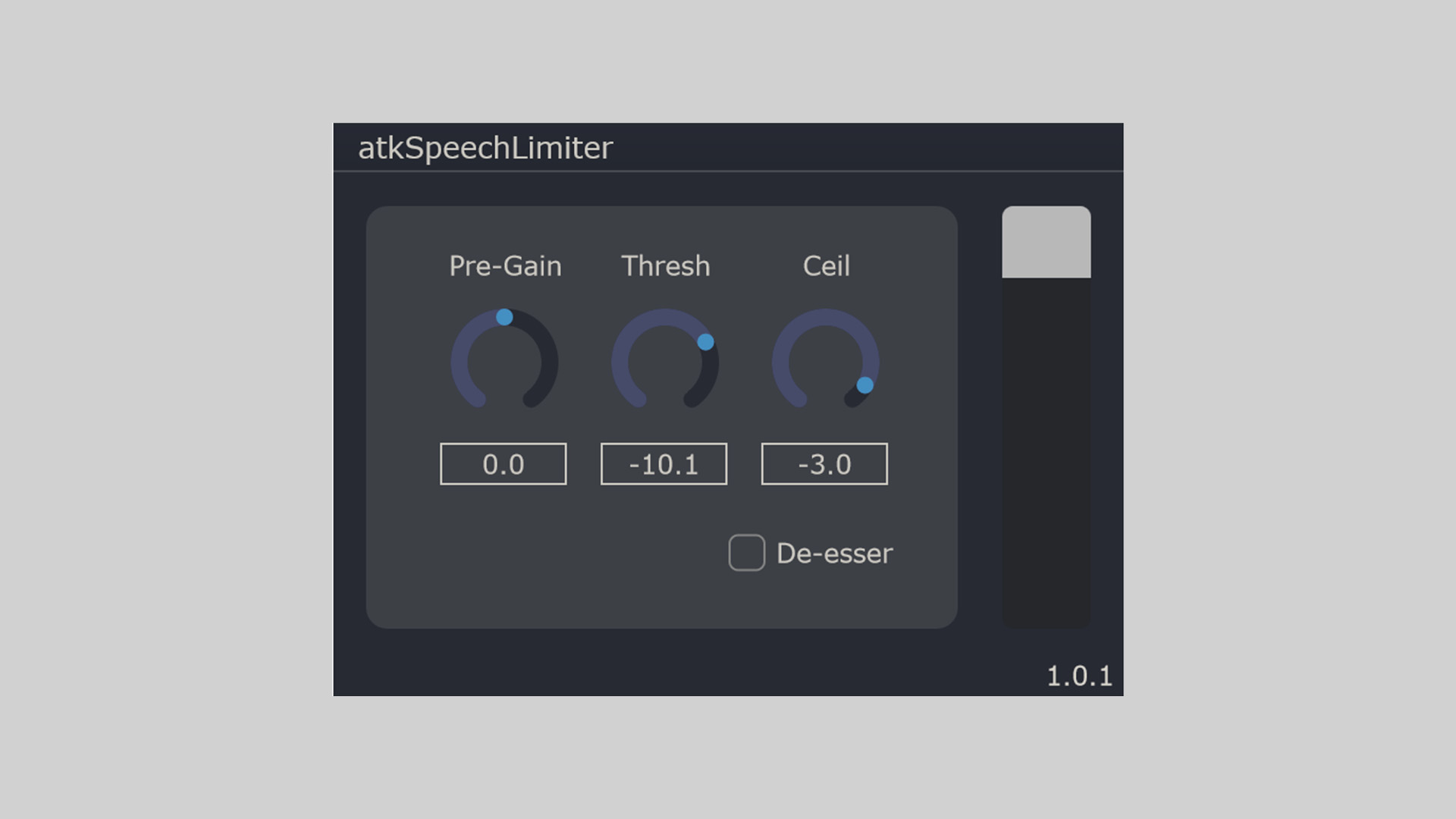
    atkAudio has released atkSpeechLimiter, a free audio plugin designed to manage voice dynamics with precision and ease. Built with speech in mind, this limiter is best suitable for podcasters, voice-over artists, streamers, and anyone working with spoken word content.

    atkSpeechLimiter offers consistent peak control with a smooth limiting curve and optional high-frequency limiting via its de-esser mode.

    Tailored for Voice Clarity

    The plugin features a classic lookahead limiter structure, ensuring clean peak control without introducing unwanted artifacts. The wideband de-esser (HF limit mode) is particularly useful for taming harsh sibilance in vocals, helping voices sit more comfortably in the mix.

    While its main use is speech processing, atkSpeechLimiter can be used creatively on other sources. A common workflow is to chain two instances, first for limiting, second in de-esser mode, for even greater control.

    Features

    • Lookahead limiter with input gain, threshold, and output ceiling controls
    • Gain reduction metering for visual feedback
    • Wideband de-esser/HF limiter toggle
    • Up to 64-channel support for multichannel work
    • Compatible with AAX, AU, and VST3 plugin formats

    Free Download

    atkSpeechLimiter voice-focused limiter plugin is available now as a free download from the atkAudio website.

  • Tritik Releases Visu Free Spectrogram Plugin for Real-Time Audio Analysis

    Tritik Releases Visu Free Spectrogram Plugin for Real-Time Audio Analysis

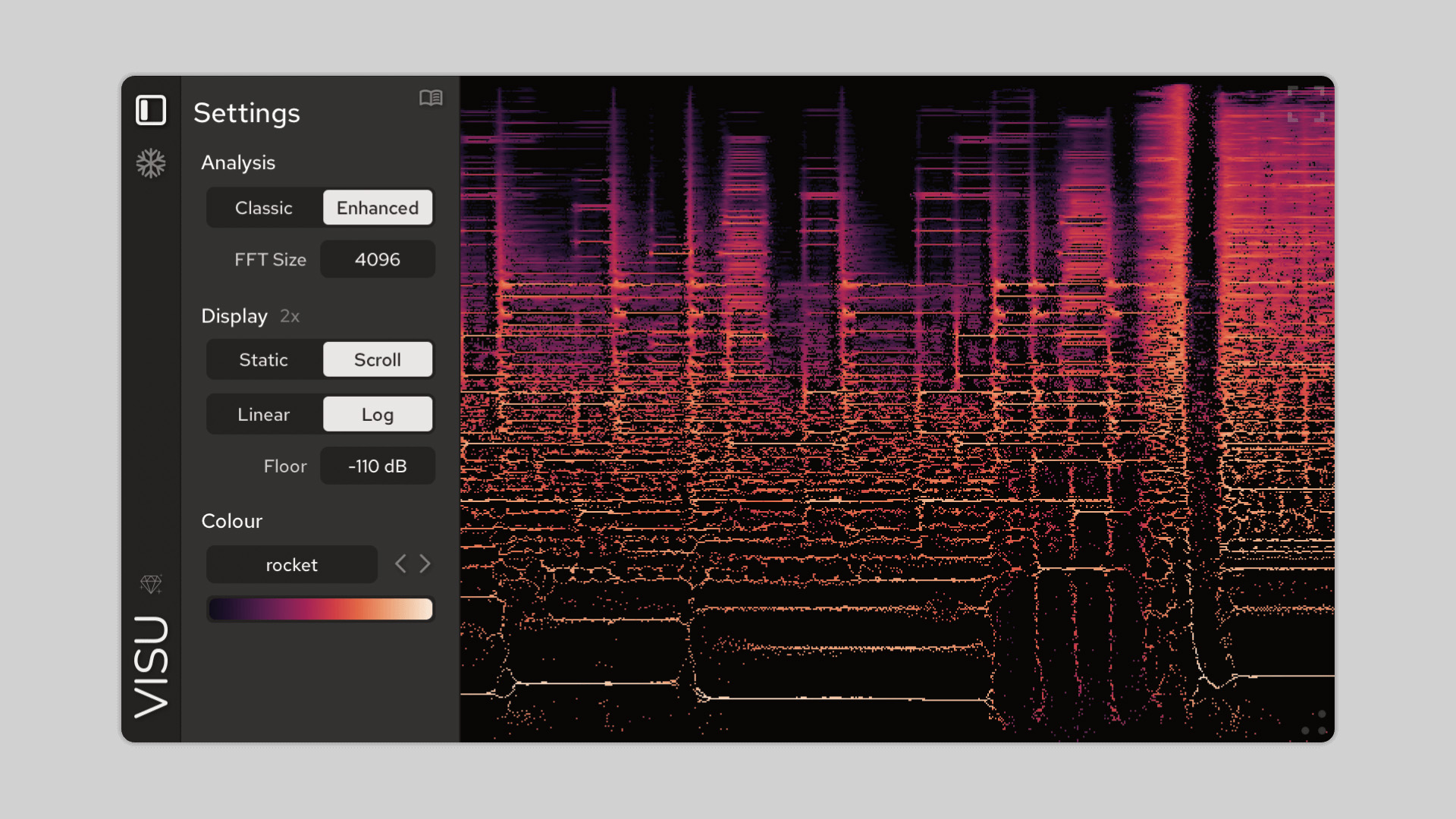
    Tritik has released Visu, a free spectrogram plugin for real-time audio analysis and visual feedback. Available for Windows and macOS in VST3, AU, and AAX formats, Visu offers an intuitive way to explore and understand the frequency content of your sounds.

    A spectrogram displays the frequency spectrum of a signal over time, with amplitude represented by color. This makes it useful for identifying transients, examining pitch and harmonics, and detecting background noise or frequency buildup.

    Enhanced Visualization with Time-Frequency Reassignment

    Visu offers two viewing modes: a classic spectrogram and an enhanced mode that delivers increased clarity. The enhanced mode uses time-frequency reassignment, a method that sharpens detail by repositioning energy to more accurate locations using phase data. The result is better transient resolution and cleaner pitch visualization.

    This makes Visu more than just a basic visualizer – it’s a tool for in-depth spectral insight, useful for producers, engineers, and sound designers who need precision.

    Designed for Usability and Clarity

    This free spectrogram plugin provides flexibility with a range of useful features. You can choose between linear and logarithmic frequency scales, scroll or static display modes, and different FFT sizes. The plugin also includes real-time frequency readouts, a freeze function, and PNG export for capturing visuals.

    The free version is fully usable in black-and-white mode, with optional upgrades that unlock over 40 color maps, many designed to be color-blind friendly.

    Features

    • Classic and Enhanced spectrogram modes
    • Time-frequency reassignment for detailed analysis
    • Adjustable FFT size and draw modes
    • Linear or logarithmic frequency scales
    • Real-time frequency readout under cursor
    • Freeze display and PNG export
    • HiDPI support for sharp visuals
    • 40+ optional color maps (full version)
    • Free version fully usable (black & white mode)
    • VST3, AU, and AAX support for PC and Mac

    Free Download

    The Visu free spectrogram plugin is available for download at the Tritik website.

  • 4drX Plugins Releases StereoMixer Free Stereo Re-Panner Plugin

    4drX Plugins Releases StereoMixer Free Stereo Re-Panner Plugin

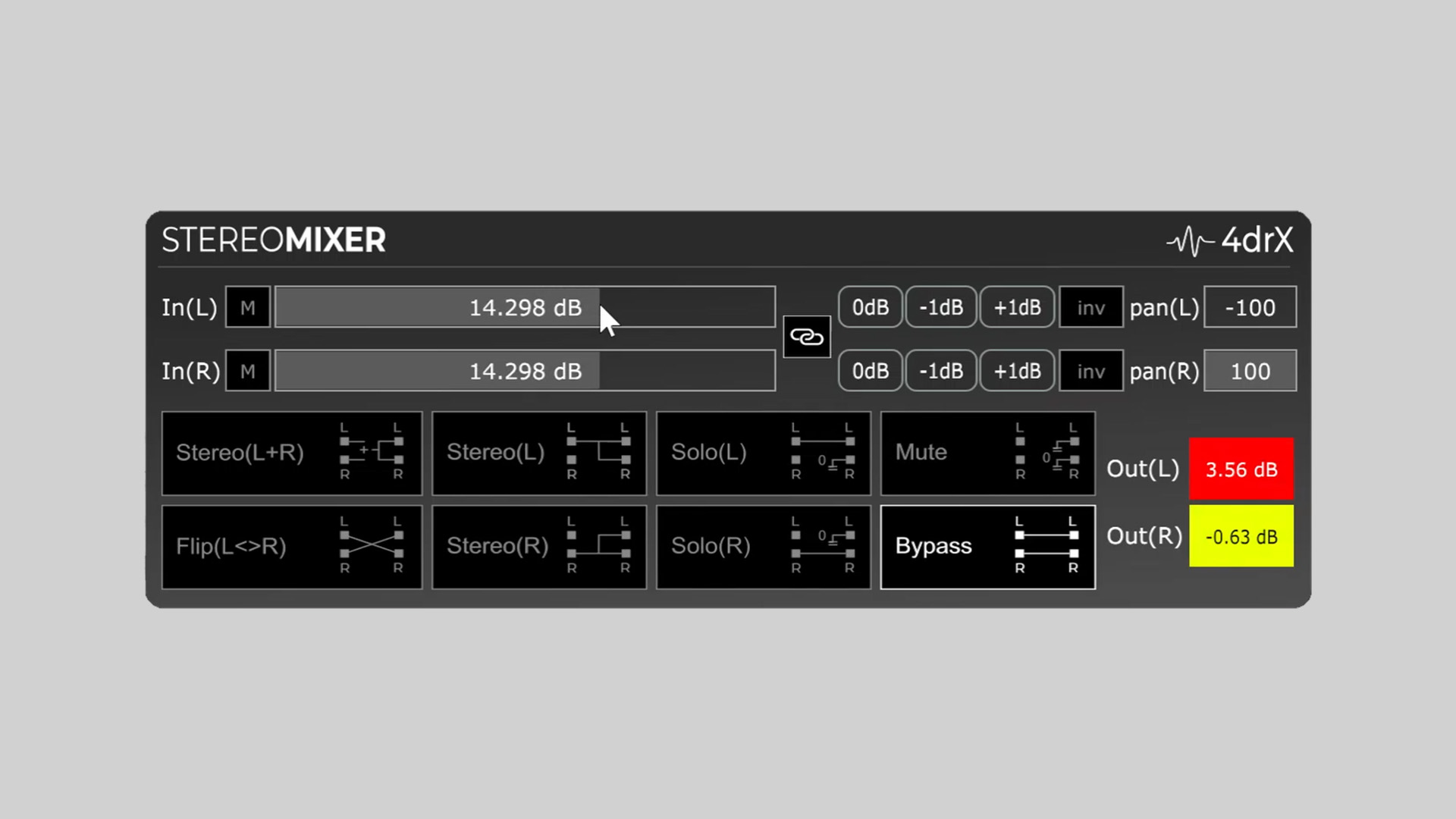
    4drX Plugins has released StereoMixer, a free stereo re-panner plugin designed for fast and flexible monitoring and mixing tasks. StereoMixer is available for Windows and macOS in VST, AU, and AAX plugin formats.

    One-Click Stereo Re-Panning and Monitoring

    StereoMixer offers one-click stereo panning adjustments and precise gain control for both left and right channels. Whether you’re flattening a stereo signal, isolating a single channel, or canceling centered mono elements, this plugin provides a simple yet effective toolset.

    The plugin features dedicated modes to solo either the left or right channel or combine both for mono monitoring. It also includes peak meters, individual gain sliders (up to ±48dB), and inversion options for phase cancellation tasks.

    Features

    • One-click solo for Left or Right channels
    • L+R mono mode for combined stereo playback
    • Colored peak meters for clipping detection
    • Separate gain sliders for Left and Right channels (±48dB)
    • Channel inversion for phase cancellation
    • Precision gain control with ±1dB tap buttons

    Practical Use Cases

    StereoMixer is particularly useful for:

    • Analyzing stereo width and instrument placement
    • Isolating elements in stereo backing tracks
    • Creating mono references
    • Canceling centered mono elements like bass or kick
    • Quick gain adjustments during live or studio work

    Free Download

    StereoMixer stereo re-panner plugin is available as a free download from the 4drX Plugins website. It supports VST, AU, and AAX formats for both macOS and Windows.

  • Sennheiser Ends Dear Reality Development, Releases Plugins for Free

    Sennheiser Ends Dear Reality Development, Releases Plugins for Free

    Sennheiser has announced the end of active development and support for Dear Reality plugins. As part of a broader strategy to consolidate all immersive audio initiatives within the Sennheiser Group, Dear Reality will no longer operate as an independent company.

    Dear Reality Plugins Now Free

    While this marks the end of official updates and maintenance, Sennheiser will make most Dear Reality plugins available as free downloads. These plugins can be downloaded and used without restriction by registering for the Sennheiser AMBEO newsletter.

    Details

    • Dear Reality licenses will be deactivated on July 31, 2025.
    • Plugins will remain accessible without charge upon registration.
    • No future updates or feature enhancements will be provided.

    Included Plugins

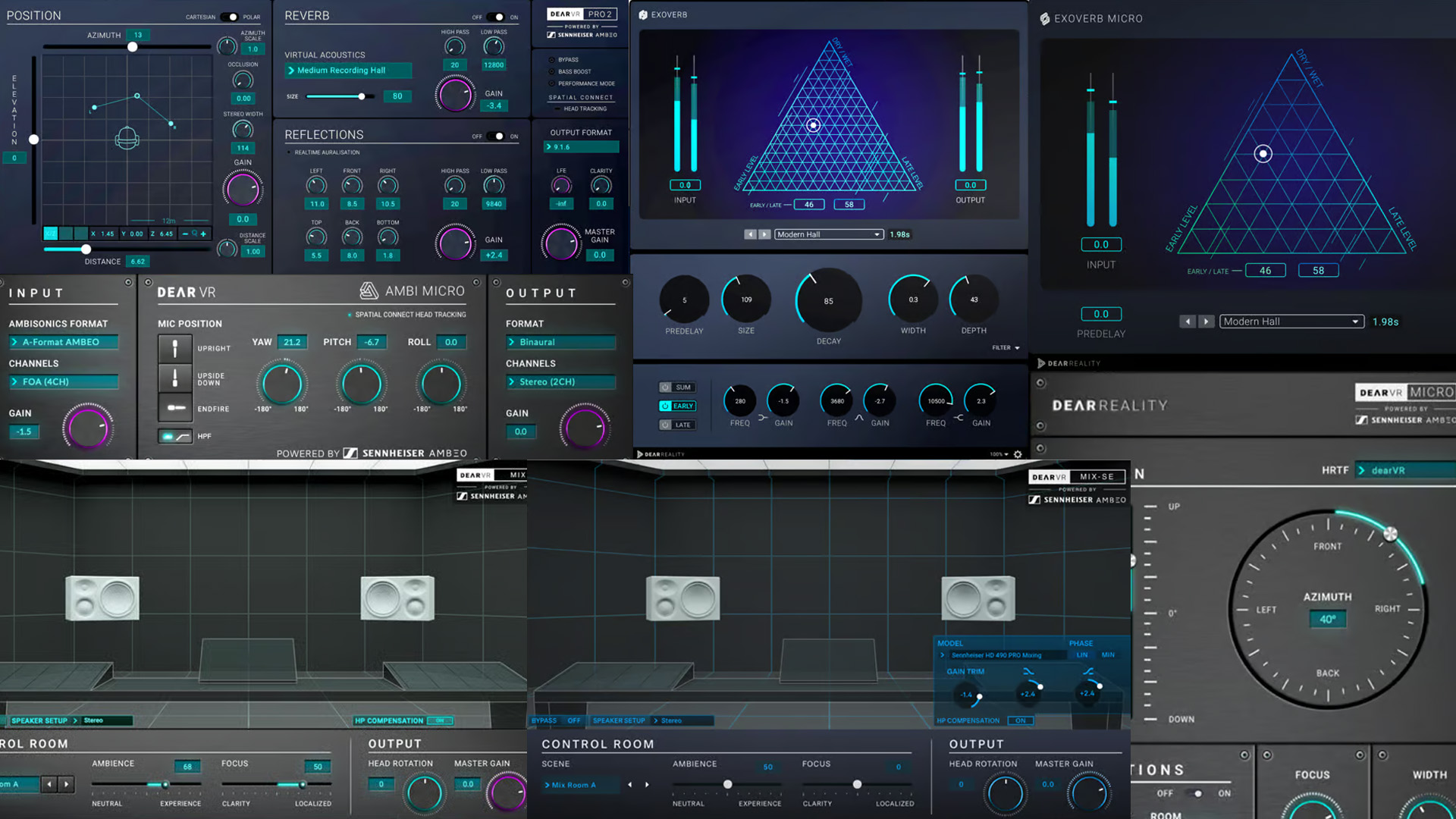
    • dearVR PRO 2
    • EXOVERB
    • EXOVERB MICRO
    • dearVR AMBI MICRO
    • dearVR MICRO
    • dearVR MIX
    • dearVR MIX-SE
    • dearVR SPATIAL CONNECT
    • MIYA
    • dearVR MUSIC
    • dearVR UNITY

    Continued Support During Transition

    A support window will be available from March 25, 2025 to July 31, 2025 via the official website. Users can reach out with any questions or concerns during this period.

    Dear Reality, founded over a decade ago and acquired by Sennheiser in 2019, has been a key player in the immersive audio space. This move marks a shift in Sennheiser’s approach to immersive technology integration.

    How to Download

    Simply complete the registration form at Sennheiser and you will receive Dear Reality plugins completely free.