Category: Free VST Plugins & Software

  • GARUC Audio Releases Prism Saturator Free Plugin

    GARUC Audio Releases Prism Saturator Free Plugin

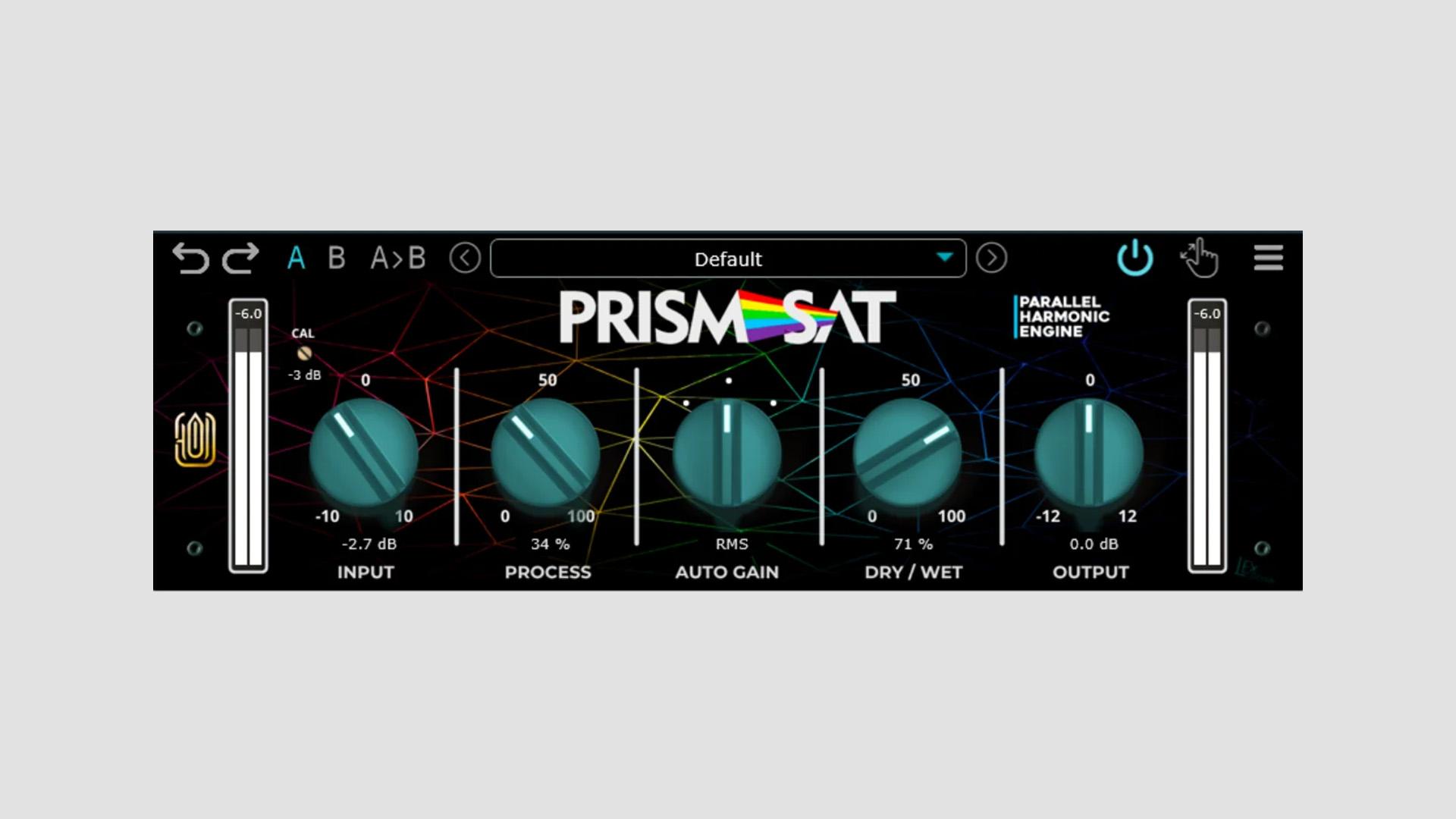
    GARUC Audio has released Prism Saturator, a free saturation plugin designed to add warmth, cohesion, and harmonic density to mixes. The plugin is based on the DSP architecture of the company’s Tape Hyll plugin and aims to deliver tape-style color through a simple and direct workflow.

    Tape-Style Saturation With a Straightforward Design

    Prism Saturator is built as an analog-style saturation engine that focuses on musical tone shaping rather than complex routing or advanced multi-stage controls. According to GARUC Audio, it carries the character of early digital tape emulations that were designed to recreate the nonlinear behavior of analog tape in software.

    As the process amount increases, the plugin introduces a blend of even and odd harmonics. This can enrich the source material while also smoothing sharper transients. As a result, Prism Saturator can move from subtle warmth to heavier parallel-style distortion depending on the settings.

    Simple Controls for Fast Results

    The plugin includes calibration options, input and output gain, and a central Process control for shaping the saturation amount. In addition, users get automatic peak and RMS gain compensation, which can help maintain a more consistent level while adjusting the effect.

    A Dry/Wet control is included as well, making it easier to blend the processed signal with the source. That gives users a quick way to dial in gentler enhancement or more aggressive harmonic treatment.

    Workflow and Interface Features

    GARUC Audio also includes a resizable interface, multiple UI themes, several presets, and pop-up tooltips for easier navigation. The plugin uses 64-bit processing and is available with a free license.

    Because of its simple control set and harmonic focus, Prism Saturator may be useful on individual tracks, buses, or full mixes that need a softer top end and a denser analog-style tone.

    Features

    • Free saturation plugin from GARUC Audio
    • Based on the DSP architecture of Tape Hyll
    • Designed to add warmth, cohesion, and harmonic density
    • Blend of even and odd harmonics
    • Input and output gain controls
    • Process control for saturation amount
    • Automatic peak and RMS gain compensation
    • Dry/Wet control
    • Rescalable interface
    • Multiple UI themes and presets
    • Pop-up tooltips
    • 64-bit processing

    Plugin Formats

    Prism Saturator is available in AAX, AU, and VST3 formats for Windows and macOS.

    Free Download

    Prism Saturator plugin is available as a free download from GARUC Audio.
  • Techivation Releases Free Tilt EQ Plugin (VST & AU)

    Techivation Releases Free Tilt EQ Plugin (VST & AU)

    Techivation has released Tilt EQ, a free linear phase tone shaping equalizer plugin for Windows and macOS. The plugin combines tilt EQ processing with harmonic saturation, giving users a way to rebalance a sound without making it feel dull or thin.

    A Tilt EQ With Harmonic Drive

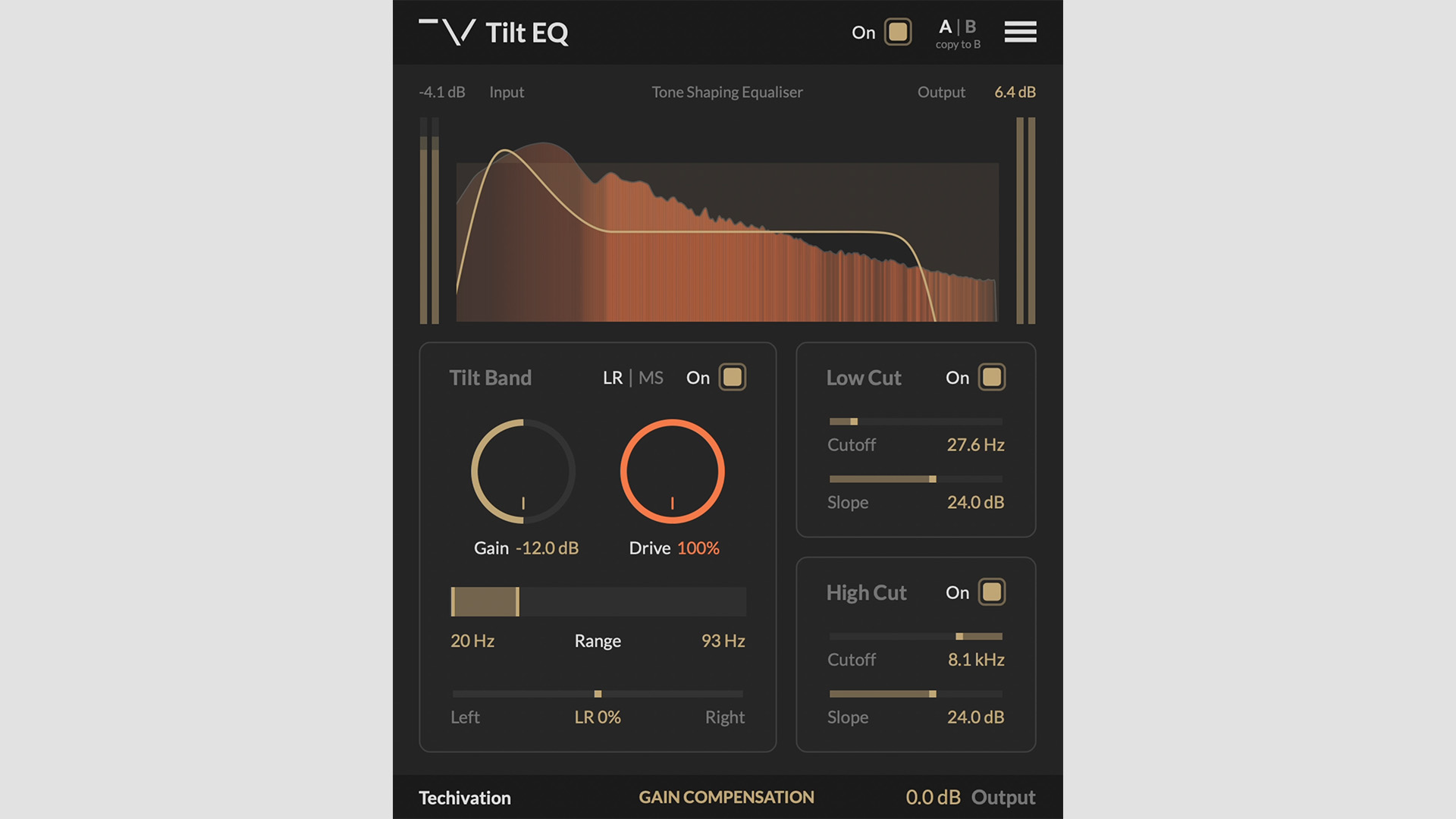
    Tilt EQ is built around a simple but useful idea. When the tilt curve removes energy from one part of the spectrum, the Drive control captures that energy and re-injects it as harmonic saturation. As a result, users can brighten or darken a sound while keeping more character in the signal.

    According to Techivation, the saturation responds to the amount of energy removed by the EQ curve. This makes the Drive section react in a more musical way instead of working like a separate static distortion stage.

    More Than a Basic Tone Shaper

    Tilt EQ also includes an adjustable tilt range and slope, so users can control where the tonal shift happens and how steep it feels. In addition, the plugin supports mid-side processing and stereo balance control, which can be used to shift the effect across left and right or mid and side channels.

    For cleanup work, Techivation includes low-cut and high-cut filters with adjustable cutoff and slope settings. Automatic gain compensation is also included, helping users keep loudness more consistent while shaping the tone.

    Oversampling, Visual Feedback, and Workflow Tools

    The Drive section runs with oversampling up to 8x to reduce aliasing. The plugin also includes an EQ curve display, analyser modes, spectrum visualizer options, and a harmonics overlay for the Drive section.

    On top of that, Tilt EQ includes output control, scalable interface sizing, internal on and off switching, and undo and redo options. That makes it suitable for fast tonal moves on tracks, buses, and full mixes.

    Features

    • Free linear phase tilt EQ plugin
    • Drive control that re-injects removed energy as harmonic saturation
    • Adjustable tilt gain, range, and slope
    • Mid-side and left-right processing modes
    • Stereo balance control
    • Low cut and high cut filters with variable slope
    • Automatic gain compensation
    • Drive oversampling up to 8x
    • EQ curve display and spectrum visualizer
    • Undo and redo support
    • Scalable user interface

    Plugin Formats

    Tilt EQ is available in VST, VST3, AU, and AAX formats for Windows and macOS. It also supports Apple Silicon natively.

    Free Download

    Tilt EQ plugin is available as a free download from the Techivation website.

  • Hivetune Releases Relica 2 Free 8-Bit Synthesizer Plugin

    Hivetune Releases Relica 2 Free 8-Bit Synthesizer Plugin

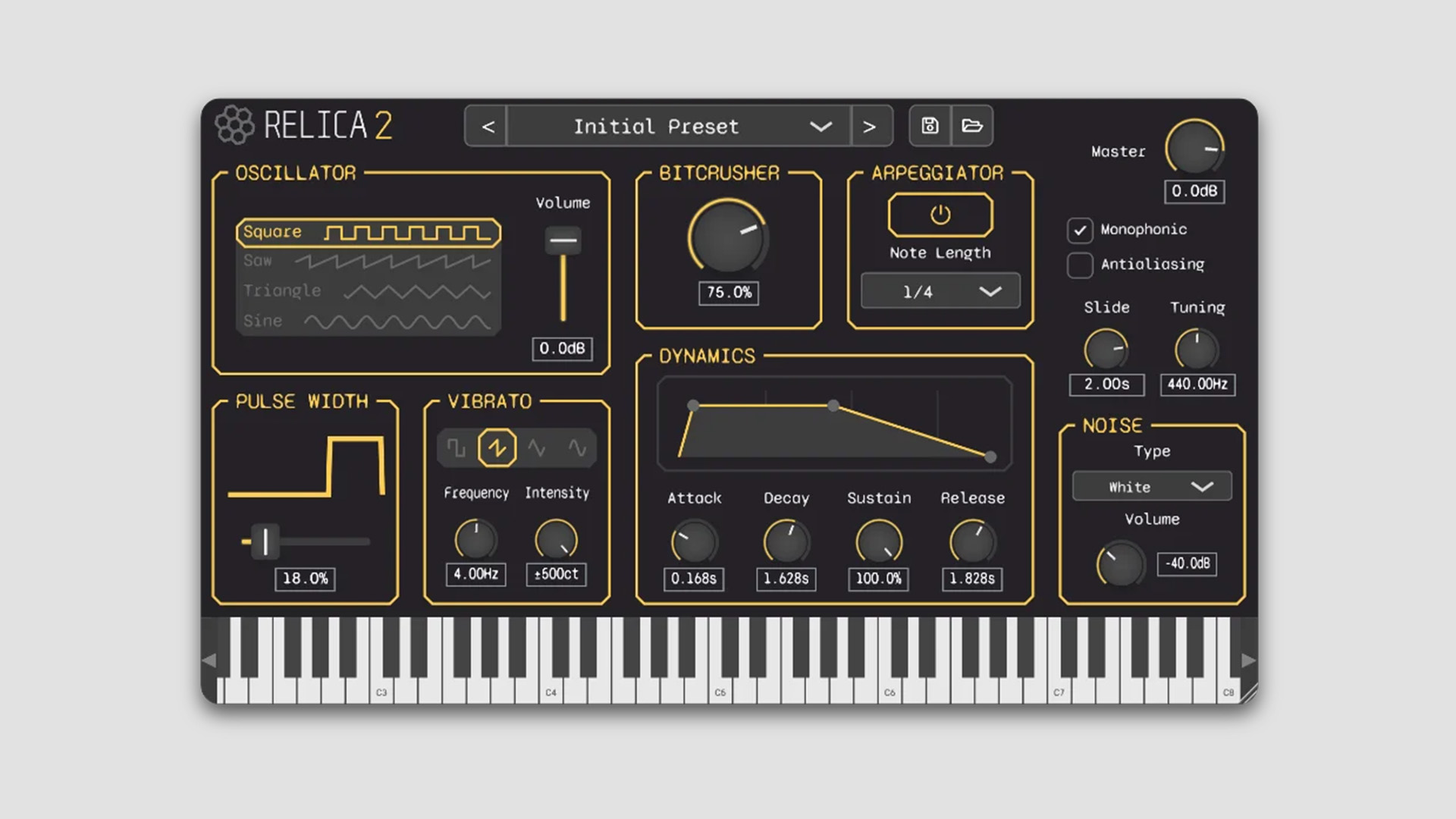
    Hivetune has released Relica 2, a free subtractive synthesizer plugin designed to recreate the sound of the 8-bit era. It promises to bring retro game-style tones into modern music production workflows.

    A Synth Focused on Classic 8-Bit Sound

    Relica 2 is built for users who want the character of vintage gaming audio inside a DAW. It covers a wide range of retro-inspired sounds, from NES-style leads to handheld-style percussion and simpler chip-style tones.

    At its core, the instrument uses subtractive synthesis while keeping the interface straightforward and easy to navigate. Because of that, users can shape sounds quickly without digging through multiple windows or menus.

    Oscillators, Bitcrushing, and Retro Tone Controls

    Relica 2 includes four classic oscillator shapes: Square, Sawtooth, Triangle, and Sine. In addition, the built-in Bitcrusher adds extra grit and digital artifacts, with tuning adjusted for each oscillator type.

    Users can also switch between antialiasing modes. When enabled, the synth delivers a cleaner and more polished tone. When disabled, it introduces the raw aliasing character often associated with original retro hardware.

    Pulse Width control is included as well, and Hivetune notes that it can be adjusted across all oscillators rather than being limited to a narrower implementation.

    Modulation, Arpeggiation, and Noise Options

    For extra movement, Relica 2 includes a vibrato engine with adjustable rate, depth, and multiple LFO shapes. It also includes a BPM-synced arpeggiator for creating the fast melodic sequences often linked to vintage game music.

    A dedicated noise module adds White, Pink, and Periodic noise for extra texture and imperfections. On top of that, the synth includes monophonic mode and slide control for smoother note transitions.

    Presets and Easy Editing

    Relica 2 also includes a preset browser with more than 30 factory presets. Users can save and load their own patches as well. To shape the final sound, the synth includes a Dynamics section with ADSR controls for anything from short plucks to softer pads.

    Hivetune says the interface keeps every parameter on a single screen, which helps maintain a faster and more intuitive workflow.

    Features

    • Free subtractive synthesizer for Windows and macOS
    • Designed to recreate 8-bit and retro gaming sounds
    • Four oscillator shapes: Square, Sawtooth, Triangle, and Sine
    • Built-in Bitcrusher for digital grit and artifacts
    • Switchable antialiasing modes
    • Pulse Width control across all oscillators
    • Vibrato engine with adjustable rate, depth, and LFO shapes
    • BPM-synced arpeggiator
    • Noise module with White, Pink, and Periodic noise
    • Monophonic mode and slide control
    • More than 30 factory presets
    • Single-screen interface for easier editing

    Plugin Formats

    Relica 2 is available in VST3, AU, and standalone formats for PC and Mac users.

    Free Download

    Relica 2 8-bit synthesizer plugin is available as a free download from the Hivetune website.

  • Okay Synthesizer Releases Free Okay Distortion Plugin (VST3 & AU)

    Okay Synthesizer Releases Free Okay Distortion Plugin (VST3 & AU)

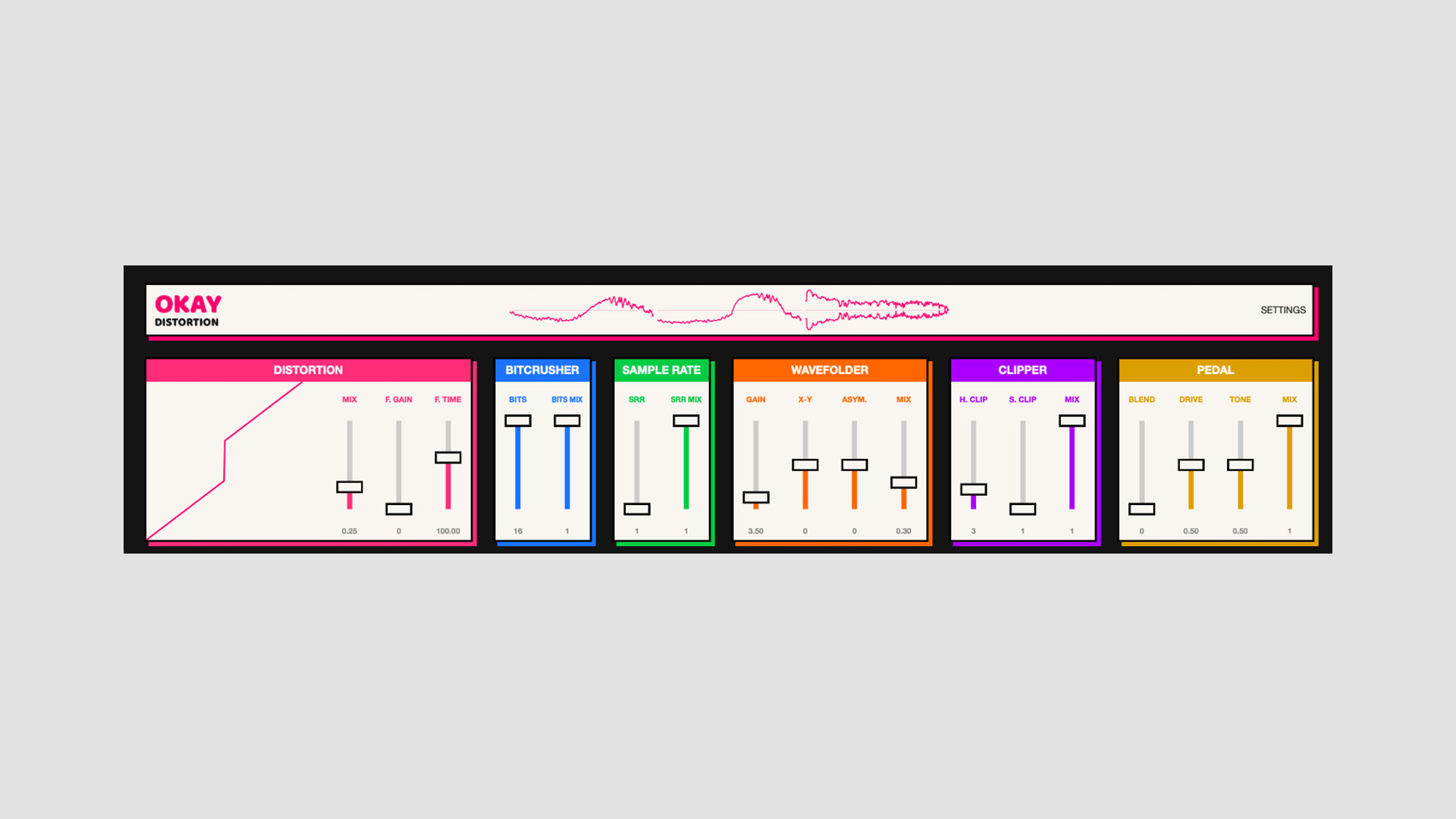
    Okay Synthesizer has released Okay Distortion, a free distortion plugin for Windows and macOS. The plugin is available in VST3 and AU formats and combines six different distortion stages in a single signal chain.

    A Multi-Stage Distortion Plugin Built for Aggressive Sound Design

    Okay Distortion is designed for users who want heavier, rougher, and more damaged tones in their productions. The plugin stacks multiple processing stages to create a broader range of saturation, clipping, and degradation effects.

    According to the developer, the distortion engine first appeared inside Bingo Drum Machine. After users responded well to it, Okay Synthesizer separated it into a standalone plugin and released it as a free download.

    Six Distortion Engines in One Chain

    The plugin combines six processing sections into a single signal path. These include Bitcrusher, Sample Rate Reducer, Wavefolder, Feedback, Soft and Hard Clipper, and a Pedal stage inspired by classic distortion circuits.

    Each section shapes the signal differently. For example, the Bitcrusher adds digital grit, while the Sample Rate Reducer creates a more broken and degraded texture. The Wavefolder introduces extra harmonics, and the Feedback section pushes the signal into more unstable territory.

    The clipper stage includes both soft and hard clipping, giving users more control over how aggressively the signal is limited. In addition, the Pedal section blends between two well-known distortion styles inspired by the Boss DS-1 and ProCo RAT.

    Color Customization and Free Access

    The plugin also includes a built-in color picker, so users can customize the interface to match their preferred look.

    Okay Distortion may appeal to producers looking for a no-cost distortion tool for drums, synths, guitars, and more aggressive sound design work.

    Features

    • Free distortion plugin for Windows and macOS
    • Six-layered distortion engines in one signal chain
    • Bitcrusher for digital grit and degradation
    • Sample Rate Reducer for lo-fi texture
    • Wavefolder for added harmonic complexity
    • Feedback section for unstable and extreme processing
    • Soft and hard clipper stages
    • Pedal section inspired by Boss DS-1 and ProCo RAT tones
    • Built-in color picker for interface customization

    Plugin Formats

    Okay Distortion is offered in VST3 and AU plugin formats for macOS and Windows users.

    Free Download

    Okay Distortion is available as a free download from the Okay Synthesizer website.

  • Tuğrul Akyüz Releases Free TugPhonon Vintage Rotating Tape Delay Plugin

    Tuğrul Akyüz Releases Free TugPhonon Vintage Rotating Tape Delay Plugin

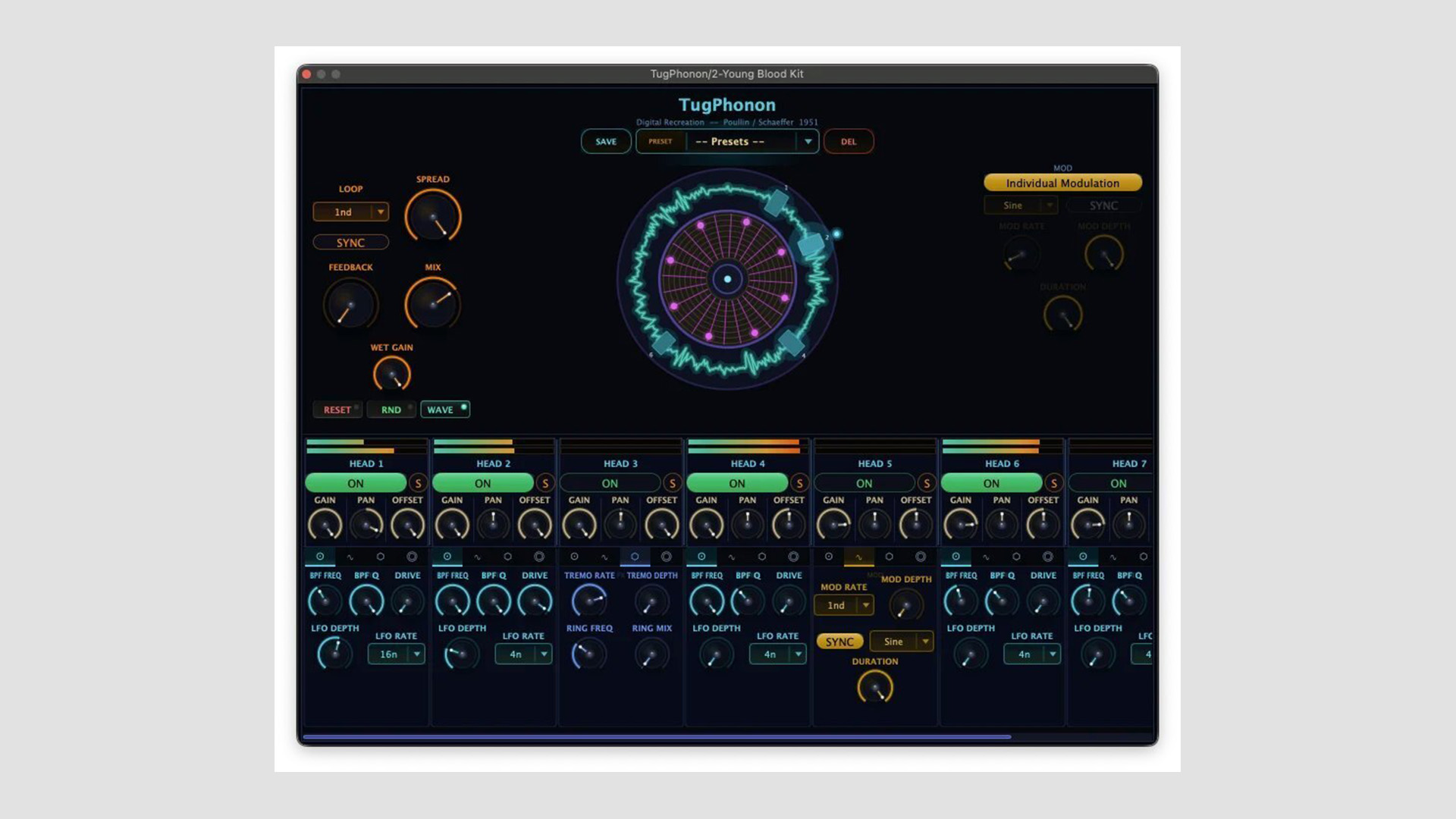
    Tuğrul Akyüz has released TugPhonon, a free delay and sound transformation plugin inspired by the Poullin and Schaeffer phonogène from 1951. Rather than working as a standard delay, TugPhonon recreates the idea of a rotating magnetic disk with multiple playback heads for more complex echo, texture, and timbral processing.

    Inspired by Early Experimental Tape Technology

    TugPhonon is based on the rotating magnetic disk delay machines developed by Jacques Poullin and Pierre Schaeffer at GRM Paris in the early 1950s. In this software version, a virtual magnetic disk spins continuously while eight playback heads read from different positions around the loop.

    As a result, the plugin produces a layered network of echoes, movement, and tone shaping that goes beyond a conventional tape delay. It sits somewhere between a delay effect, a texture processor, and a spectral-style sound design tool.

    Eight Playback Heads With Independent Control

    At the center of TugPhonon are eight independent playback heads. Each head has its own delay position, volume, pan, and feedback settings, which gives users detailed control over the movement and balance of the repeats.

    In addition, each head includes its own band-pass filter, so users can shape the tonal character of every echo separately. This makes it possible to build more complex delay patterns and evolving textures inside a single plugin.

    Resonators, Modulation, and Visual Feedback

    TugPhonon also includes physical modelling resonators for each head. Users can choose from eight resonator types, including Karplus-Strong, Comb, Bell, Pipe, Marimba, Beam, and Membrane models. These are based on acoustic principles and give the plugin a broader sound design range than a typical vintage delay emulation.

    The plugin also features host sync and free-running loop modes, with timing options ranging from 1/128 triplet to double whole note. For more motion, an LFO modulation section can be applied to the playback head positions. An animated disk visualizer is included as well, so users can see the virtual disk and head movement in real time.

    Features

    • Rotating magnetic disk delay inspired by the 1951 phonogène concept
    • 8 independent playback heads
    • Per-head controls for delay position, volume, pan, and feedback
    • Per-head band-pass filter
    • Physical modelling resonators for each head
    • Resonator types including Karplus-Strong, Comb, Bell, Pipe, Marimba, Beam, and Membrane
    • Host sync or free-running loop modes
    • LFO modulation with multiple waveforms
    • Animated disk visualizer
    • Built-in preset system
    • Apple Silicon native support
    • Signed and notarized by Apple

    Plugin Formats

    TugPhonon is available in AU and VST3 formats for macOS and Windows. On macOS, it supports Apple Silicon natively and requires macOS 12 or later.

    Free Download

    TugPhonon delay plugin is available now for free from Tuğrul Akyüz’s Gumroad page.

  • PolytecLab Releases Polytec Free Drum Machine Plugin

    PolytecLab Releases Polytec Free Drum Machine Plugin

    PolytecLab has released Polytec Drum Machine, a free drum machine plugin inspired by the sound and feel of analog hardware. The plugin is available in beta as a free download for Windows and macOS users.

    An Analog-Inspired Drum Machine in Software Form

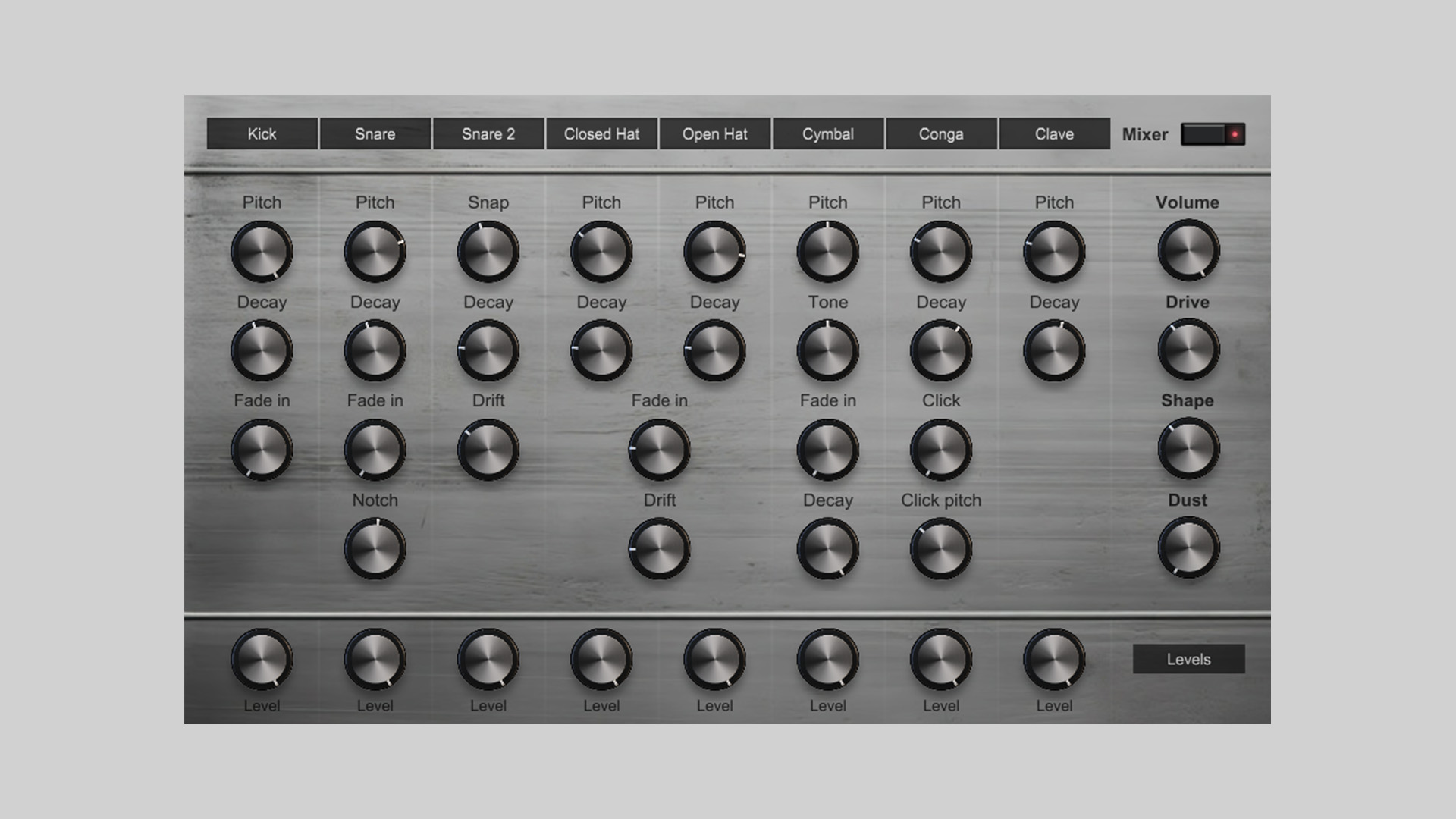
    Polytec Drum Machine began as an idea to bring the tone and workflow of classic analog drum machines into a software instrument. The result is an 8-channel sample-based plugin built from recordings of real hardware.

    However, PolytecLab did not design it as a simple static sample player. Instead, the plugin includes modulation-focused controls that help the sounds feel more alive, responsive, and flexible in use.

    Eight Channels With Per-Sound Controls

    The instrument includes eight independent sample channels for drum sounds, including kicks, snares, hats, and percussion. In addition, each channel includes its own controls for shaping the sound.

    Users can adjust parameters such as tuning, decay, drift, and more. As a result, the plugin offers more sound design flexibility than a basic drum rompler while still keeping the workflow simple.

    Master Effects and MIDI Control

    Polytec Drum Machine also includes a set of master effects designed to add more grit and character. These include drive, shape, and dust controls for extra texture and edge.

    The plugin supports full MIDI control for triggering sounds from a DAW. It also includes automation support for all parameters, making it easier to integrate into modern production workflows.

    Open Source and Lightweight

    PolytecLab has made the source code available on GitHub, which may be useful for developers and users who want to explore the project further. At the same time, the plugin is designed with a lightweight CPU footprint, so it can run quietly in the background without adding much system load.

    Features

    • Free analog-inspired drum machine plugin
    • 8 independent sample channels
    • Built from recordings of real hardware
    • Per-channel controls for tuning, decay, drift, and more
    • Master effects, including drive, shape, and dust
    • Full MIDI control
    • Full automation support for all parameters
    • Lightweight CPU footprint
    • Open-source code available on GitHub

    Plugin Formats

    Polytec Drum Machine is available in VST3 format for Windows and AU format for macOS. The current release is version 0.1.0-beta.

    Free Download

    Polytec Drum Machine plugin is available as a free download from the PolytecLab website.

  • Saschart Releases dynamicEcho Delay Plugin as a Free Download

    Saschart Releases dynamicEcho Delay Plugin as a Free Download

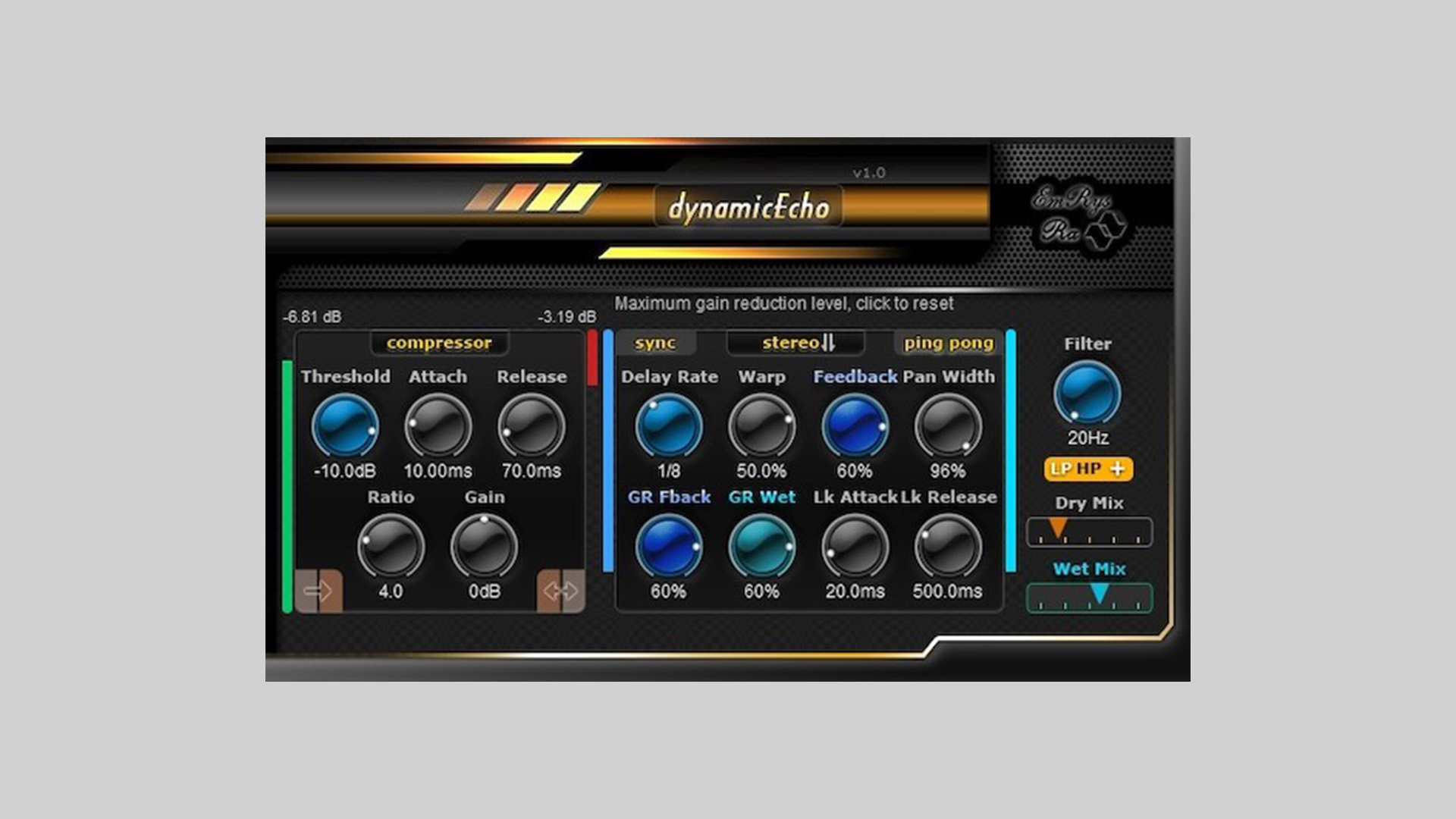
    Saschart has released dynamicEcho, a free dynamic delay plugin for Windows and macOS. The plugin is available as a free download, with optional donations welcomed.

    A Delay Plugin Controlled by Gain Reduction

    DynamicEcho is built around the idea of using gain reduction to shape the behavior of the delay engine. At the center of the plugin is a compressor section that works as a gain reduction detector, allowing the delay to react in a more dynamic and responsive way.

    This approach gives users more movement and variation compared to a standard static delay effect, making the plugin suitable for creative echo processing that responds to the input signal.

    Multiple Delay Parameters Can React to the Signal

    The plugin allows gain reduction to control several delay parameters, including Feedback and Wet level. This means the effect can change organically depending on the incoming audio, creating a more active and adaptive result.

    Alongside the dynamic processing, dynamicEcho includes controls for delay time, feedback, pan width, filtering, and mix levels. Users can also choose between stereo or mono input processing and explore different warp modes for additional tonal variation.

    Real-Time Visual Feedback

    To help users monitor what is happening inside the effect, dynamicEcho provides real-time visual feedback for the input signal, gain reduction, feedback, and wet levels. This makes it easier to understand how the delay is reacting and how the dynamic control is affecting the sound.

    Features

    • Free dynamic delay plugin for Windows and macOS
    • Compressor-based gain reduction detector
    • Dynamic control over feedback and wet level
    • Delay time, pan width, filtering, and mix controls
    • Stereo or mono input processing
    • Warp modes for additional delay shaping
    • Real-time visual feedback for key parameters

    Plugin Formats

    dynamicEcho is available in VST2, VST3, and AU plugin formats for PC and Mac users.

    Free Download

    dynamicEcho is available as a free download from the Saschart website, with optional donations accepted.

  • Atlas DSP Releases Di Ken Free Saturation & Dynamics Processor Plugin (Limited Time)

    Atlas DSP Releases Di Ken Free Saturation & Dynamics Processor Plugin (Limited Time)

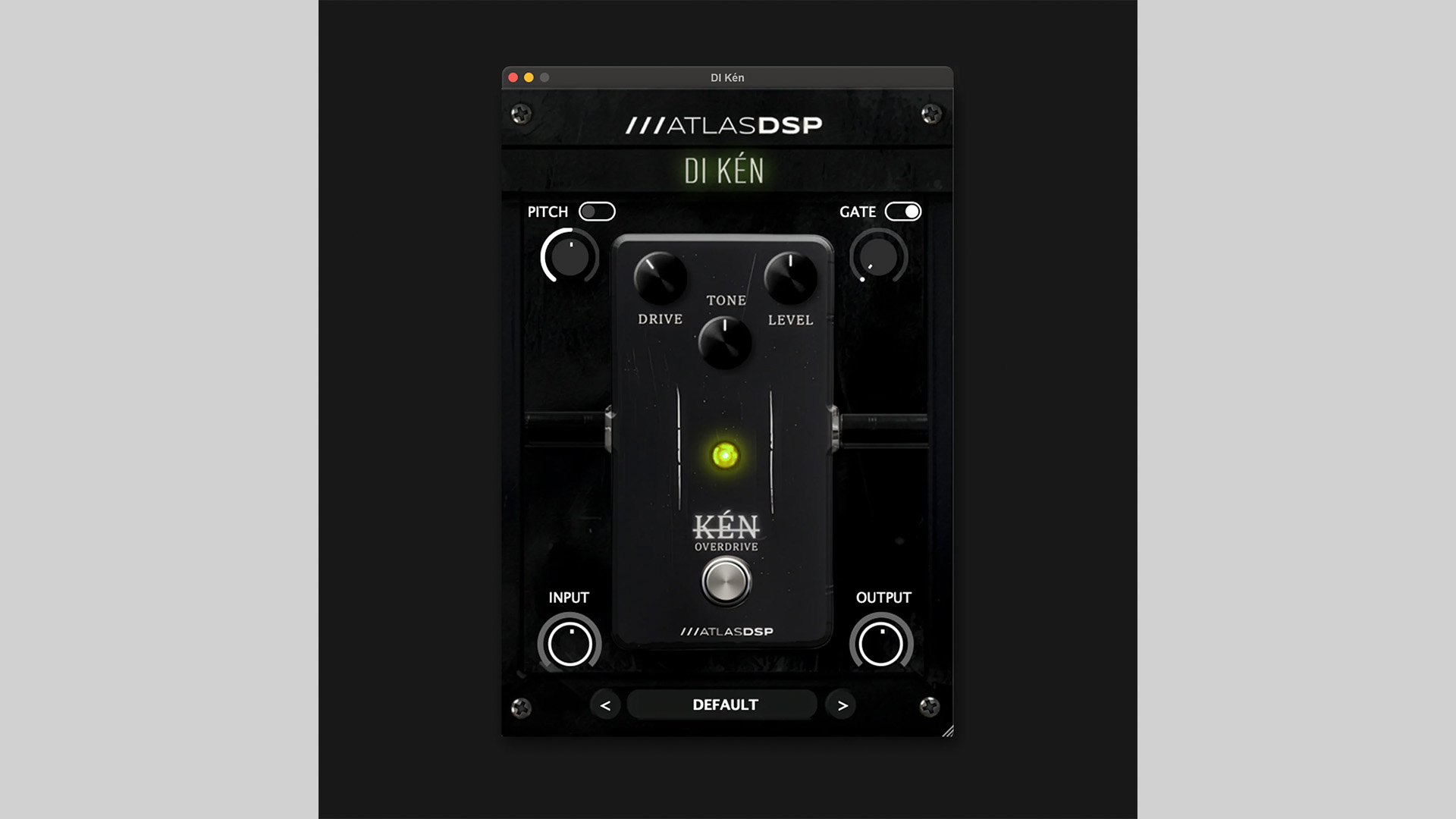
    Atlas DSP has released Di Ken, a new saturation & dynamics processor plugin available as a free download for a limited time. After the promotion ends, the plugin will return to its regular price of €29.99.

    A Front-End Plugin for Guitar and Bass Processing

    Di Ken is designed to improve and shape the signal before it reaches an amp simulator or other effects inside a DAW. Atlas DSP combines a vintage-style overdrive circuit with extra processing tools aimed at cleaning, controlling, and expanding the incoming signal.

    The plugin can be used to add warmth to DI recordings, tighten the low end for heavier tones, or prepare guitar and bass tracks for further processing. It is built as an all-in-one front-end solution for users who want more control over their signal chain without relying on several separate plugins.

    Built-In Drive, Pitch, Gate, and Gain Controls

    At the core of Di Ken is a harmonic saturation section with Gain, Tone, and Level controls. This stage is based on a symmetrical clipping overdrive design, allowing users to move from light saturation to more aggressive drive while shaping the midrange and output level.

    The plugin also includes a pitch shifter for transposition, stereo widening, and sub-octave effects. Alongside that, a dedicated noise gate helps reduce hiss, hum, and unwanted background noise while keeping the natural decay of the performance intact.

    To complete the signal path, Atlas DSP has added input and output gain controls for more precise level management. This makes it easier to feed the drive section properly and match the output level for the next plugin in the chain.

    Features

    • Harmonic saturation engine with Gain, Tone, and Level controls
    • Built-in pitch shifter for transposition and creative effects
    • Noise gate for controlling hiss and unwanted noise
    • Dedicated input and output gain staging controls
    • Designed for guitar and bass front-end signal shaping

    Plugin Formats

    Di Ken is available for both Windows and macOS users. Supported plugin formats include VST3, AU, and AAX, making it suitable for a wide range of DAWs and production setups.

    Free Download

    Di Ken saturation & dynamics plugin is available as a free download for a limited time from the Atlas DSP website.

  • fedDSP Releases Elegante – Free TS‑Style Overdrive Plugin (Limited Time)

    fedDSP Releases Elegante – Free TS‑Style Overdrive Plugin (Limited Time)

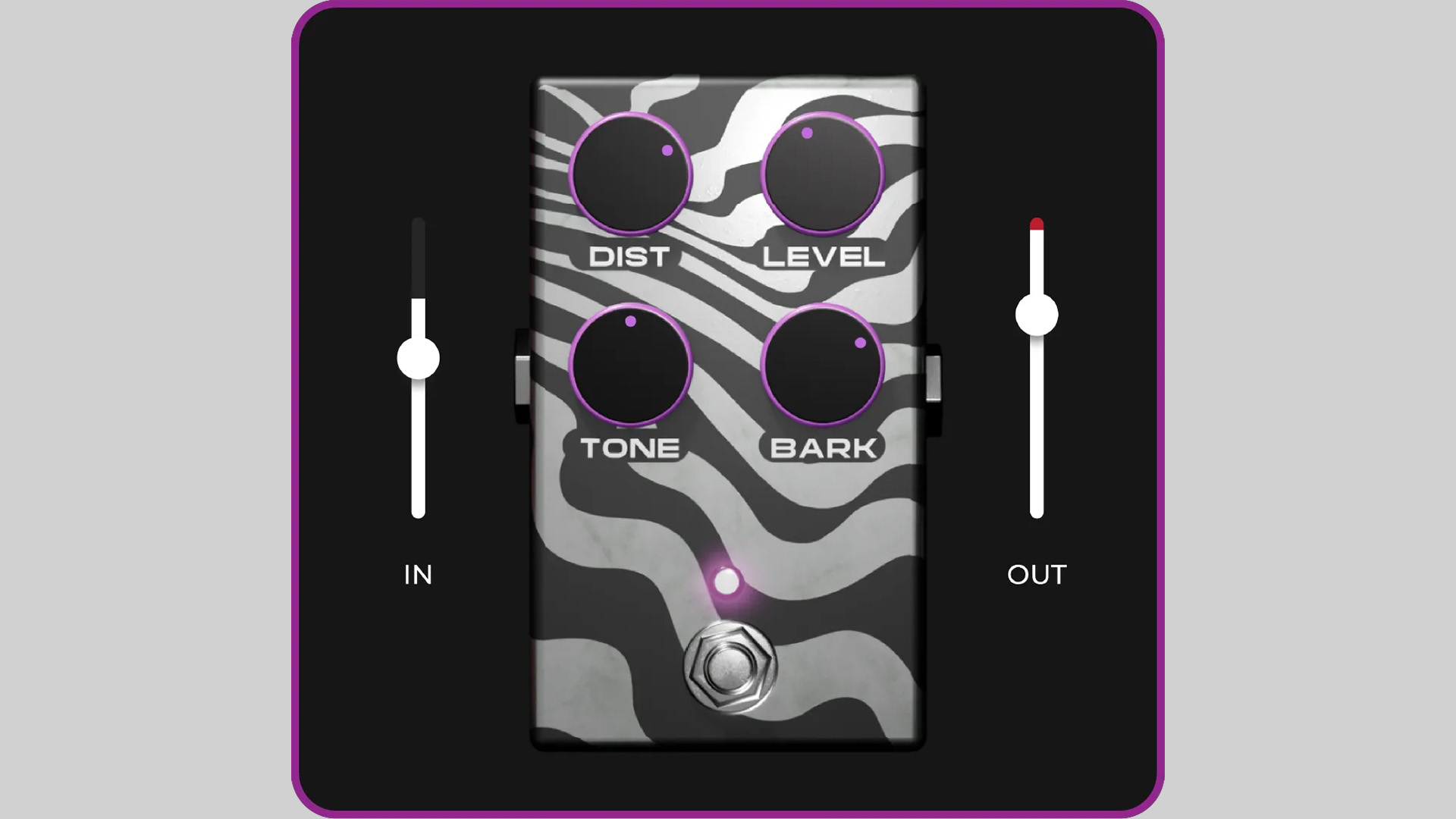
    fedDSP has released Elegante, a TS‑style overdrive plugin that’s currently free until March 10, 2026 (regular price £30).

    Inspired by classic tube‑screamer‑style circuits, Elegante focuses on tight low end, a forward midrange push, and smooth top‑end saturation that helps sounds cut through a mix without harshness.

    While the design references the familiar stompbox workflow, the plugin is built for modern production sessions and can be used on much more than a guitar.

    Classic Pedal Tone, Studio Workflow

    TS‑style overdrives are popular because they reshape both the harmonic structure and the dynamics of a signal. The result is a tone that feels tighter, more focused, and easier to place in a mix. Placed before an amp or amp simulator, the effect can sharpen articulation and give lead parts extra presence.

    Elegante also works well on vocals, bass, loops, and drums. Light drive settings can enhance upper‑mid detail and add density, giving sources a more “finished” character without sounding overprocessed.

    Features

    • TS‑style overdrive inspired by classic tube‑screamer circuits
    • Tight low end, midrange push, and smooth top‑end saturation
    • Suitable for guitar, bass, vocals, loops, and drums
    • Responds naturally to playing dynamics and input level
    • Zero latency processing
    • Very low CPU usage for large sessions
    • No iLok or internet activation required
    • Formats: VST3, AU, AAX
    • Platforms: Windows and macOS

    In The Mix

    Try Elegante before an amp simulator to tighten rhythm guitars or push lead tones forward. On drums or loops, subtle drive can add edge and upper‑mid presence. It also works well on vocals or bass when used lightly to introduce harmonic density without obvious distortion.

    Free Download

    Elegante overdrive plugin is available as a free download until March 10, 2026 (regular price £30) via the fedDSP website. After the promotion ends, the plugin returns to its normal price.

  • Timerift Audio Releases Oh My Grain – Free Granular Texture Plugin (VST3)

    Timerift Audio Releases Oh My Grain – Free Granular Texture Plugin (VST3)

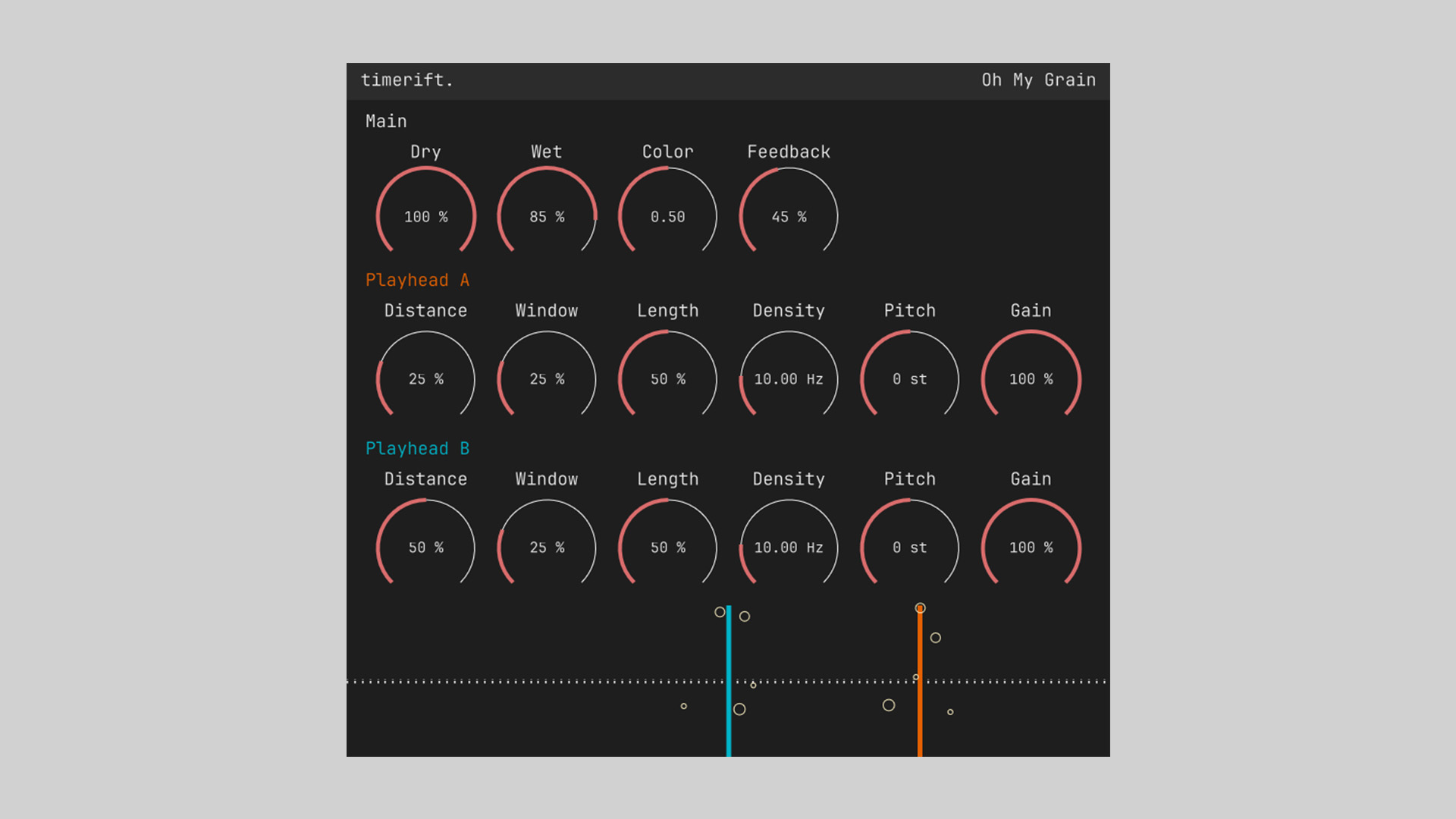
    Timerift Audio has released Oh My Grain, a free granular-style audio effect plugin designed to create smooth textures, evolving atmospheres, and glitchy sound design effects.

    The plugin focuses on simplicity while offering enough controls to reshape audio into new rhythmic or ambient layers.

    Built around a dual-playhead concept, Oh My Grain lets you manipulate grains of audio in real time. By adjusting parameters such as density, window size, pitch, and distance, users can transform simple material into shimmering textures, broken rhythms, or subtle spatial motion.

    Granular Processing With Dual Playheads

    The plugin features two independent playheads (A and B), each with its own controls for distance, grain window, length, density, pitch, and gain. This structure allows complex granular movement and layered textures while remaining easy to understand.

    Global controls such as Dry/Wet, Color, and Feedback make it possible to blend the effect naturally into a mix or push it into more experimental territory.

    Features

    • Dual playhead granular processing (Playhead A and B)
    • Grain parameters: distance, window, length, density, pitch, gain
    • Global controls for Dry, Wet, Color, and Feedback
    • Capable of smooth ambient textures or glitch-style effects
    • Real-time visual feedback of grain activity
    • Simple interface focused on creative experimentation
    • Formats: VST3
    • Platforms: Windows, macOS, Linux

    In The Mix

    Use Oh My Grain on pads or sustained instruments to create evolving textures. On drums or percussion, short grain windows and higher density settings can produce glitchy rhythmic fragments. Blending the effect subtly with the Dry/Wet control can also add motion to otherwise static sounds.

    Free Download

    Oh My Grain granular texture plugin is available as a free download on the Timerift Audio website. To receive the installer, join the developer’s mailing list, after which download links for Windows, macOS, and Linux (VST3) are provided.