Category: Free VST Plugins & Software

  • Variety of Sound Releases epicVerb mkII Free Reverb VST Plugin

    Variety of Sound Releases epicVerb mkII Free Reverb VST Plugin

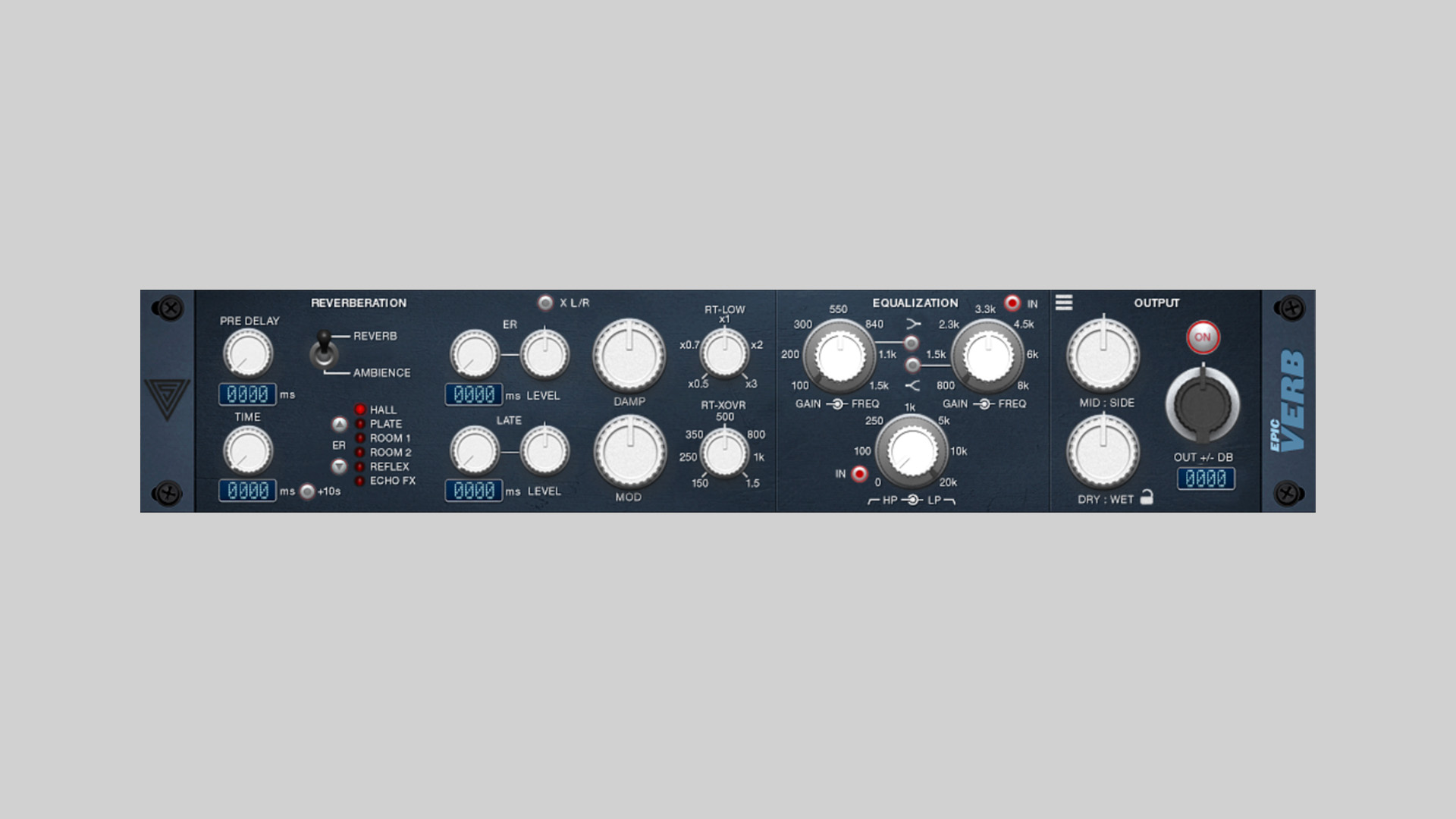
    Variety of Sound has released epicVerb mkII, a true stereo reverb plugin, available as free VST & VST3 plugin for Windows.

    This is a new version of its classic algorithmic reverb designed to deliver natural depth and detailed stereo imaging. Built around refined early reflections and improved reverb algorithms, epicVerb mkII aims to recreate everything from tight studio rooms to large concert halls.

    The plugin blends early reflection-based reverb design with modern acoustic modeling, giving producers a flexible tool for adding realistic space while keeping the sound clear and controlled in the mix.

    Dual Engine True Stereo Reverb

    At the core of epicVerb mkII is a dual‑engine architecture that combines classic delay‑based techniques with modern algorithmic processing. Running in a full true stereo configuration, the plugin maintains accurate left/right spatial cues and a convincing soundstage.

    The update also improves clarity and depth across the reverb engine, while new filtering options make it easier to shape the tonal balance of the reflections and tail.

    Features

    • Refined early reflections for improved spatial definition
    • Updated reverb algorithms for more clarity and depth
    • True stereo processing architecture
    • Dual‑engine design combining delay‑based and algorithmic reverb
    • Updated filters for enhanced tonal shaping
    • New shelving filter options
    • Completely redesigned factory preset library
    • Brand‑new preset browser
    • Resizable user interface
    • Online manual and updated documentation

    In The Mix

    epicVerb mkII works well on a wide range of sources. Use shorter room presets on drums and guitars for subtle depth, while longer hall algorithms can add cinematic space to pads, piano, or orchestral layers. Thanks to the improved early reflections, it can also help place instruments more naturally within a mix without washing them out.

    Free Download

    epicVerb mkII reverb plugin is available as a free download for Windows in VST and VST3 formats. More information at Variety of Sound.
  • SaschArt Releases yCompressor – Free Essential Compression Plugin

    SaschArt Releases yCompressor – Free Essential Compression Plugin

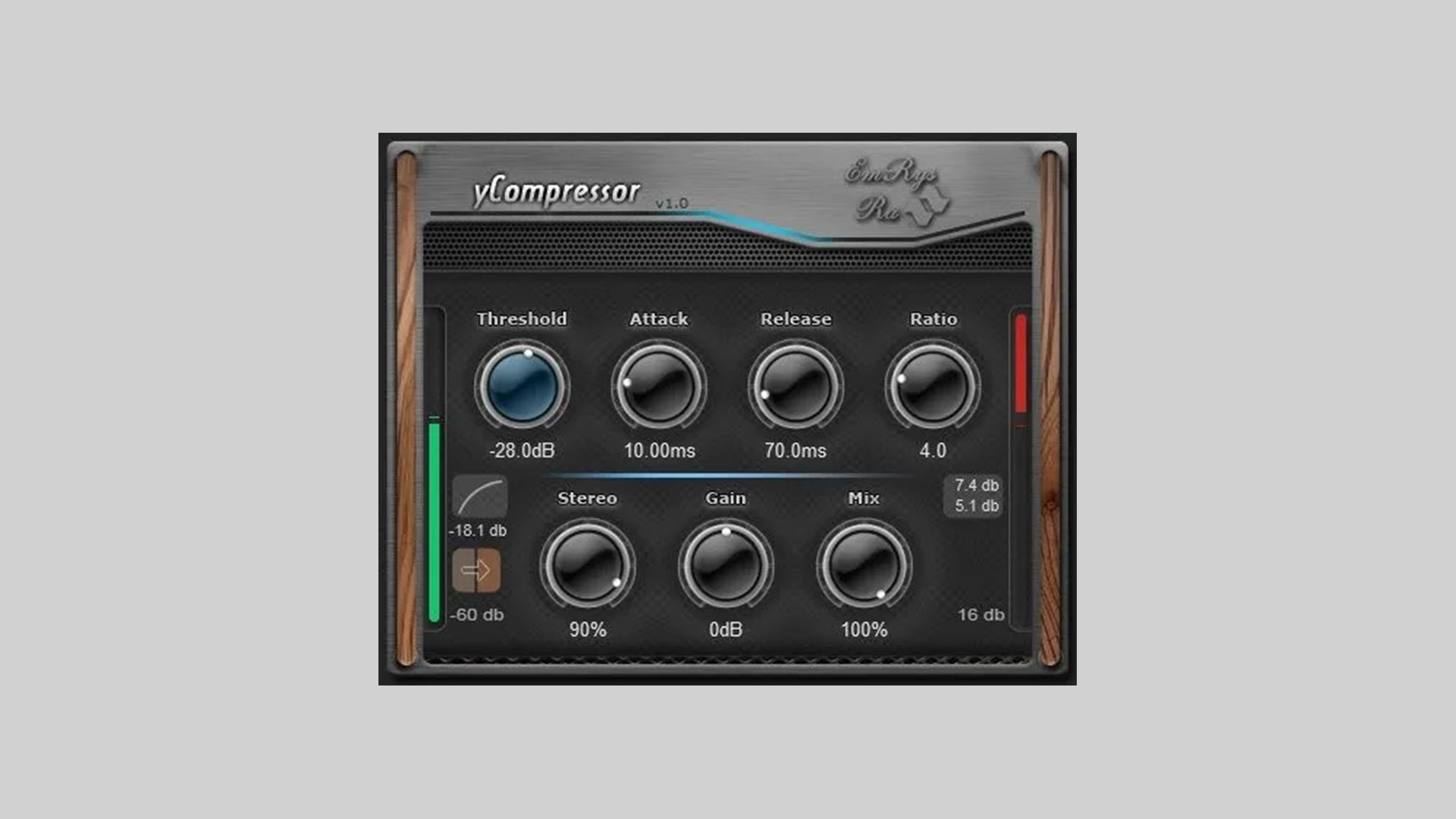
    SaschArt has released yCompressor, a free minimalist compressor built around clarity, precision, and efficiency. The idea is simple: give you exactly the controls you need for professional compression, no fluff, no visual overload, no unnecessary modules.

    Designed for producers and engineers who prefer fast decisions over menu diving, yCompressor keeps the workflow tight while staying extremely light on CPU and latency.

    Classic Compression, Streamlined

    yCompressor focuses on a clean signal path and predictable behavior. It delivers transparent, classic-style dynamic control suitable for vocals, drums, instruments, and buses. With both linear and logarithmic detection modes, you can fine-tune how the compressor reacts to incoming material without complicating the interface.

    Parallel compression is handled via a dedicated Mix knob, and stereo linking behavior can be adjusted directly from the Stereo control. A built-in sidechain option allows either external triggering or filtered compression when needed.

    Features

    • Threshold – sets when compression begins
    • Detection (Linear / Logarithmic) – choose how the input level is measured
    • Attack – controls transient response speed
    • Release – defines gain reduction recovery time
    • Ratio – sets compression intensity
    • Stereo – controls stereo linking behavior
    • Gain – output compensation
    • Mix – dry/wet control for parallel compression
    • Side Chain – external or filtered sidechain support
    • Minimal latency and extremely low CPU usage
    • Formats: VST2, VST3 (Windows 32/64-bit), VST2/VST3/AU (macOS Intel & Apple Silicon)

    How to Use the yCompressor Plugin

    Use yCompressor on vocals for clean leveling, on drum buses for tight control, or on synth layers where you want subtle dynamic shaping without coloration. The Mix control makes it especially useful for quick parallel compression setups without additional routing.

    Free Download

    yCompressor plugin is available as a free download for Windows and macOS in VST2, VST3, and AU formats via the SaschArt website.

  • Woodstock Audio Releases Free Waveform Compressor Plugin

    Woodstock Audio Releases Free Waveform Compressor Plugin

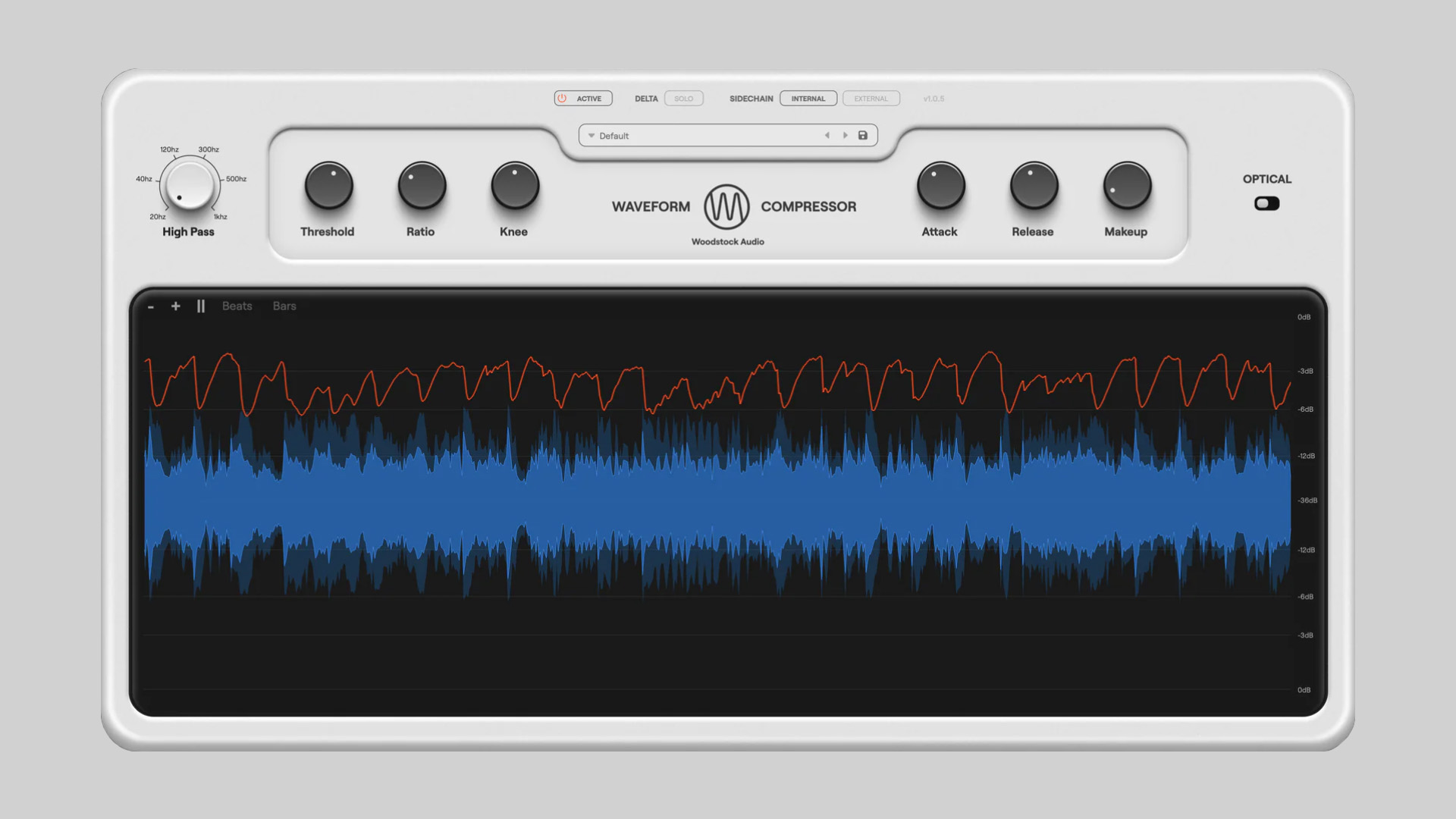
    Woodstock Audio has released Waveform Compressor, a free feedforward compressor featuring a high-resolution dynamic waveform visualiser and switchable VCA (Regular) and Optical modes. It’s designed to let you both hear and see what compression is doing in real time.

    See What Compression Is Actually Doing

    Waveform Compressor’s standout feature is its GPU-powered visualiser. You can view the waveform before and after compression, track gain reduction with a dedicated line, zoom in/out, pause the display, and enable beat/bar overlays. It’s a genuinely practical way to understand how attack, release, and knee settings shape transients.

    Under the hood, it runs a feedforward design with peak detection, leaning into VCA-style versatility, while offering an Optical mode for smoother, adaptive compression with a memory-style release behavior.

    Watch the official walkthrough video:

    Features

    • Feedforward compressor with peak detection (VCA-style response)
    • Regular (VCA) and Optical modes
    • Threshold, Ratio (1:1–24:1), Attack (20µs–250ms), Release (25ms–5s), Knee (0–18dB)
    • Detector HPF for shaping low-end response
    • External sidechain with HPF, LPF, and Lookahead
    • Delta Solo (listen to the difference signal)
    • GPU-powered waveform visualiser (before/after, gain reduction, threshold)
    • Zoom, pause, and beat/bar overlays
    • 10 included presets + built-in preset manager
    • Dynamic window resizing
    • Low CPU usage (optimized performance)
    • No license or activation required
    • Formats: VST3, AU, AAX (Windows & macOS)

    How to Use Waveform Compressor

    Use Regular mode for drums, buses, and punchy material where you want tight transient control. Switch to Optical mode on vocals or bass for smoother, adaptive leveling. Delta Solo is especially useful when fine-tuning attack times, listening to what’s being removed, not just what remains. The detector HPF helps keep kick drums from over-triggering compression on mix buses.

    Free Download

    Waveform Compressor is available as a free download for Windows and macOS (VST3/AU/AAX) at Woodstock Audio. No license or activation required.

  • Hvoya Audio Releases Sand Free Differential Compander Plugin

    Hvoya Audio Releases Sand Free Differential Compander Plugin

    Hvoya Audio has released Sand, an experimental differential compander plugin (free) designed to add texture, grit, and unusual detail to your sounds.

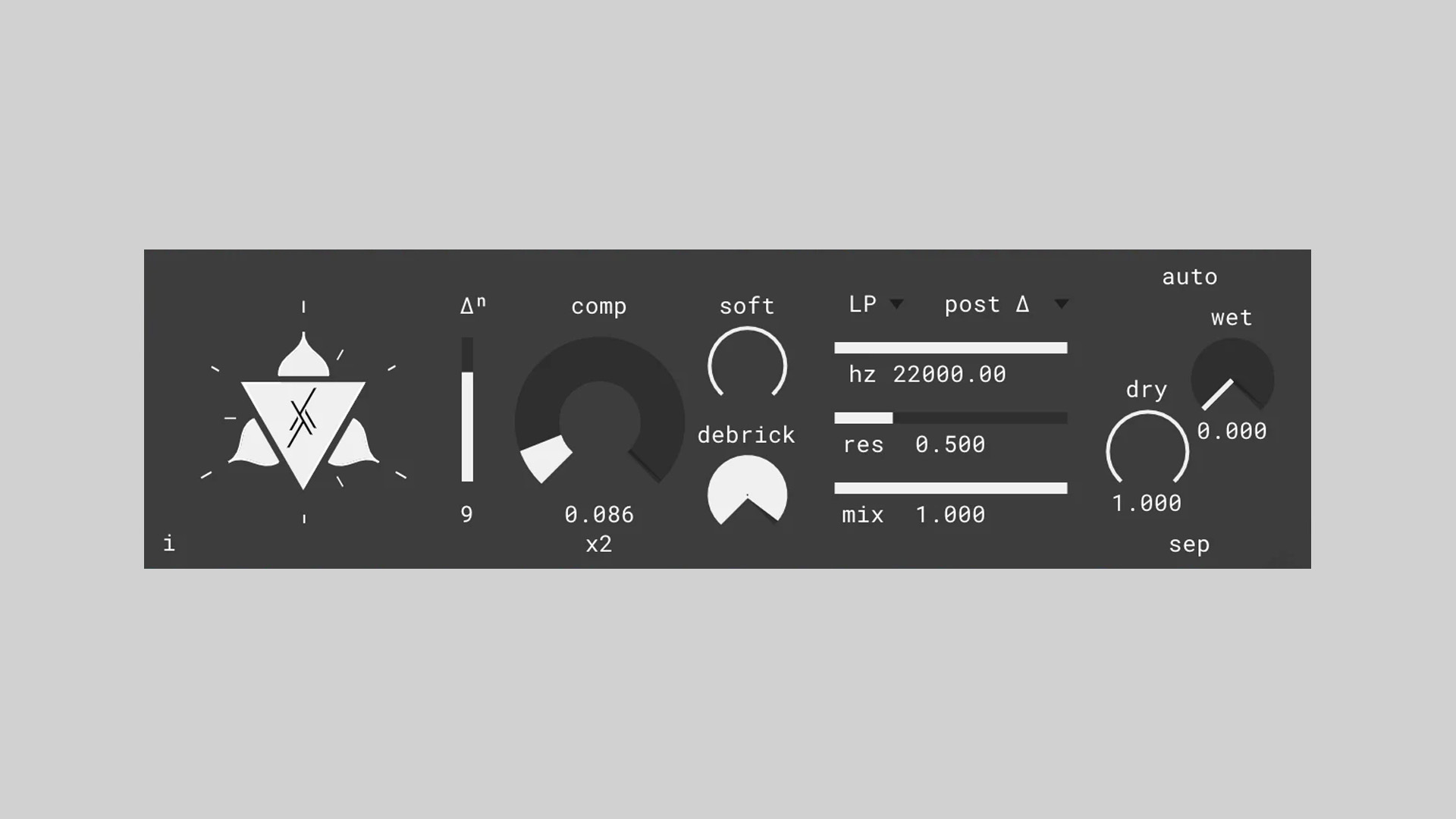
    Rather than processing the original signal directly, Sand works on its derivative, creating a unique blend of companding, soft limiting, and high-pass-like behavior. The result can range from subtle harmonic lift to extreme, glitchy extraction of hidden details.

    This is more of a sound design tool than a traditional musical effect, but it can definitely pull extra juice from bass, kicks, field recordings, and even vocals.

    Companding With A Twist

    A compander is essentially an inverted compressor: it lifts quiet details while gently limiting peaks. Sand takes that idea further by applying the process to the signal’s derivative. In practice, this can act like a strange, texture-enhancing high-pass filter that sometimes reveals details your ear barely noticed before.

    You can choose the order of the derivative, from zero (original signal) to higher values for more aggressive detail extraction. Negative order integrates the signal instead, an experimental feature that can yield interesting results. The companding amount is extremely powerful, capable of amplifying even the tiniest nuances (down to dithering noise), so subtle settings are often best.

    Watch below the plugin in action:

    Features

    • Differential compander (processes signal derivative)
    • Adjustable derivative order (including integration mode)
    • High amplification range for extreme detail extraction
    • Softness control for smoother vs gritty response
    • “Debrick” control for managing over-compression artifacts
    • Flexible filter section with three pass types
    • Adjustable filter placement in signal chain
    • Stable filter suitable for modulation
    • Dry/Wet control with a separate mode option
    • MIDI-learnable controls
    • Resizable UI
    • Available for Windows and macOS

    In The Mix

    Use Sand subtly on vocals or acoustic instruments with low companding amounts to restore air and texture without sounding processed. On bass, drum breaks, or field recordings, push higher-derivative orders and blend with the dry signal for gritty transients and unusual detail extraction. Extreme settings can create glitchy, high-passed artifacts suited for experimental sound design.

    Free Download

    Sand differential compander is available as a free download for Windows and macOS (VST, VST3, and AU plugin formats). It’s aimed primarily at experimental sound design, but it can also be used subtly on bass, drums, voice, or field recordings to extract texture and restore high-frequency detail.

    For more details and download, head over to the Hvoya Audio website.

  • Joonas Ylänne Releases Free Lumo – Acoustic Guitars for Decent Sampler

    Joonas Ylänne Releases Free Lumo – Acoustic Guitars for Decent Sampler

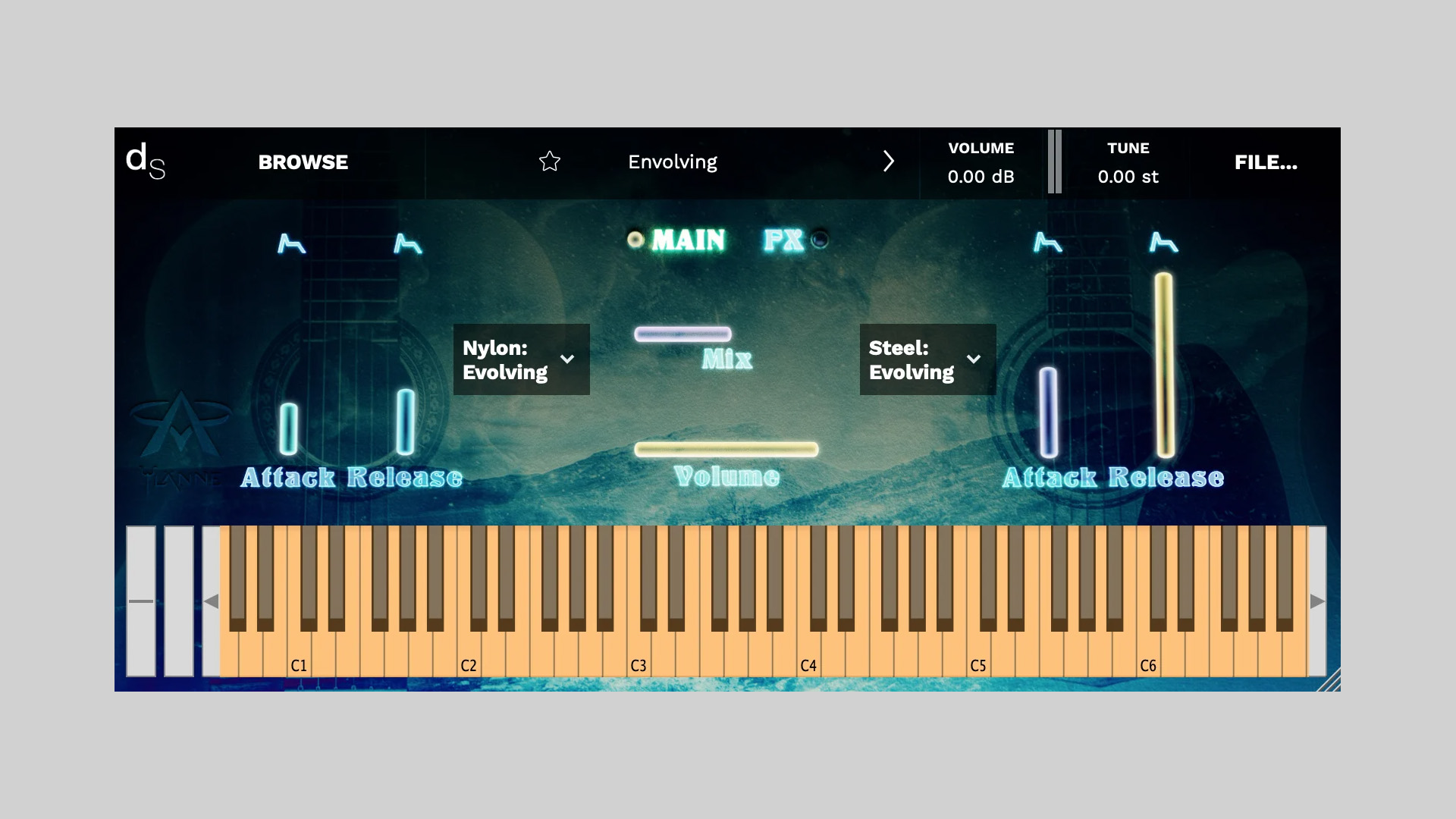
    Joonas Ylänne has released Lumo – Acoustic Guitars, a free (€0+) Decent Sampler instrument that blends processed pad textures with natural nylon and steel‑string guitar samples.

    This virtual instrument is less about strict realism and more about transforming a familiar instrument into something cinematic and expressive.

    Pads Meet Plucked Strings

    Lumo pairs airy, time‑stretched textures with playable acoustic layers, so you can sit it under a cue as a pad, or play delicate melodic lines that bloom into atmosphere. It’s the first in the Lumo series, where real instruments are recorded and reshaped into new sonic forms.

    Features

    • Works in the free Decent Sampler player
    • Two acoustic sources: Nylon and Steel guitars
    • Three modes per guitar:
      • Envolving – randomized octave notes stretched to extreme lengths
      • Natural – extended-range, realistic plucked tone
      • Particles – delay and granular-processed textures
    • Cinematic pad-meets-guitar character
    • First release in the Lumo series
    • Price: €0+ (pay what you want)

    Free Download

    Lumo – Acoustic Guitars is available now as a free (€0+) Decent Sampler instrument from Joonas Ylänne Gumroad.

  • Elektra Magika Releases FloatCrusher Free Bitcrusher Plugin (Limited Time)

    Elektra Magika Releases FloatCrusher Free Bitcrusher Plugin (Limited Time)

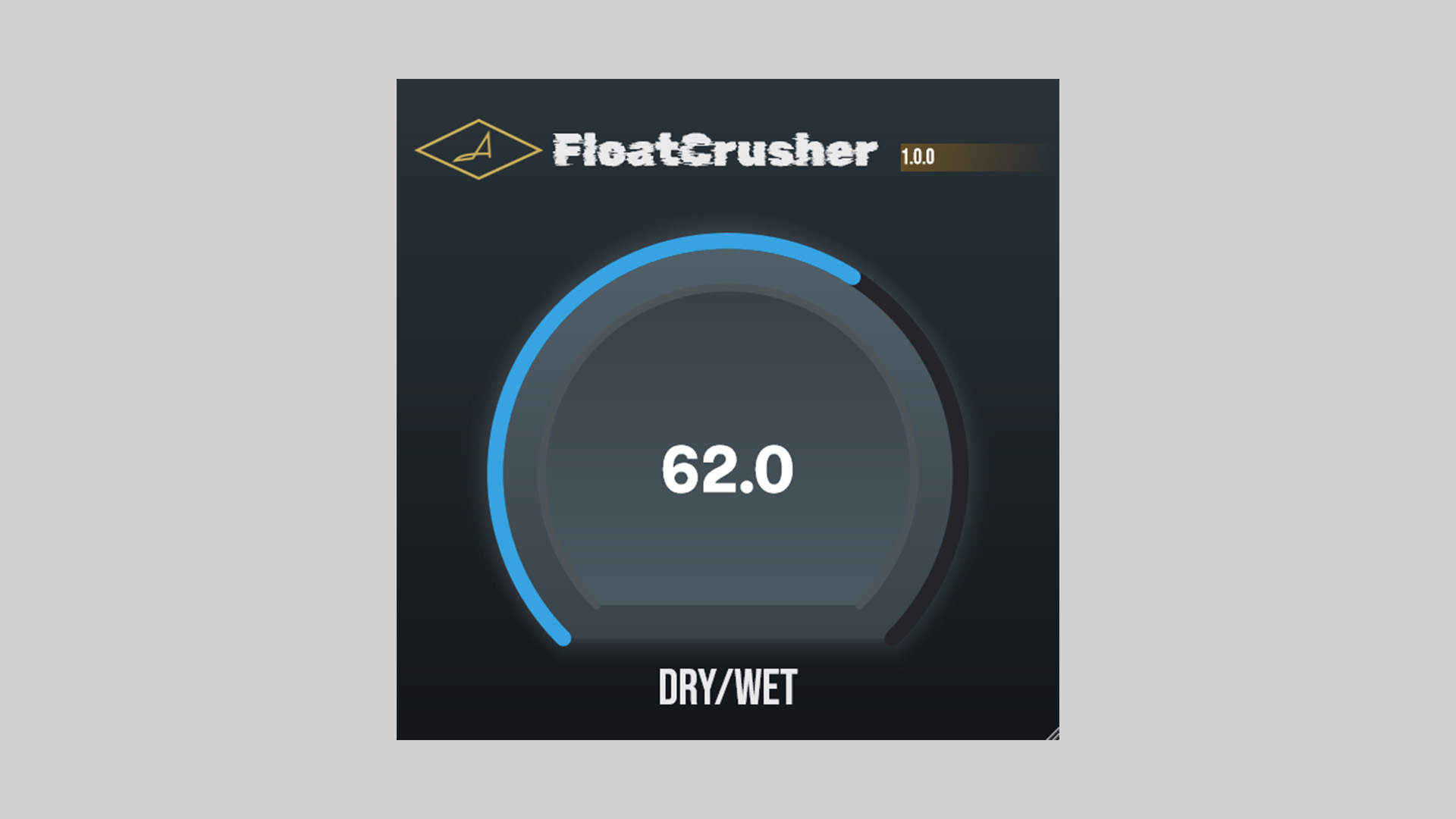
    Elektra Magika has released the FloatCrusher bitcrusher plugin, now free after a major UI overhaul (was €14.99). It’s a one‑knob bitcrusher voiced for musical, granular‑style crunch rather than harsh aliasing, quick to dial, light on CPU, and genuinely usable beyond special‑effect moments.

    Musical Crunch With Zero Fuss

    FloatCrusher leans into classy degradation, think flutter‑like motion and rounded grit that plays nicely with drums, synths, and guitars. The interface is clean and immediate, there’s no extra latency added, and it slots into a chain without slowing you down.

    Features

    • Major UI overhaul; cleaner, faster workflow
    • One‑knob control for fast, musical bitcrushing
    • Granular, flutter‑friendly character
    • Low CPU usage
    • Clean, intuitive UI
    • Zero additional latency
    • Formats: VST3, AU, AAX
    • Platforms: Windows & macOS (Apple Silicon / Intel)
    • Price: Free for a limited time (regular €14.99)

    Free Download

    FloatCrusher bitcrusher is available as a free download for a limited time from Elektra Magika and is compatible with Windows and macOS in VST3/AU/AAX plugin formats.

  • Viator DSP Releases Ripper Free Distortion/Saturation Plugin

    Viator DSP Releases Ripper Free Distortion/Saturation Plugin

    Viator DSP has released Ripper, a free distortion/saturation plugin that aims to be a sonically rich alternative to typical analog‑style drive tools. It combines multiple distortion models with flexible tone‑shaping, so you can add gentle harmonics, push into aggressive saturation, or mangle sounds for design work.

    From Subtle Harmonics to Full‑On Grit

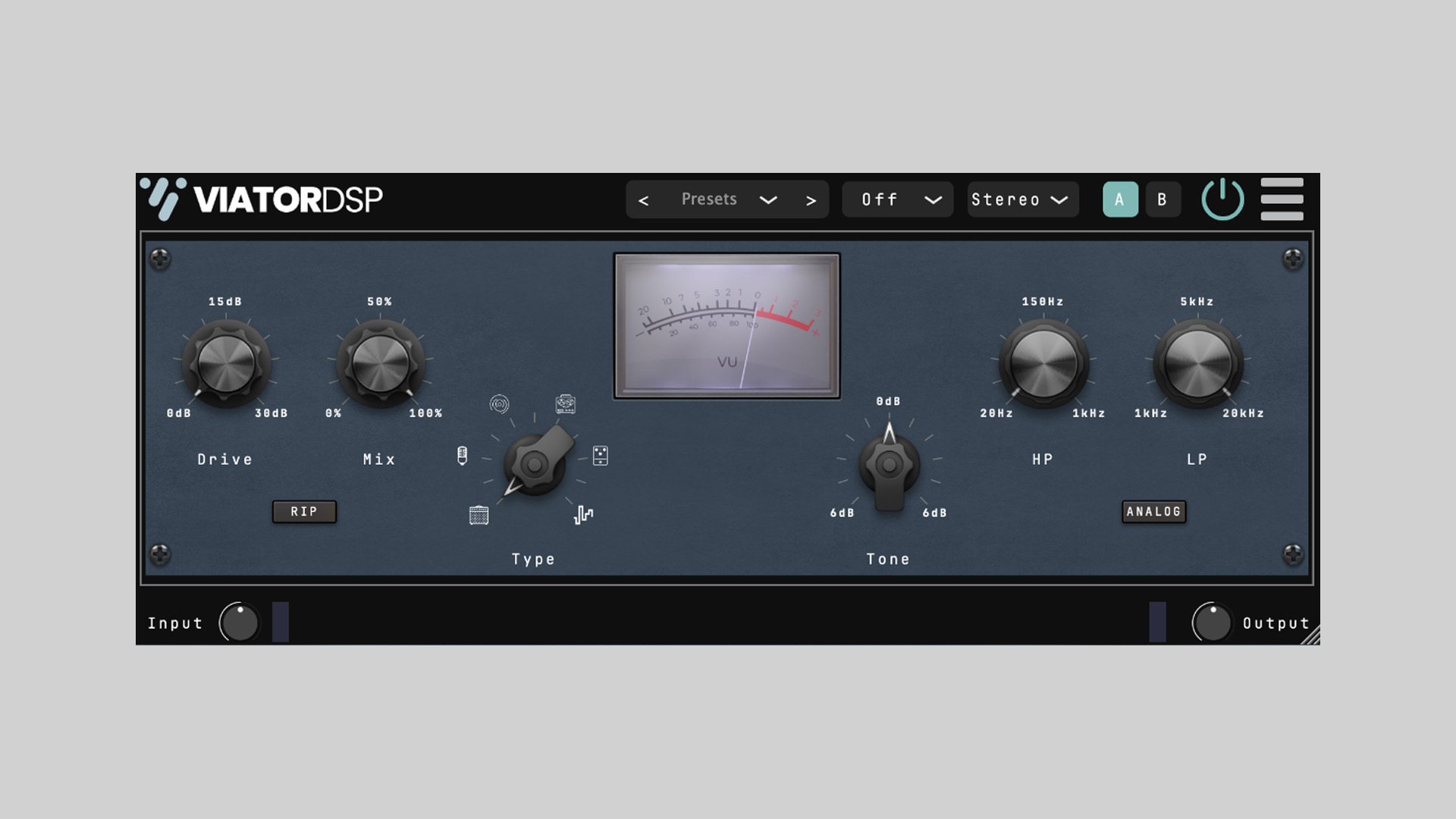
    Ripper keeps the workflow quick: Drive pushes the signal, Mix handles parallel blending, and the Tone tilt EQ lets you nudge brightness or weight in a single move. Dedicated HP/LP filters focus the processing on a specific band, while Analog mode swaps the filters to Moog‑style ladders for extra character. Tap RIP for a fixed +15 dB boost into the distortion stages when you need instant nastiness. A built‑in meter shows the distortion amount in dB, making it easy to match vibes across sources.

    Features

    • Multiple distortion models (from subtle saturation to heavy drive)
    • Drive control with Mix for easy parallel processing
    • Tone tilt control plus dedicated high‑pass & low‑pass filters
    • Analog mode: Moog‑style ladder filters for classic flavor
    • RIP button: +15 dB pre‑boost into the drive stages
    • Distortion amount meter (dB) for clear visual feedback
    • Works on drums, guitars, bass, synths, and even the mix bus
    • Platforms: Windows, macOS, and Linux
    • Free download; donations welcomed

    Free Download

    Ripper distortion/saturation plugin is available as a free download for Windows, macOS, and Linux via Viator DSP Gumroad. Donations are optional but appreciated.

  • SampleScience Intros Cozy Piano Free Lofi Upright Piano Plugin

    SampleScience Intros Cozy Piano Free Lofi Upright Piano Plugin

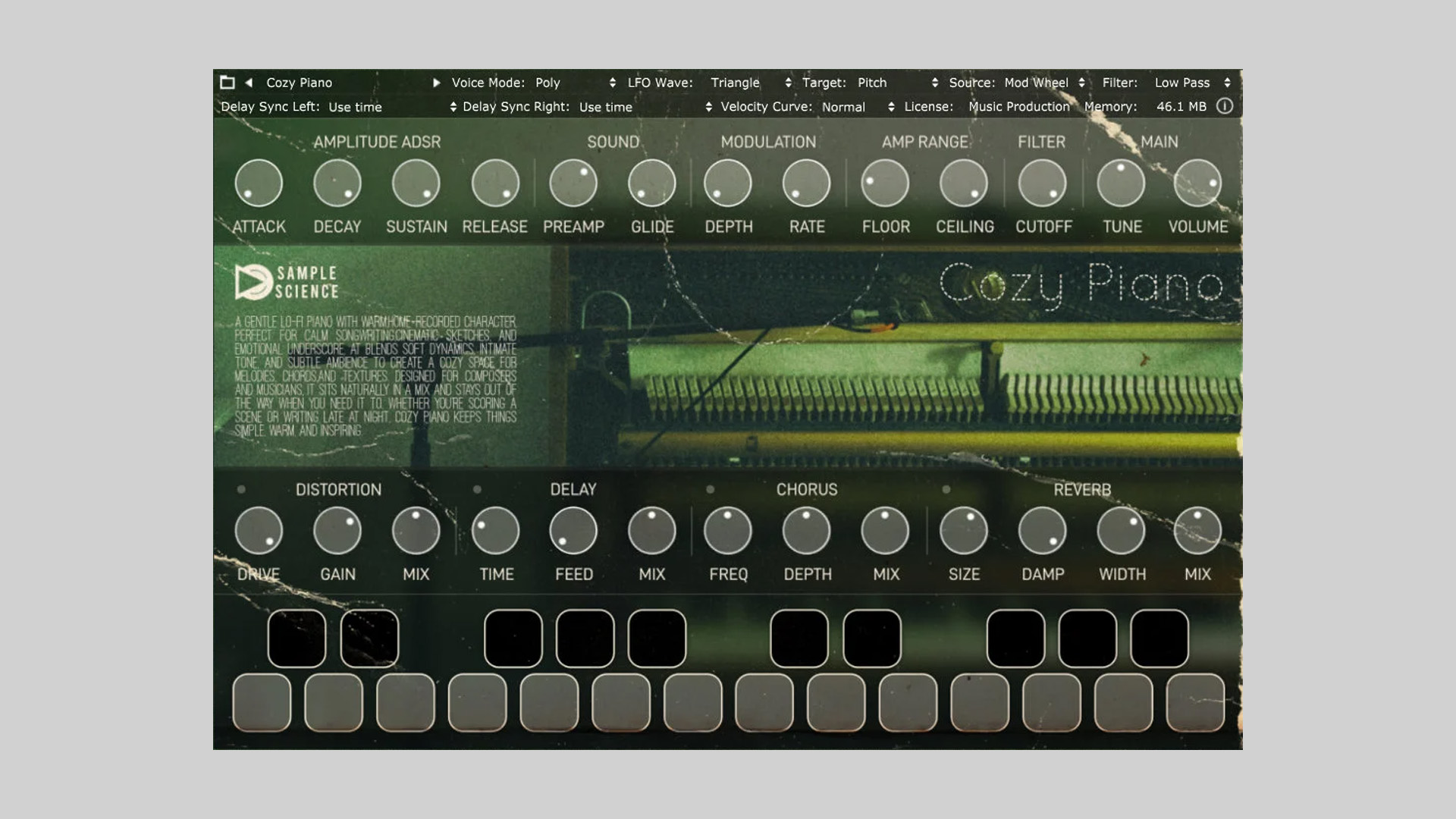
    SampleScience has released Cozy Piano, a free, softly recorded upright designed for quiet inspiration and emotional cues. Warm, slightly worn, and mix‑friendly, it puts a lived‑in piano tone under your hands without getting in the way of vocals or strings.

    Captured in Thuir, France on March 17, 2025, Cozy Piano was multi‑sampled from a Remeau upright in a roomy living space near a staircase, then recorded in XY stereo (RØDE NT5 pair into a Tascam FR‑AV2). The result is intimate detail with a natural ambience, great for late‑night sketches, cinematic underscore, or mellow lo‑fi beats.

    Lo‑Fi Feel, Real Room

    This isn’t a hyped stage piano; it’s the sound of a real instrument in a real room. Soft transients, gentle pedal/mechanicals, and a modest stereo field make it easy to layer under guitars, pads, or strings. It sits where you place it, no wrestling with EQ.

    Features

    • Lo‑fi upright piano sampled from a Remeau upright (stereo XY)
    • Intimate, mix‑ready tone with subtle room ambience
    • Multiple formats:
      • Plugin: VST2/VST3/AU for Windows & macOS (Apple Silicon, 64‑bit)
      • Kontakt: Full version of Kontakt 5+ required (not Kontakt Player)
      • Decent Sampler library
      • Soundbox sound pack
      • Reason ReFill
      • SFZ
    • Suggested use: cinematic cues, lo‑fi/ambient keys, delicate pop ballads
    • Donations welcomed; free to download

    System requirements (plugin version): Windows 8.1/10/11 or macOS 10.12+, ~180 MB disk space, quad‑core CPU or better, 8 GB RAM (16 GB recommended), 64‑bit host.

    Free Download

    Cozy Piano lofi upright piano plugin is available as a free download from SampleScience Gumroad in all formats listed above. The Kontakt version requires the full version of Kontakt 5 or later.

  • GSDSP Releases Quantum Delay Lite Free Stereo Delay Plugin

    GSDSP Releases Quantum Delay Lite Free Stereo Delay Plugin

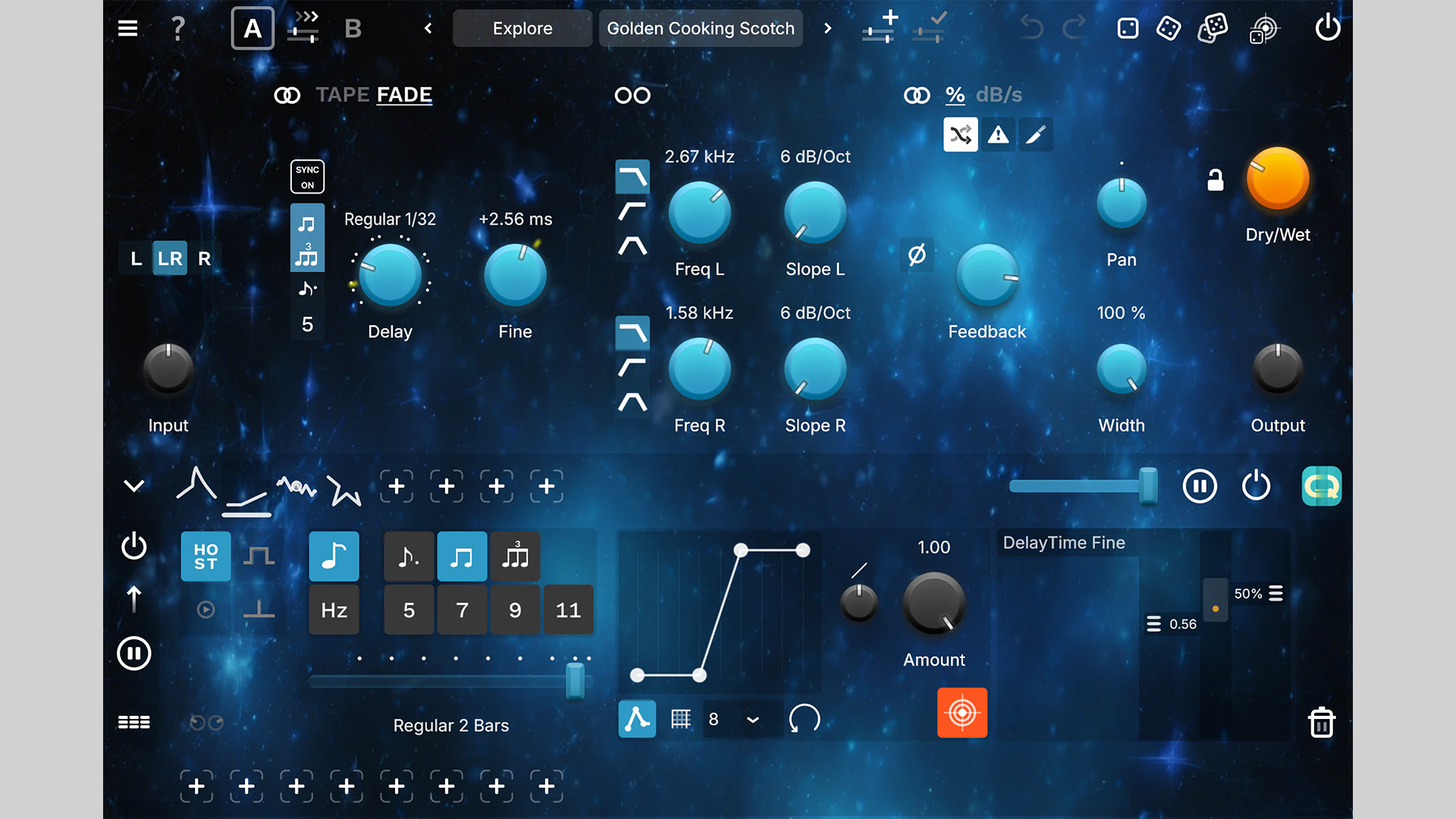
    GSDSP has released Quantum Delay Lite, a free vintage‑inspired stereo delay & echo plugin, supercharged with deep modulation, flexible filtering, and creative timing that pushes echoes into new dimensions.

    Quantum Delay Lite delivers the same core sound as the full version, trimmed to the essentials for quick, musical results.

    Vintage Tone With Modern Movement

    Quantum Delay Lite isn’t a sterile digital repeat box. You get musical feedback behavior, DAW‑sync timing, and modulation that can drift into chorusy/warbly territory when you want movement.

    A handy low‑pass filter lets you tuck repeats behind the source so they don’t clutter the mix. Use it for vocal throws, synth echoes, guitar ambience, and lo‑fi tape‑style delays.

    Features

    • Included (Lite): Same sound quality as full version; all delay algorithms; modulation system; DAW tempo sync; low‑pass filter; feedback control; presets
    • Not Included (Full Only): Stereo/Dual‑Mono per section; input routing; variable filter types; crossfeed; phase invert; pan & width
    • Formats: VST3, AU, AAX (Windows/macOS), and AUv3 (iOS)

    Free Download

    Quantum Delay Lite stereo delay plugin is available as a free download for Windows, macOS, and iOS via the GSDSP website. Upgrade to the full version for advanced stereo/routing and filtering options.

  • Joonas Ylänne Releases Doomsday Drums for Decent Sampler (Free & Pro)

    Joonas Ylänne Releases Doomsday Drums for Decent Sampler (Free & Pro)

    Joonas Ylänne has released Doomsday Drums, a cinematic percussion instrument for Decent Sampler that focuses on deep, organic low‑end rather than aggressive trailer hits. Recorded at 192 kHz and performed with felt mallets, the library leans into smooth transients and weighty body, ideal for dark scoring, ambient tension, and subtle dramatic cues.

    Cinematic Low End Without The Bombast

    The concept came out of a real film mix problem: needing big, low percussion that didn’t overpower the scene. By capturing floor toms (and other drums) at very high sample rates, the source can be pitched down up to two octaves without falling apart. Kept intentionally raw, the samples take well to compression or saturation if you want more bite.

    Features

    • Works in the free Decent Sampler player
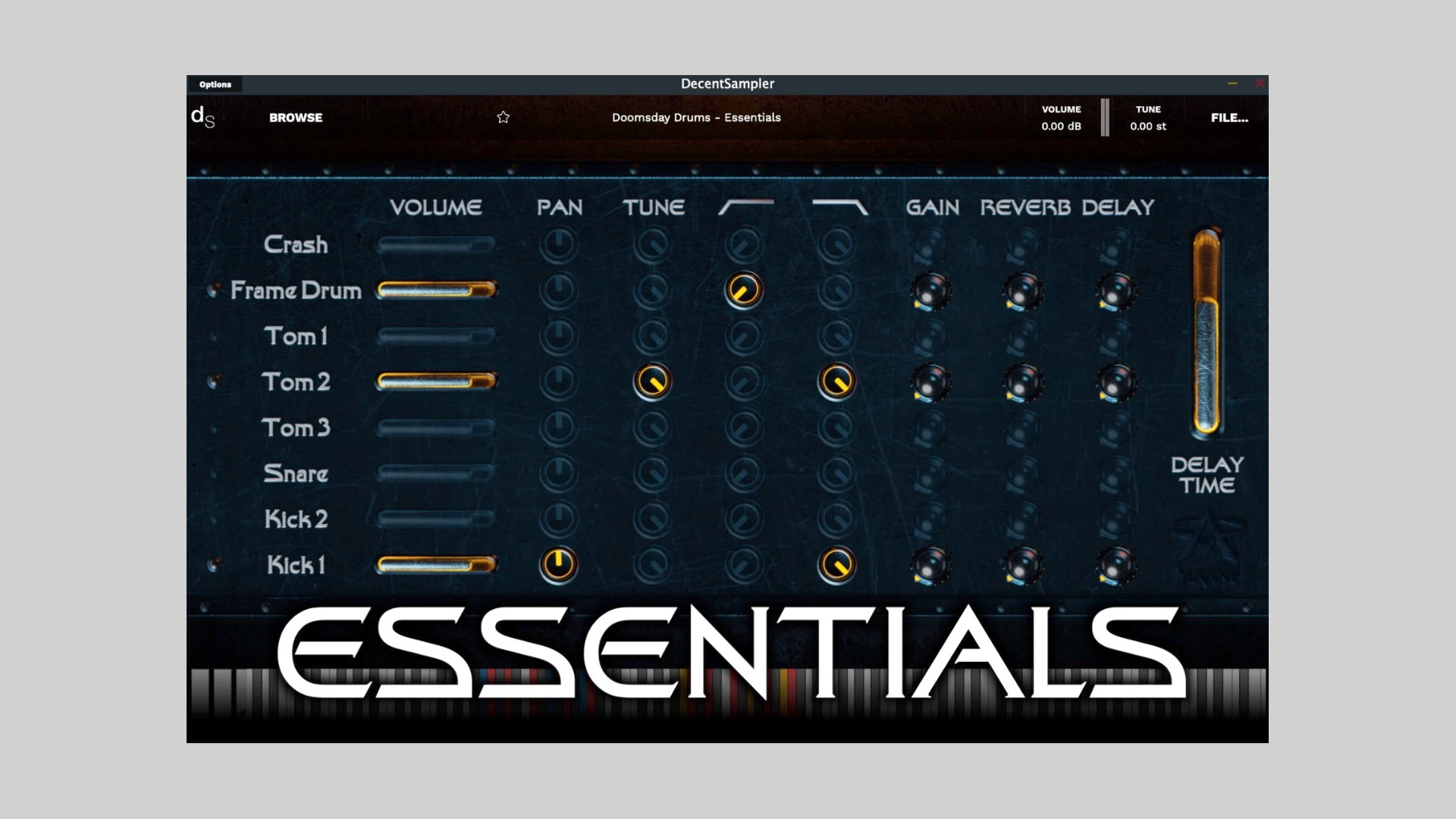
    • Editions: Essentials (Free) – 3 drum sounds, 18 controls; Pro (€5+) – 8 drum sounds, 65 controls
    • 160 samples total; 5 round‑robins; 4 velocity layers
    • Drums included (Pro): Kick1, Kick2, Snare, Tom1, Tom2, Tom3, Framedrum, Crash
    • Core controls: volume, pan, tune, high‑pass, low‑pass, gain, reverb, delay
    • Recorded at 192 kHz; designed to pitch cleanly up to two octaves down

    Free Download

    Doomsday Drums is available now for Decent Sampler in two editions: Essentials is a free download, and Pro is €5+ on a pay‑what‑you‑want basis. More information at Joonas Ylänne Gumroad.