Category: Free VST Plugins & Software

  • Chaos Audio Releases Eclipse Free Noise Suppressor Plugin

    Chaos Audio Releases Eclipse Free Noise Suppressor Plugin

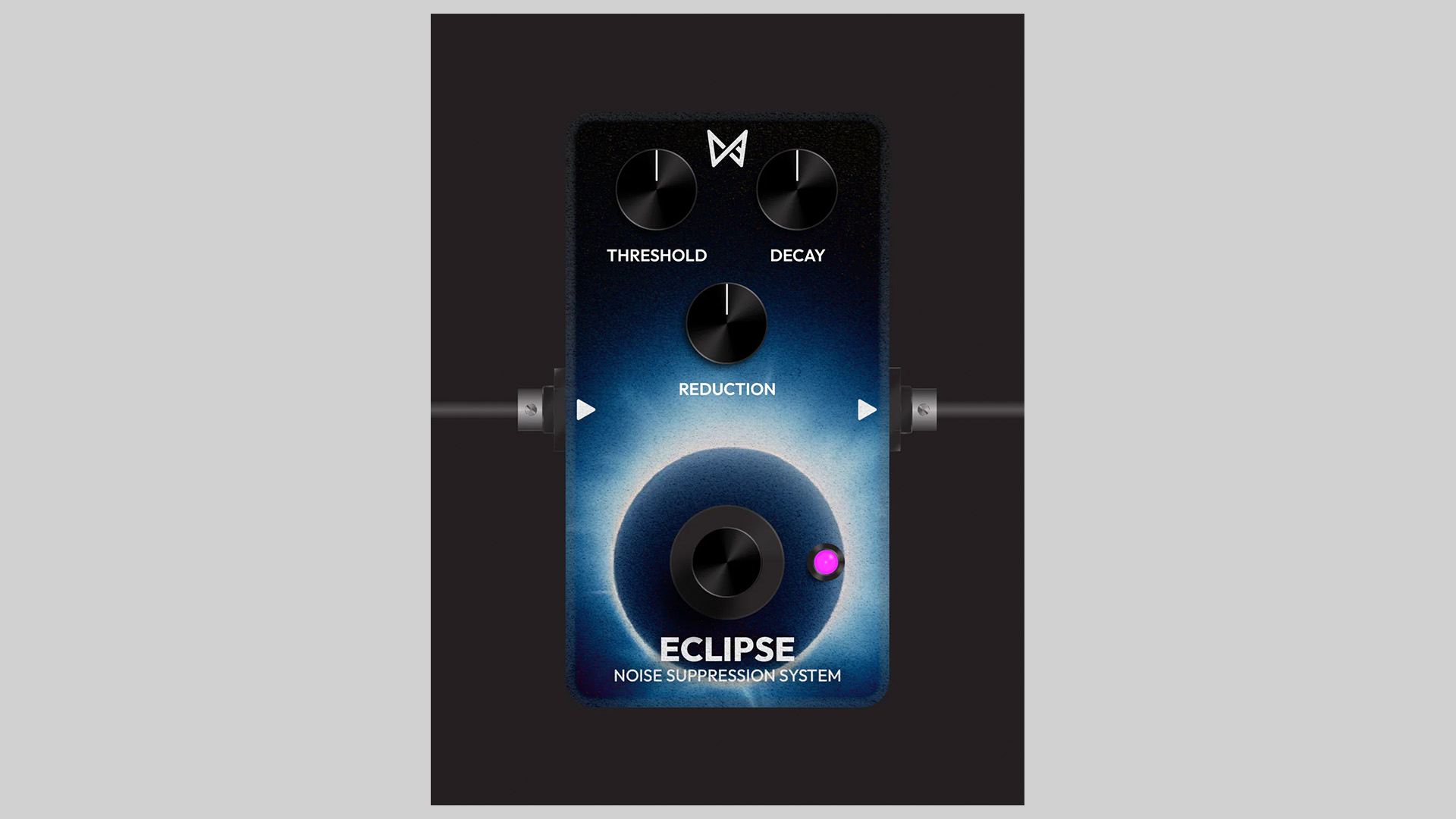
    Eclipse by Chaos Audio is a free noise suppressor plugin that quickly cleans up hiss, hum, and background noise. With three simple controls, it’s an easy way to keep guitars, vocals, and synths noise‑free without over‑processing.

    Simple Controls, Fast Results

    • Threshold: sets the noise cutoff level
    • Decay: determines how fast noise reduction releases after the signal drops below the threshold
    • Reduction: sets how much the signal is attenuated below threshold (max for full noise gate)

    Eclipse focuses on transparent, musical noise control. Dial in a natural release with Decay, use subtle Reduction for light cleanup, or set a hard gate for silent gaps in metal guitars or tight electronic drums.

    Compatibility

    • macOS, Windows, and Stratus (via the Tone Shop Plugin Installer)
    • Works in major DAWs that support the Tone Shop install flow

    Free Download

    Eclipse is free. Install the free noise suppressor plugin through the Tone Shop Plugin Installer from Chaos Audio.
  • sonicriot Releases SR.AnalogGain Free Analog Gain Stage Plugin

    sonicriot Releases SR.AnalogGain Free Analog Gain Stage Plugin

    sonicriot has released SR.AnalogGain, a free and open-source plugin that emulates an analog-style gain stage with practical utilities for mixing and tone shaping.

    Analog-Inspired Gain With Useful Tools

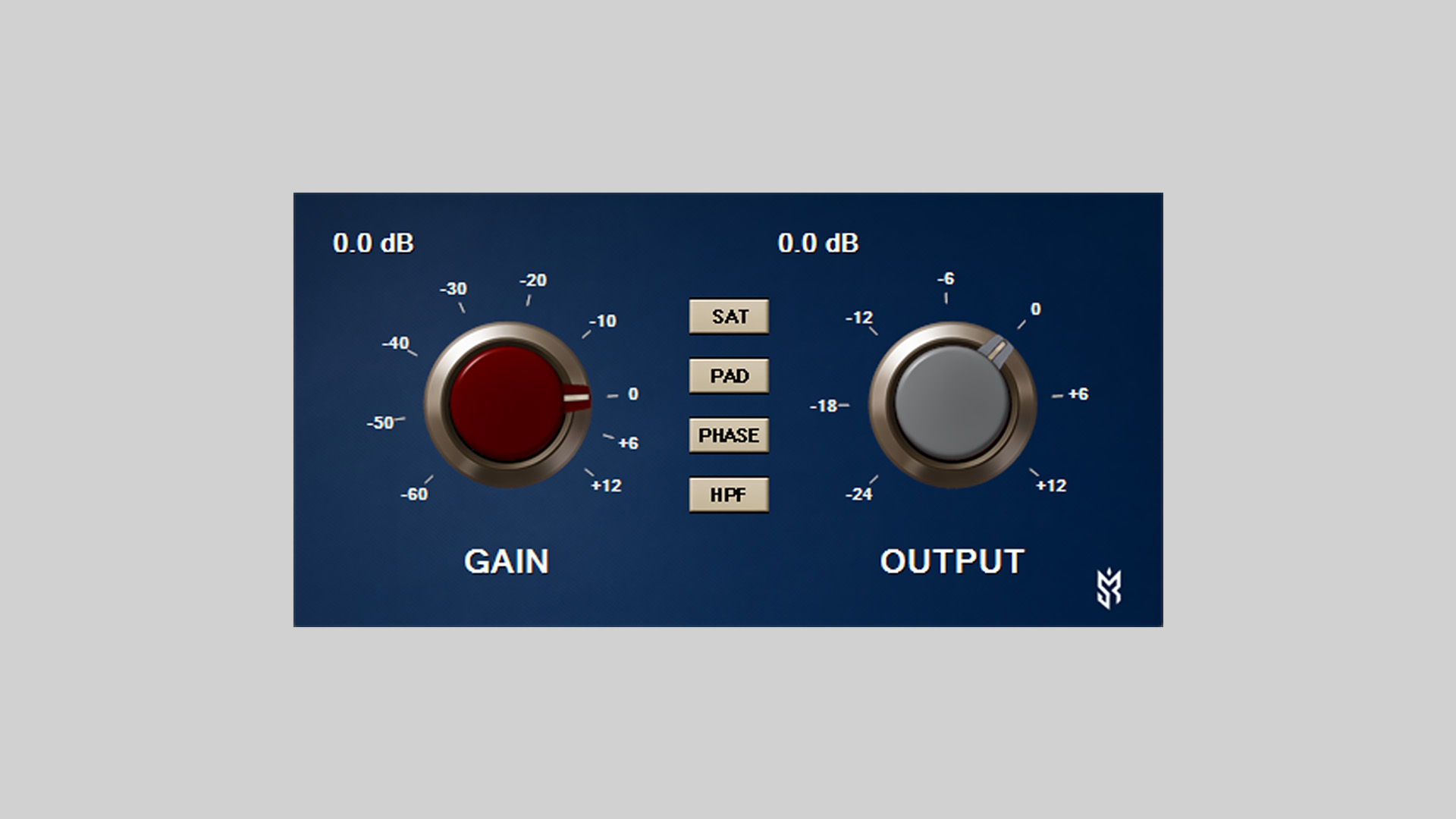
    SR.AnalogGain provides separate Gain and Output controls for proper gain staging, plus a set of analog-style toggles: SAT for harmonics, PAD for pre-attenuation, PHASE for polarity inversion, and an 80 Hz high-pass filter (18 dB/oct). A Lo‑Z input option is also included for shaping tone.

    Features

    • Gain control: attenuation to boost
    • Output level: independent final volume
    • SAT switch: harmonic enhancement with earlier saturation knee, gentle asymmetry/bias, click‑free switching, and subtle +3 dB makeup
    • PAD switch: fixed −20 dB attenuation before the gain stage
    • PHASE switch: click‑free polarity inversion
    • HPF switch: high‑pass around 80 Hz, 18 dB/oct slope
    • Lo‑Z switch for input impedance flavor
    • Custom UI with dual analog knobs, tick marks, dB labels, and animated pointers

    Host Integration

    • VST3 format
    • Tested in Windows VST3 hosts
    • Controller/Processor separation per Steinberg architecture

    Free Download

    SR.AnalogGain is available now as a free, open-source VST3 plugin from sonicriot GitHub.

  • Full Fx Media Releases Setekh Free Distortion & Saturation VST Plugin

    Full Fx Media Releases Setekh Free Distortion & Saturation VST Plugin

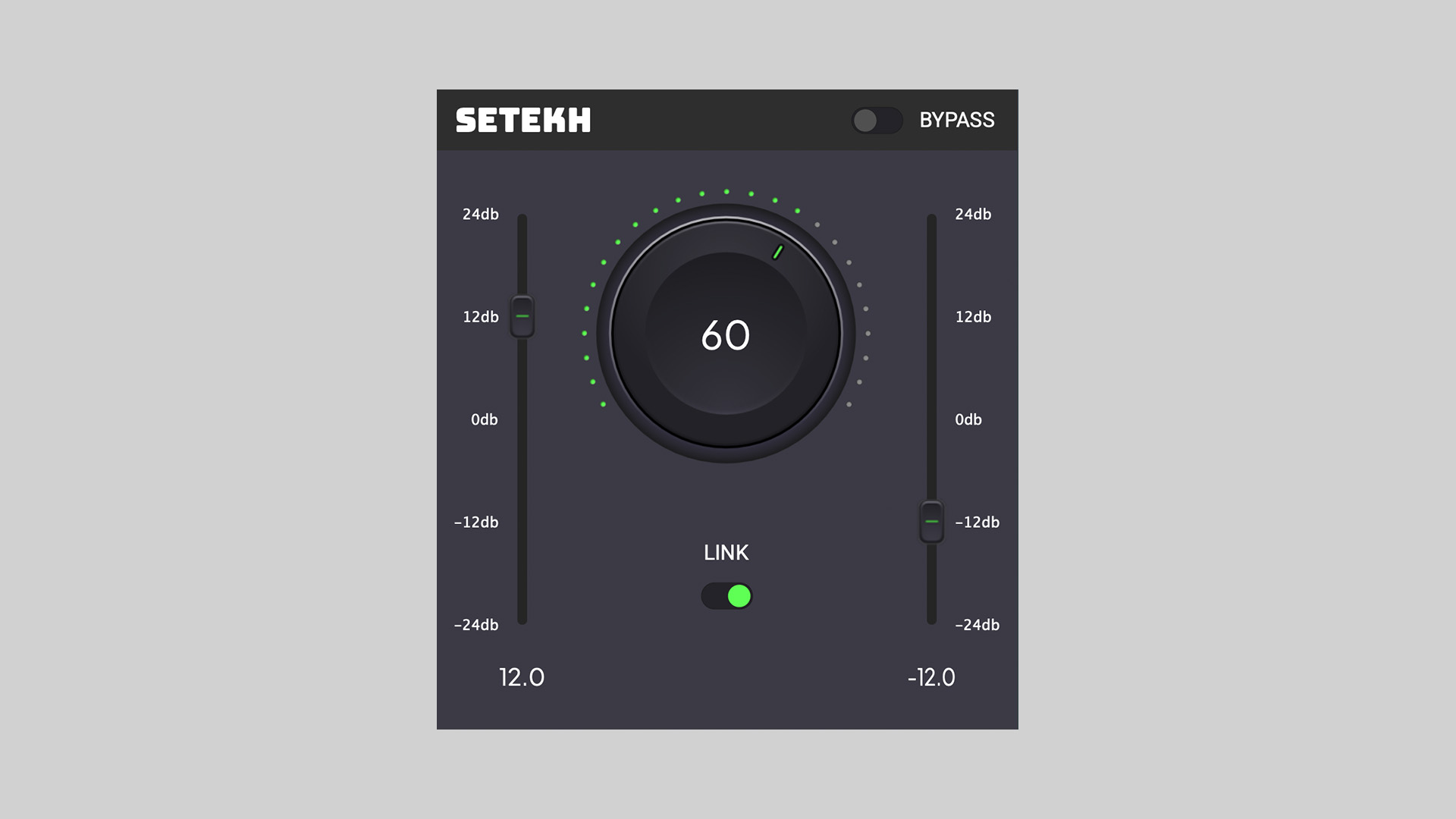
    Full Fx Media has released free Setekh, a minimal, CPU‑light distortion and saturation effect plugin designed to add character and grit to drums, bass, synths, and guitars. Version 1.0.10 is available as a free download for macOS, Windows, and Linux.

    Simple Controls, Punchy Results

    Setekh focuses on fast, musical results without a complex interface. It’s a solid utility for creative sound design or subtle harmonic enhancement when you just need drive without extra overhead.

    Features

    • Distortion and saturation in a compact, easy workflow
    • Suitable for drums, bass, synths, guitars, and buses
    • Lightweight CPU usage for broad project compatibility
    • Cross‑platform support: macOS, Windows, Linux

    Free Download

    Setekh free distortion & saturation plugin is available now in VST plugin versions for Windows, macOS, and Linux on the Full Fx Media website.

  • JoEunsoo Releases Transient Pepper Free Transient‑Synced Noise Plugin

    JoEunsoo Releases Transient Pepper Free Transient‑Synced Noise Plugin

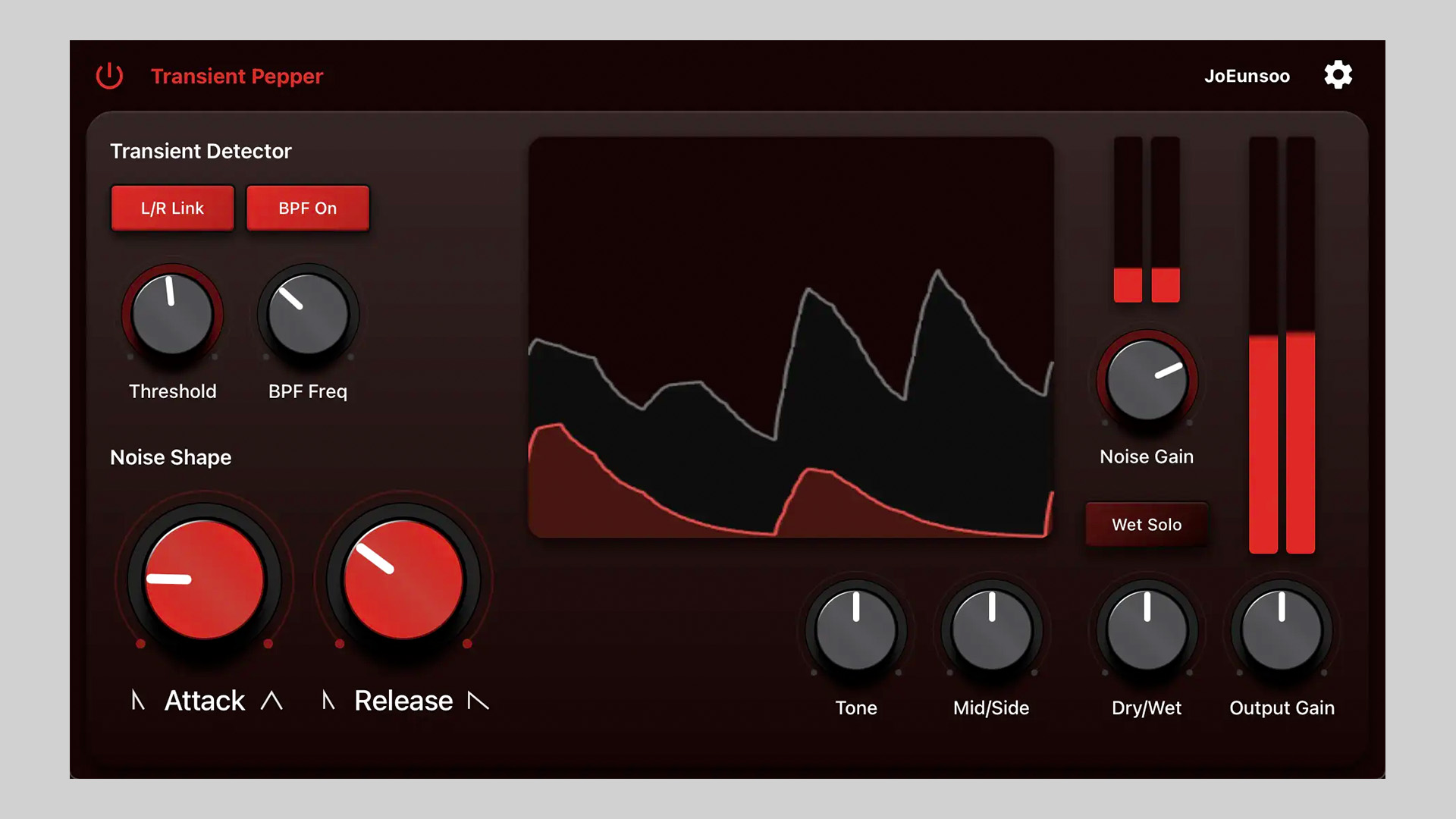
    Transient Pepper by JoEunsoo is free until November 1, 2025 (regular price $14). It’s a transient‑adaptive noise generator that layers groove‑locked noise onto your audio, like sprinkling pepper on a rhythm. Ideal for enhancing the presence of drums, percussion, and other rhythmic material.

    Add Presence That Follows the Groove

    Using transient detection, Transient Pepper adds noise bursts that track hits with precision. An internal sidechain band‑pass filter lets you focus detection on a target range, while tone controls shape the noise layer to sit naturally in the mix.

    Features

    • Transient‑adaptive noise generator
    • Enhances drums, percussion, and rhythmic elements
    • Internal sidechain band‑pass filter for precise triggering
    • Tilt EQ for fast tonal shaping
    • Mid/Side controls for stereo placement

    System Requirements

    macOS

    • 10.13 or newer (Apple Silicon and Intel)
    • AUv2, VST3

    Windows

    • Windows 10 or newer (x64 Intel/AMD)
    • VST3

    Free Download

    Transient Pepper transient‑synced noise plugin is available as a free download until November 1, 2025, via JoEunsoo website.

  • Beto Beats Releases bGrain Free Experimental Granular Plugin (Alpha)

    Beto Beats Releases bGrain Free Experimental Granular Plugin (Alpha)

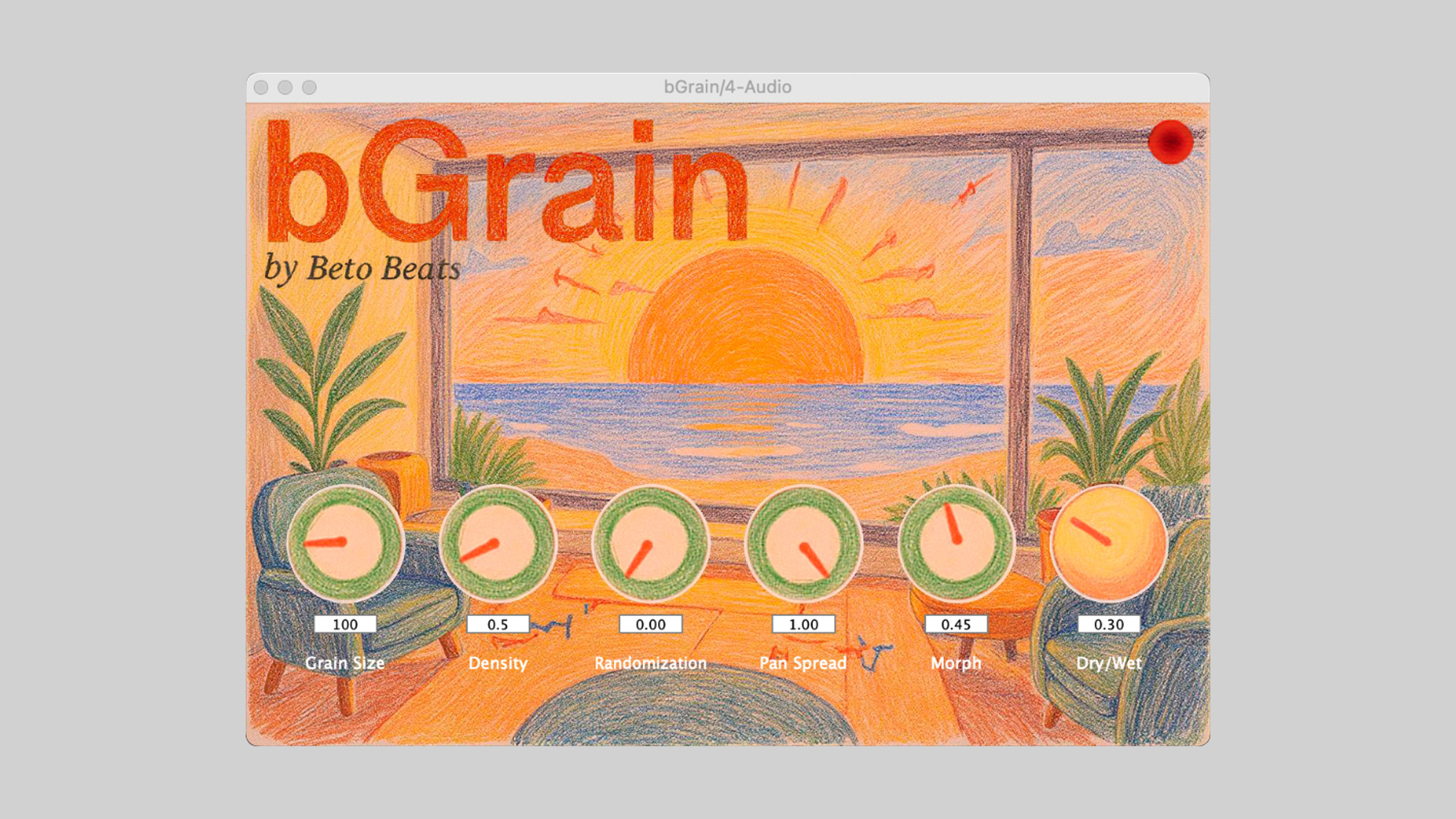
    Beto Beats has released bGrain, a free experimental granular audio plugin that lets you slice, scatter, and reshape sounds into fresh textures using simple, hand‑drawn style controls. It’s pay‑what‑you‑want, so you can download it for free or toss support to the developer.

    Granular Sound Design, Kept Simple

    bGrain focuses on quick results with six core parameters: Grain Size, Density, Randomization, Pan Spread, Morph, and Dry/Wet. The crayon‑drawn interface gives the plugin a warm, organic feel, making granular experimentation approachable and fun.

    Features

    • Six tweakable controls: Grain Size, Density, Randomization, Pan Spread, Morph, Dry/Wet
    • Playful, hand‑drawn UI for intuitive sound shaping
    • Cross‑platform VST3 for macOS and Windows
    • Free download with optional pay‑what‑you‑want support

    Installation

    • macOS: copy bGrain_v0.4-alpha_macOS.vst3 to ~/Library/Audio/Plug-Ins/VST3/
    • Windows: copy the bGrain_v0.4-alpha_Windows.vst3 folder to C:\Program Files\Common Files\VST3\
    • See the included installation.txt for full instructions

    Status

    This is an alpha release. Core functions work, but bugs are possible. Feedback is welcome as development continues.

    Free Download

    bGrain experimental granular plugin is now available as a free download (macOS and Windows in VST3 format) via Beto Beats Gumroad (pay what you want).

  • NUSofting Releases Filter4Tongue Free BandPass Filter and Drone Shaper

    NUSofting Releases Filter4Tongue Free BandPass Filter and Drone Shaper

    NUSofting has released Filter4Tongue, a free bandpass filter and drone‑shaping plugin for creative tone design and motion.

    Sound‑Shaping Focus

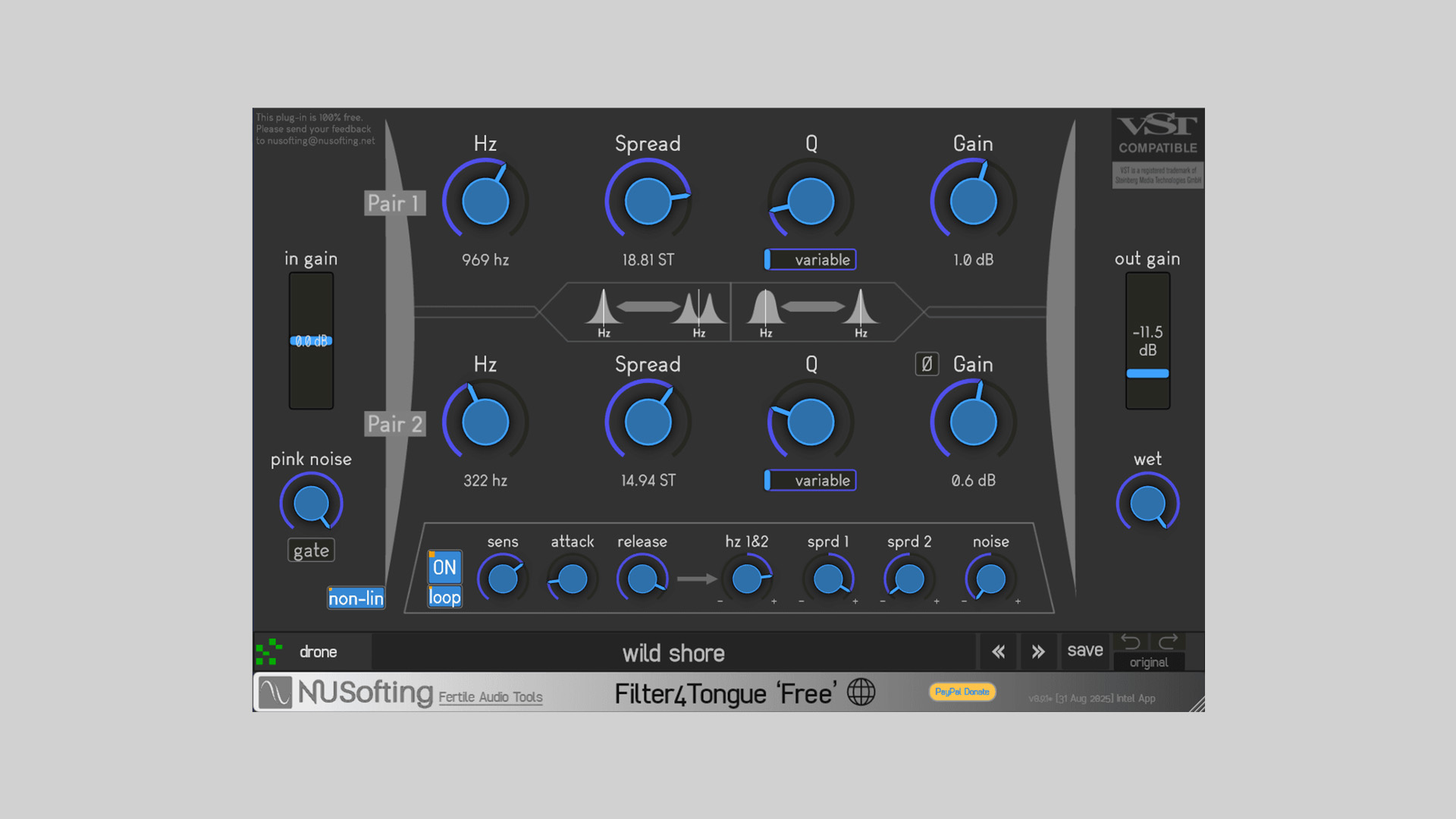
    Filter4Tongue is built around a four‑band band‑pass filter bank arranged as two serial pairs running in parallel. It excels at sculpting drones, formant‑like textures, and animated timbres, with options for symmetrical or divergent tuning across the filters. A selectable non‑linear mode and onboard saturation add extra grit when pushed.

    Features

    • Band‑Pass x4 filter bank: two serial pairs in parallel routing
    • Symmetrical and divergent tuning of filter frequencies
    • Selectable non‑linear mode for added character
    • Pink noise internal source for excitation and layering
    • Saturation on overdrive
    • Modulator: envelope follower with loop mode and four assignable targets

    Free Download

    Filter4Tongue bandpass filter & drone shaper plugin is available as a free download for Windows in VST2 and VST3 formats via the NUSofting website (donations welcomed).

  • Smaolab Releases Akira-Filter Free Lowpass Filter Plugin

    Smaolab Releases Akira-Filter Free Lowpass Filter Plugin

    Smaolab has released Akira‑Filter, a free lowpass filter plugin inspired by a classic 4‑letter synth brand’s legendary ladder filter. It’s designed for everything from silky sweeps to gritty, characterful tone‑shaping.

    Shape Your Sound

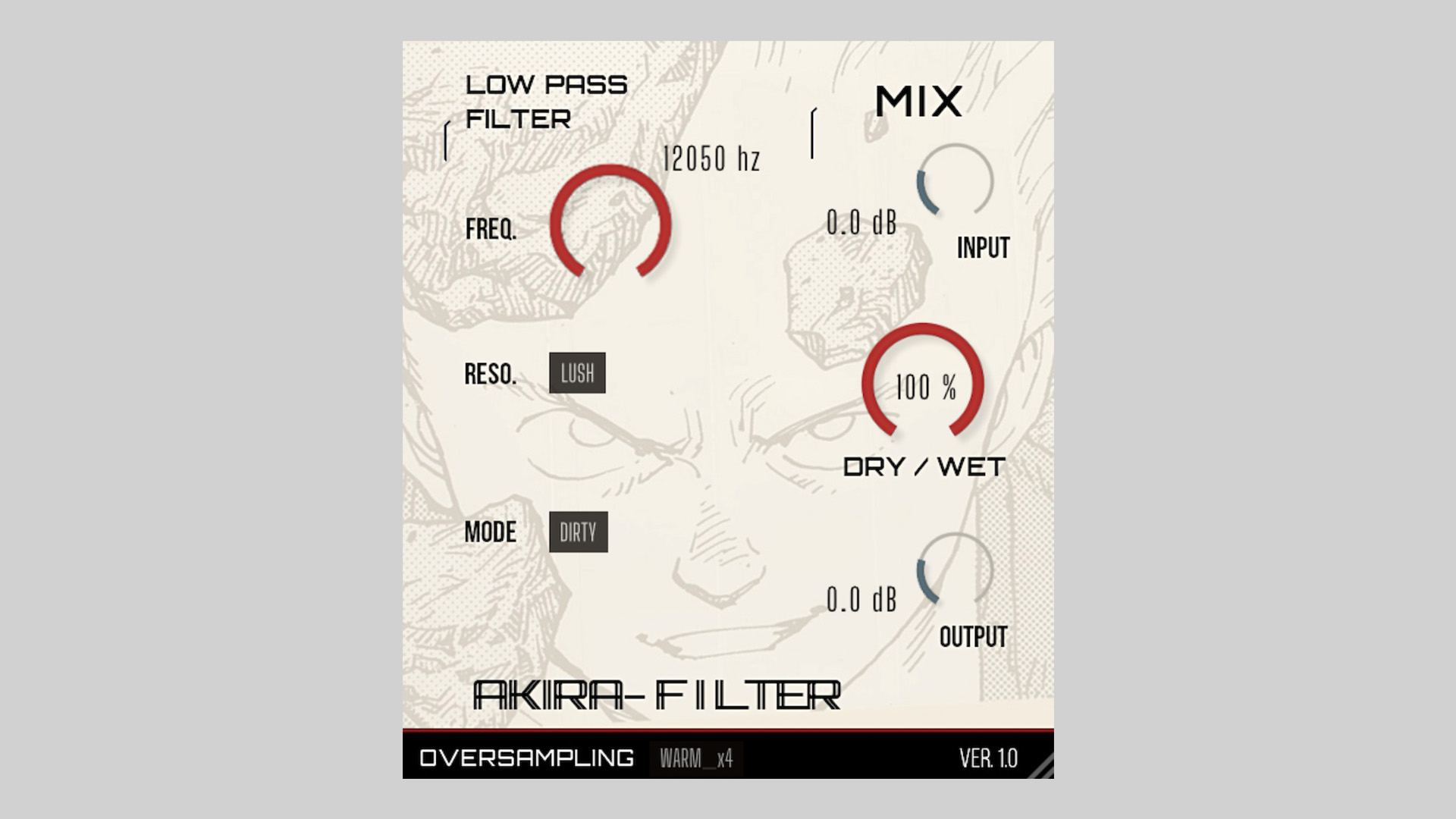
    Akira‑Filter gives you hands‑on control for smooth automation and expressive filter movement. Choose between clean or dirty drive, dial in resonance flavor, and set the cutoff anywhere from 300 Hz to 12 kHz. A mix knob and input/output controls make it easy to blend and gain‑stage without leaving the plugin.

    Features

    • Four resonance flavors: soft, sweep, lush, gritty
    • Cutoff range: 300 Hz – 12 kHz
    • Clean/Dirty drive modes
    • Input and output level controls
    • Mix (dry/wet) control
    • Oversampling options: x0, x2, x4

    Plugin Formats

    • VST3
    • Audio Unit (AU)
    • LV2
    • CLAP

    Free Download

    Akira‑Filter lowpass filter plugin is available now as a free download from Smaolab.

  • TapeFi Releases STOP Free Vinyl Stop Simulator Plugin

    TapeFi Releases STOP Free Vinyl Stop Simulator Plugin

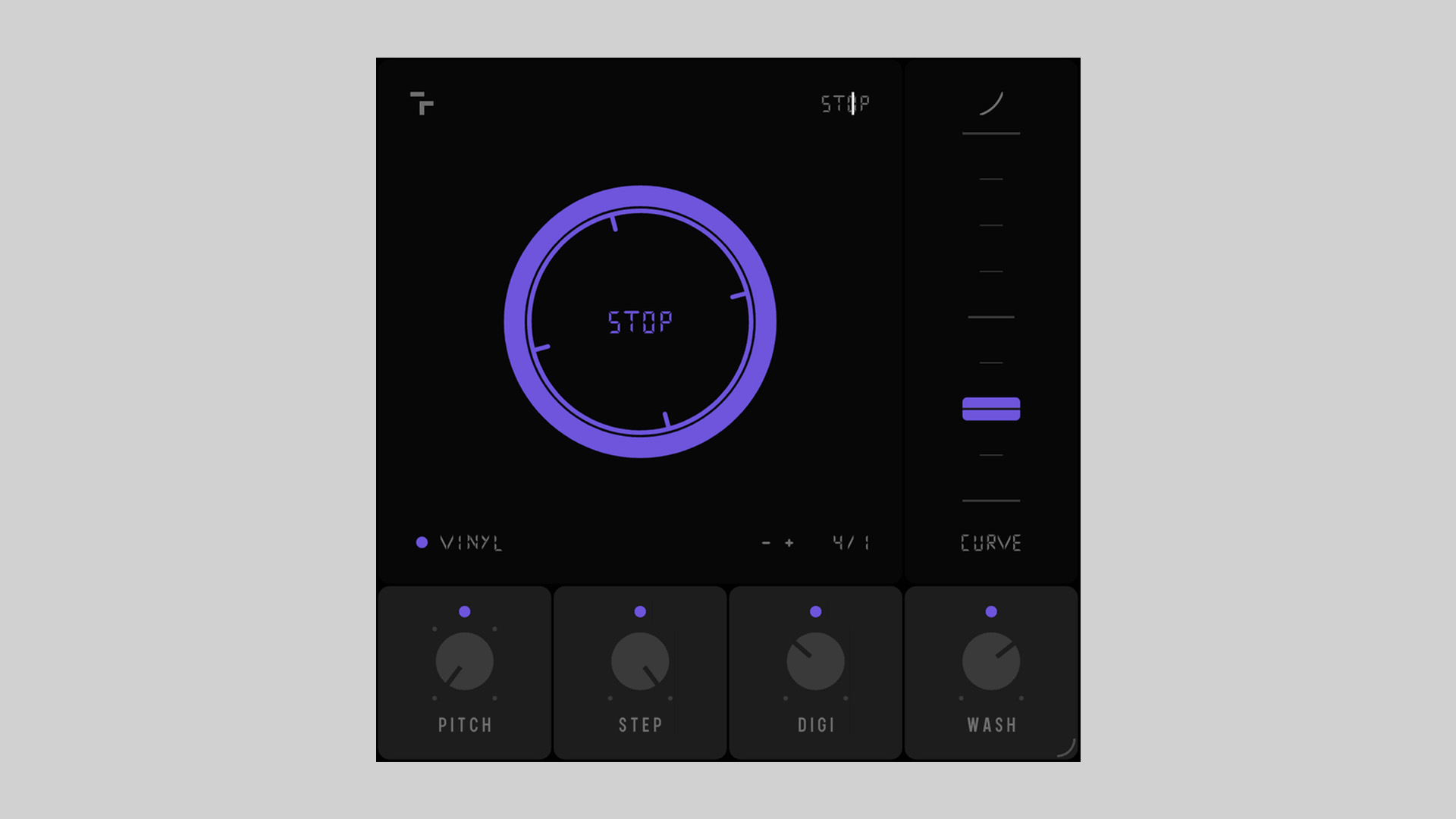
    TapeFi returns with their second free plugin release, STOP, a creative vinyl/tape stop simulator for Windows and macOS. Building on the analog-inspired vibe introduced in their debut plugin FAIL, STOP continues the brand’s focus on imperfection, nostalgia, and musical emotion.

    More Than Just a Tape Stop Effect

    STOP isn’t your average slowdown effect. Designed to emulate the true feel of vinyl and tape slowing to a halt, it features tempo-synced control, pitch range selection, curve shaping, and more. Whether you’re crafting lo-fi beats or experimental electronica, STOP offers an expressive way to bring motion and texture into your productions.

    Features That Inspire

    Beyond the traditional slowdown, STOP adds layers of creative effects. Step Mode introduces glitchy, stuttered drop-offs, while the DIGI Effect brings crunchy, downsampled distortion. A built-in Washout feature applies a dreamy reverb-delay tail, helping your track fade out with cinematic style.

    Features

    • Tempo-synced pitch drop with four selectable ranges: -12, -24, -36, -48
    • Curve control for custom slowdown shapes
    • Vinyl noise layer for nostalgic texture
    • Step Mode for glitchy, stutter-style stop effects
    • DIGI Effect for digital downsampled grit
    • Washout effect: dreamy reverb+delay tail
    • One-click workflow for instant results
    • Native AU, VST, and VST3 (64-bit) plugin formats

    Free Download

    STOP vinyl stop simulator plugin is now available for free download via the TapeFi website.

  • remaincalm Releases Gloss: Free Tiny Enhancer Plugin

    remaincalm Releases Gloss: Free Tiny Enhancer Plugin

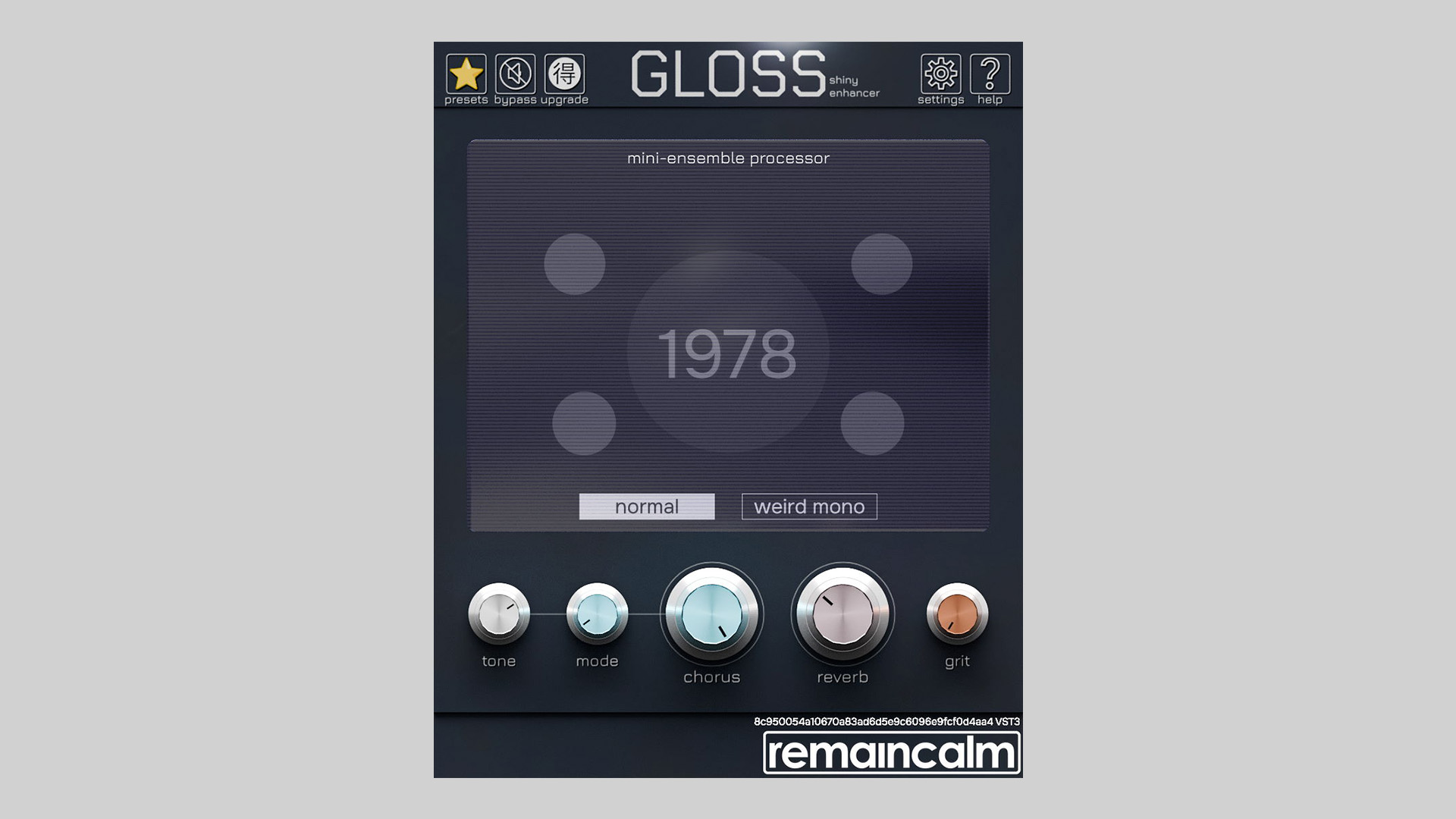
    remaincalm has released Gloss free tiny enhancer plugin, a tool designed to add texture, space, and retro charm to your productions. Adapted from their commercial plugin Gossamer, Gloss features vintage-inspired chorus and reverb effects optimized for synths, acoustic instruments, and vocals.

    Retro Chorus and Atmospheric Reverb

    Gloss models two vintage ensemble chorus circuits: one inspired by a widely-cloned classic from the ’70s, and another derived from a rare Japanese flagship synth. These two chorus styles can be blended via crossfade to create a range of lush modulation textures, from subtle width to gritty analog depth.

    The built-in one-knob reverb is tailored for synth pads and ambient elements. It morphs smoothly from a medium room to a large chorused cathedral, giving your sound instant spatial depth with minimal effort.

    Simple Yet Powerful Interface

    Gloss features a user-friendly interface that makes all parameters immediately accessible. Control ranges are tuned for musicality and usability, ensuring both subtle enhancements and extreme creative effects are easily dialled in.

    A comprehensive set of presets is included to jumpstart your creativity.

    Features

    • Dual vintage chorus models with crossfade control
    • One-knob synth-optimized reverb
    • Fully visible controls on a clean interface
    • Preset browser included
    • Suitable for synths, guitars, vocals, and more
    • Available in VST3, AU, and AAX formats for Windows and macOS

    Free Download

    Gloss is available now as a free download from the remaincalm website.

  • Audio Assault Releases Drum Locker Plugin With Free Kit Included

    Audio Assault Releases Drum Locker Plugin With Free Kit Included

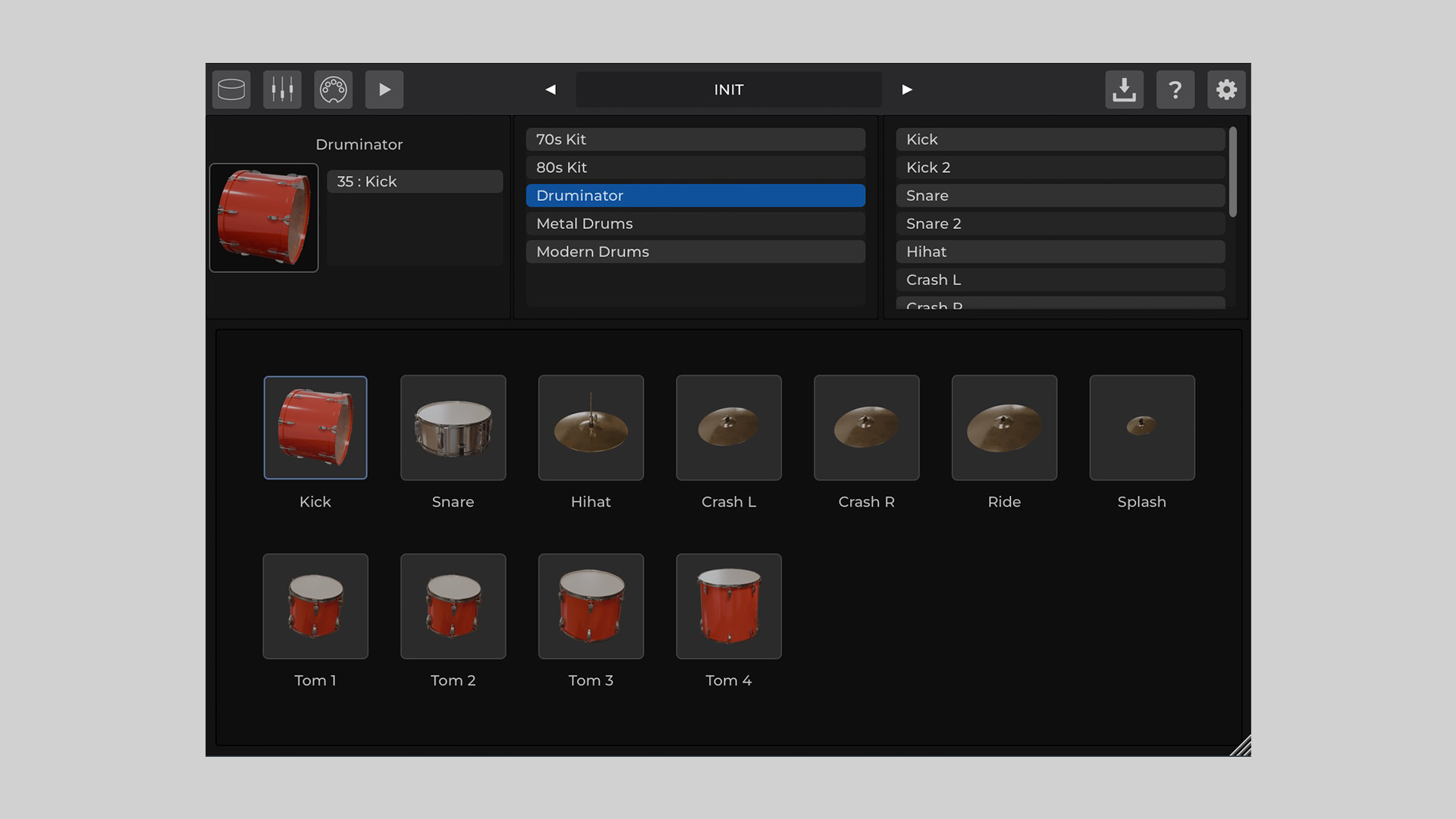
    Audio Assault has released Drum Locker, a compact drum sample library player (plugin) available for Windows, macOS, and Linux. The plugin comes with a free 70s-style, super-dry drum kit to help users get started right away.

    Drum Locker supports expansion packs, available separately for only $5.00 each, providing a growing collection of drum sounds to suit different production needs.

    Flexible Drum Sound Engine

    Drum Locker features built-in effects for each channel, including compressor, EQ, reverb, saturation, limiter, transient designer, and clipper. The interface is resizable, and users can import their own MIDI to browse and trigger drum beats easily.

    The plugin is designed to load drum kits quickly, making it ideal for producers looking for speed and simplicity in their workflow. With support for additional libraries, it offers a scalable solution for drum production.

    Features

    • Ultra-compact drum library player
    • Per-channel FX: compressor, EQ, reverb, saturation, limiter, transient designer, clipper
    • Fast drum kit loading
    • Drum beat browser with user MIDI import
    • Resizable interface
    • Includes a free 70s-style super dry drum kit
    • Compatible with Windows 7+, macOS, and Linux

    Free Download

    Drum Locker is available as a free download on the Audio Assault website. Additional drum kits can be purchased separately.