
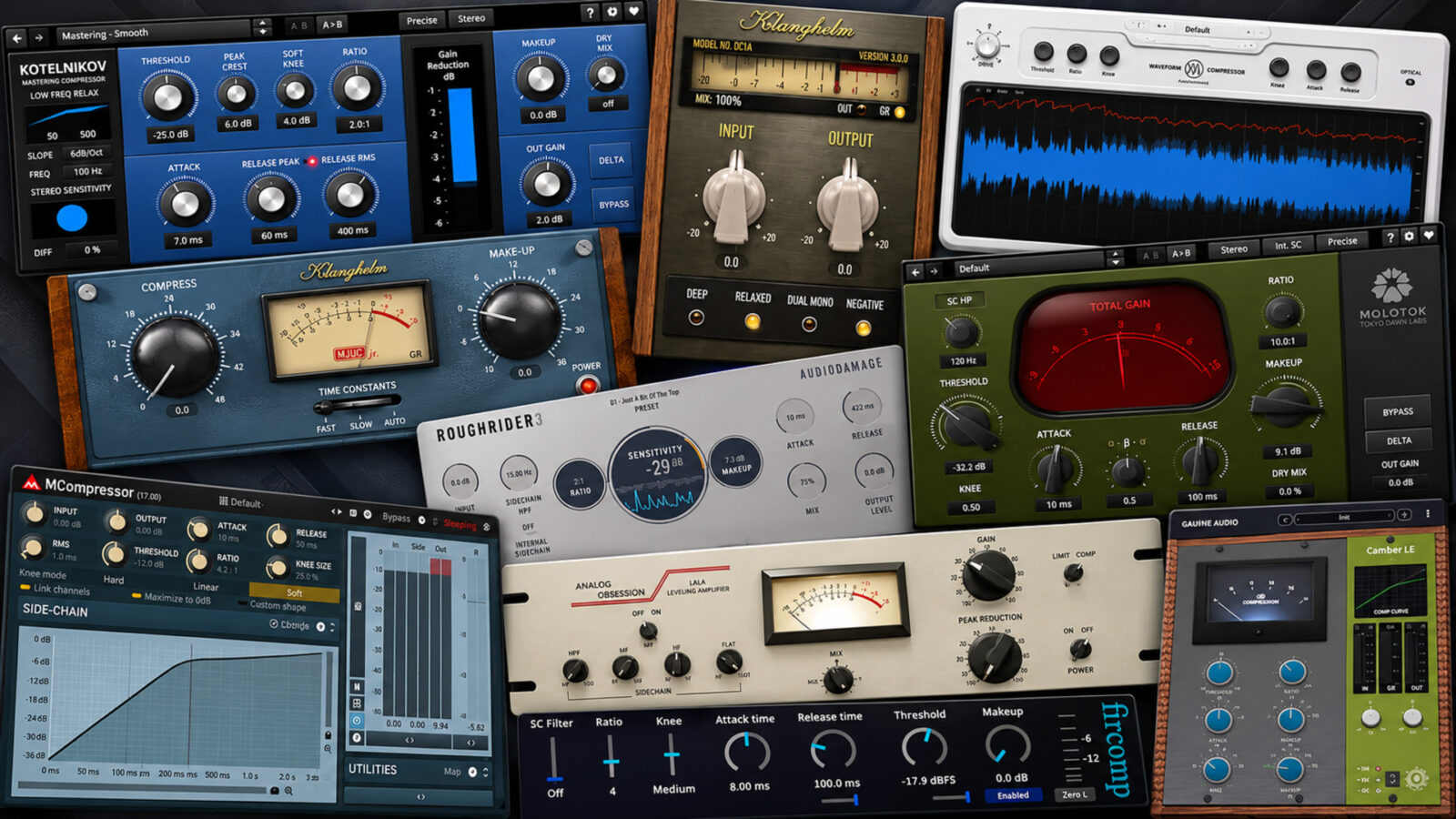
The best free compressor plugins make different jobs easier. A vocal may need steadier levels, a drum loop may need more movement, and a mix bus may need only a little control. I wouldn’t choose the same tool for all three by default.
For a small starting setup, I’d pair DC1A with Kotelnikov: one keeps decisions simple, while the other gives you more detailed control. RoughRider3 adds a more obvious effect, and Waveform Compressor helps connect what you hear with what the controls change.
This selection of the best free compressor plugins focuses on ongoing free versions, rather than trials or short giveaways. Use the comparison to find a suitable starting point, then check the edition notes before downloading.
Best Free Compressor Plugins: Quick Comparison
| Plugin | Where I’d start | Systems | Worth knowing |
|---|---|---|---|
| Klanghelm DC1A | Quick track-level control | Windows, macOS | Two main knobs; extra behavior switches |
| TDR Kotelnikov | Detailed mix-bus control | Windows, macOS | Free edition; Kotelnikov GE adds separate features |
| Woodstock Audio Waveform Compressor | Learning attack and release | Windows 10+; macOS 10.13+ | Free checkout; no activation |
| Klanghelm MJUC jr. | Tube-style leveling | Windows, macOS | Three timing choices; paid MJUC is separate |
| Audio Damage RoughRider3 | Parallel drum compression | Windows, macOS, Linux; iOS separately | Direct desktop downloads; no email or DRM |
| TDR Molotok | Exploring compression character | Windows, macOS | Eleven compression flavors; not the full Molot GE |
| MeldaProduction MCompressor | Drawing a response curve | Windows, macOS | Bundle upgrade unlocks resizing and preset-management features |
| Analog Obsession LALA | Leveling with detector filters | Windows 10-11; macOS 10.11+ | Free Patreon download; optional support |
| Jon V Audio Fircomp | Peak control and lookahead | Windows; Intel macOS; Linux low-ratio build | Free v1; Mac download is Intel-only |
| GANUE Audio Camber LE | A compact bus-compression setup | Windows 10+; macOS 11+ | Free LE edition; fixed engine and linked stereo |
1. Klanghelm DC1A - A Free Compressor with a Small Learning Curve
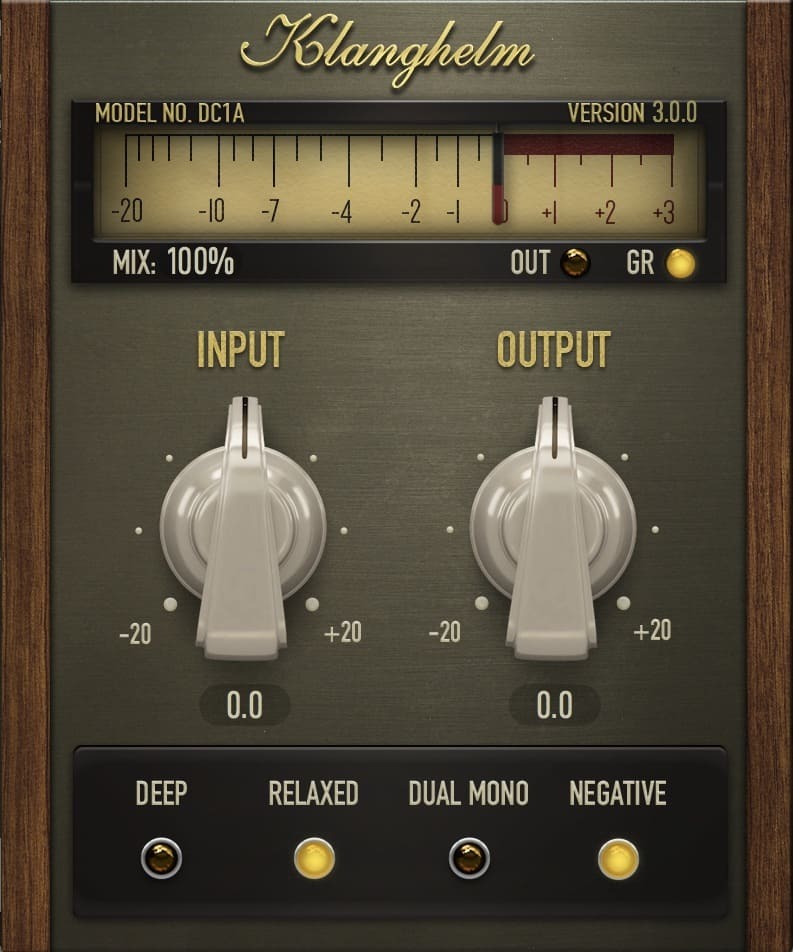
DC1A would be my first suggestion if a page full of timing controls makes compression feel more complicated than it needs to be. Input drives the compression, while Output brings the level back into place. You can get to a useful comparison without setting attack, release, and ratio separately.
However, the small panel still gives you several choices. DEEP filters low frequencies from the detector, which can help when a kick or bass note makes the rest of the signal dip too much. RELAXED changes the detection behavior, while DUAL MONO lets the left and right channels react independently.
I’d leave those switches alone at first. Raise Input against a short loop, match the output level, and listen to the front of each note. Then try DEEP if the low end seems to control everything. That sequence makes each decision easier to hear.
There is also a mix control for parallel compression and a NEGATIVE mode for more unusual envelope changes. Neither needs to become part of every setting. DC1A is a complete free plugin, not a timed demo of the more detailed DC8C. Current installers support Windows and Mac, including native Apple Silicon.
Get Klanghelm DC1A from the developer.
2. TDR Kotelnikov - Keeping a Mix Bus Under Control
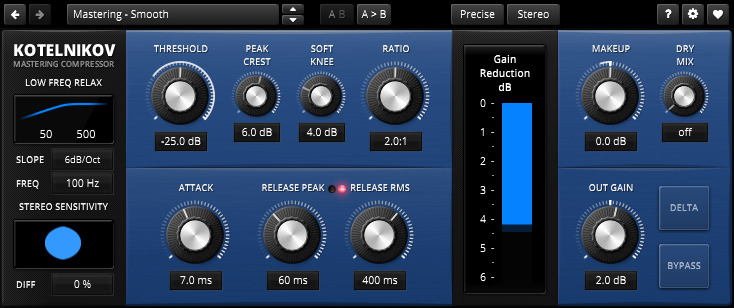
Kotelnikov is the one I’d investigate when the mix already has the right tone and I mainly want better control over its movement. Tokyo Dawn designed it as a digital dynamics processor, rather than a recreation of a vintage compressor. That makes its purpose different from the more characterful options below.
Its separate peak and RMS release controls let you address brief events and the broader signal envelope differently. The peak crest setting changes the balance between those detection behaviors. Meanwhile, the low-frequency relaxation controls can reduce how strongly the bass drives compression.
For a mix bus, start with modest gain reduction and compare sections with different arrangements. A setting that behaves politely during a quiet verse can still pull down the chorus too much. I’d also use the Delta function to check what changes, then return to the full mix before deciding.
Kotelnikov belongs among the best free compressor plugins for this more deliberate workflow. However, it takes more attention than a two-knob tool. Download the free Kotelnikov edition; GE is a separate paid product with additional capabilities. The free version covers Windows and Mac, with AU on Mac and AAX alongside VST formats.
Get TDR Kotelnikov from the developer.
3. Woodstock Audio Waveform Compressor - Free Compression You Can See
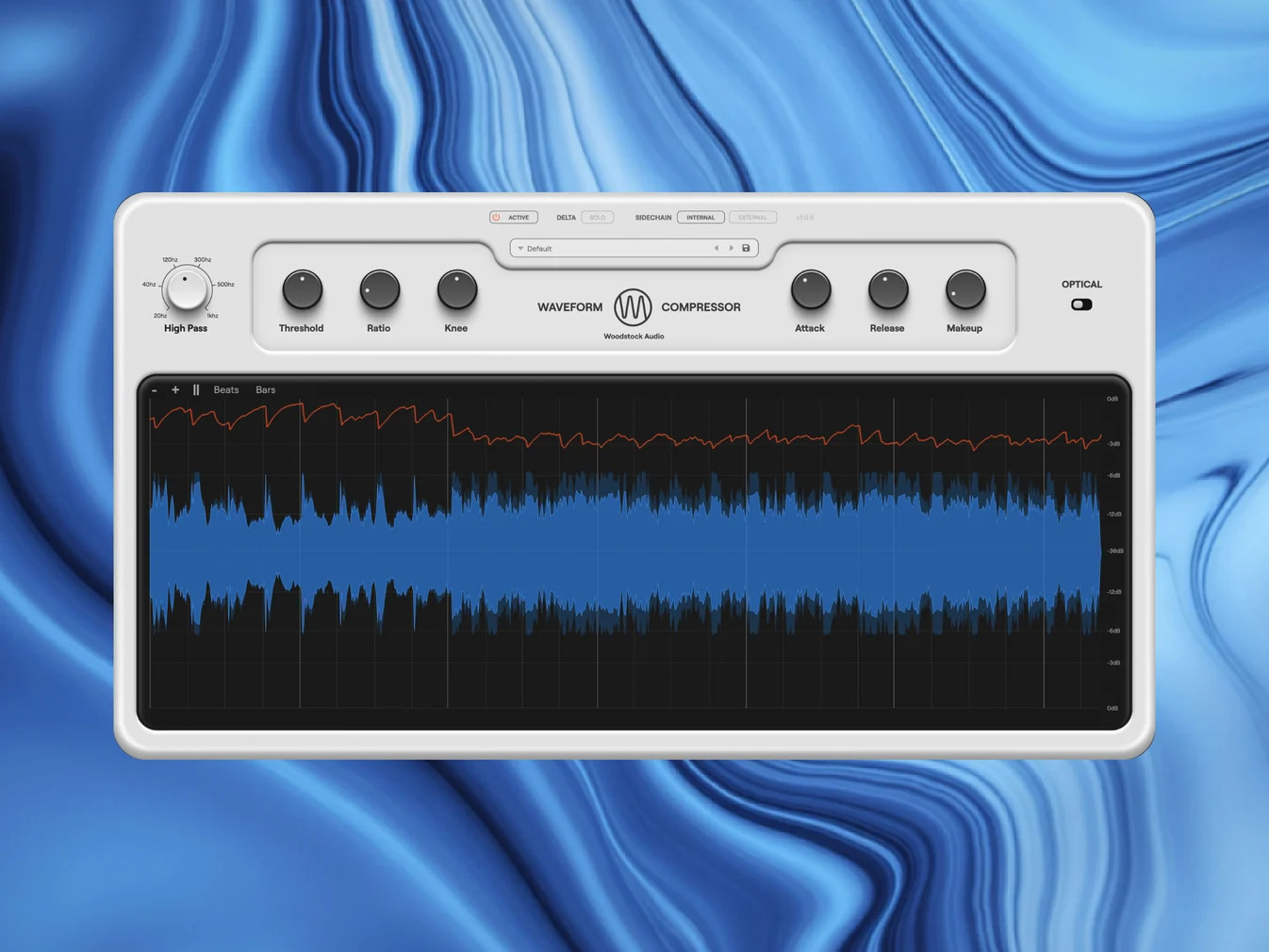
Waveform Compressor is a useful starting point if you can hear a change but struggle to connect it with a particular control. Its display puts the waveform before and after compression together with a gain-reduction trace. You can pause the display or change the zoom to examine a short passage.
That doesn’t make the screen a substitute for listening. Instead, I’d use it to answer one question at a time: does a faster attack reduce the initial hit, or does a longer release hold the next note down? Once the relationship becomes clear, judge the result with the whole track playing.
The regular VCA mode gives you conventional timing control. Optical mode takes a different approach, with attack and release behavior that responds to the material and its recent compression history. Delta Solo also lets you hear the difference between the input and the processed signal.
Among the best free compressor plugins, Waveform makes particular sense for visibility and a choice of working methods. It comes in VST3, AU, and AAX formats for compatible Windows and Mac systems. The download uses a free checkout, but the plugin doesn’t require activation. Woodstock’s paid Open Compressor adds a broader set of processing tools.
Get Woodstock Audio Waveform Compressor from the developer.
Waveform Compressor - official walkthrough
Loading this video connects to YouTube, which receives your IP address and may use cookies or other storage. Load it only if you agree.
4. Klanghelm MJUC jr. - A Slower Approach to Leveling
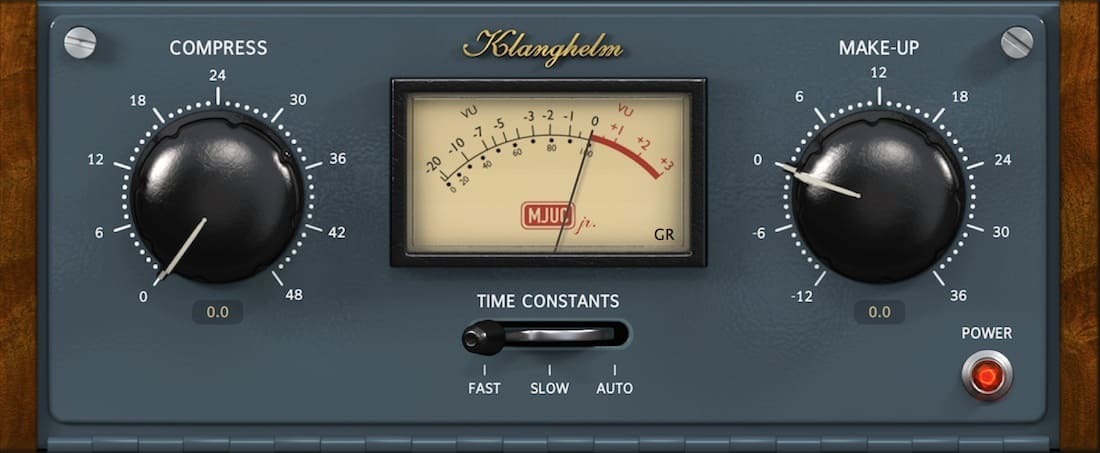
MJUC jr. takes the simple-control idea in a different direction from DC1A. Klanghelm bases it on variable-tube compression, with modeled gain stages and transformers. The panel centers on Compress and Make-Up, plus FAST, SLOW, and AUTO timing choices.
I’d consider it for a vocal or bass part that needs broader leveling rather than a sharply defined clamp on each transient. Start with the timing switch before pushing Compress further. Otherwise, you can mistake an unsuitable recovery speed for a need to add even more gain reduction.
The timing choice also affects aspects of the modeled circuit behavior, so the switch isn’t just a substitute for a conventional release knob. Compare the positions with the same short phrase and keep the makeup level close. A slightly louder result can make the wrong setting feel more convincing.
MJUC jr. makes sense when you want a limited set of decisions and a tube-style approach. It offers fewer controls than the paid MJUC, which contains a wider selection of models and options. The free plugin runs on current Windows and Mac systems, and Klanghelm doesn’t use copy protection.
Get Klanghelm MJUC jr. from the developer.
5. Audio Damage RoughRider3 - A Free Compressor for More Obvious Drum Movement
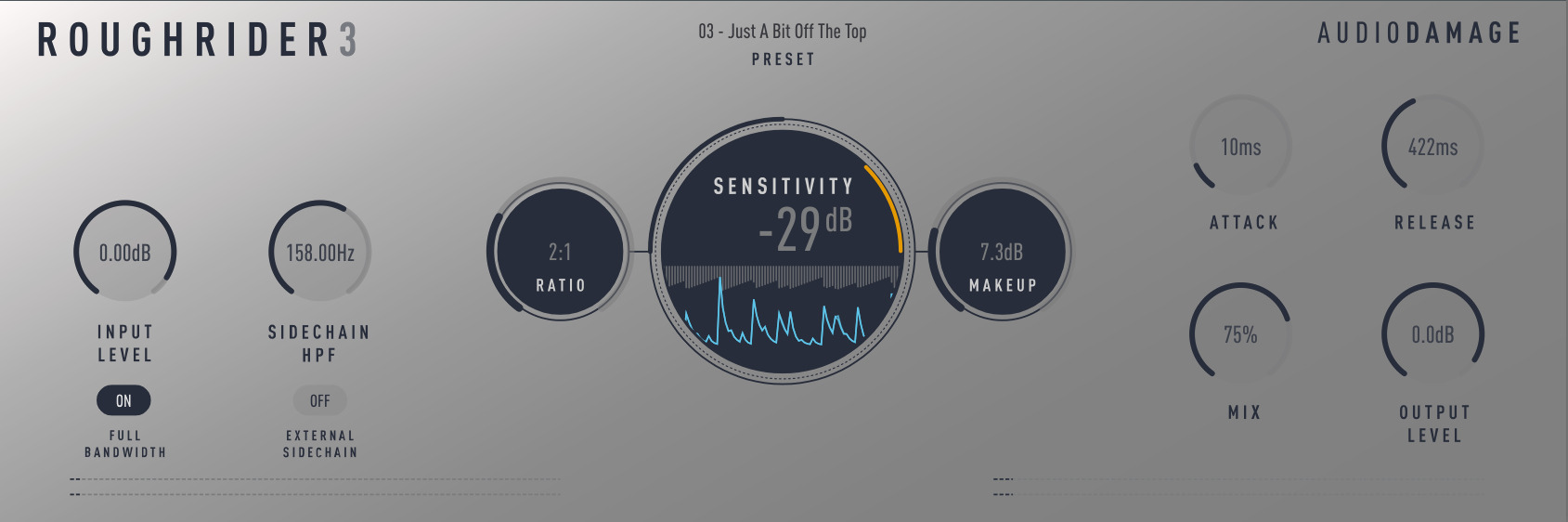
RoughRider3 would be my choice here when compression should become an audible part of the rhythm. Audio Damage gives it a very wide ratio range, reaching 1:1000, alongside attack, release, sensitivity, and mix controls. It invites a more forceful approach than gentle mix-bus leveling.
For drums, I’d set a deliberately strong version first, then use the mix control to bring the original transients back. This is parallel compression inside the plugin: the compressed layer adds sustain and movement while the dry signal retains some of the initial impact.
The FULL BANDWIDTH switch removes its built-in warming filter. Try both positions before adding an EQ elsewhere, because the change in tone may affect how you judge the compression. An external sidechain input and detector high-pass filter give you more control over what triggers it.
RoughRider3 is one of the best free compressor plugins here for a conspicuous effect. Desktop downloads cover Windows, Mac, and Linux without an email requirement or copy protection. Current formats include VST3 and CLAP, with additional host-specific options. Audio Damage also offers a separate free iOS version.
Get Audio Damage RoughRider3 from the developer.
6. TDR Molotok - Character Without a Hardware Clone
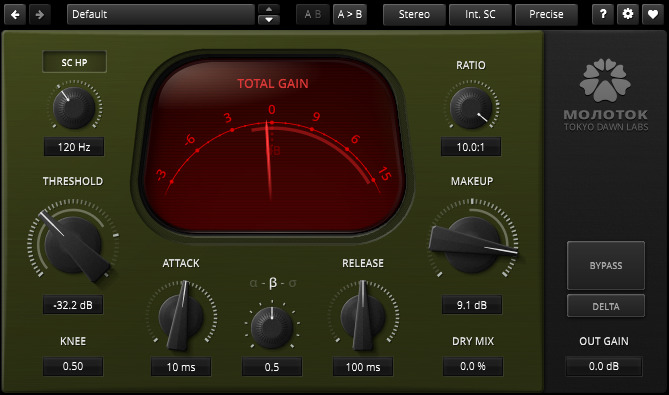
Molotok gives you another route to character, with eleven compression flavors instead of one fixed response. It comes from the Molot family, but the free plugin keeps a smaller feature set than Molot GE. Tokyo Dawn doesn’t present it as a direct model of one vintage hardware unit.
I’d try it on a drum bus, guitar, or vocal when a clean compressor solves the level problem but leaves the part feeling too unchanged. Set the basic attack, release, and ratio first. Then compare flavors at similar loudness, so the change in behavior remains the main thing you judge.
The dry mix control helps when a stronger setting takes away too much of the source’s shape. Meanwhile, the sidechain high-pass filter can reduce the detector’s sensitivity to low frequencies. That combination gives you room to push the effect without making every bass-heavy hit dominate it.
Molotok includes different quality modes, including a zero-latency option. Use the free Molotok download for Windows or Mac, rather than assuming the paid Molot GE’s extra processing sections come with it. I’d choose it for exploring compression character, while Kotelnikov serves the more restrained role in this selection.
Get TDR Molotok from the developer.
7. MeldaProduction MCompressor - A Free Compressor with an Editable Curve
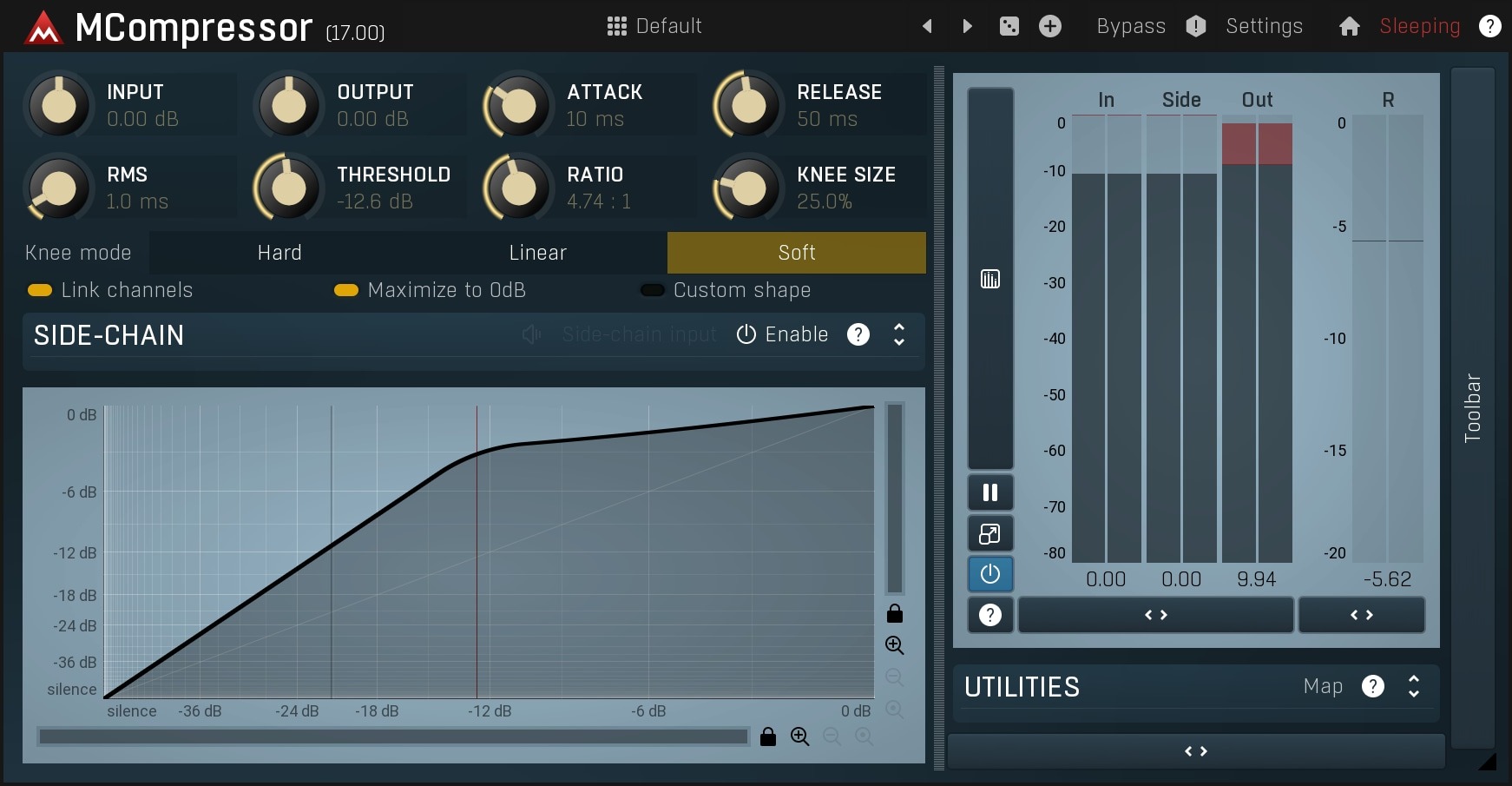
MCompressor stands out because you can shape the compression response rather than rely only on a conventional ratio. Its custom curve gives you a more visual way to explore how input levels translate into output levels. The familiar threshold, attack, release, and knee controls remain close by.
I’d begin with a normal compression shape before drawing anything unusual. Move the threshold and watch where the signal meets the curve. Then adjust the knee to compare a more gradual transition with a firmer change around the threshold. That is already enough to learn something useful without designing an extreme response.
The custom shape becomes interesting when a standard setting doesn’t provide the behavior you want. However, it also gives you more ways to overcomplicate a simple task. Keep a plain setting available for comparison, particularly while learning what the curve does.
MCompressor comes through MFreeFXBundle. The processing is free, but the optional bundle upgrade unlocks features such as interface resizing, custom preset management, and upsampling in supported effects. Don’t assume every feature shown across Melda’s promotional material belongs to the free tier. Windows and Mac downloads come through the developer’s installer.
Get MeldaProduction MCompressor from the developer.
8. Analog Obsession LALA - Leveling with Extra Sidechain Control
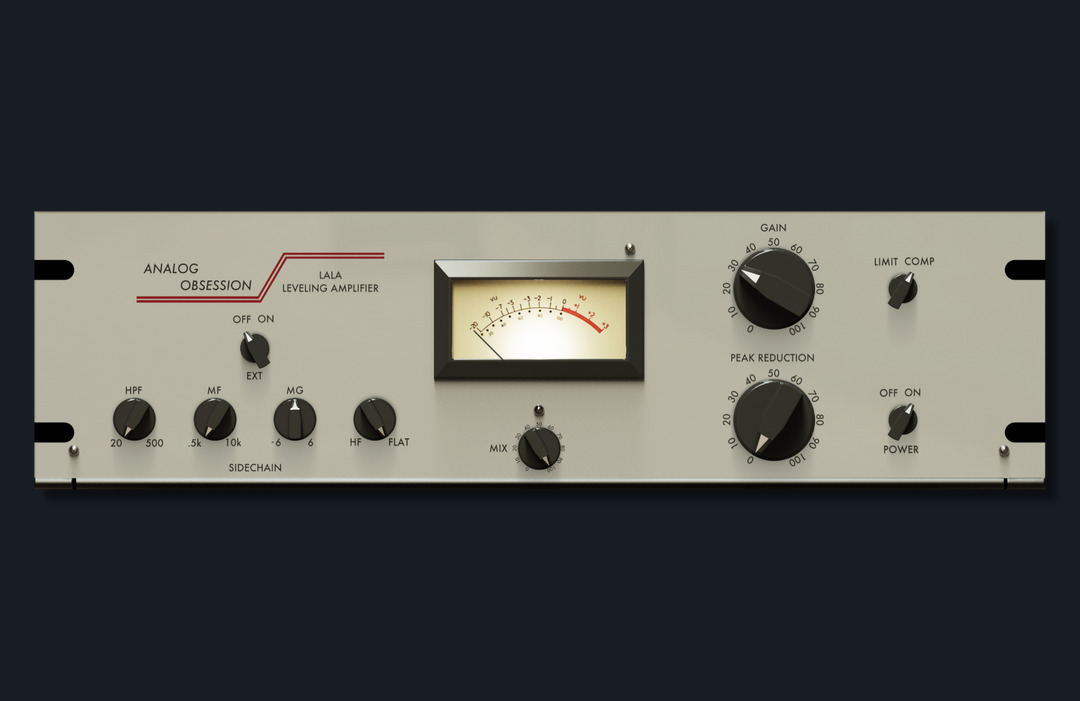
LALA is worth considering when you want a leveling-style workflow with more control over the detector. Peak Reduction and Gain handle the main adjustment, while a switch changes between compression and limiting. You don’t need to set separate attack and release values.
The extra sidechain controls are its useful distinction here. Alongside a high-pass filter, LALA lets you change how strongly the detector responds to middle and high frequencies. Those controls affect what drives the compression; they don’t simply EQ the signal you hear.
For a bass-heavy vocal or instrument, I’d first set a modest amount of reduction, then change the detector filtering. Listen for a more even response across different notes. If one low note still pulls the whole phrase down, more compression may make that imbalance worse rather than fix it.
There is also an external sidechain option, a mix control, and switchable 4x oversampling. Analog Obsession distributes LALA free through its public Patreon post, with optional support rather than a required subscription. Current packages include VST3 and AAX on Windows, plus AU on Mac. Check the developer’s graphics requirements before installing on an older machine.
Get Analog Obsession LALA from the developer.
9. Jon V Audio Fircomp - Free Peak Compression with Optional Lookahead
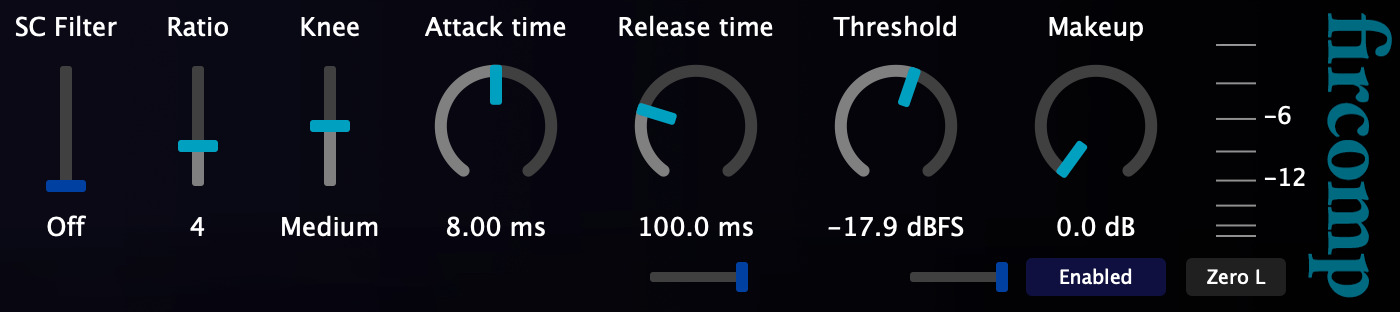
Fircomp is the more utilitarian option in this group: a peak compressor with optional lookahead smoothing and a compact panel. Its developer offers zero-latency operation with lookahead off. Turning lookahead on adds a stated 1.5 ms of compensated latency.
That trade-off matters if you’re monitoring a performance through the compressor. For an existing audio track, the DAW can usually compensate for plugin delay, so the lookahead option becomes a different decision. Compare how it changes the control of brief peaks before assuming the extra processing helps.
I’d use Fircomp when I want direct access to timing and a conventional response without a large interface. Its sidechain filtering can also help keep low-frequency energy from dominating the detector. However, the original version has an important compatibility limit: the official Mac download is Intel-only.
Choose Fircomp v1 for the free edition, rather than confuse it with Fircomp 2. The developer also lists a separate low-ratio build, including a Linux VST3 download, and warns that it breaks project compatibility with the standard build. Pick one deliberately before using it across sessions. Native Apple Silicon users have simpler choices elsewhere in this guide.
Get Jon V Audio Fircomp from the developer.
10. GANUE Audio Camber LE - A Compact Stereo Bus Compressor
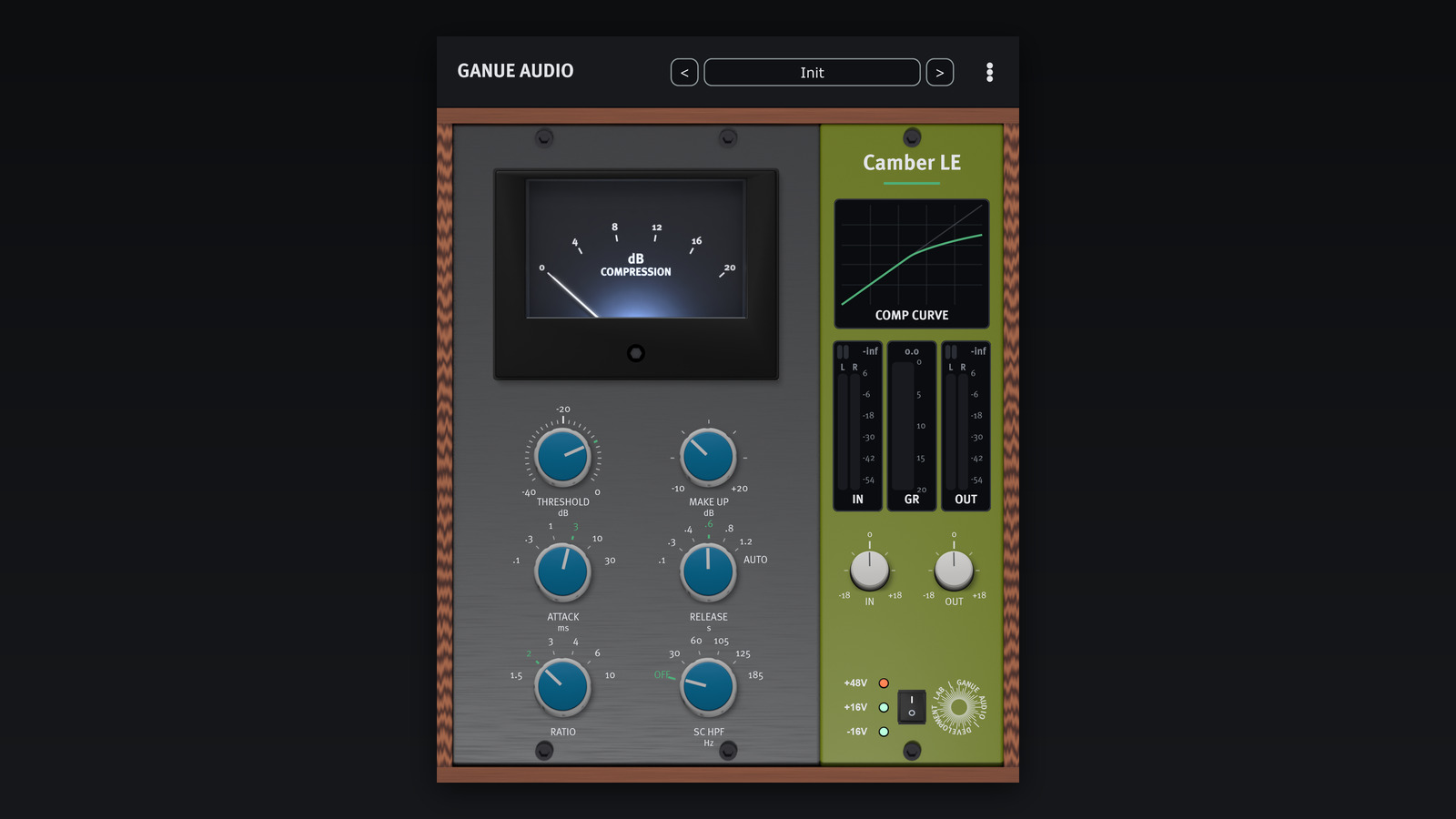
Camber LE closes the selection with a console-style bus workflow. Threshold, Make Up, Attack, Release, Ratio, and a sidechain high-pass filter form its main control set. Stepped timing and ratio choices keep the number of possible settings manageable.
For a drum bus, I’d start with an attack that leaves enough of the initial hit intact, then compare release settings against the groove. AUTO release uses two time constants to respond differently to short events and sustained material. It can be a useful alternative when one fixed release setting doesn’t suit the whole passage.
The free edition includes an external sidechain input, input and output trims, 26 presets, and a scalable interface. It works with mono and linked stereo signals. However, the paid Camber’s extra voicings, saturation, dynamic EQ, and Mid-Side options aren’t part of LE.
Camber LE is a free ongoing download for compatible Windows and Mac hosts, including AAX and native Apple Silicon support. It doesn’t require a license file or online activation. I’d pick it for a small, repeatable bus-compression setup rather than expect the broader sound-design panel of the paid edition.
Get GANUE Audio Camber LE from the developer.
Getting More from Free Compressor Plugins
Before choosing a compressor, decide what needs to change. Do a few notes jump out, does a vocal disappear between phrases, or does the drum bus need a different envelope? Those are related problems, but one heavy setting won’t necessarily solve all of them.
First, check the level of the source. Clip gain or volume automation can handle an unusually loud phrase before the compressor responds to it. That leaves the processor a more consistent job instead of asking it to correct every balance decision at once.
Next, adjust threshold and ratio until you can hear the effect clearly. Then work on timing. A faster attack often reduces more of the initial transient, while a slower attack can leave more of that hit through. However, timing labels aren’t identical across designs, so compare the actual result rather than copy a number between plugins.
Release controls how the compressor recovers. If it holds the next note down, try a quicker recovery. If the level seems to flutter or pump in an unwanted way, compare a longer release. Listen across several phrases, because a setting that suits one isolated hit can fail when the playing becomes busier.
Finally, match the output level before bypassing. Louder often feels better for a moment, even when the compression weakens the part. A fair comparison makes the best free compressor plugins easier to identify for your own workflow.
For a focused bus option, our Camber LE overview looks more closely at its controls and the differences from the paid edition. Choose a tool for the job you have, then spend time learning it before adding another similar processor.
Best Free Compressor Plugins: Common Questions
Which free compressor should I try first?
DC1A makes a sensible first download if you want few controls. Waveform Compressor suits a different learning style, with a display that helps explain attack, release, and gain reduction. Neither requires you to understand every type of compression before starting.
Which options make sense for vocals?
I’d compare MJUC jr. or LALA for broader leveling, and Kotelnikov or Fircomp when peak behavior needs closer attention. However, fix large phrase-level differences with automation first. Compression can steady a performance, but it won’t decide which words deserve emphasis in the arrangement.
What does a sidechain high-pass filter do?
It reduces low-frequency energy in the signal that drives the compressor’s detector. Consequently, a strong bass note may trigger less gain reduction across the whole track. It doesn’t remove that bass directly from the audible signal, and it doesn’t turn a full-band compressor into a multiband processor.
Can I use these in Logic Pro and Pro Tools?
Check the specific download. Logic needs a compatible Audio Unit, while Pro Tools uses AAX. Several choices here offer both, but Fircomp v1 doesn’t include AAX, and its Mac build is Intel-only. Operating-system support and plugin format matter as much as the feature list.
Are the free editions restricted demos?
The selections here are ongoing free products or editions, without a stated trial deadline. However, some developers reserve extra features for paid versions. MCompressor’s bundle upgrade and Camber’s larger processing panel are examples. Read the edition notes before choosing a plugin for one particular feature.
Do I need all ten compressors?
No. The best free compressor plugins are the ones that add a useful approach to your setup. A simple leveler, a detailed clean option, and a more obvious drum effect already cover different ground. If your stock compressor handles one of those jobs well, keep using it.