
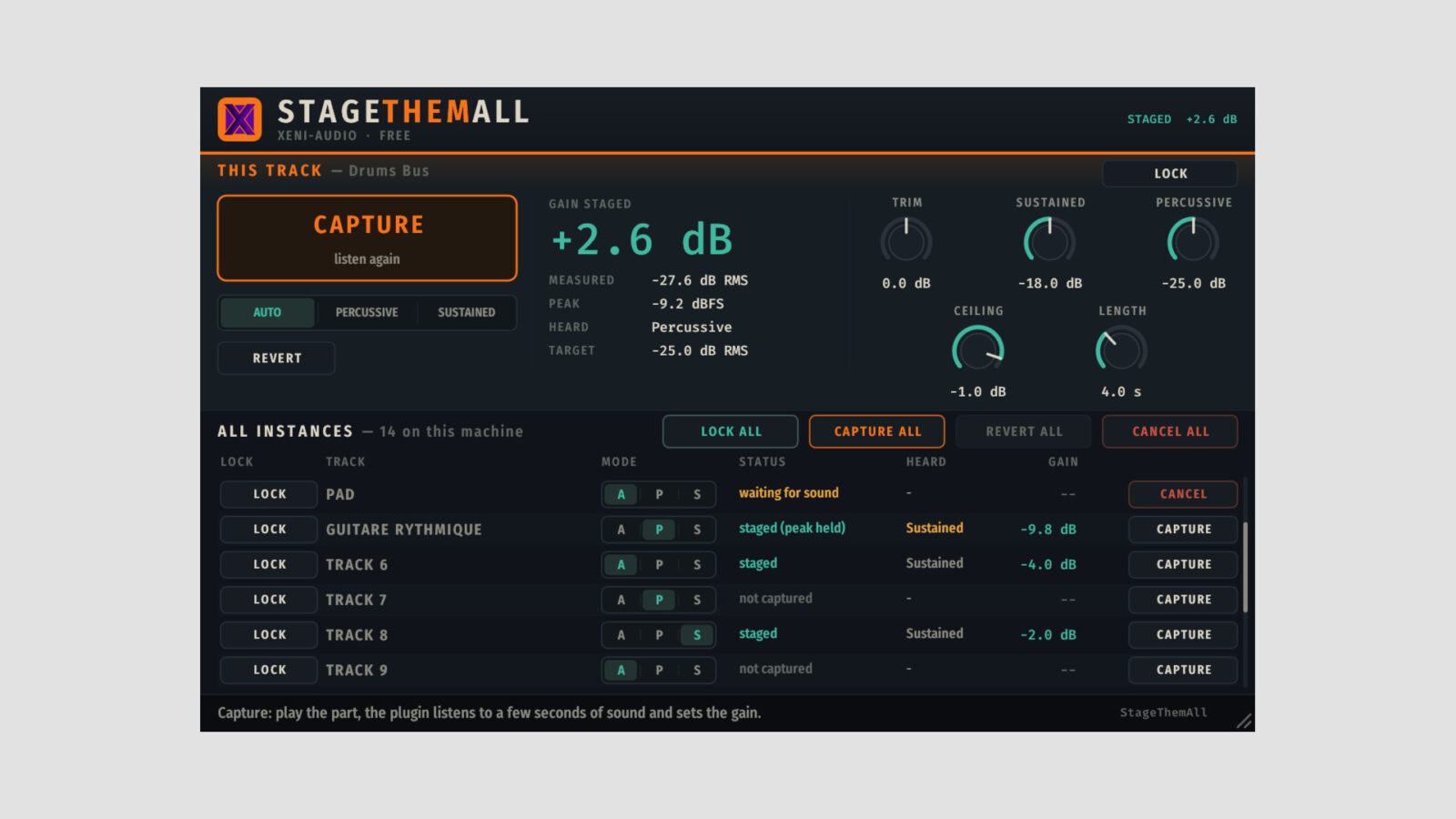
Xeni Audio has released StageThemAll, a free gain staging plugin for Windows, Mac, and Linux. It measures a passage, chooses a fixed gain adjustment, and leaves the result in place rather than continually riding the level while the track plays.
The idea is to prepare the signal before it reaches the next processor. That can be useful with an analog-style compressor, amp, or saturation plugin whose response changes noticeably with input level. The target remains your choice, so check what the next plugin expects instead of treating one number as a rule for every chain.
A Free Gain Staging Plugin That Listens Before Adjusting
Press Capture and play a representative part. StageThemAll measures actual sound, ignoring material below -70 dBFS and pausing its capture clock during silence. A sparse arrangement can therefore take longer to measure than a continuously playing pad.
The capture length ranges from one to ten seconds of sound, with four seconds as the default. Auto mode distinguishes percussive from sustained material, or you can choose either behavior yourself. Default targets are -25 dB RMS for percussive parts and -18 dB RMS for sustained parts.
An adjustable peak ceiling can restrict the gain increase when the measured peaks would otherwise become too high. However, this isn’t a limiter. Louder material arriving after the captured passage can still exceed that measured result, so choose a representative section and leave sensible headroom.
Capture Several Tracks from One Window
Every window lists up to 64 StageThemAll instances on the machine. Capture all measures unlocked instances together, while Revert and Redo let you compare against the previous gains. Lock a track when you want to preserve a setting you already like.
Each instance uses its own input and target. The list provides remote control; it doesn’t balance the tracks against each other or decide which instrument should sit in front. You still build the mix with your faders and ears.
An automatable Trim adds up to 24 dB of gain or attenuation after the staged adjustment. The project also stores the measurement, so reopening it doesn’t trigger a new analysis. Hosts that isolate plugins in separate processes may prevent the shared instance list from working across tracks.
For manual level and tone control, SR.AnalogGain offers a different workflow with separate gain and output controls. StageThemAll keeps its processing to a level change, without filtering, saturation, or compression.
Download and Formats
The free gain staging plugin needs no account, license key, or trial activation. Get it from the official StageThemAll page.
VST3 and CLAP builds cover Windows 10/11, Linux x86-64, and macOS 10.13 or later. Mac packages also include AU and support Intel and Apple Silicon.