
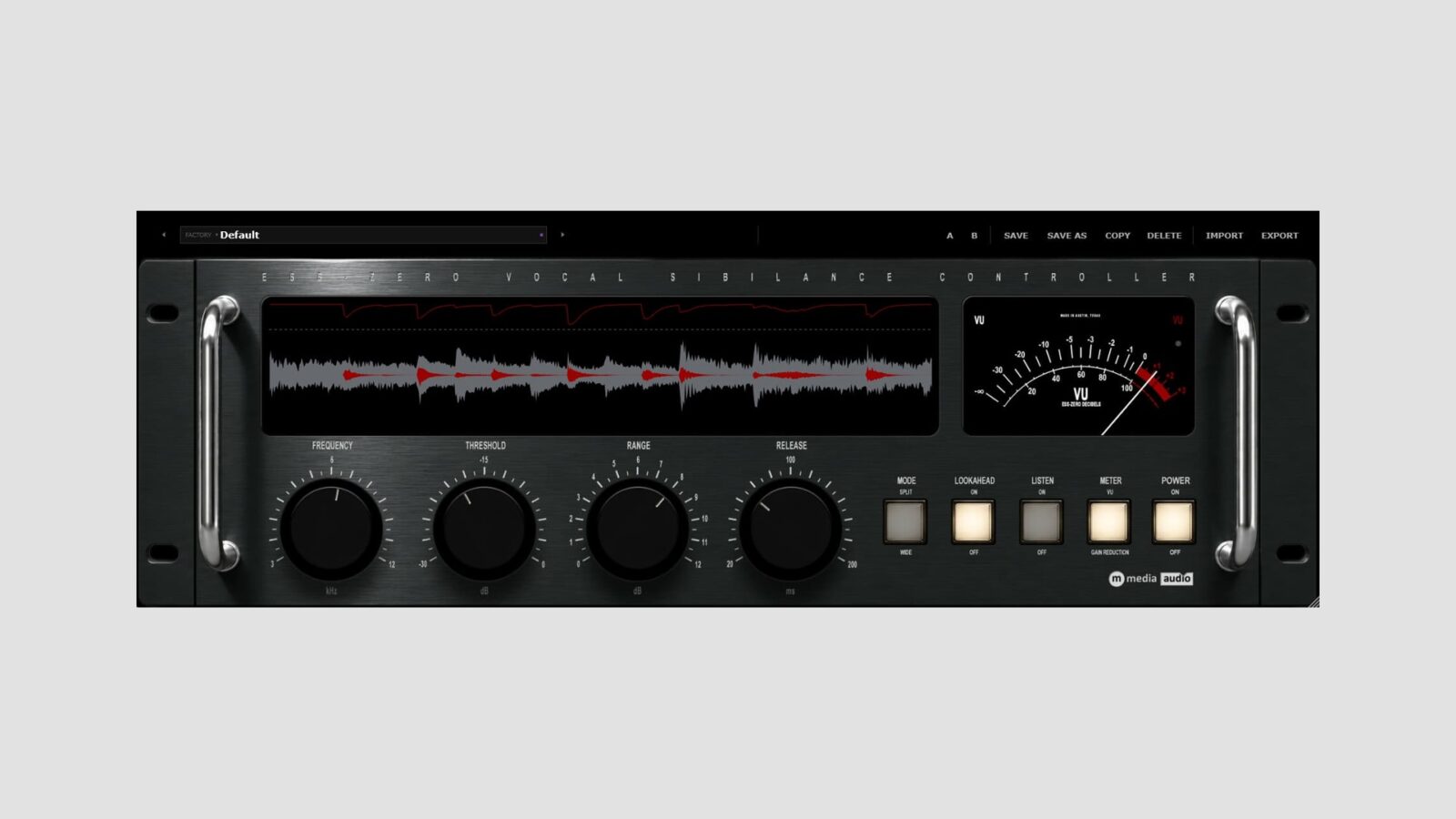
M Media Audio has released Ess-Zero, a free vocal de-esser for Windows, macOS, and Linux. It compares the sibilant frequency band with the rest of the voice, aiming to keep its response more consistent when a performance moves between quieter and louder passages.
That relative detection is the interesting part. A conventional level threshold can miss a quiet phrase or react too strongly after the singer gets louder. Ess-Zero instead measures how prominent the selected band is against the surrounding voice. You still need to choose settings that suit the recording.
A Free Vocal De-Esser with Wide and Split Modes
Frequency sets the detector’s center between 3 and 12 kHz. Threshold determines how much that band can stand above the voice, while Range caps the reduction at up to 12 dB. A separate release control covers 20 to 200 milliseconds.
The two processing modes change what happens after detection. Wide lowers the whole signal during a sibilant event. Split reduces the band above the selected frequency, leaving the lower part of the voice alone. Neither approach needs to win on every recording, so compare them in context.
I’d start with a conservative Range setting and the Listen button. Sweep the frequency until the removed signal mainly contains the harsh consonants you want to control, then return to the full vocal. If important breath or brightness disappears too, reduce the amount before assuming the track needs a darker tone overall.
Monitoring the Reduction
Ess-Zero shows four seconds of waveform history, with the removed material in red and a gain-reduction trace above it. The meter can display reduction or output level, while an overload light flags peaks reaching 0 dBFS.
Optional lookahead adds two milliseconds of reported latency. Switch it off for zero-latency operation while tracking. Stereo sources use linked processing, and the detector stops reacting below -60 dBFS to avoid working on very quiet tails and noise.
The free vocal de-esser includes nine presets covering vocals, podcasts, backing parts, and hi-hats. For Windows users who want de-essing alongside compression and EQ, YS - MY VoxBox offers a broader vocal-processing setup. Ess-Zero keeps the task more focused.
Free Download
Ess-Zero has no license key, activation, or expiry. Enter your email on the official product page to receive the download.
Formats are VST3 for Windows, Mac, and Linux, plus AU on Mac. Requirements include Windows 10/11, macOS 11 or later on Intel or Apple Silicon, or Ubuntu 22.04 and equivalent Linux systems.