
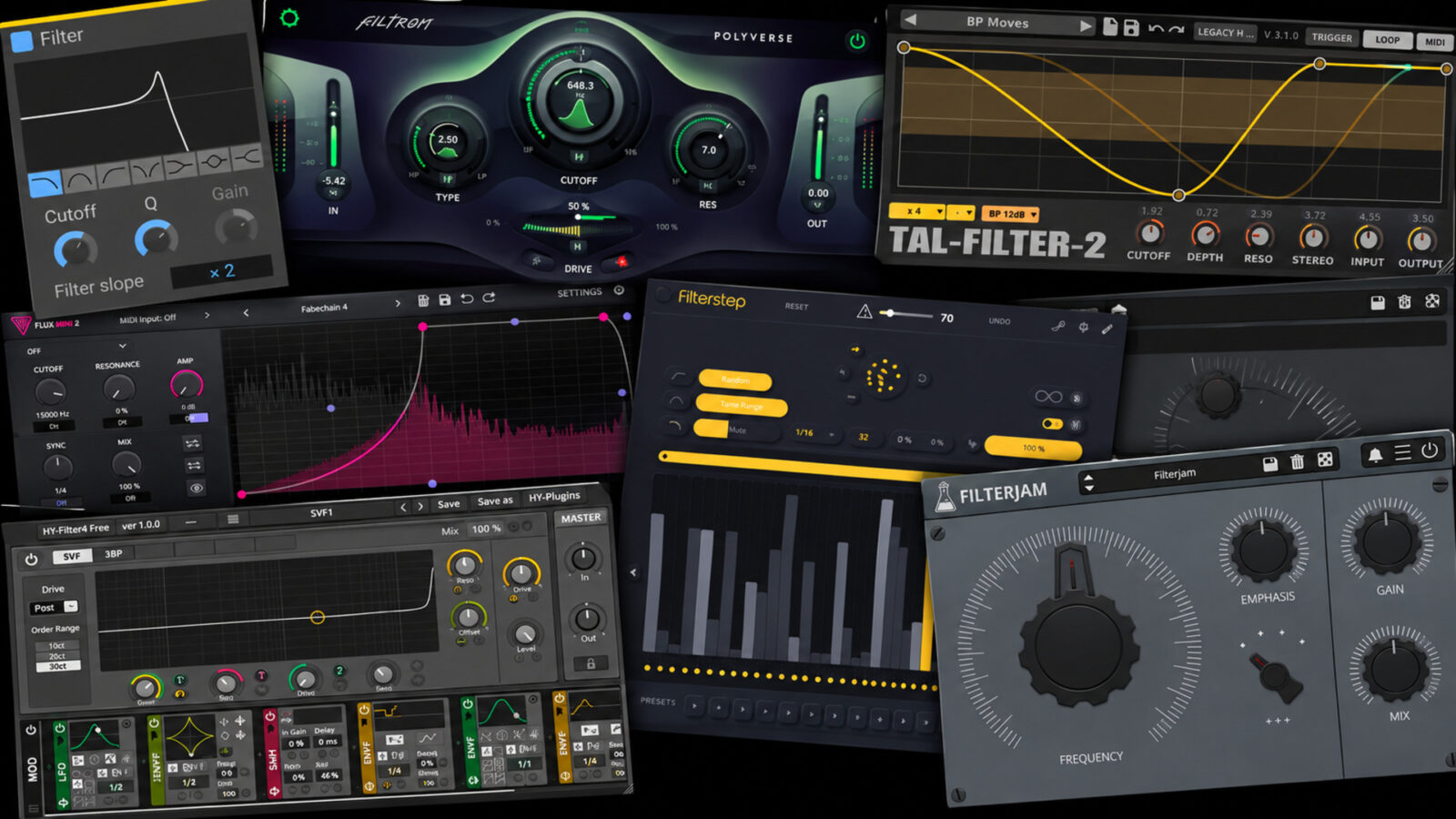
The best free filter plugins cover several different jobs. Some make a simple sweep easy. Others turn a held chord into a rhythm, add drive to a bassline, or push a loop somewhere much less predictable.
In this guide, I’ve picked seven options that each bring something different to a plugin folder. I’d start with Kilohearts Filter for straightforward tone shaping, Filtron for drive and resonance, and TAL-Filter-2 or Flux Mini 2 when the movement needs to follow a particular shape.
Best Free Filter Plugins: Quick Comparison
| Plugin | Where I’d start with it | Desktop systems | Worth knowing |
|---|---|---|---|
| Kilohearts Filter | Quick, conventional filter moves | Windows, macOS | Free through Essentials; modular hosts are separate |
| Polyverse Filtron | Driven sweeps and resonant sound design | Windows, macOS | CV modulation needs a routed modulation source |
| TAL-Filter-2 | Drawn filter, volume, and pan movement | Windows, macOS, Linux | Use the current downloads, not the old archives |
| Caelum Audio Flux Mini 2 | Shaping several parameters together | Windows, macOS | Free download goes through a Caelum account |
| Audiomodern Filterstep | Generated, tempo-synced filter patterns | Windows, macOS | Internet is required for delivery and activation |
| AudioThing Filterjam | Unusual multiband textures | Windows, macOS, Linux | Name and email are requested for desktop downloads |
| HY-Filter4 Free | A more flexible modulation setup | Windows, macOS, Linux | Choose Free Version, not the paid plugin’s demo |
1. Kilohearts Filter - For Getting a Simple Job Done
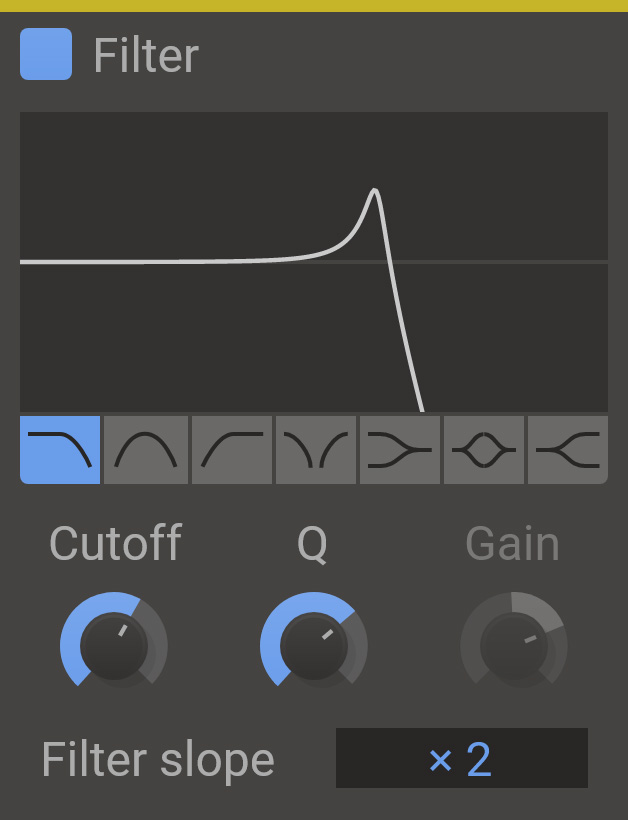
For example, when a filter sweep is all you need, a small control set helps you focus. Kilohearts Filter offers seven modes, including low-pass, high-pass, band-pass, notch, shelving, and peak responses. Cutoff and Q handle the main shaping, with gain available for the relevant modes.
I’d choose this when I already know the move I want and would rather automate a cutoff than build a modulation patch. As a result, its small control set also makes it a sensible starting point for learning what resonance changes.
The trade-off: the standalone Filter is not a drawn-envelope or pattern-generation tool. The paid Snap Heap and Multipass hosts extend the modular workflow, but neither is needed to use the free effect in a DAW.
Formats: VST, AU, and AAX, depending on the platform. Get it through the free Essentials collection on the Kilohearts Filter page.
2. Polyverse Filtron - A Free Filter Plugin for Driven Sweeps
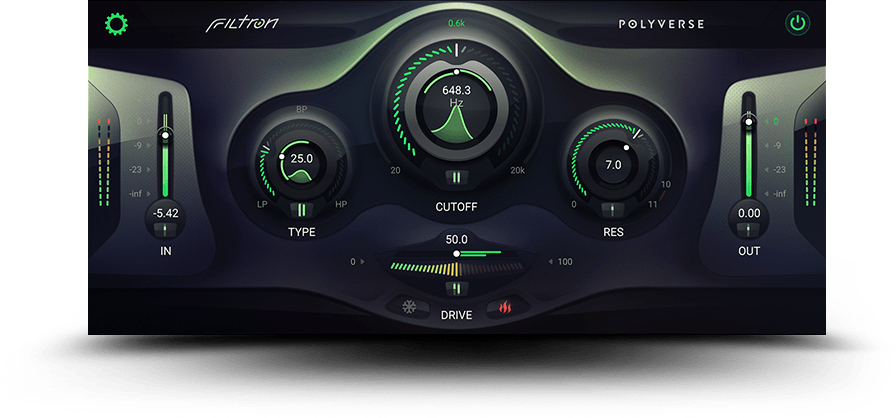
By contrast, Filtron puts drive and resonance at the center of its design. Its 12 dB filter moves continuously between low-pass, band-pass, and high-pass responses, with self-oscillating resonance, internal saturation, and two output-drive modes.
In particular, the attraction here is how filtering and distortion work together. So, for a bassline or synth part that needs more than a tidy high cut, I’d choose Filtron ahead of a utility filter.
The catch: CV modulation is routed through its sidechain. Gatekeeper is an optional companion, not a free built-in sequencer or a requirement for ordinary filtering. For that reason, start with modest resonance and output levels.
Formats: VST2, VST3, AU, and AAX on supported Windows and Mac systems. Download from the official Filtron page.
3. TAL-Filter-2 - Drawing Rhythms with a Free Filter
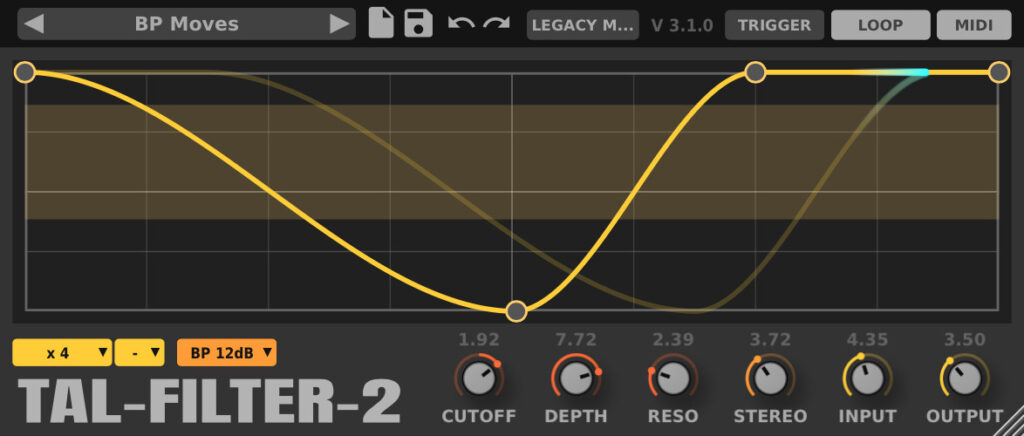
TAL-Filter-2 makes sense when a loop needs a particular rhythmic contour. Its host-synced modulation can target filtering, volume, or panning, making it useful for gated pads, moving percussion, and tremolo-style changes.
In particular, I’d use its graphical approach when a generated pattern feels too busy or the curve needs to match a phrase. For example, try a simple opening-and-closing shape on a sustained sound. Keep the depth low enough for the notes to remain clear.
Download: the current TAL-Filter-2 page lists Windows, macOS, and Linux builds and VST, VST3, AU, AAX, and CLAP formats. Match the package to your system; the separate old downloads are not the current edition.
4. Caelum Audio Flux Mini 2 - For One Shape Controlling Several Moves
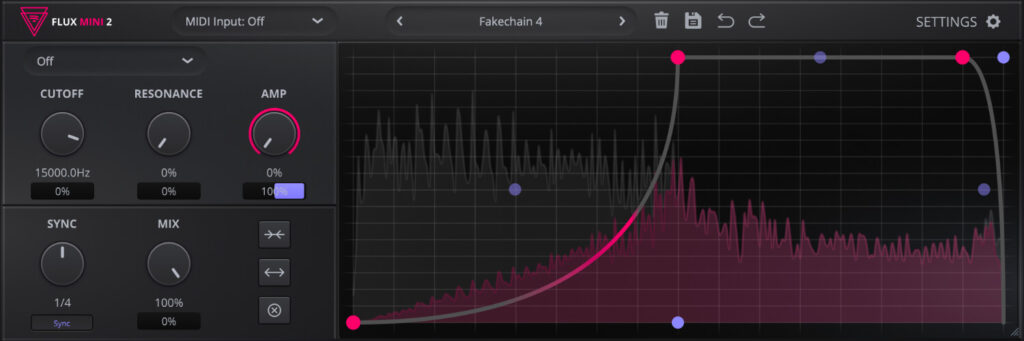
Similarly, Flux Mini 2 combines a drawable modulation graph with low-pass, high-pass, and band-pass filtering. In addition, the graph can control cutoff, resonance, amplitude, and mix, with individual depth controls.
Because one shape can change brightness and level together, I’d choose it over a basic filter for pumping textures. It also supports MIDI triggering and can send the graph as MIDI CC, although the receiving plugin and DAW must support the necessary routing.
Watch out for: a volume envelope that resembles sidechain pumping is not automatically reacting to a kick. Instead, choose the documented timing or trigger option that fits your part.
Formats: VST3 and AAX on Windows, plus AU on macOS, with native Apple Silicon support. Use Free Download on the Flux Mini 2 page; the download route requires a Caelum account.
Official demo: Caelum Audio’s walkthrough shows the graph-based workflow.
Caelum Audio Flux Mini 2 official demo
Loading this video connects to YouTube, which receives your IP address and may use cookies or other storage. Load it only if you agree.
5. Audiomodern Filterstep - A Free Filter Plugin for New Grooves
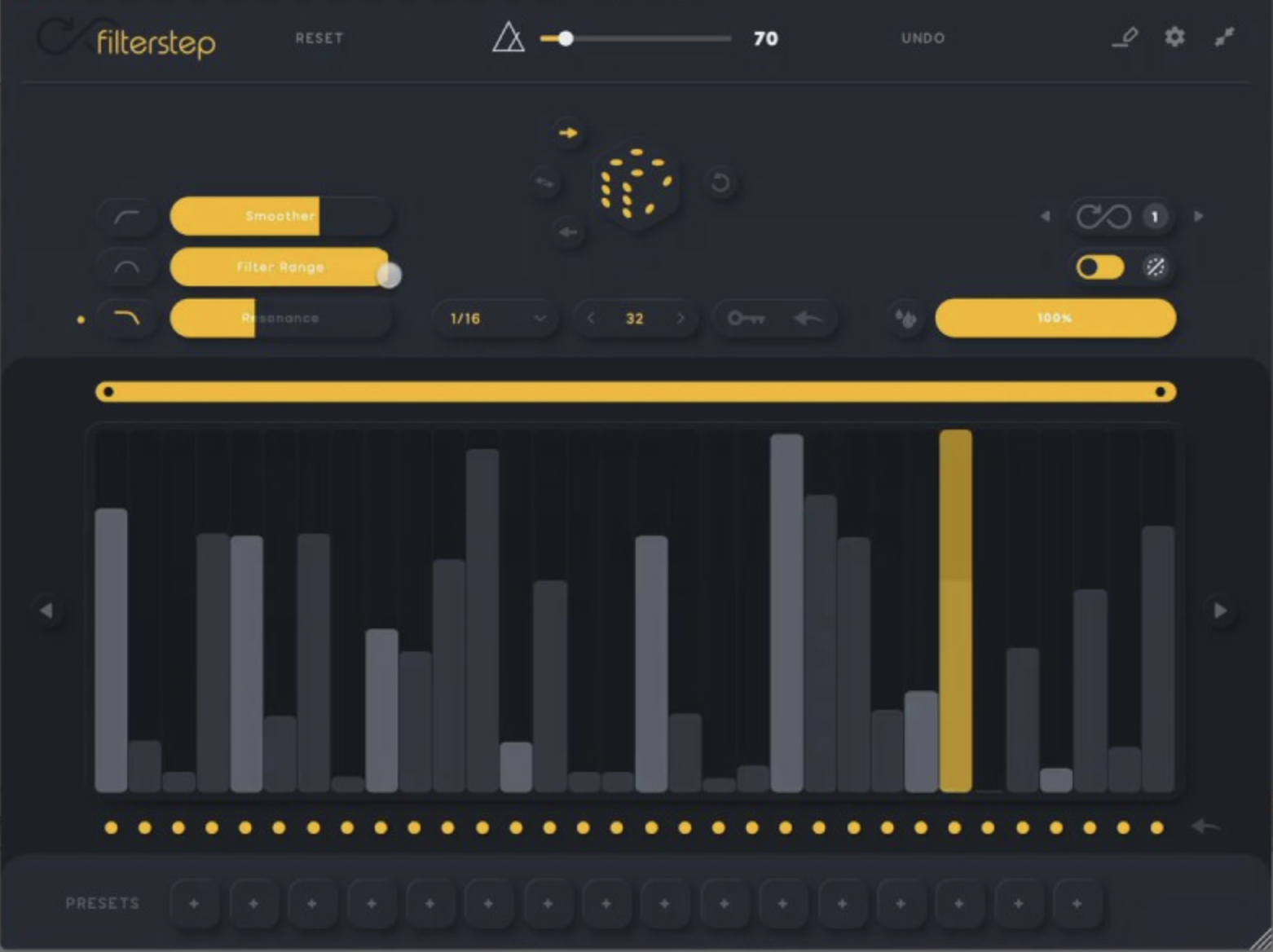
Filterstep is the choice I’d explore when a loop needs a new pulse but there is no fixed pattern in mind. To do this, it generates tempo-synced filter movement, with randomization, sequence-range controls, and an Infinity mode for evolving results.
Instead of drawing an exact envelope, you can try several generated patterns and keep the one that fits. For example, a static pad or repeated phrase can gain movement without any extra notes.
The trade-off: more randomization is not always a better arrangement. Instead, narrow the range and use the wet/dry control before deciding a pattern is too much.
Formats: the desktop edition is offered for Windows and Mac in VST, VST3, AU, and AAX formats, with standalone support. The developer specifies internet access for download delivery and activation. Get the free desktop edition from Audiomodern.
Audiomodern Filterstep official walkthrough
Loading this video connects to YouTube, which receives your IP address and may use cookies or other storage. Load it only if you agree.
6. AudioThing Filterjam - For Deliberately Unusual Textures
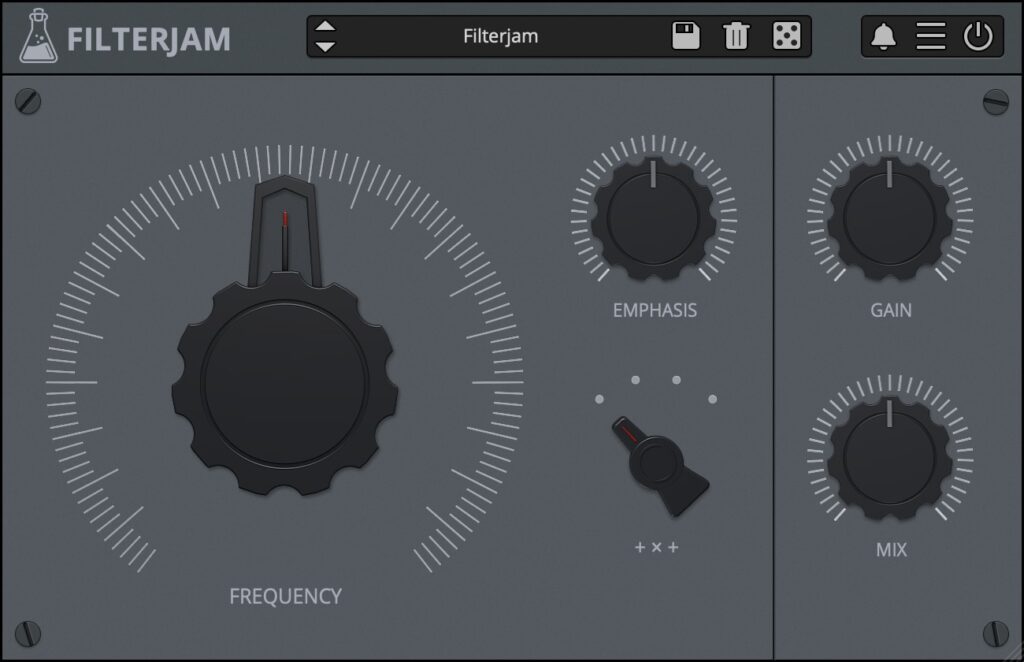
In contrast, Filterjam takes a less conventional route. First, it divides audio into four bands, then sums or multiplies them according to the selected mode. As a result, you can get textures that resemble ring modulation rather than a familiar filter sweep.
For example, I’d use it to turn a plain synth or acoustic loop into a contrasting layer. However, that is a different job from removing low-end rumble. Keep that distinction in mind before downloading it.
The compromise: its unusual character is a reason to use it sparingly, not evidence that every mix needs it. In addition, AudioThing provides oversampling options and a preset randomizer.
Download: desktop versions are available for Windows, macOS, and Linux in platform-appropriate VST2, VST3, AU, AAX, and CLAP formats. Enter a name and email on the official Filterjam page. No iLok is required.
AudioThing Filterjam official video overview
Loading this video connects to YouTube, which receives your IP address and may use cookies or other storage. Load it only if you agree.
7. HY-Filter4 Free - For Building a More Flexible Patch
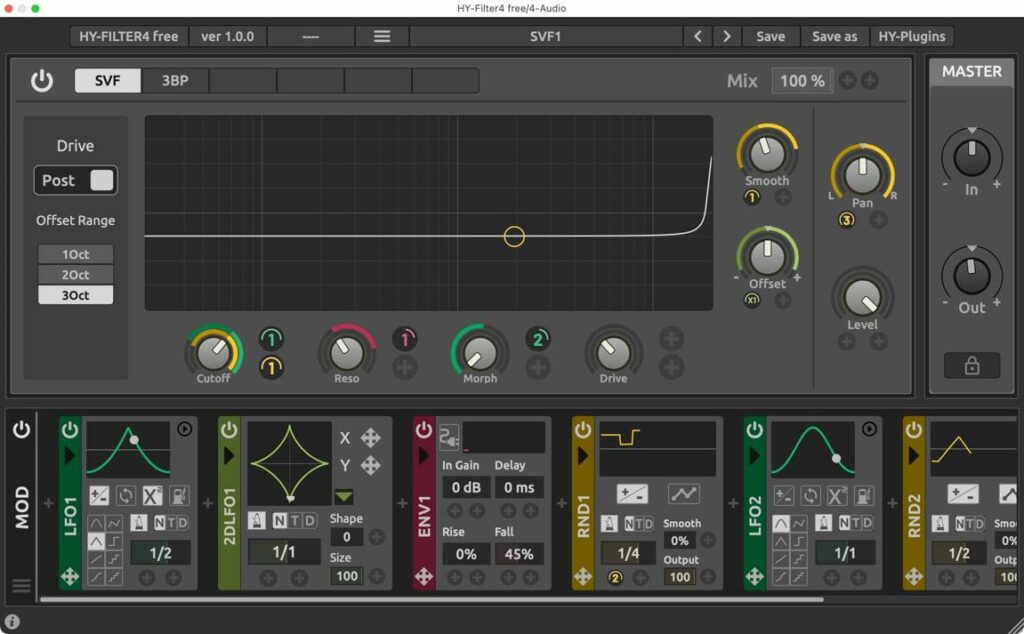
Finally, the free edition of HY-Filter4 has two filter engines, SVF and 3BP, and five modulator types: LFO, 2D LFO, random, envelope follower, and XY control. As a result, it offers several ways to move beyond a single repeating curve.
I’d shortlist it when modulation routing is part of the idea, especially if the same tool needs to work across Windows, Mac, and Linux setups. Although it takes more time to learn than a simple filter, the free edition offers a useful range of modulation choices.
Important: the paid version’s larger engine and effects list are not the free feature set. The separate demo periodically fades and restricts saving; the developer says the Free Version has no demo limitations.
Formats: VST2 and VST3 on Windows and Linux, plus AU on macOS. Choose the installer under Free Version on the HY-Filter4 page.
Choosing the Best Free Filter Plugins for Your Tracks
The best free filter plugins for your setup depend on the job you need to fill. Here’s where I’d start:
- For a clear, uncomplicated filter: start with Kilohearts Filter.
- For drive and strong resonance: look at Filtron.
- To repeat a specific shape: compare TAL-Filter-2 with Flux Mini 2.
- For an unexpected pattern: explore Filterstep.
- To create a strange layer: try Filterjam.
- When you need more modulation options: investigate HY-Filter4 Free.
Your stock DAW filter may already cover the first job. In that case, look for a plugin that adds a useful workflow or a type of movement you still need.
How to Compare Free Filter Plugins in Your DAW
To compare the best free filter plugins for your own setup, use the same short drum loop and sustained synth phrase in each one. First, match the cutoff ranges and keep the output levels close. Then compare each part on its own and within the arrangement.
Then try one task at a time: a gentle high cut, a resonant sweep, and a tempo-synced opening-and-closing pattern. However, not every plugin supports all three tasks directly, which is part of the comparison. A tool that makes your intended move quickly is more useful than a longer specification sheet.
These are suggested listening checks, not measurements made for this article. For more reading on a different filter design, see our Scream filter plugin article. Our reverse delay coverage explores another way to add movement without changing the underlying notes.
Best Free Filter Plugins: Common Questions
Do I need a filter plugin if I already have an EQ?
Not necessarily. Your DAW’s EQ may already handle low-pass and high-pass automation. Dedicated filters become interesting when their drive, resonance behavior, modulation, or interface makes a particular result easier to reach.
Are the free editions time-limited?
The links above point to free editions rather than temporary giveaways. HY-Filter4 has separate paid, demo, and free downloads, so choose the free one. However, some developers still ask for an account or email address to deliver the download.
Which options support Linux?
TAL-Filter-2, Filterjam, and HY-Filter4 list Linux desktop downloads. Before installing, check each developer’s format and distribution requirements.
Does every plugin include a built-in sequencer?
No. Filterstep centers on sequencing, while TAL-Filter-2 and Flux Mini 2 use graphical modulation. Kilohearts Filter is a simpler effect, and Filtron’s CV input depends on an external signal for that form of modulation.