
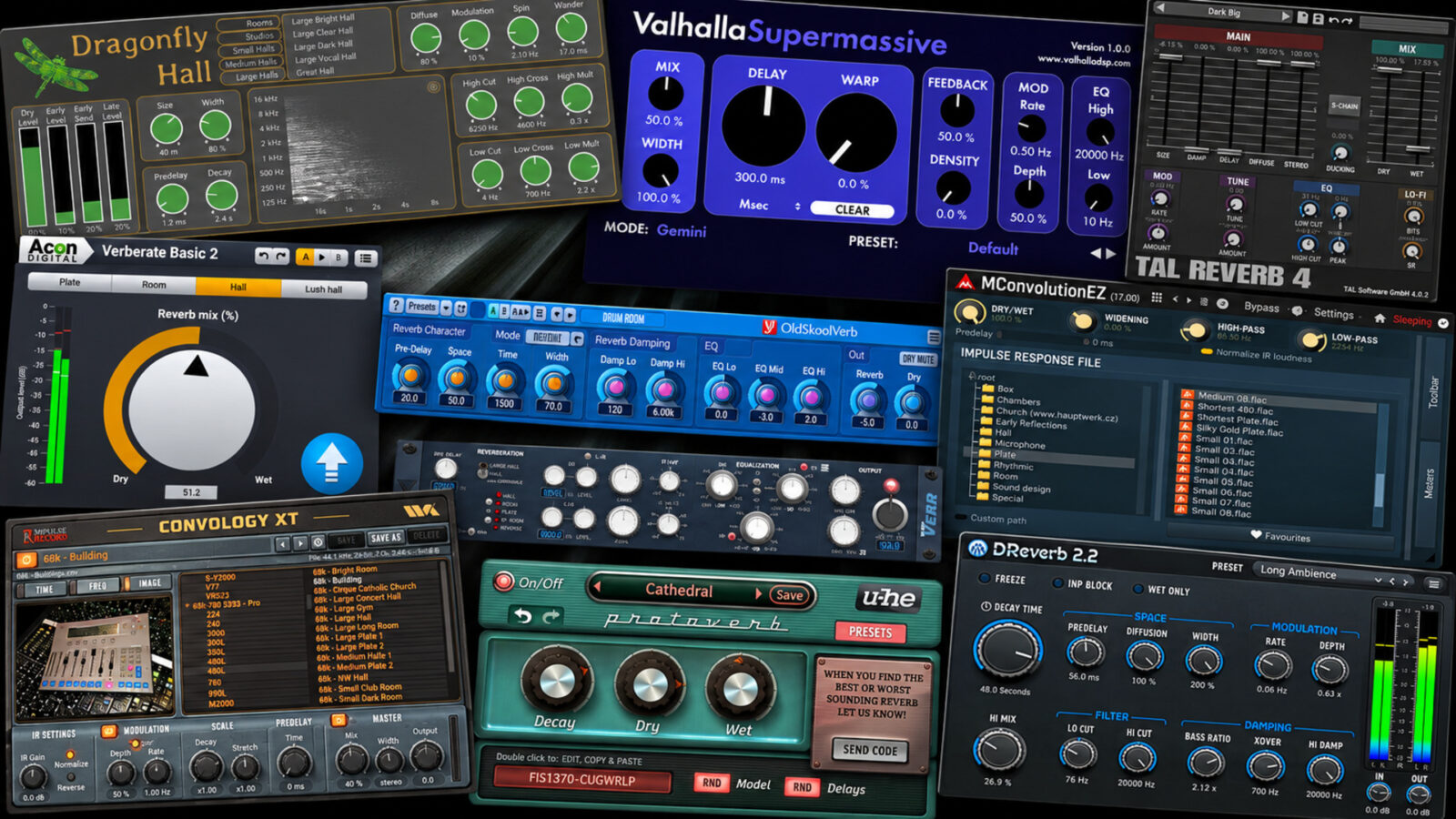
The best free reverb plugins don’t all solve the same problem. A short room can bring a dry recording into a mix. A plate gives a vocal a different kind of tail, while an enormous ambient space can turn a single note into the main event.
For this guide to the best free reverb plugins, I’ve picked ten options with different strengths. I’d start with Dragonfly for rooms and halls, TAL-Reverb-4 for a modulated plate, and Supermassive for longer, more adventurous spaces. There are also two convolution options if you prefer working with impulse responses.
All ten have free editions rather than temporary giveaway licenses. However, some include paid extras or platform limits. The comparison below makes those differences easier to spot before you download anything.
Best Free Reverb Plugins: Quick Comparison
| Plugin | Where I’d start | Systems | Worth knowing |
|---|---|---|---|
| Dragonfly Reverb | Natural Rooms and Halls | Windows, macOS, Linux | Four separate effects; choose the right build |
| Valhalla Supermassive | Big Ambient Spaces | Windows, macOS | Delay and reverb overlap; start with the right mode |
| TAL-Reverb-4 | A Modulated Plate Sound | Windows, macOS, Linux | Requires a stereo channel |
| Acon Digital Verberate Basic 2 | Four Quick Starting Points | Windows, macOS | Four programs and a mix control; limited editing |
| Voxengo OldSkoolVerb | Vocals, Piano, and Softer Attacks | Windows, macOS | Choose OldSkoolVerb, not the paid Plus edition |
| MeldaProduction MConvolutionEZ | Exploring Impulse Responses | Windows, macOS | Some convenience features need a paid bundle upgrade |
| Impulse Record Convology XT | Vintage Reverb Textures | Windows, macOS | 74 included IRs; larger libraries cost extra |
| Variety Of Sound epicVerb mkII | A Flexible Windows Option | Windows | VST2 and VST3; no Mac or Linux version |
| Stone Voices DReverb | Long Tails and Frozen Textures | Windows, macOS | Check the Mac build against your system |
| u-he Protoverb | Unpredictable Room Characters | Windows, macOS, Linux | Experimental researchware, not a conventional room editor |
1. Dragonfly Reverb - A Free Reverb Plugin for Rooms and Halls
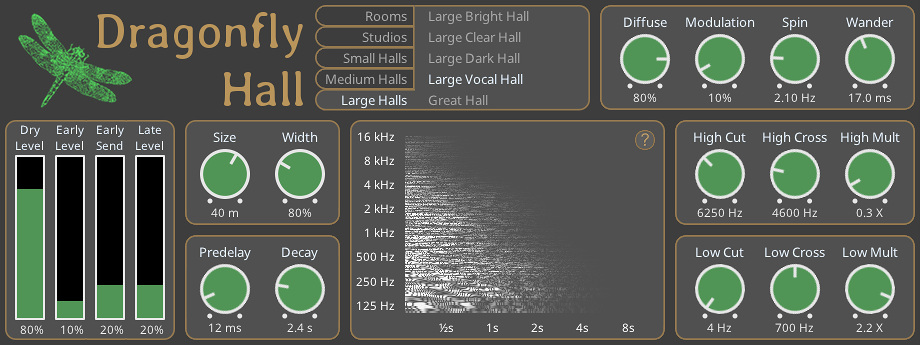
Among the best free reverb plugins for a first download, I’d put Dragonfly near the top of the list. The suite gives you separate Hall, Room, Plate, and Early Reflections plugins, so you can choose a space without treating every source as an ambient effect.
For example, a small room can give a dry percussion loop some shared surroundings. A hall serves a different purpose: it lets a piano or string part reach further into the background. Keeping those jobs separate makes the choice easier.
The Hall plugin also separates dry, early, and late levels. That matters when you want a sense of distance without a long wash behind every note. On a send, start with the dry level down, then balance the early reflections against the tail.
One detail deserves attention: Hall presets don’t change those level controls. Consequently, a preset change may need a quick balance adjustment. Downloads cover several systems and formats, including VST3, CLAP, and LV2 builds; pick the package that matches your host.
Get Dragonfly Reverb from the official website.
2. Valhalla Supermassive - Big Ambient Spaces
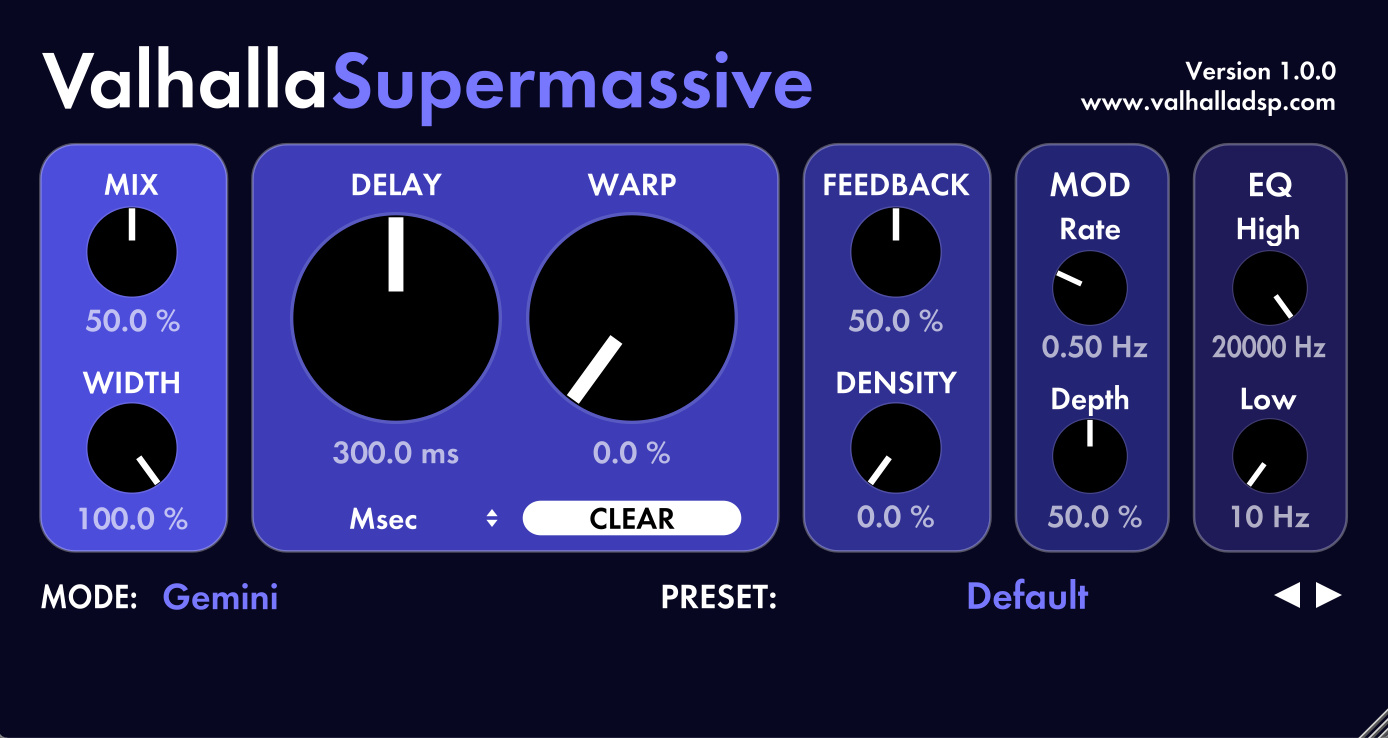
Supermassive would be my starting point for an enormous synth trail or a transition that keeps unfolding after the original sound stops. It combines delay networks with reverb, rather than simply offering a conventional room with a longer decay knob.
However, the mode makes a substantial difference. Some algorithms build slowly or leave distinct echoes, while others create denser spaces. The current version includes 22 modes, so it’s worth changing that choice before trying to rescue an unsuitable starting point with the other controls.
For a pad, I’d first find a mode with the right buildup, then adjust Delay, Warp, and Density. After that, I’d shorten the feedback or darken the return if the next chord starts fighting the previous one. That approach gives each control a clear purpose.
This is a free plugin, not a trial, and Valhalla doesn’t require an authorization key. Although its huge spaces attract attention, modes such as Pleiades and Sirius also broaden its usefulness beyond long, slowly blooming effects. The official page includes audio examples.
Get Valhalla Supermassive from the official website.
3. TAL-Reverb-4 - A Free Reverb Plugin for Plates
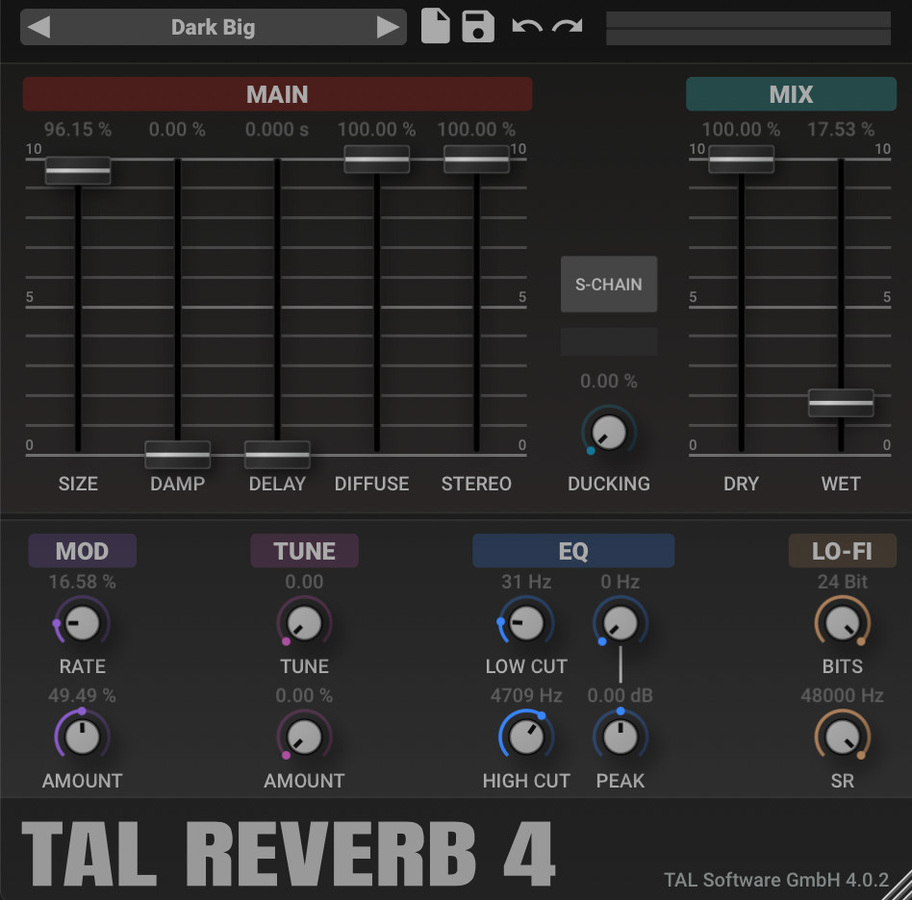
If the arrangement needs a plate rather than a believable room, I’d look at TAL-Reverb-4. Among the best free reverb plugins for a plate sound, its modulated character suits a different brief from a clean acoustic simulation: give the source a tail with some movement and personality.
A vocal phrase or snare makes a useful starting point. First, set a length that leaves room for the next hit or line. Then use the tone controls to keep the tail from competing with the source. More decay doesn’t automatically make the part feel bigger in the mix.
The current version also includes ducking. That gives you another way to keep the effect behind the direct signal before it rises between phrases. Meanwhile, the extra sound-shaping controls let the plate move further from a restrained mix treatment.
One practical limitation comes before any of those choices: TAL-Reverb-4 works on stereo channels. Therefore, route a mono source to a stereo return if your host needs that setup. Choose the current free download rather than an older archived build.
Get TAL-Reverb-4 from the official website.
TAL-Reverb-4 official demonstration
Loading this video connects to YouTube, which receives your IP address and may use cookies or other storage. Load it only if you agree.
4. Acon Digital Verberate Basic 2 - A Simple Free Reverb Plugin
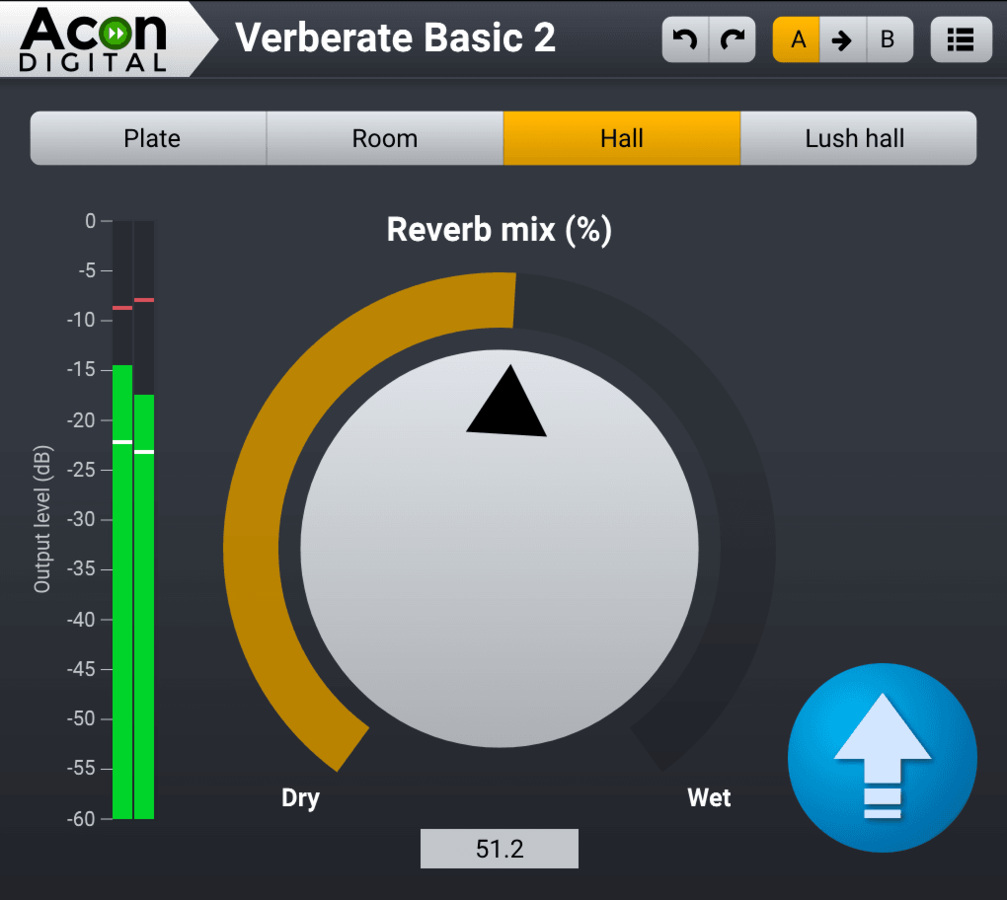
Sometimes I’d rather choose a useful space and carry on arranging. Verberate Basic 2 fits that approach with four programs: Plate, Room, Hall, and Lush Hall. A mix control sets how much effect joins the source.
For instance, Room offers a sensible first stop when a dry part needs some surroundings. Hall or Lush Hall shifts the decision toward a larger space. Since the choices stay deliberately small, you can compare them without browsing a long preset collection.
The trade-off is equally clear. This edition doesn’t give you an editable decay time or pre-delay control. If the selected program has the wrong length for a busy vocal, lowering the mix won’t solve every conflict. In that case, I’d choose a more adjustable plugin from this guide.
Importantly, Basic 2 has its own free full-version download. The paid Verberate 2 is a different product. That distinction makes this an uncomplicated option when you want a small set of choices, provided those choices fit the track.
Get Acon Digital Verberate Basic 2 from the official website.
5. Voxengo OldSkoolVerb - Vocals, Piano, and Softer Attacks

OldSkoolVerb covers plate, room, and hall-style spaces without asking you to manage an impulse-response library. Voxengo particularly recommends it for softer attacks, including vocals, piano, and pads. That gives it a clear place beside the more experimental choices here.
For a piano passage, I’d start by matching the tail to the gaps between phrases. Next, I’d shape the return so it supports the instrument instead of hiding its articulation. A large space can sound impressive alone yet crowd the same passage once bass and drums return.
It isn’t restricted to gentle material, either. Voxengo also points to plate-style settings for percussive sources. However, I’d use that as a specific alternative rather than assume every room setting will suit a sharp transient.
The regular OldSkoolVerb remains free. OldSkoolVerb Plus adds a separate paid feature set, so check the product name before downloading. Current Windows and Mac installers are available from the developer; match the plugin format to your DAW.
Get Voxengo OldSkoolVerb from the official website.
6. MeldaProduction MConvolutionEZ - A Free Convolution Reverb Plugin
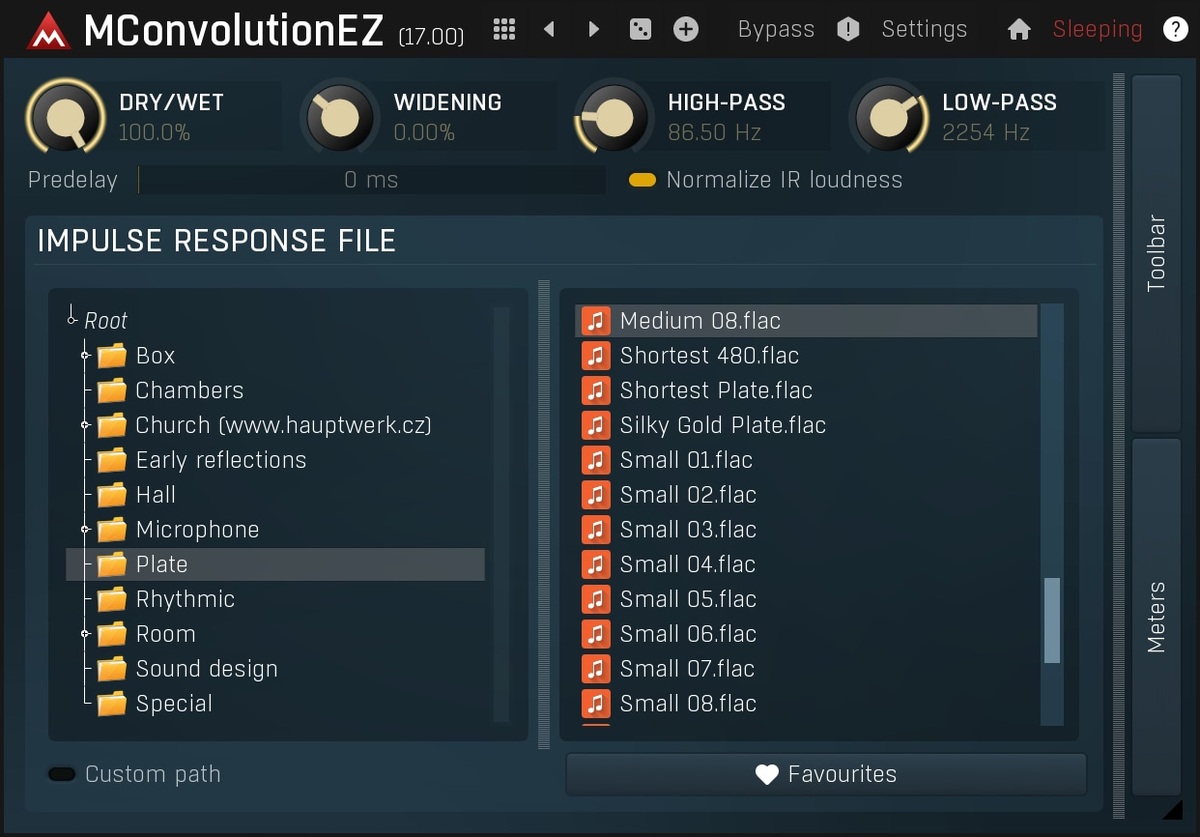
MConvolutionEZ changes the workflow. Instead of building a tail entirely from an algorithm, it loads impulse responses, usually shortened to IRs. Those files capture a particular response that the plugin applies to your signal.
As a result, the IR choice does much of the creative work. You can browse rooms, halls, plates, and other material, or load your own files. An unusual response may also produce a useful effect rather than a realistic space, which makes convolution worth exploring for sound design.
I’d start with a few clearly different IRs and keep their apparent levels close while comparing them. Otherwise, a louder response can win the comparison for the wrong reason. Then use the high-pass and low-pass controls to leave room for the rest of the arrangement.
The effect belongs to MFreeFXBundle. Its optional paid upgrade adds conveniences such as interface resizing and extended preset management, and removes the upgrade banner. Those extras don’t turn the underlying reverb into a timed trial. Select the free effect in the installer and skip the upgrade unless you need it.
Get MeldaProduction MConvolutionEZ from the official website.
7. Impulse Record Convology XT - Vintage Reverb Textures
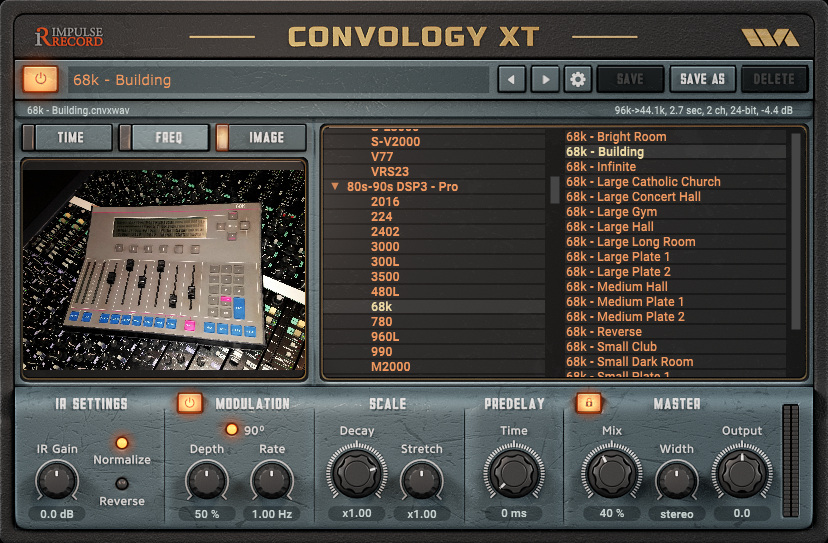
Convology XT is another convolution option, but I’d choose it for a different starting library and its editing controls. The free package currently includes 74 impulse responses, including four true stereo files. The much larger commercial collections are separate purchases.
That distinction matters because a library demonstration can make the free package look larger than it is. Even so, you can load your own compatible IRs, so the included material doesn’t set a permanent boundary around the plugin.
Compared with a simple IR player, controls such as stretch, decay, pre-delay, and EQ give you more room to reshape a response. For example, I’d shorten a promising vintage tail before rejecting it because it overwhelms a tight arrangement. Reversing a response opens a different route for transitions.
The developer says the free plugin has no time limit and needs no iLok. However, its registration process still asks you to complete the licensing steps. Follow the free product’s instructions, and check the current installer against your DAW and operating system.
Get Impulse Record Convology XT from the official website.
Convology XT official overview
Loading this video connects to YouTube, which receives your IP address and may use cookies or other storage. Load it only if you agree.
8. Variety Of Sound epicVerb mkII - A Flexible Windows Option

For a Windows setup, I’d keep epicVerb mkII in the comparison. Its dual-engine design and true stereo signal path give it a broader role than a single-purpose special effect. The mkII update also brings a revised early-reflection section and a more practical preset browser.
Early reflections deserve some attention here. They help establish the impression of a space before the longer tail becomes the obvious part of the sound. Consequently, I’d try balancing that part of the effect before increasing the overall decay.
The high and low shelving controls offer another useful route when a return crowds the mix. For instance, reducing low-frequency buildup can preserve the impression of a large space while leaving the bass part clearer. The aim is a better fit, rather than simply less reverb everywhere.
This pick comes with a firm platform limit: epicVerb mkII is free for Windows in VST2 and VST3 formats. Mac and Linux users should choose another option here. Use Variety Of Sound’s downloads page for the current release.
Get Variety Of Sound epicVerb mkII from the official website.
9. Stone Voices DReverb - A Free Reverb Plugin for Long Tails
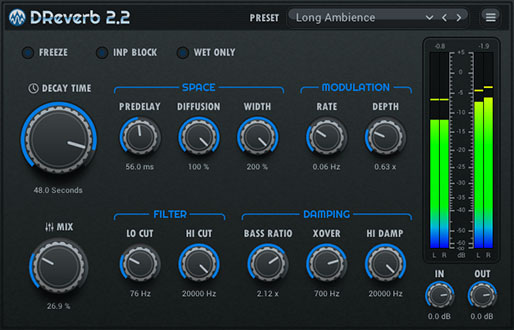
DReverb offers a wide decay range, from 0.1 to 100 seconds, plus a freeze function. I’d put it on the shortlist when the tail needs to become part of the arrangement, rather than stay behind the original instrument.
For example, a brief chord can supply the start of a sustained background texture. First, establish a useful tone with a shorter decay. Then extend or freeze the space and decide how the next part enters around it. Starting with the extreme setting can make that decision harder to hear.
Still, the maximum decay doesn’t define every use. Shorter settings leave room for ordinary mix duties, and the preset collection gives you several starting points. The resizable vector interface also helps when you want a clearer view of the controls.
Windows downloads include VST2 and VST3 builds. The Mac download lists VST2, VST3, and AU, but the current package carries an x86_64 label. Therefore, Apple Silicon users should check host and compatibility requirements before choosing it for a new project.
Get Stone Voices DReverb from the official website.
10. u-he Protoverb - Unpredictable Room Characters
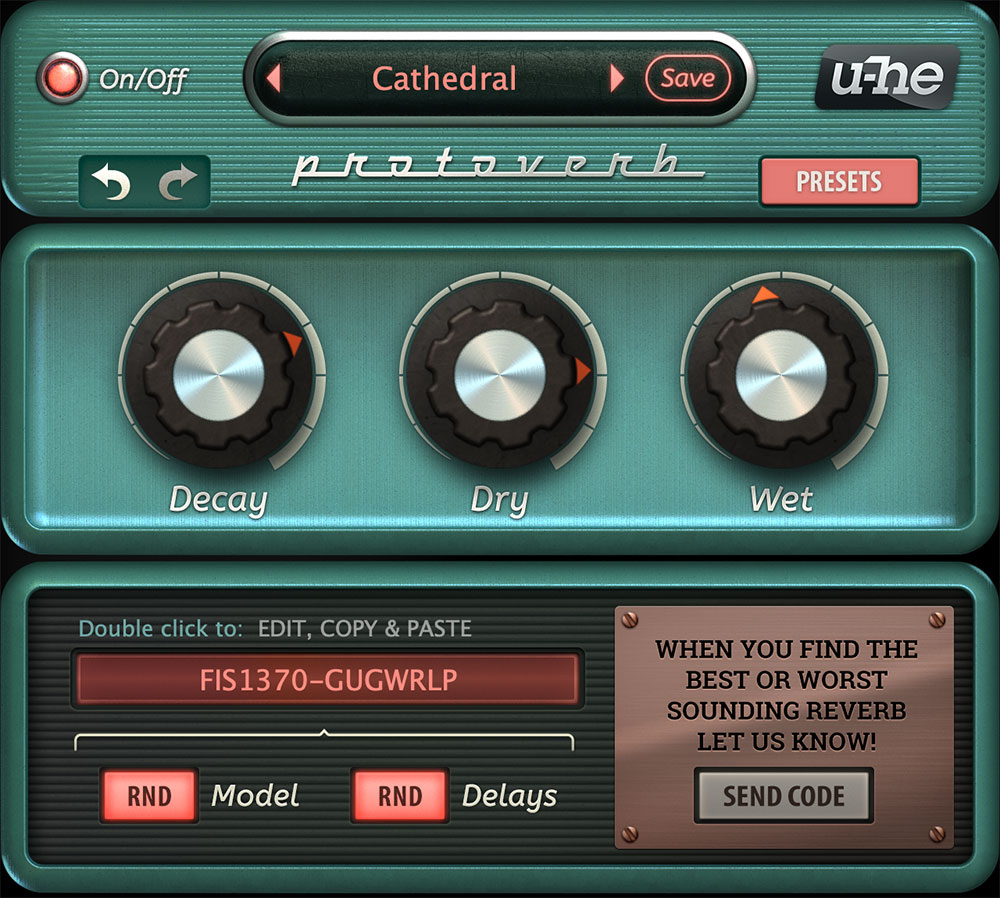
Protoverb takes the least conventional route in this selection. u-he describes it as experimental researchware, with randomized delay networks that explore room-like resonances. That makes it an interesting choice when the familiar room, plate, and hall categories stop helping.
Rather than dial in a precise room dimension, you generate a configuration and judge the result. I’d use a short, repeated phrase for that comparison. It keeps the source consistent while the space changes, so a useful character becomes easier to spot.
After finding something promising, save the setting before trying another variation. Then adjust the decay and wet level around the arrangement. A distinctive room can give a plain synth part an identity, but that same character may distract from an exposed lead vocal.
The plugin is free and doesn’t need a serial number. Current downloads cover Windows, Mac, and Linux, although formats and support differ between platforms. In particular, don’t assume an older Mac AAX archive offers the same compatibility as the current Mac build.
Get u-he Protoverb from the official website.
Which Free Reverb Plugin Should You Choose?
I’d download two or three that cover different jobs first. For example, Dragonfly plus Supermassive gives you a practical acoustic-space option alongside a much more expansive effect. Add TAL-Reverb-4 if a modulated plate suits your material.
Alternatively, start with Verberate Basic 2 when you want fewer decisions. Even the best free reverb plugins involve trade-offs. Its limits can be useful while arranging, although they become restrictive when a specific pre-delay or decay adjustment matters. For Windows users, epicVerb mkII offers a more adjustable alternative.
For convolution, I’d compare MConvolutionEZ and Convology XT using the same external IR where possible. That separates your opinion of the player from your opinion of its included library. Meanwhile, DReverb and Protoverb make more sense when you want to explore a texture rather than recreate one particular room.
How to Fit Free Reverb Plugins Into a Busy Mix
First, decide what the effect should add. If the source needs a shared space, a short room may do the job. If it needs a trailing gesture between phrases, a plate or longer hall may fit better. That decision is more useful than choosing the longest preset.
On an auxiliary send, set the plugin’s dry signal to zero or its mix to fully wet, then control the amount with the send and return. Otherwise, you may add another copy of the original signal while trying to judge the effect. On an insert, adjust the wet/dry mix instead.
Next, listen with the arrangement playing. Shorten the decay if tails cover the following phrase, or try pre-delay when the plugin offers it. Pre-delay leaves a gap before the effect arrives; it doesn’t remove a tail that is simply too long.
The best free reverb plugins still need space in an arrangement. Finally, shape the return if it crowds the bass or makes consonants splashy. You can use the reverb’s filters or a separate EQ. For a resonant or moving return, a dedicated filter also adds another creative option. Try the same phrase with and without the effect before deciding that more processing helps.
Best Free Reverb Plugins: Common Questions
Do free reverb plugins need an account?
Some do, while others offer direct downloads. For example, Convology XT has licensing steps despite its free price. Supermassive doesn’t need an authorization key. Follow the official instructions for the edition you choose, rather than assuming every free download uses the same process.
Should I choose algorithmic or convolution reverb?
Algorithmic reverb generates a space with a network of delays and other processing. Convolution applies an impulse response to your signal. I’d choose the former for flexible changes and evolving textures, or explore the latter when a particular response supplies the character I want. Neither method guarantees a better result in every mix.
Can these free reverbs replace my DAW’s stock plugin?
They can offer different controls or characters, but your stock reverb may already suit the track. Start there if it meets the brief. Then add a free plugin when you can name the missing job, such as a frozen tail, a particular IR, or a more unusual ambient buildup.
Which options work on Linux?
Dragonfly, TAL-Reverb-4, and Protoverb provide Linux downloads. However, check the available format and your host’s requirements before installing. Protoverb’s Linux support also differs from its Windows and Mac support, so read the current download notes.