
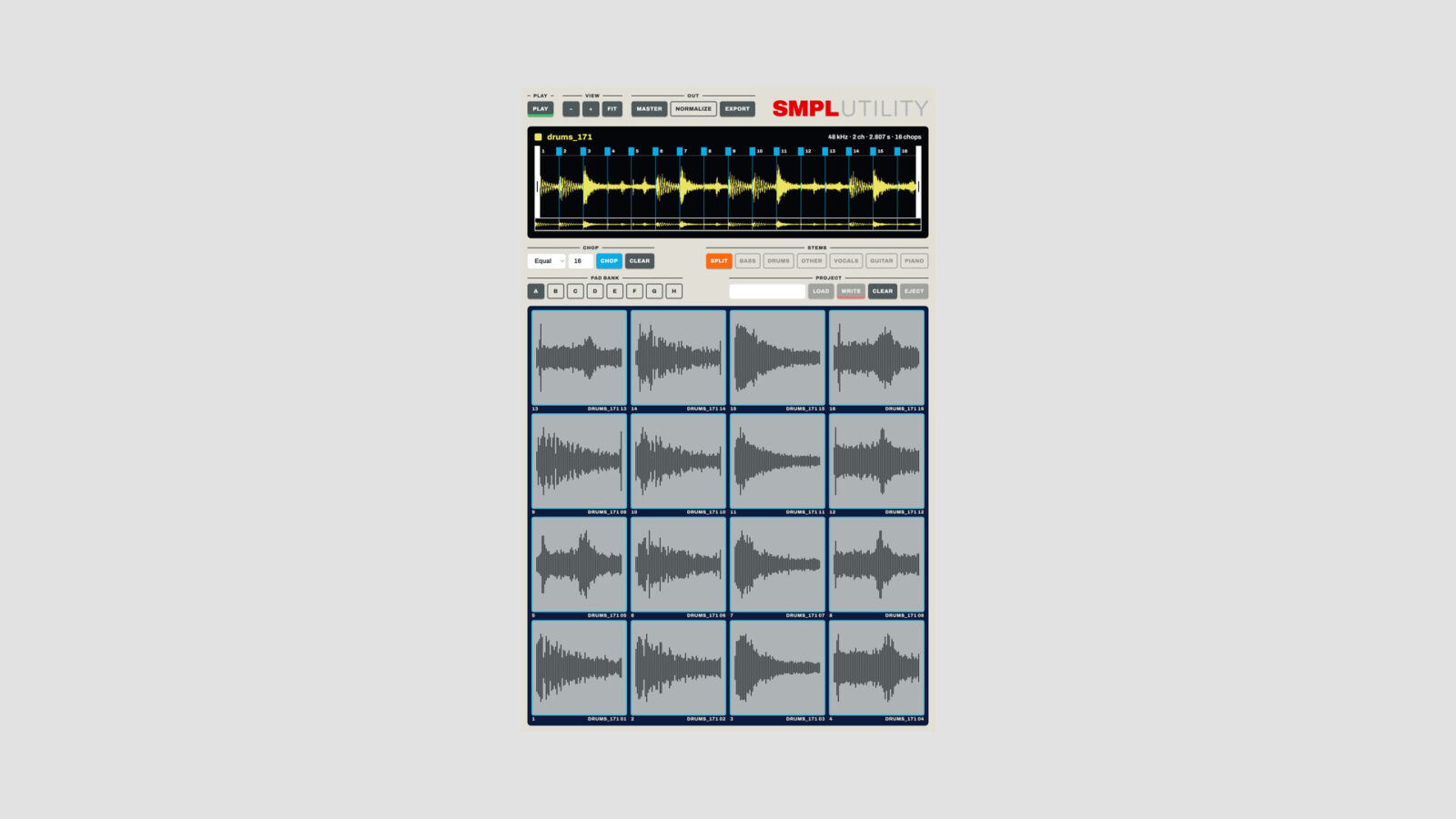
Gazillion Industries has released SMPLUTILITY, free sample editing software built around the Akai MPC Sample. The standalone Mac and Windows app combines sample transfers, chopping, stem separation, and export in one desktop window.
If you use that hardware, the appeal is straightforward: prepare a sound on the computer, send the chops to pads, and return to the sampler. The USB-C workflow keeps the microSD card in the unit, although it still relies on that card and the MPC Sample’s SD Card Access mode.
Free Sample Editing Software with Six-Stem Separation
The editor offers Equal, Auto, and Manual chopping. You can add points by double-clicking the waveform, move them by dragging, or drop markers during playback in Manual mode. From there, drag a chop to a pad or send a chopped sound across the pads that follow.
The SPLIT function separates audio into bass, drums, vocals, guitar, piano, and other. Each stem has an individual switch, so you can remove parts before chopping the remaining mix. That gives you a useful way to approach a dense recording without committing to its original arrangement.
I’d start by isolating the part you actually need, then trim and chop that result. It is easier to build a playable pad layout around a few deliberate fragments than a screen full of unused slices.
SMPLUTILITY also loads installed and activated Gazillion effects inside its FX section. HEAR previews the processing, while PRINT commits it to the sound. This does not mean every commercial Gazillion plugin comes free with the app.
Moving Sounds Back to the Hardware
Name the project and use WRITE to send it back. Reusing a name updates that project; a new name creates another one. The app ejects the card when it finishes, and you then leave SD Card Access on the MPC Sample to load the project.
That transfer mode is separate from normal playing. You cannot treat it as a background file connection while continuing to use every hardware function. The developer’s setup manual explains the sequence.
You can also export chops as WAV files. NORMALIZE works on the exported files, while MASTER processes the section between the trim handles. I’d keep an unprocessed export as well whenever the source is something you may want to revisit.
If you want to shape the exported chops inside your DAW, our free filter plugin guide covers several tools for that stage.
Requirements and Free Download
- Mac: Intel or Apple Silicon, macOS 12 or later. Stem separation requires macOS 14 or later.
- Windows: 64-bit.
- Hardware transfer: MPC Sample firmware 1.2.0 or later, with SD Card Access enabled.
The free download includes a license key. Activate it once, then use the app offline. Get SMPLUTILITY from Gazillion Industries.