
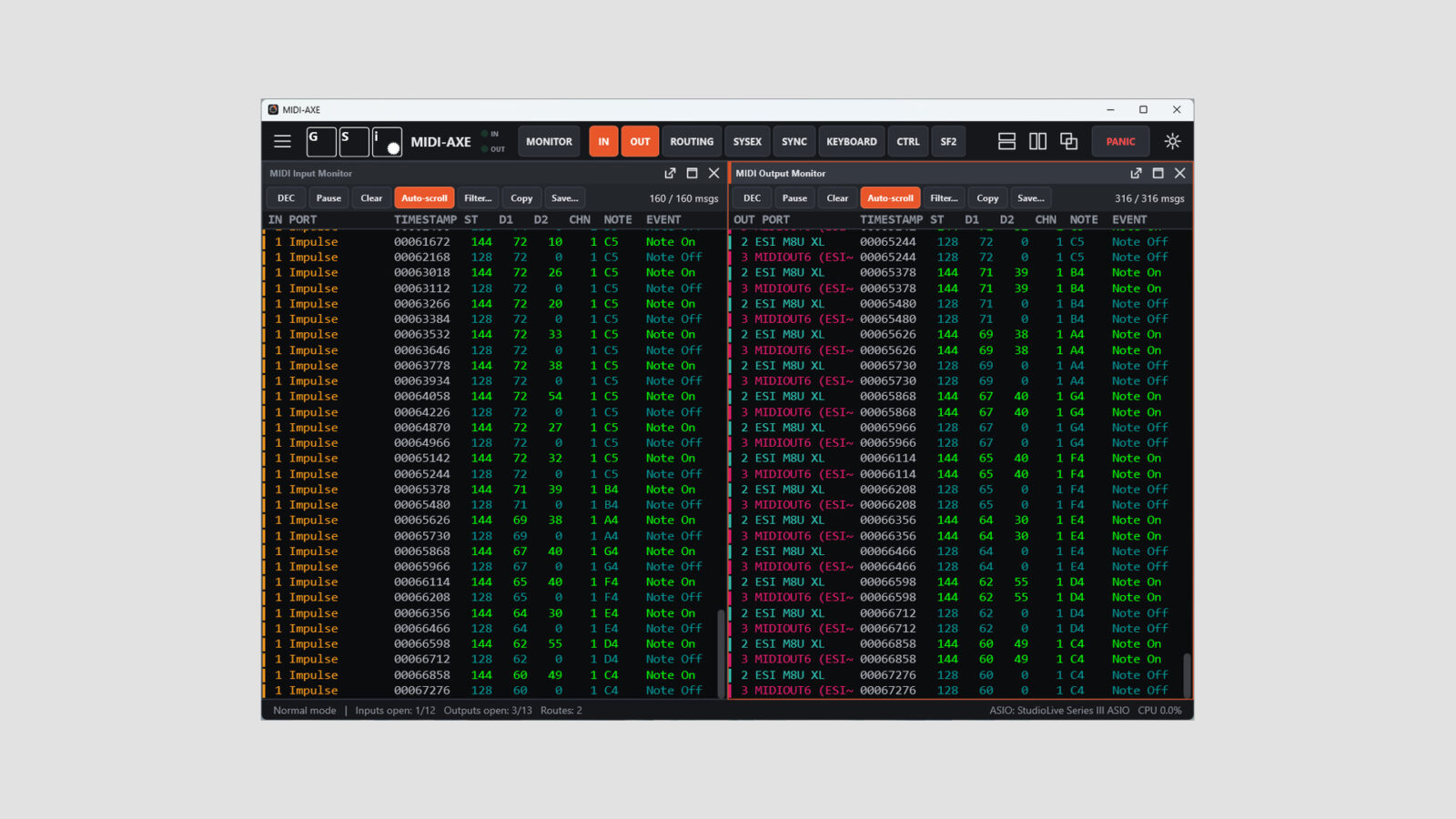
GSi has released MIDI-AXE, free MIDI routing software for Windows and macOS. It also combines a message monitor, SysEx librarian, clock tools, and an on-screen controller surface. This is a separate utility, rather than an audio effect you insert on a track.
This is the kind of tool that becomes useful when a controller appears connected but a setup still doesn’t behave as expected. Instead of changing settings at random, you can inspect the incoming data, check the routing, and see where the message goes next.
Free MIDI Routing Software with a Clear View of Each Port
MIDI-AXE provides separate input and output monitors. Port names and colors appear alongside the messages. You can switch between hexadecimal and decimal views, filter by message type or channel, and save a log for later inspection.
A one-click Monitor mode listens to every input at once. Meanwhile, the routing matrix uses a grid of inputs and outputs: select a crossing to connect the two. This makes a simple connection visible without burying it in several separate device windows.
The application remembers port selections by name. It also reopens disconnected USB devices when they return, so unplugging a keyboard doesn’t have to mean rebuilding every connection from scratch.
Free MIDI Software for SysEx, Clock, and Controllers
The SysEx scratchpad can receive and save dumps, load message files, and send data to a chosen output. It also includes timing controls for devices that need a slower transfer. For older hardware, that is a more useful detail than assuming every device can accept the same stream at full speed.
Clock tools cover both monitoring and generation of MIDI Clock and MIDI Time Code. In addition, an on-screen keyboard and 16 assignable sliders let you generate notes and controller messages without reaching for another piece of hardware.
I’d start with one known connection while troubleshooting. Send a note, confirm the input, then check the selected output. With a software instrument such as Crystal at the receiving end, check one note before adding the next route. A large matrix is easier to trust when its smaller connections already make sense.
A Built-In SF2 Player
MIDI-AXE also includes an SF2 SoundFont player. It can receive input from the connected ports, the on-screen keyboard, or the sliders, giving you a way to hear a response as well as watch messages arrive.
The player supports Windows audio options including ASIO, with CoreAudio on macOS.
Free Download
Get the Windows or Mac version through the GSi Download Center. The official MIDI-AXE page explains the individual tools and port behavior in more detail.