
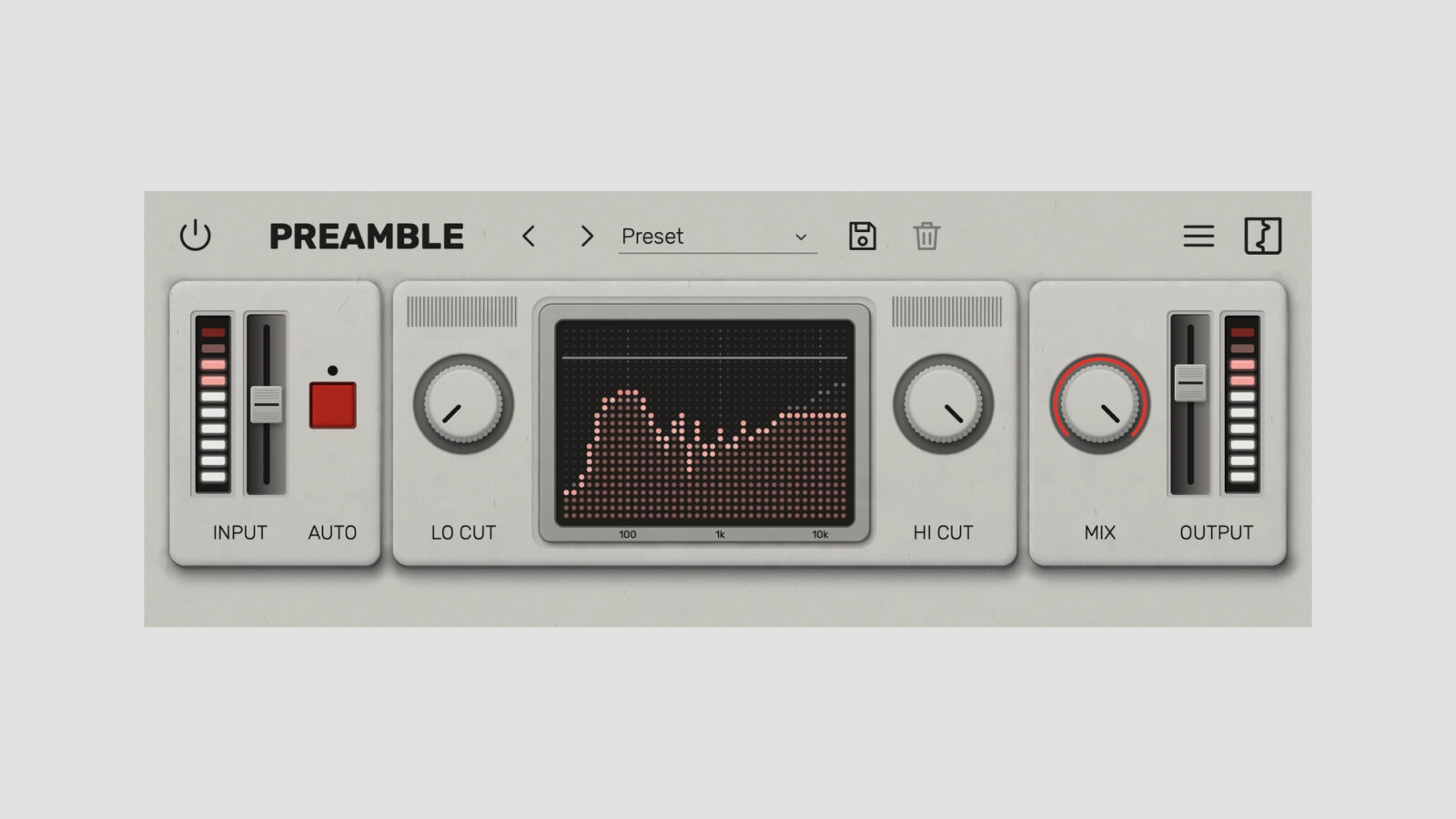
Reasonable Audio has released Preamble, a free preamp distortion plugin based on the input stage of a bucket-brigade delay pedal. The delay itself isn’t part of the effect. Instead, Preamble isolates the preamp for use on guitars, synths, drums, and other sources that could use a different edge.
The project grew out of Buckets, the developer’s upcoming analog delay workstation. However, Preamble is a separate free plugin, with its own filters, parallel mix control, and oversampling options.
A Free Preamp Distortion Plugin with Level Matching
Input level controls how hard the signal drives the modeled stage. The Auto gain option compensates for the level change as you increase that drive, making it easier to compare tone without simply favoring the louder setting.
For an edgy guitar DI, I’d start with a modest input setting before the amp simulator. Then increase it until the extra character has a clear role. A strongly distorted preamp feeding an already distorted amp can quickly become a different sound from a small amount of conditioning at the front of the chain.
The Lo cut and Hi cut filters act on the wet path after the preamp. Consequently, you can narrow or darken the distorted layer while keeping the dry signal’s original range. The analyzer also works as a touch pad for moving those filter limits together.
Mix blends the processed and original signals. With Auto gain enabled, that control becomes particularly useful for bringing in a stronger treatment without making the whole source equally aggressive. Finally, Output sets the level after the blend.
Oversampling and Official Demonstration
Preamble offers 2x and 4x oversampling, presets, scalable light and dark interfaces, and input/output metering. The developer describes a neural-modeling process for capturing the pedal’s preamp behavior.
The video below comes from Reasonable Audio. The product page also provides dry and processed audio examples for comparing the treatment on several sources.
Reasonable Audio Preamble official demonstration
Loading this video connects to YouTube, which receives your IP address and may use cookies or other storage. Load it only if you agree.
Free Download and System Requirements
A free Reasonable Audio account is required to activate Preamble. Desktop downloads cover Windows, macOS, and Linux, with VST3, AU, CLAP, and AAX formats available according to platform. The iOS AUv3 edition is still listed as coming soon.
Check the requirements before installing: the page lists macOS 12 or newer, Windows 10/11 64-bit, and Ubuntu 24.04 or newer, plus an AVX2-capable Intel/AMD CPU where applicable. If you’re also exploring tape-style processing, TheMachine takes a different route to adding character.
Claim Preamble through the official download page.