
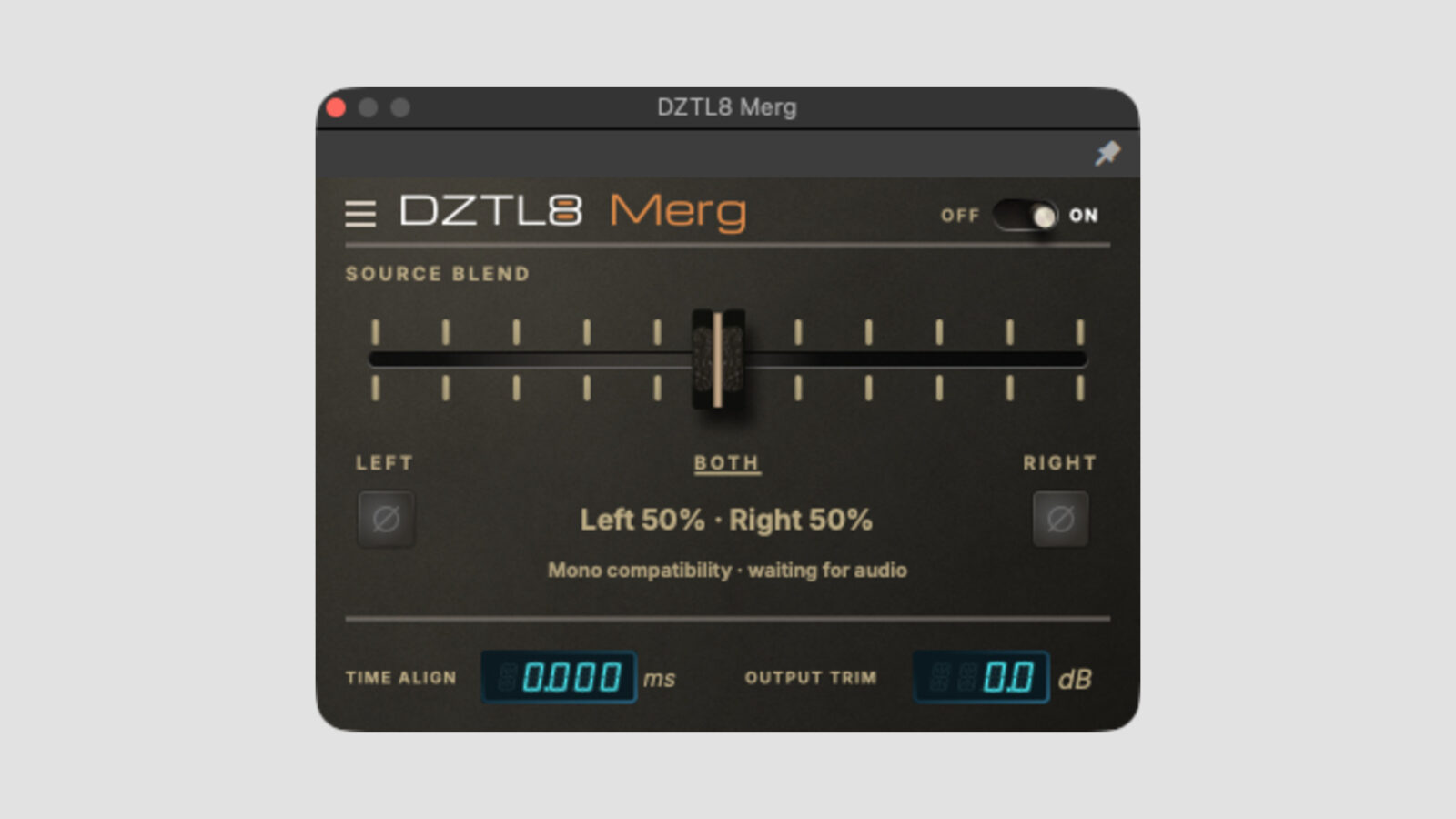
DZTL8 has released Merg, a free stereo to mono plugin for Windows and macOS. It combines left and right channels inside your session, with extra controls for samples that lose weight when you sum them.
That last part makes this more useful than a basic mono switch. An old stereo break might put the kick mostly on one side, or a bass sample might sound hollow when both channels meet. Merg lets you change the source blend, flip either side’s polarity, and adjust their timing before settling on the result.
A Free Stereo to Mono Plugin for Sample-Based Tracks
At its center setting, Merg averages the left and right inputs. Move the blend toward either end to favor one channel, all the way to left-only or right-only. This changes what goes into the mono sum, rather than simply panning the original stereo signal.
The output carries the same mono signal on both channels. You still need to insert Merg on a stereo track: the developer says it rejects mono and surround layouts.
Polarity switches and Time Align give you a few ways to deal with cancellation. However, they cannot guarantee a perfect repair for every stereo recording. I’d compare the center blend with each side on its own first. If one side already has the sound you want, that may be enough.
A mono-compatibility indicator helps you watch for signal loss, while the ON/OFF switch returns you to the original stereo input. Output Trim covers -24 dB to +12 dB. There is no limiter or clipping stage to catch an overloaded result, so check the level after adjusting it.
Download and Compatibility
Merg reports zero latency and needs no activation, subscription, or running network connection. The download link arrives by email; a separate account is not required.
- Windows: x64, VST3.
- macOS: version 11 or later, Intel and Apple Silicon, VST3 and AU.
- License: free to download and use, without a trial timer.
For a practical pairing, our free filter plugin guide covers ways to shape a sample after choosing its mono balance. I’d make the channel decision first, then EQ or filter the sound that will actually stay in the track.
Download Merg from the DZTL8 website.
Official Demo
DZTL8 Merg official demonstration
Loading this video connects to YouTube, which receives your IP address and may use cookies or other storage. Load it only if you agree.