
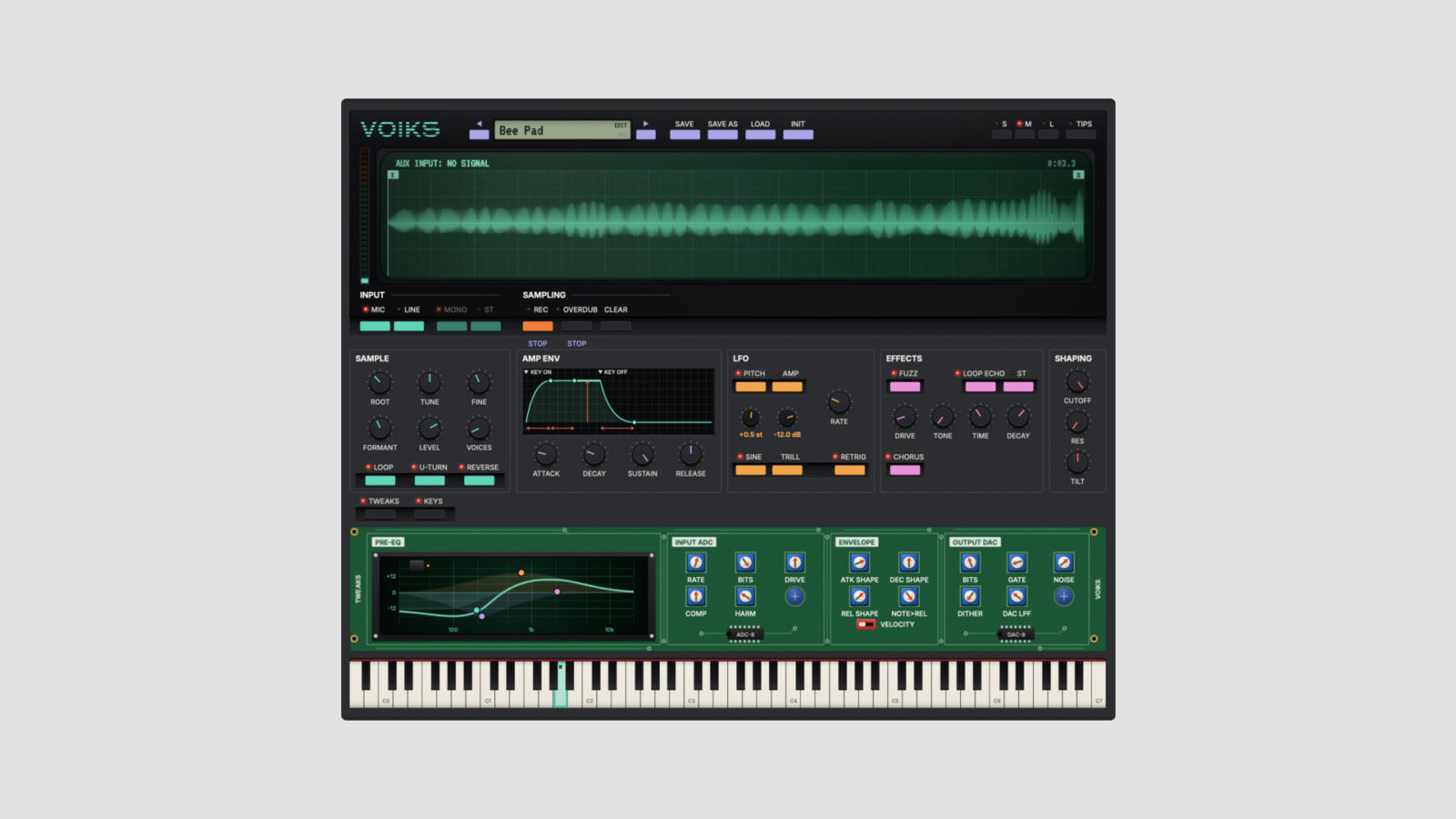
StageBox Software offers Voiks, a free toy keyboard sampler that turns a recorded sound into a playable instrument. Record through your audio interface or drop in a file, then play the result across the keyboard.
Start with One Sound
Voiks takes samples up to 30 seconds long and accepts WAV, AIFF, and FLAC files. It detects a root note, with manual adjustment if the result needs correcting. Overdub adds another recording to the existing sample, so you can build a combined sound before playing it.
Loop, reverse, and U-turn playback change how that material unfolds. Fuzz, echo, chorus, an envelope, and filtering provide further shaping. The Tweaks drawer opens up the sample rate, bit depth, and converter settings for more control over the lo-fi character.
A short vocal, a plucked string, or a household sound gives you a starting point without searching through a large library. For another take on turning your own recordings into instruments, see 2G.
Download and Requirements
Get Voiks from the StageBox Software website. The download form asks for an email address and includes occasional product emails. The free version includes all features and allows saving.
Current downloads cover macOS 11 or later on Intel and Apple Silicon, and 64-bit Windows 10 or later. AU and VST3 versions support Mac hosts; Windows uses VST3. You do not need the separate StageBox application.