
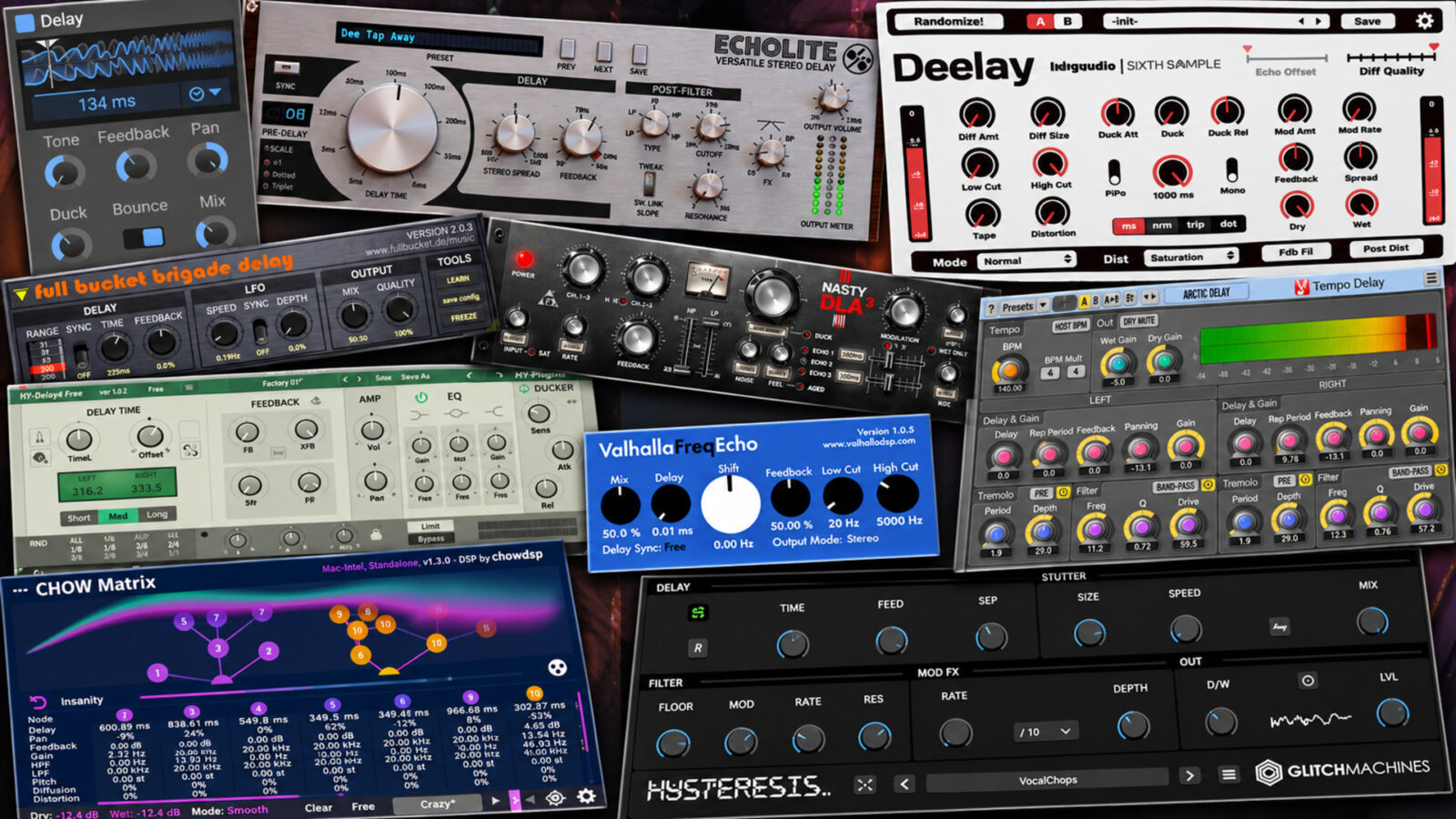
The best free delay plugins cover more than one kind of echo. Sometimes a vocal needs a few repeats between phrases. At other times, the delay becomes a rhythm, a worn-out trail, or a texture that carries a whole section.
I’ve chosen ten options with those different jobs in mind. I’d start with Kilohearts Delay for an everyday return, Deelay when I want more room to experiment, and Full Bucket Brigade Delay for a BBD-style approach. Windows users also have NastyDLA mkIII for a more colored chorus echo.
For this guide to the best free delay plugins, the free edition is the important part. These are not temporary giveaways. However, account requirements, platform support, and paid upgrades still vary, so the comparison flags the differences before you download.
Best Free Delay Plugins: Quick Comparison
| Plugin | Where I’d start | Systems | Worth knowing |
|---|---|---|---|
| Kilohearts Delay | A Free Delay Plugin for Everyday Echoes | Windows, macOS | Free account; modular hosts sold separately |
| D16 Echolite | A Free Delay Plugin for Shaped Repeats | Windows, macOS | Claim the free product; host application required |
| Sixth Sample Deelay | A Free Delay Plugin That Can Become a Texture | Windows, macOS | Free edition differs from Platinum Edition |
| Full Bucket Brigade Delay | A Free Delay Plugin for BBD Character | Windows, macOS | Current resizable builds differ from legacy N versions |
| Variety Of Sound NastyDLA mkIII | Chorus Echoes and Tape-Style Color | Windows | Windows VST and VST3 only |
| Voxengo Tempo Delay | Rhythms with Separate Left and Right Controls | Windows, macOS | More detailed routing than a single time knob |
| HY-Delay4 Free | A Free Delay Plugin with EQ and Ducking | Windows, macOS | Simple delay mode only; choose Free Version |
| Valhalla Freq Echo | Frequency Shifts Inside the Repeats | Windows, macOS | Frequency shifting differs from musical pitch shifting |
| Glitchmachines Hysteresis | Stutters and Unstable Feedback | Windows 11; macOS 11+ | Free checkout; check current system requirements |
| Chowdhury DSP Chow Matrix | Building a Network of Delay Lines | Windows, macOS, Linux | A deeper routing workflow than a conventional delay |
1. Kilohearts Delay - A Free Delay Plugin for Everyday Echoes
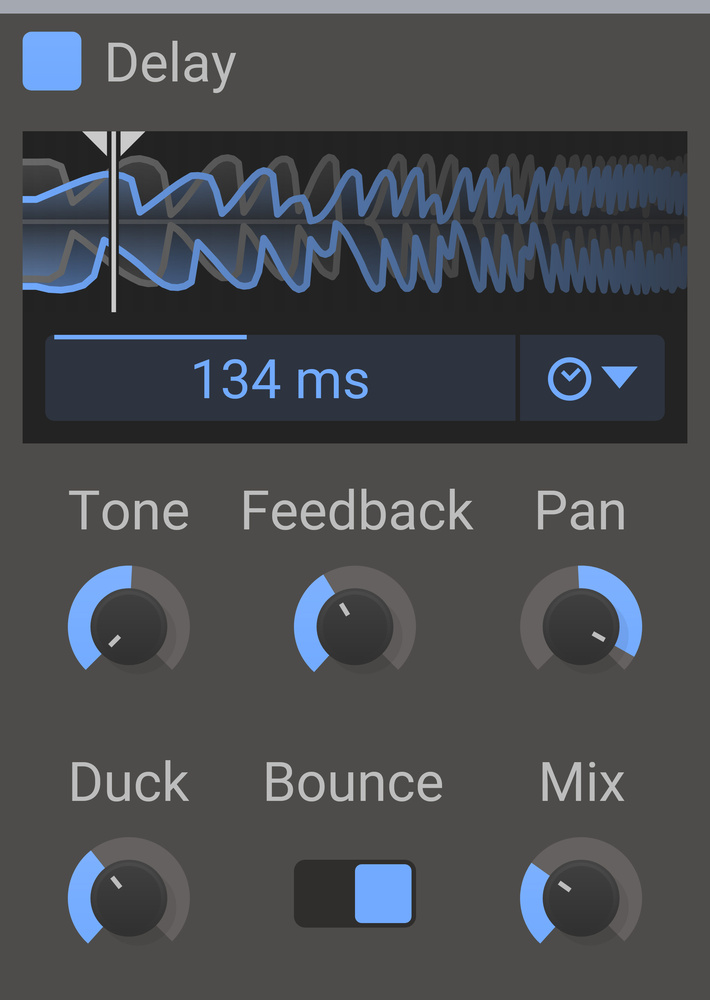
Kilohearts Delay would be my first stop when the track needs an echo and I don’t want another complicated decision. It keeps timing, feedback, stereo movement, and the wet/dry balance close together. More importantly for a busy arrangement, it includes a ducking control.
Ducking lowers the delayed signal while the input is strong. Consequently, a vocal can stay clearer during a line, then leave room for repeats between phrases. I’d try that before shortening a promising echo so much that it loses its purpose.
For rhythmic material, switch on tempo sync and choose a subdivision that works against the groove. Then compare the stereo bounce with a more centered result. A wider repeat isn’t automatically better if the arrangement already has movement on both sides.
This is one of the best free delay plugins for keeping the process small. It comes through Kilohearts Essentials with a free account. You can use it as a regular DAW plugin; the paid modular hosts are separate.
Get Kilohearts Delay from the official website.
2. D16 Echolite - A Free Delay Plugin for Shaped Repeats
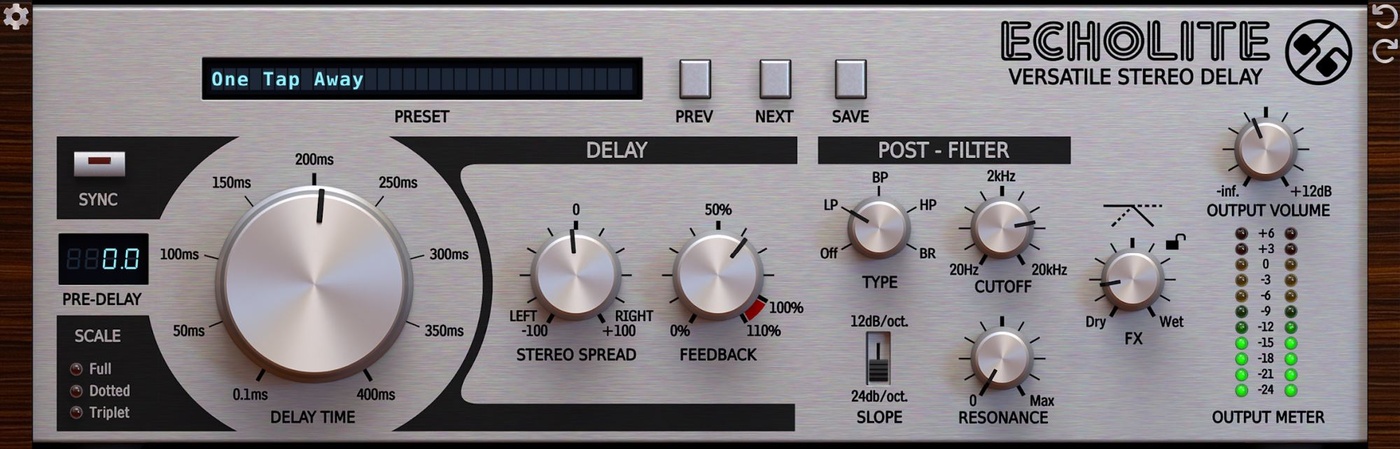
Echolite suits a slightly different brief: an uncomplicated stereo delay with more attention on the tone of the repeats. Its post-filter offers low-pass, high-pass, band-pass, and band-reject responses, with selectable slopes and resonance.
For instance, a darker echo can sit behind a bright lead without adding another equally bright copy of every note. A band-pass setting gives you a narrower color instead. I’d make that choice in the mix, because an echo that sounds thin alone may leave exactly the right space for the source.
There is also a dedicated pre-delay, stereo spread, and tempo sync with straight, dotted, and triplet values. However, stereo spread changes the timing relationship between channels, so check a wide setting in mono too.
Feedback can reach 110%, allowing the trail to build rather than simply fade. Start lower while finding the sound. Echolite is free through D16’s product page, with Windows and Mac installers; it needs a compatible DAW, rather than running by itself.
Get D16 Echolite from the official website.
3. Sixth Sample Deelay - A Free Delay Plugin That Can Become a Texture
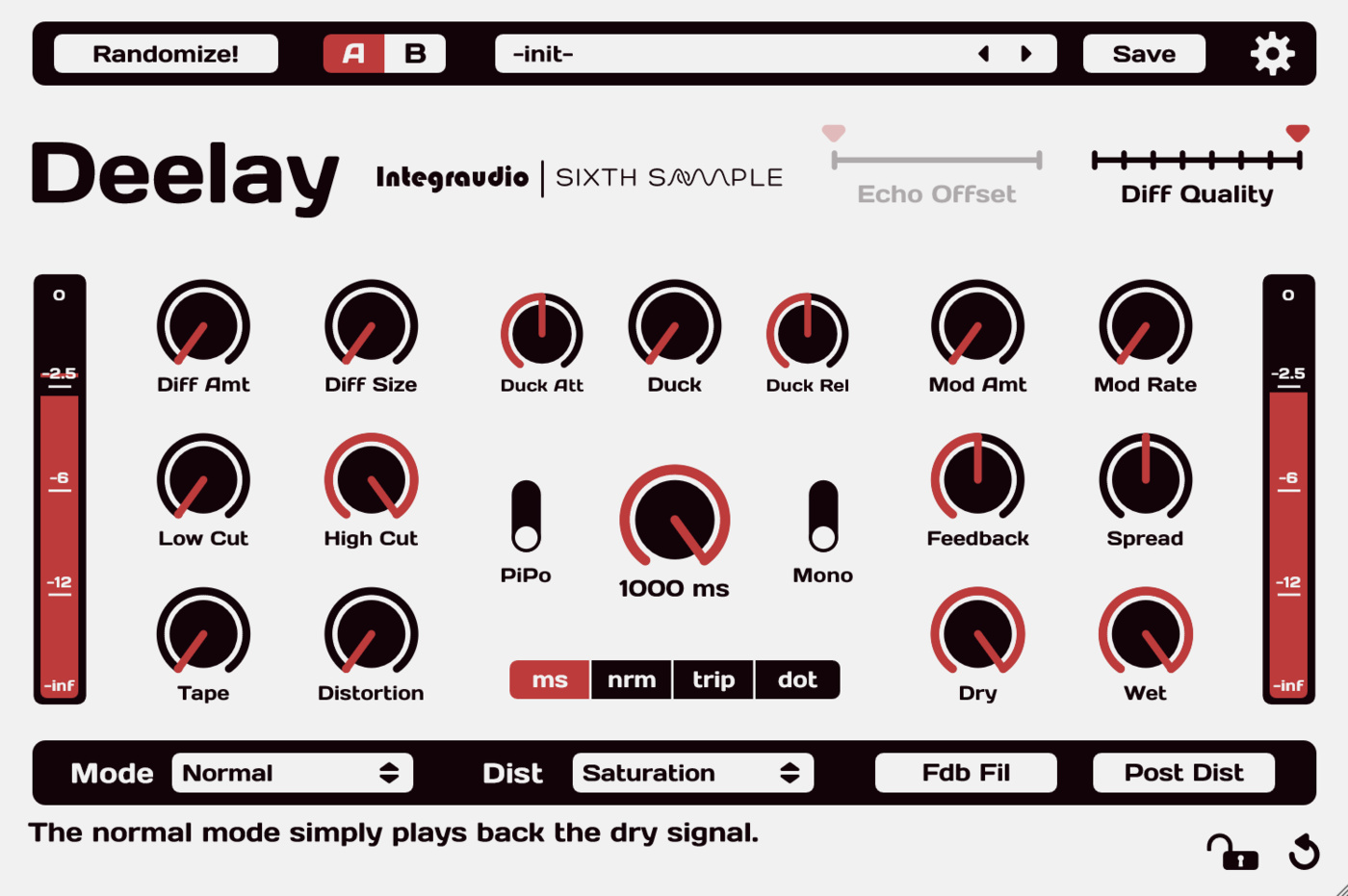
If I wanted one download to cover conventional repeats and stranger textures, Deelay would be high on the list. Alongside its delay controls, it includes diffusion, distortion, and modulation. Those additions let the tail become part of the sound design rather than a neat copy behind it.
Diffusion is particularly useful when distinct echoes feel too obvious. Increase it and the repeats can merge into a more spacious wash. However, I’d first establish a useful timing and feedback balance, then add diffusion until the separate hits blur by the amount the part needs.
The free plugin offers five delay modes, 100 factory presets, and A/B comparison. Use that comparison to keep a restrained version nearby while exploring a more extreme one. Otherwise, an interesting solo texture can quietly take over the arrangement.
Choose Deelay itself, rather than the separate paid Platinum Edition. Current downloads support Windows and Mac; the developer lists VST3 and AAX, plus AU on Mac, and now uses Moonbase for delivery and licensing.
Get Sixth Sample Deelay from the official website.
Deelay official overview by Sixth Sample
Loading this video connects to YouTube, which receives your IP address and may use cookies or other storage. Load it only if you agree.
4. Full Bucket Brigade Delay - A Free Delay Plugin for BBD Character
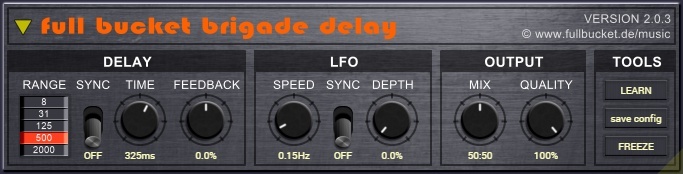
Full Bucket Brigade Delay focuses on the character of an analog bucket-brigade delay. Rather than offer a large collection of different delay models, it gives you one approach with timing, modulation, and a Quality control that can push the result away from a clean repeat.
For a short guitar or synth phrase, I’d start with little modulation and find the echo length first. Then reduce the quality or introduce some LFO movement. That makes it easier to hear whether the added instability improves the part or simply attracts attention.
The plugin also includes host sync and a freeze mode. Meanwhile, shorter delay settings and modulation open up chorus or flanger-like effects, so it can do more than leave a long trail after a note.
Direct downloads cover Windows and Mac in several formats, including VST3 and CLAP; Mac packages also include universal Intel and Apple Silicon options. Prefer the current resizable version unless you specifically need an older-system build. The separate N versions have a fixed interface.
Get Full Bucket Brigade Delay from the official website.
5. Variety Of Sound NastyDLA mkIII - Chorus Echoes and Tape-Style Color
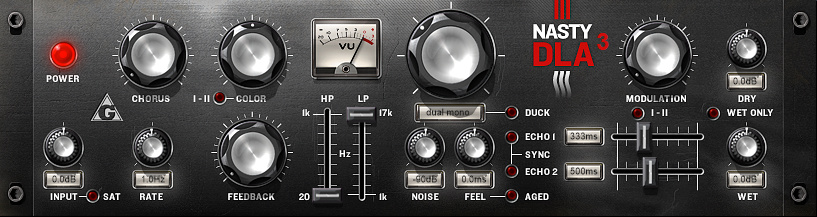
NastyDLA mkIII would be my Windows pick when the echo should bring some color with it. Variety Of Sound describes it as a chorus echo with tape-delay simulation, rather than a transparent timing utility.
The current 3.5 release revises the input stage with a modeled audio transformer. It also adjusts the relationship between compression and tape saturation, alongside changes to stereo behavior and modulation. That gives it a different emphasis from a simple clean delay followed by a low-pass filter.
I’d try it on a restrained send first. Let a short phrase reach the effect, then listen to what happens as the repeats continue. If the tail starts filling the same space as the next phrase, reduce the feedback before adding more processing elsewhere.
The platform limit is straightforward: this is freeware for Windows in VST and VST3 formats. Use the official downloads page for the current package and installation requirements. There isn’t a native Mac or Linux edition to choose from here.
Get Variety Of Sound NastyDLA mkIII from the official website.
6. Voxengo Tempo Delay - Rhythms with Separate Left and Right Controls
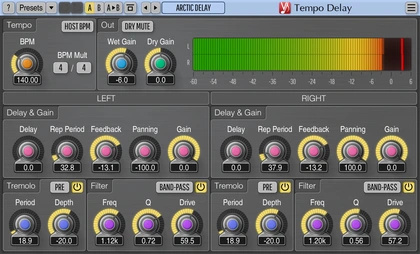
Tempo Delay is the option I’d investigate when the stereo rhythm needs more deliberate control. Voxengo separates the initial delay from the repetition period and provides independent channel controls. Filtering and tremolo give the repeats another layer of movement.
That distinction between the first arrival and later repeats matters. For example, you may want an echo to enter after a particular gap, then continue at a different interval. A single linked delay-time control doesn’t always make that pattern easy to build.
Start with one side, then introduce the second channel and adjust its panning. After that, compare the pattern against the drums. The goal is a rhythm that supports the track; making both sides equally busy can conceal the useful part of the idea.
This is a free download from Voxengo, with Windows and Mac installers. It rewards a little more setup than Kilohearts Delay, so I’d choose it for the channel-level control rather than expect the quickest possible slapback workflow.
Get Voxengo Tempo Delay from the official website.
7. HY-Delay4 Free - A Free Delay Plugin with EQ and Ducking
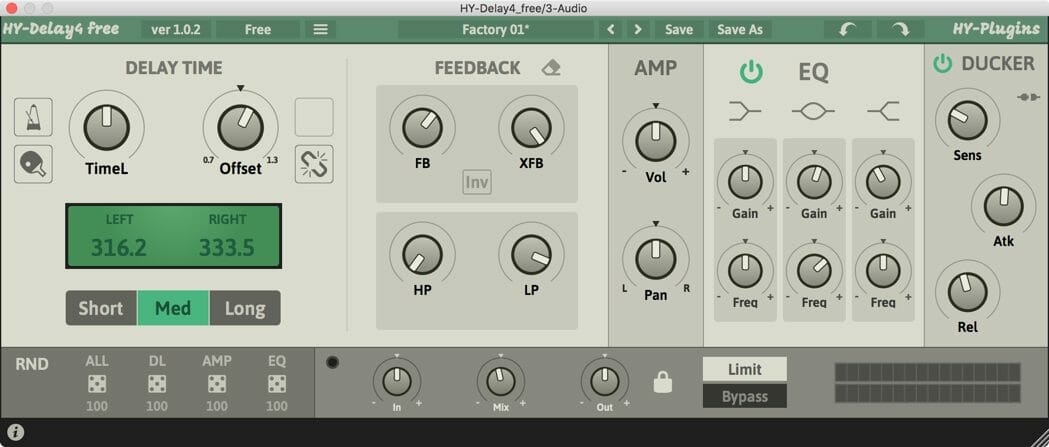
HY-Delay4 Free keeps the simple stereo delay engine from the larger paid plugin, along with EQ, a ducker, and randomization. That narrower feature set makes it worth considering on its own terms, rather than treating it as a preview that needs an upgrade.
For a vocal return, I’d first shape the echo with the EQ, then use the ducker to leave more room while the singer is active. Those are separate decisions: tone controls where the repeats sit, while ducking controls when they become more obvious.
However, the paid product’s granular, groove, and other delay engines don’t belong to this free edition. The full version also has a much broader modulation setup. If those features are the reason you’re downloading it, choose another free tool here instead of assuming they unlock later.
Use the links labeled Free Version on the official page. They are distinct from the full plugin’s restricted demo, which has interruptions and saving limits. The free edition has Windows and Mac downloads.
Get HY-Delay4 Free from the official website.
8. Valhalla Freq Echo - Frequency Shifts Inside the Repeats
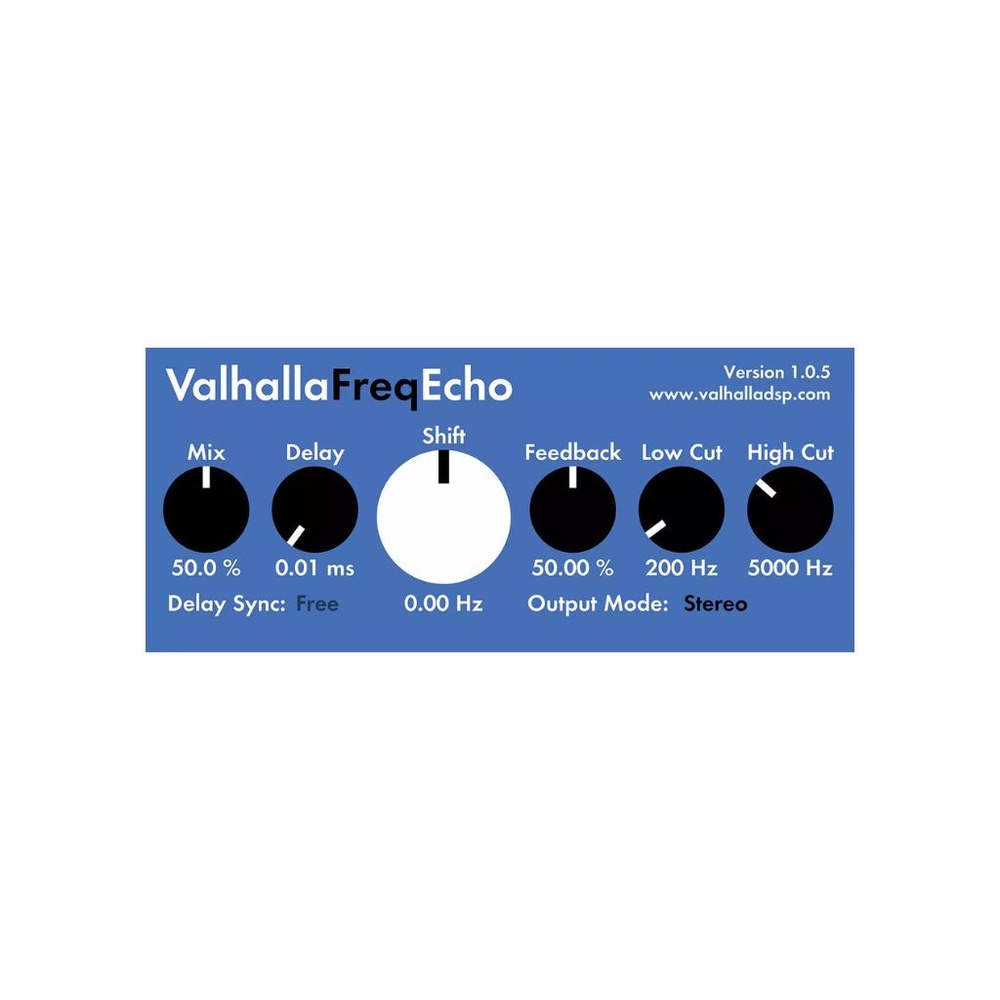
Freq Echo is where I’d turn when a repeat should change more radically than its volume. Valhalla combines an echo with a Bode-style frequency shifter. Each pass can move the frequency content again, creating effects that drift or climb instead of preserving the original note relationships.
That is different from transposing a melody by a fixed musical interval. A frequency shifter adds or subtracts a frequency offset, so it doesn’t keep every harmonic in the same proportion. Consequently, a small adjustment can introduce movement, while a larger one can make the tail increasingly strange.
For a first patch, keep the shift close to zero and use modest feedback. Then increase the shift slowly against a repeated phrase. I’d save the more extreme settings for a transition or a dedicated effect return.
Freq Echo is free, with current Windows and Mac downloads, including native Apple Silicon support on Mac. It is a separate product from the paid Valhalla Delay, despite the shared developer and overlapping uses.
Get Valhalla Freq Echo from the official website.
9. Glitchmachines Hysteresis - Stutters and Unstable Feedback
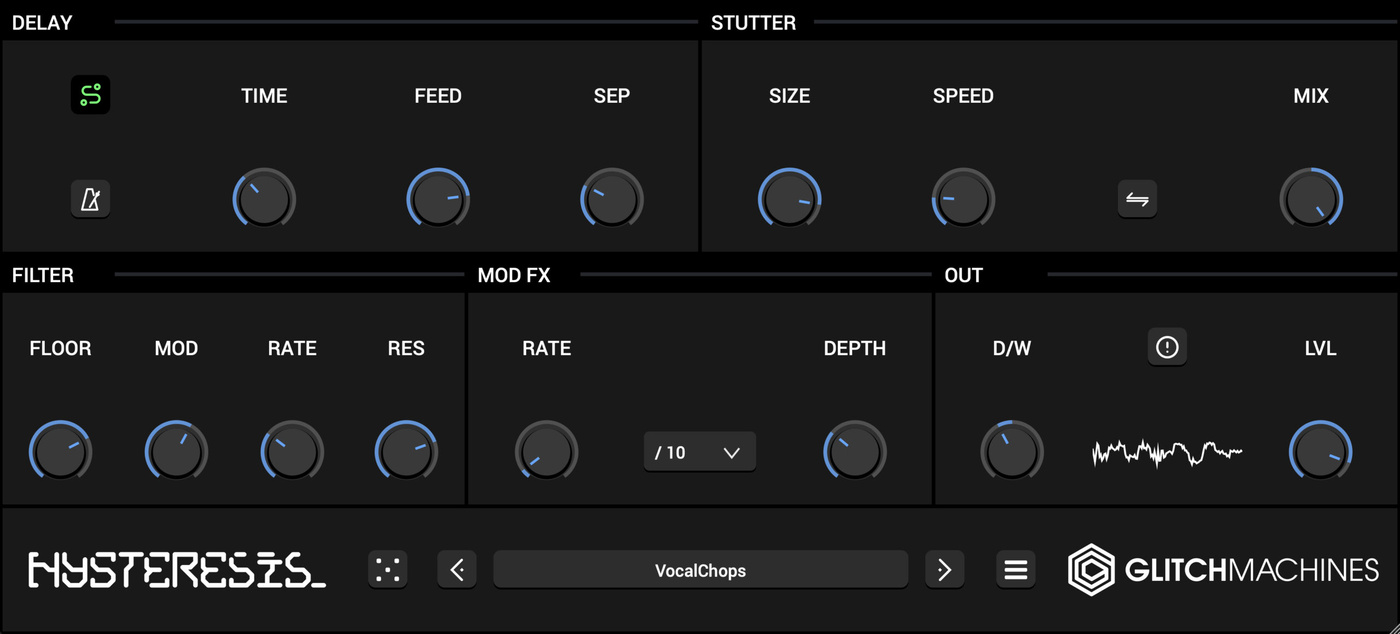
Hysteresis gives the feedback path a central role in the effect. It combines delay with stutter processing, a low-pass filter, and modulation, so the repeats can change character as they circulate. I’d choose it when the arrangement needs a rhythmic interruption or a deliberately unstable detail.
A dry drum loop makes a useful test source. First, keep enough of the original signal to follow the groove. Then introduce the stutter and modulation until the delay contributes a second rhythm. If the whole loop loses its shape, back off and use the effect on a shorter section instead.
The same approach can work on a synth phrase or an isolated vocal fragment. However, this wouldn’t be my first choice for a barely noticeable vocal echo; the more conventional options make that job quicker.
The current 1.4.0 page lists 60 presets, a scalable interface, and 64-bit VST3/AU support. Its stated minimum systems are Windows 11 and macOS 11. Claim the free download through the developer’s checkout.
Get Glitchmachines Hysteresis from the official website.
10. Chowdhury DSP Chow Matrix - Building a Network of Delay Lines
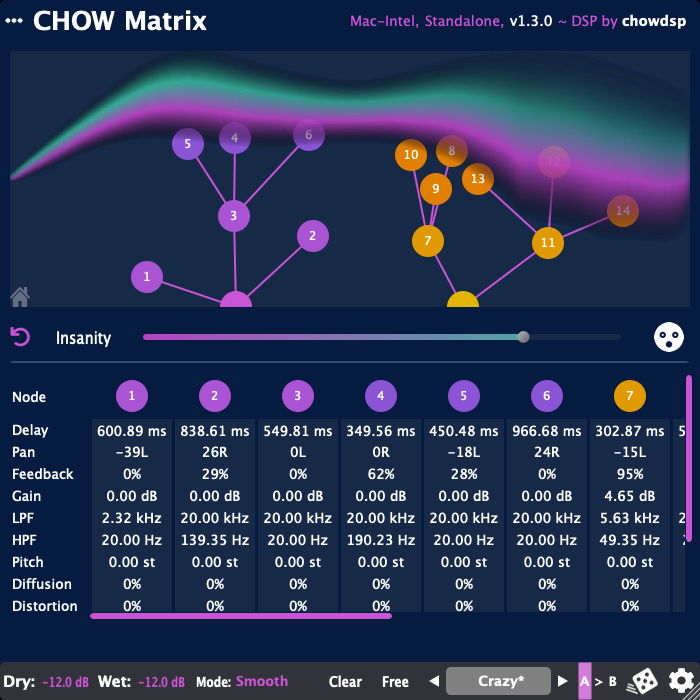
Chow Matrix is the most open-ended routing option in this selection. You build a branching network of delay lines, with separate controls for the nodes rather than one timing setting for the entire effect. Pitch shifting, diffusion, and distortion broaden what that network can become.
I’d start with only a few nodes. Give the first one a clear rhythmic job, then add another that answers it from a different position. That approach is easier to judge than building a large tree before hearing how its parts interact.
After the rhythm works, introduce the extra processing where it has a purpose. For example, one more diffuse branch can provide a background layer while another keeps a distinct echo. You don’t need every branch to do everything.
The plugin is free and open source, with Windows, Mac, and Linux downloads linked by the developer. The trade-off is the workflow: choose Chow Matrix when you want to design a network, rather than simply set a delay time and move on.
Get Chowdhury DSP Chow Matrix from the official website.
Chow Matrix official demonstration by Chowdhury DSP
Loading this video connects to YouTube, which receives your IP address and may use cookies or other storage. Load it only if you agree.
Choosing the Best Free Delay Plugins for Your Setup
For a small starting set, I’d choose one straightforward delay and one that adds a different character. Kilohearts Delay plus Full Bucket Brigade Delay is one pairing. Alternatively, Deelay covers a wider range in one interface if you don’t mind more controls.
For vocals, ducking gives Kilohearts Delay and HY-Delay4 Free a useful advantage. By contrast, Tempo Delay makes more sense when the left and right timing need separate attention. Echolite sits between those approaches with direct timing controls and a flexible post-filter.
The best free delay plugins for sound design solve a different problem. Freq Echo changes the frequency content of the trail, Hysteresis interrupts and reshapes it, and Chow Matrix lets you construct its routing. I’d choose between them by the movement I want, rather than install all three because their screenshots look interesting.
How to Make Free Delay Plugins Fit the Track
First, decide whether the repeat should reinforce the groove or fill a gap. Tempo sync is a useful starting point for the first job. For a short slapback or a looser feel, milliseconds may make more sense. Neither approach needs to win every time.
On an auxiliary return, set the effect fully wet and control its amount with the send and return levels. Otherwise, you can add another dry copy while trying to judge the echo. On an insert, use the plugin’s mix control instead.
Next, separate timing from feedback. Timing sets when the repeats arrive; feedback determines how long the sequence continues. If the first echo lands well but later ones cover the next phrase, reduce feedback before changing the rhythmic value.
Then shape the return. A high-pass filter can leave room for bass, while a darker top end can put the echo behind a bright source. Our free filter plugin guide covers tools for more deliberate tone shaping. Still, an EQ move won’t fix a repeat that arrives at the wrong moment.
Finally, automate the send when one word or note deserves the effect. A delay throw at the end of a vocal line can supply the gesture without putting every breath through the same treatment. I’d compare it with continuous delay before adding another processor.
Best Free Delay Plugins: Common Questions
Which free delay plugins suit vocals?
Start with a clear timing and a controlled tail. Kilohearts Delay and HY-Delay4 Free include ducking, which helps the repeats recede while the vocal is active. However, a short slapback or a manually automated send may suit the part better than a long ducked trail.
Should I use delay or reverb?
Choose delay when distinct repeats or a rhythmic answer help the arrangement. Reverb usually gives a more continuous impression of space. You can also combine them, but decide which job each effect has first. Our free reverb plugin guide compares several approaches to rooms, plates, and larger textures.
Are free versions the same as demos?
No. A free edition may have fewer features yet still save settings and work without a trial deadline. HY-Delay4 Free is an example of a separate free edition. Choose its Free Version links, rather than the paid plugin’s restricted demo. Likewise, Deelay and Deelay Platinum Edition are different products.
Can I use these in Logic Pro or Pro Tools?
Check the format before downloading. Logic needs an appropriate Audio Unit, while current Pro Tools systems use AAX. A Windows VST3 download won’t work in either situation. The official product pages list the available formats; not every plugin here covers every host.
Do I need all ten?
No. The best free delay plugins are the ones that cover a job your setup is missing. If the stock delay already handles a clean echo, add something with a different role, such as BBD coloration, frequency shifting, or a network of independent taps. Fewer distinct tools can be easier to learn than ten similar presets folders.